
పరిచయం
Thank you for choosing the LeadsaiL LX-002 2.4G Wireless Mouse. This manual provides detailed instructions for setting up, operating, and maintaining your new wireless mouse. Please read this manual carefully to ensure proper use and optimal performance.
పెట్టెలో ఏముంది
- 1 x LeadsaiL LX-002 Wireless Mouse
- 1 x USB Receiver (stored inside the mouse)
- 1 x వినియోగదారు మాన్యువల్
ఉత్పత్తి ముగిసిందిview
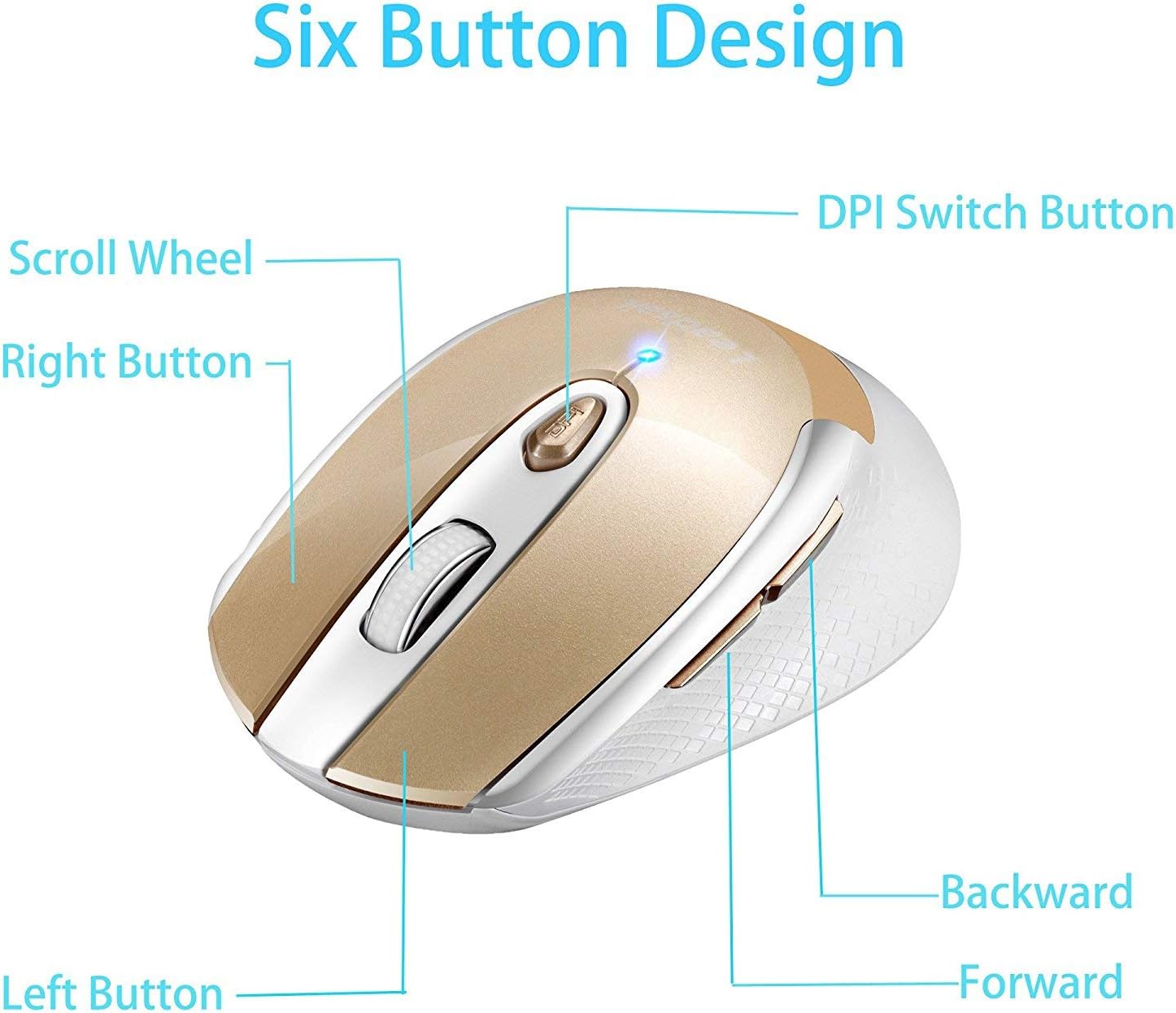
Figure 1: Six Button Design. ఈ చిత్రం పైభాగాన్ని ప్రదర్శిస్తుంది view of the LeadsaiL LX-002 wireless mouse, highlighting its six buttons: Left Button, Right Button, Scroll Wheel, DPI Switch Button, Backward Button, and Forward Button.
The LeadsaiL LX-002 wireless mouse features a 6-button design for enhanced functionality and an ergonomic shape for comfortable use. Key features include:
- నిశ్శబ్ద క్లిక్: Designed for quiet operation, minimizing noise during use.
- సర్దుబాటు చేయగల DPI: Three DPI levels (800, 1200, 1600) allow for customizable cursor sensitivity.
- ఎర్గోనామిక్ డిజైన్: Slim, sweat-resistant, and skin-friendly finish for maximum comfort, including a thoughtful ring and little finger rest.
- 2.4GHz వైర్లెస్ టెక్నాలజీ: Provides a stable and reliable connection with a transmission distance of up to 15 meters (50 feet).
- పవర్ సేవింగ్ మోడ్: బ్యాటరీ జీవితాన్ని ఆదా చేయడానికి 15 నిమిషాల నిష్క్రియ తర్వాత స్వయంచాలకంగా నిద్ర మోడ్లోకి ప్రవేశిస్తుంది.
సెటప్ సూచనలు
1. బ్యాటరీని వ్యవస్థాపించండి
- మౌస్ దిగువ భాగంలో బ్యాటరీ కంపార్ట్మెంట్ను గుర్తించండి.
- బ్యాటరీ కంపార్ట్మెంట్ కవర్ను మెల్లగా స్లయిడ్ చేయండి.
- సరైన ధ్రువణతను (+/-) నిర్ధారించుకోవడానికి, కంపార్ట్మెంట్లోకి ఒక AA బ్యాటరీని (చేర్చబడలేదు) చొప్పించండి.
- బ్యాటరీ కంపార్ట్మెంట్ కవర్ను సురక్షితంగా మూసివేయండి.

Figure 2: Battery and USB Receiver Location. This image shows the bottom of the mouse, indicating where to insert the AA battery and where the USB receiver is stored.
2. USB రిసీవర్ని కనెక్ట్ చేయండి
- Remove the mini USB receiver from its storage slot within the battery compartment.
- Plug the USB receiver into an available USB port on your computer (laptop, desktop, or netbook PC).
- No driver installation is required; the mouse is plug-and-play.

Figure 3: Wireless Connection. This image illustrates the 2.4G wireless connection between the mouse and a laptop via the USB receiver, indicating a lag-free experience.
3. మౌస్ను ఆన్ చేయండి
- Slide the ON/OFF switch, located on the underside of the mouse, to the "ON" position.
- మౌస్ ఇప్పుడు ఉపయోగం కోసం సిద్ధంగా ఉంది.
ఆపరేటింగ్ సూచనలు
DPI సున్నితత్వాన్ని సర్దుబాటు చేస్తోంది
- నొక్కండి DPI స్విచ్ బటన్ (located below the scroll wheel) to cycle through the three available DPI settings: 800, 1200, and 1600.
- Select the DPI setting that best suits your activity for optimal cursor speed and precision.

Figure 4: DPI Adjustment. This image shows the mouse with an overlay indicating the DPI switch button and the three adjustable DPI levels (800, 1200, 1600).
పవర్ సేవింగ్ మోడ్
- The mouse will automatically enter sleep mode after 15 minutes of no operation to save power.
- To wake the mouse, simply press any button.
అనుకూలత
The LeadsaiL LX-002 wireless mouse offers wide compatibility with various operating systems:
- Windows XP
- Windows Vista
- Windows 7
- Windows 8
- Windows 10
- Mac OS X
- Linux
- Chrome OS
- DOS
- విండోస్ 2000 సర్వర్
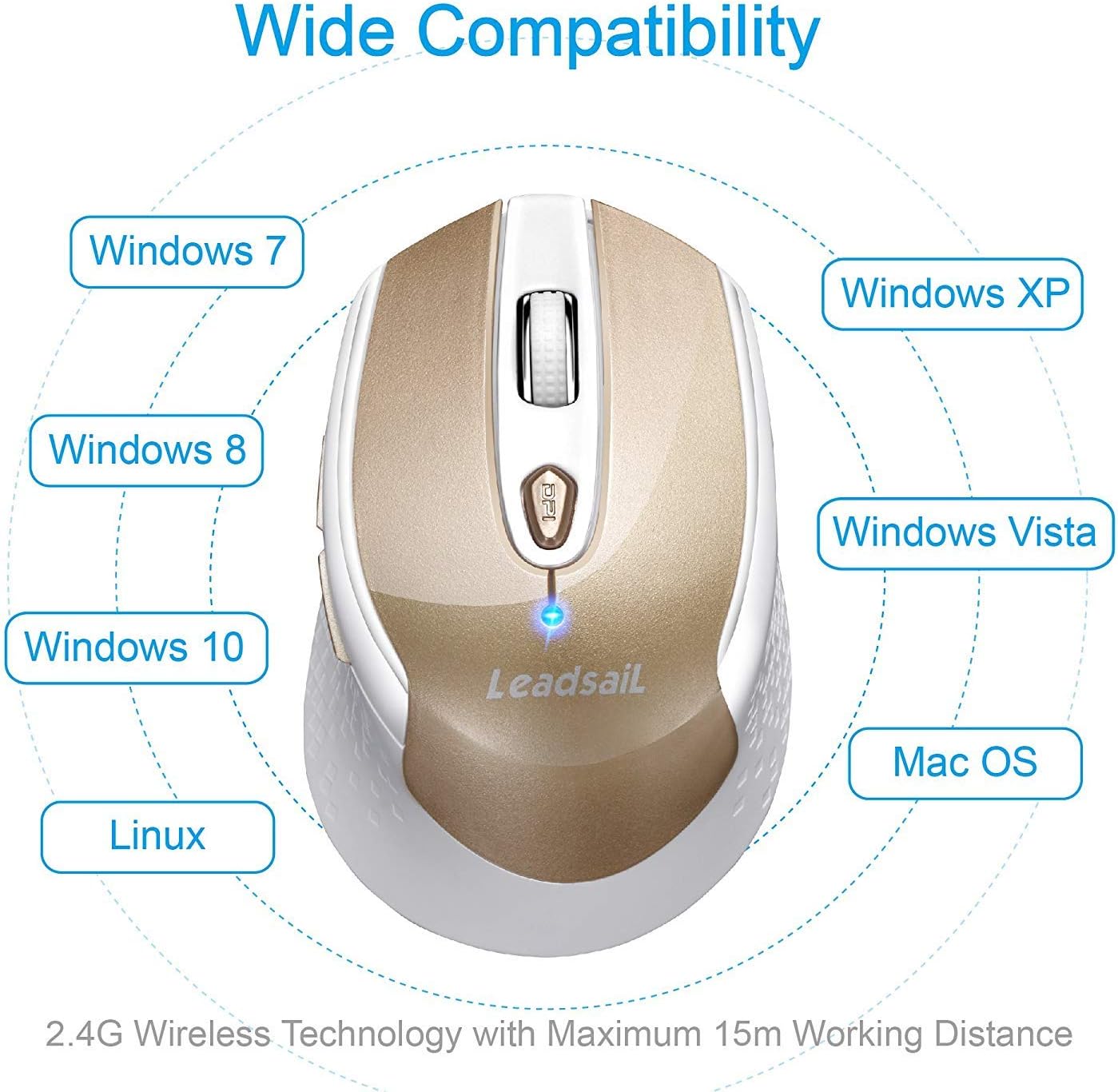
Figure 5: Wide Compatibility. This image visually represents the broad compatibility of the mouse with various operating systems, including Windows, Mac OS, and Linux.
నిర్వహణ
- Keep the mouse clean by wiping it with a soft, dry cloth. Avoid using harsh chemicals or abrasive cleaners.
- Ensure the optical sensor on the underside of the mouse is free from dust and debris for accurate tracking.
- When not in use for extended periods, turn off the mouse using the ON/OFF switch to further conserve battery life.
- Store the USB receiver inside the mouse's battery compartment when traveling to prevent loss.
ట్రబుల్షూటింగ్
| సమస్య | పరిష్కారం |
|---|---|
| మౌస్ స్పందించడం లేదు / కర్సర్ కదలడం లేదు |
|
| Cursor movement is erratic or jittery |
|
| వైర్లెస్ కనెక్షన్ సమస్యలు |
|
స్పెసిఫికేషన్లు
| ఫీచర్ | వివరాలు |
|---|---|
| బ్రాండ్ | లీడ్సైల్ |
| మోడల్ సంఖ్య | ఎల్ఎక్స్ -002 |
| కనెక్టివిటీ టెక్నాలజీ | 2.4GHz వైర్లెస్ (USB రిసీవర్) |
| కదలిక గుర్తింపు | ఆప్టికల్ |
| DPI స్థాయిలు | 800, 1200, 1600 |
| బటన్లు | 6 (ఎడమ, కుడి, స్క్రోల్ వీల్, DPI స్విచ్, ముందుకు, వెనుకకు) |
| శక్తి మూలం | 1 x AA బ్యాటరీ (చేర్చబడలేదు) |
| వస్తువు బరువు | 2.89 ఔన్సులు (సుమారు 82గ్రా) |
| ఉత్పత్తి కొలతలు (LxWxH) | 4.09 x 2.6 x 0.1 అంగుళాలు (సుమారు 10.4 x 6.6 x 0.25 సెం.మీ) |
| ఆపరేటింగ్ సిస్టమ్స్ | Windows XP/Vista/7/8/10, Mac OS X, Linux, Chrome OS, DOS, Windows 2000 Server |
| ప్రత్యేక లక్షణాలు | Ergonomic Design, Lightweight, Portable, Silent Click, Wireless |
వారంటీ మరియు మద్దతు
LeadsaiL products are designed for durability and performance. For any questions, technical support, or warranty claims, please refer to the contact information provided on the product packaging or visit the official LeadsaiL webసైట్. వారంటీ ప్రయోజనాల కోసం దయచేసి మీ కొనుగోలు రుజువును ఉంచుకోండి.