
1. ఉత్పత్తి ముగిసిందిview
The LeadsaiL Wireless Keyboard and Mouse Combo provides a convenient and efficient input solution for your computer. Featuring a compact design, silent operation, and a single 2.4G USB receiver, this combo is designed for ease of use and comfort across various Windows operating systems.

This image shows the LeadsaiL wireless keyboard and mouse combo integrated into a typical office desk environment with a laptop.
This video demonstrates the features and ease of use of the LeadsaiL Wireless Keyboard and Mouse Combo, including its compact design, silent operation, and simple setup.
2. ప్యాకేజీ విషయాలు
- 1 x LeadsaiL Wireless Keyboard
- 1 x LeadsaiL Wireless Mouse
- 1 x 2-in-1 USB Nano Receiver (stored inside the keyboard)
3. సెటప్ సూచనలు
- బ్యాటరీలను చొప్పించండి:
- For the keyboard: Open the battery compartment on the underside and insert two (2) AAA batteries (not included), ensuring correct polarity.
- For the mouse: Open the battery compartment on the underside and insert one (1) AA battery (not included), ensuring correct polarity.
- USB రిసీవర్ను గుర్తించండి: The 2-in-1 USB Nano Receiver is conveniently stored inside the battery compartment of the wireless keyboard. Gently remove it.
- కంప్యూటర్కు కనెక్ట్ చేయండి: USB నానో రిసీవర్ని మీ కంప్యూటర్లో అందుబాటులో ఉన్న USB పోర్ట్లోకి ప్లగ్ చేయండి.
- పవర్ ఆన్: Turn on the keyboard and mouse using their respective power switches (usually located on the underside). The devices are plug-and-play and should connect automatically.

This image clearly indicates where to find the 2-in-1 USB receiver, stored conveniently within the keyboard's battery compartment.
4. ఆపరేటింగ్ సూచనలు
4.1 ప్రాథమిక వినియోగం
Once connected, the keyboard and mouse function like standard wired peripherals. The mouse features a silent click design to minimize noise, and the keyboard utilizes a scissors structure for quiet and comfortable typing.
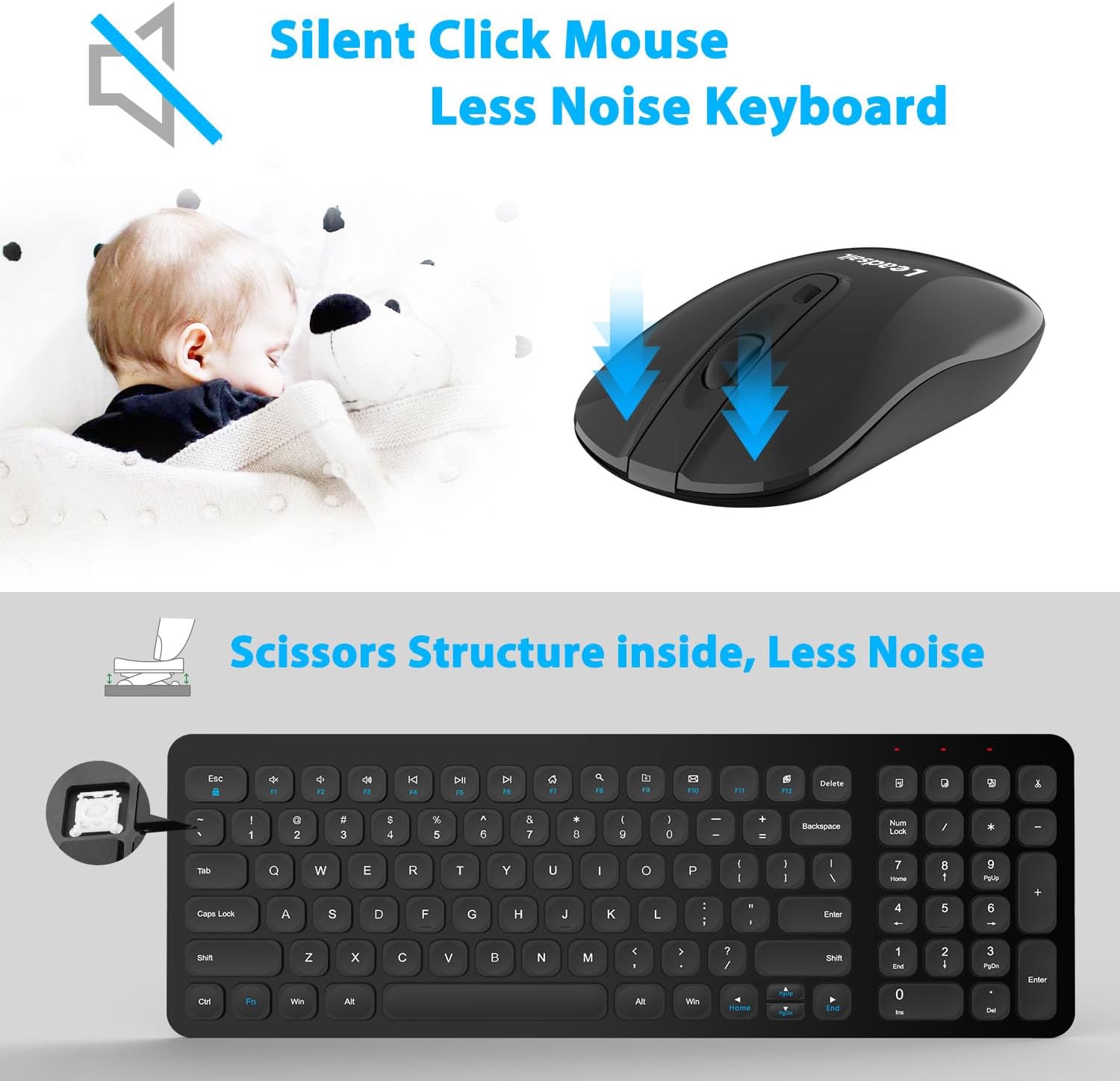
This image illustrates the quiet operation of both the wireless mouse and keyboard, emphasizing reduced clicking and typing noise.
4.2 మల్టీమీడియా షార్ట్కట్లు
The keyboard includes 12 multimedia shortcut keys for quick access to common functions. To use these, press the Fn కావలసిన ఫంక్షన్ కీ (F1-F12) తో ఏకకాలంలో కీని నొక్కండి.
- Fn+F1: మీడియా ప్లేయర్
- Fn+F2: వాల్యూమ్ డౌన్
- Fn+F3: వాల్యూమ్ అప్
- Fn+F4: మ్యూట్ చేయండి
- Fn+F5: మునుపటి ట్రాక్
- Fn+F6: తదుపరి ట్రాక్
- Fn+F7: ప్లే/పాజ్ చేయండి
- Fn+F8: ఆపు
- Fn+F9: హోమ్ పేజీ
- Fn+F10: ఇమెయిల్
- Fn+F11: నా కంప్యూటర్
- Fn+F12: కాలిక్యులేటర్
గమనిక: Multimedia shortcut functions are not compatible with Mac OS.

This image details the 12 multimedia shortcut keys available on the keyboard, providing quick access to various functions.
4.3 ఎనర్జీ సేవింగ్ మోడ్
To conserve battery life, the keyboard and mouse will automatically enter a sleep mode after 3 minutes of inactivity. To wake them up, simply click any mouse button or press any key on the keyboard.
4.4 ఎర్గోనామిక్ డిజైన్
The keyboard features an ergonomic sloping angle design to promote a more natural typing posture and reduce wrist fatigue during extended use.

This image highlights the ergonomic sloping angle of the keyboard, designed to reduce wrist fatigue during use.
5. నిర్వహణ
- శుభ్రపరచడం: కీబోర్డ్ మరియు మౌస్ ఉపరితలాలను శుభ్రం చేయడానికి మృదువైన, పొడి వస్త్రాన్ని ఉపయోగించండి. మొండి ధూళి కోసం, కొద్దిగా damp cloth can be used, but ensure no liquid enters the devices. Avoid harsh chemicals or abrasive cleaners.
- బ్యాటరీ భర్తీ: Replace batteries promptly when performance degrades. Always use new, high-quality batteries of the specified type (AAA for keyboard, AA for mouse). Dispose of old batteries responsibly according to local regulations.
- నిల్వ: ఎక్కువసేపు ఉపయోగంలో లేనప్పుడు, పరికరాలను ఆపివేసి, చల్లని, పొడి ప్రదేశంలో నిల్వ చేయండి.
6. ట్రబుల్షూటింగ్
- No Connection/Unresponsive Devices:
- బ్యాటరీలు సరిగ్గా చొప్పించబడ్డాయని మరియు అవి ఖాళీ కాకుండా చూసుకోండి. అవసరమైతే భర్తీ చేయండి.
- Verify that the USB Nano Receiver is securely plugged into a working USB port on your computer.
- రిసీవర్ని వేరే USB పోర్ట్లోకి ప్లగ్ చేసి ప్రయత్నించండి.
- Ensure the keyboard and mouse power switches are in the 'ON' position.
- మీ కంప్యూటర్ని పునఃప్రారంభించండి.
- Lagging Mouse/Unresponsive Keys:
- Check for interference from other wireless devices. Move the receiver closer to the keyboard and mouse, or move other wireless devices away.
- Ensure the optical sensor on the mouse is clean and unobstructed.
- బ్యాటరీలలో కొంత ఛార్జ్ మిగిలి ఉన్నట్లు అనిపించినా, వాటిని మార్చండి.
- Multimedia Keys Not Working on Mac OS: This is expected behavior as these functions are not compatible with Mac OS.
7. స్పెసిఫికేషన్లు
| ఫీచర్ | వివరాలు |
|---|---|
| బ్రాండ్ | లీడ్సైల్ |
| మోడల్ | KF002+LX001 |
| రంగు | నలుపు |
| కనెక్టివిటీ టెక్నాలజీ | 2.4G వైర్లెస్ |
| ప్రత్యేక ఫీచర్ | ఎర్గోనామిక్ |
| అనుకూల పరికరాలు | Personal Computer (Windows 10, Windows Server Versions 2000/2003, Windows XP, Linux) |
| కదలిక గుర్తింపు | ఆప్టికల్ |
| చేతి దిశ (మౌస్) | సవ్యసాచి |
| కీబోర్డ్ లేఅవుట్ | QWERTY |
| కీల సంఖ్య (కీబోర్డ్) | 99 |
| శక్తి మూలం | Battery Powered (1 AA for mouse, 2 AAA for keyboard) |
| వస్తువు బరువు | 0.62 కిలోలు |

This image displays the compact and slim profile of the keyboard and mouse, including their dimensions for space-saving benefits.
8. వారంటీ మరియు మద్దతు
8.1 వారంటీ సమాచారం
This LeadsaiL product comes with a Lifetime Warranty Against Manufacturer Defect. Please retain your proof of purchase for warranty claims.
8.2 కస్టమర్ మద్దతు
For further assistance, technical support, or warranty inquiries, please refer to the contact information provided with your purchase or visit the official LeadsaiL webసైట్.