
1. పరిచయం
ఈ మాన్యువల్ మీ రోకో హెవీ డ్యూటీ స్టాప్లర్ SH-208 యొక్క సురక్షితమైన మరియు సమర్థవంతమైన ఆపరేషన్, సెటప్ మరియు నిర్వహణ కోసం సమగ్ర సూచనలను అందిస్తుంది. పరికరం యొక్క సరైన పనితీరు మరియు దీర్ఘాయువును నిర్ధారించుకోవడానికి స్టెప్లర్ను ఉపయోగించే ముందు దయచేసి ఈ మాన్యువల్ను పూర్తిగా చదవండి.
2. ఉత్పత్తి ముగిసిందిview
రోకో హెవీ డ్యూటీ స్టెప్లర్ SH-208 అనేది కఠినమైన స్టెప్లింగ్ పనుల కోసం రూపొందించబడింది, పెద్ద మొత్తంలో కాగితాన్ని బైండింగ్ చేయడానికి బలమైన మరియు నమ్మదగిన పరిష్కారాన్ని అందిస్తుంది. దీని నిర్మాణం మన్నిక కోసం మెటల్ భాగాలను ప్లాస్టిక్ సితో మిళితం చేస్తుంది.asinసౌకర్యవంతమైన నిర్వహణ కోసం గ్రా.
ముఖ్య లక్షణాలు:
- అధిక సామర్థ్యం: 80 గ్రా/మీ² కాగితం యొక్క 210 షీట్ల వరకు స్టేపుల్ చేయగలదు.
- మన్నికైన నిర్మాణం: రక్షిత ప్లాస్టిక్ సి తో మెటల్ స్టెప్లర్ మెకానిజంను కలిగి ఉంటుందిasing.
- డబుల్ స్టేపుల్ గైడ్: స్టేపుల్ యొక్క ఖచ్చితమైన స్థానాన్ని నిర్ధారిస్తుంది మరియు జామ్లను నివారిస్తుంది.
- సులభమైన లోడింగ్ సిస్టమ్: త్వరిత మరియు సౌకర్యవంతమైన స్టేపుల్ రీప్లెనిష్మెంట్ కోసం పుష్-బటన్ ఫ్రంట్-లోడ్ మెకానిజం.
- బహుముఖ స్టెప్లింగ్: కదిలే అన్విల్ శాశ్వత మరియు తాత్కాలిక స్టెప్లింగ్ రెండింటినీ అనుమతిస్తుంది, అలాగే నెయిల్ ఫంక్షన్ను కూడా అందిస్తుంది.
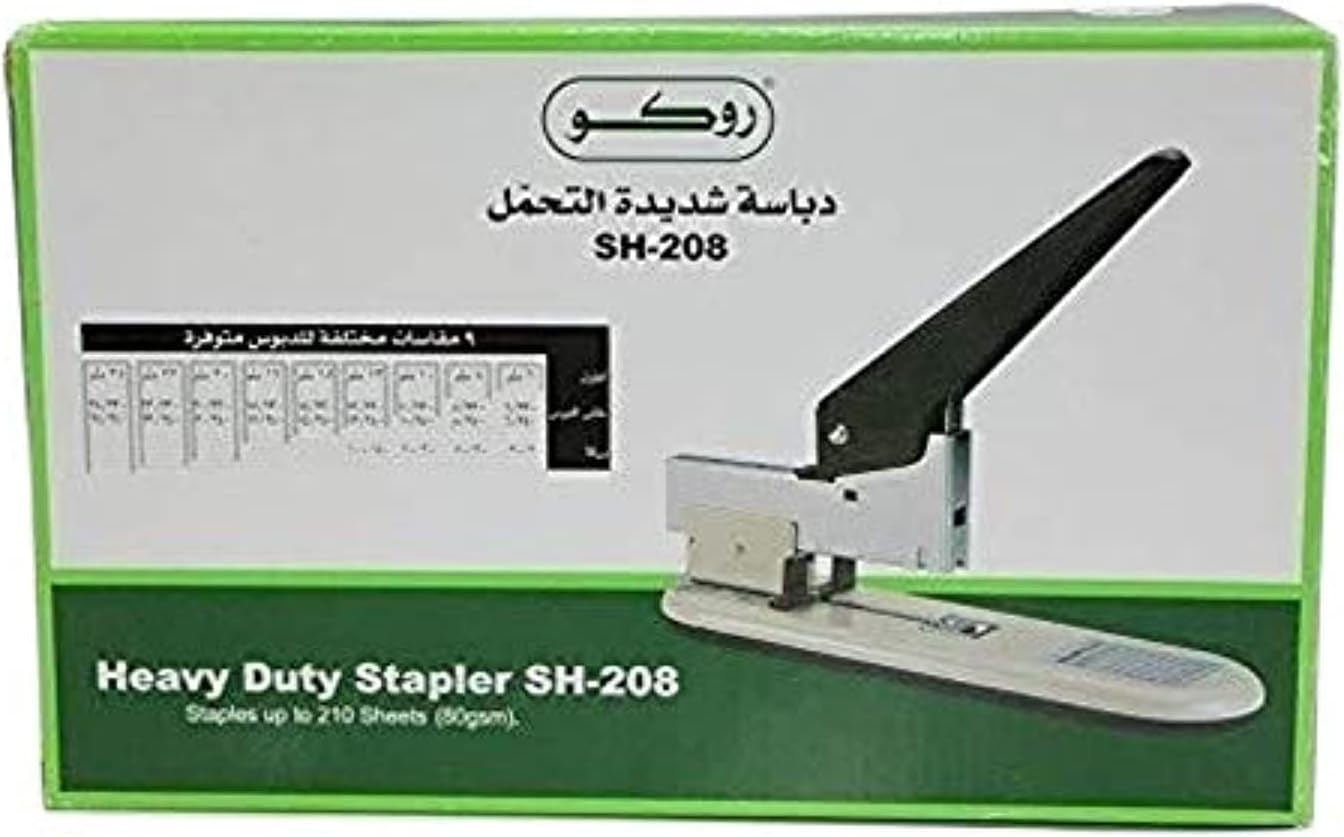
చిత్రం 1: రోకో హెవీ డ్యూటీ స్టెప్లర్ SH-208 దాని రిటైల్ ప్యాకేజింగ్లో, స్టెప్లర్ మరియు స్టేపుల్ సైజు చార్ట్ను చూపిస్తుంది.
3. సెటప్
3.1 అన్ప్యాకింగ్
దాని ప్యాకేజింగ్ నుండి స్టెప్లర్ను జాగ్రత్తగా తీసివేయండి. పరికరంలో ఏవైనా నష్టం సంకేతాలు ఉన్నాయా అని తనిఖీ చేయండి. భవిష్యత్తులో నిల్వ చేయడానికి లేదా రవాణా చేయడానికి ప్యాకేజింగ్ను ఉంచండి.
3.2 స్టేపుల్స్ లోడ్ అవుతోంది
- స్టెప్లర్ స్థిరమైన ఉపరితలంపై ఉందని నిర్ధారించుకోండి.
- స్టెప్లర్ ముందు భాగంలో పుష్-బటన్ లోడింగ్ సిస్టమ్ను గుర్తించండి. స్టేపుల్ ట్రేని విడుదల చేయడానికి బటన్ను నొక్కండి.
- స్టేపుల్ ట్రే పూర్తిగా విస్తరించే వరకు ముందుకు లాగండి.
- ట్రేలోకి అనుకూలమైన హెవీ-డ్యూటీ స్టేపుల్స్ స్ట్రిప్ను చొప్పించండి. షీట్ సామర్థ్యం ఆధారంగా సిఫార్సు చేయబడిన స్టేపుల్ రకాలు మరియు పరిమాణాల కోసం స్పెసిఫికేషన్ల విభాగాన్ని చూడండి.
- స్టేపుల్ ట్రే సురక్షితంగా స్థానంలో క్లిక్ అయ్యే వరకు దాన్ని స్టెప్లర్లోకి సున్నితంగా నెట్టండి.
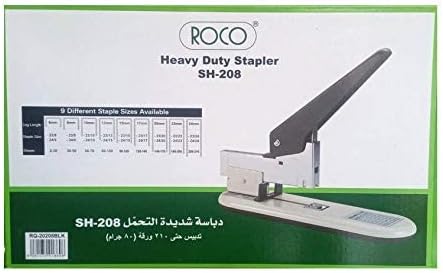
మూర్తి 2: వైపు view రోకో హెవీ డ్యూటీ స్టెప్లర్ SH-208, దాని దృఢమైన డిజైన్ను వివరిస్తుంది.
4. ఆపరేటింగ్ సూచనలు
4.1 స్టాప్లింగ్ డాక్యుమెంట్లు
- మీరు ప్రధానం చేయాలనుకుంటున్న పత్రాలను సేకరించండి, అవి చక్కగా సమలేఖనం చేయబడ్డాయని నిర్ధారించుకోండి.
- స్టెప్లర్ హెడ్ కింద పత్రాల మూల లేదా అంచుని ఉంచండి, ఖచ్చితమైన ప్లేస్మెంట్ కోసం వాటిని స్టేపుల్ గైడ్కు వ్యతిరేకంగా ఉంచండి.
- స్టేపుల్ అన్ని షీట్లలోకి చొచ్చుకుపోయి కిందకి అంటుకునే వరకు స్టెప్లర్ హ్యాండిల్పై గట్టిగా నొక్కండి.
- హ్యాండిల్ను విడుదల చేసి, స్టేపుల్ చేసిన పత్రాలను తీసివేయండి.
గమనిక: స్టెప్లర్ 210 షీట్లను (80 గ్రా/మీ²) వరకు నిర్వహించగలదు. జామ్లు లేదా అసంపూర్ణ స్టెప్లింగ్ను నివారించడానికి షీట్ల సంఖ్యకు తగిన స్టేపుల్ పరిమాణాలను ఉపయోగించాలని నిర్ధారించుకోండి.
4.2 తాత్కాలిక/శాశ్వత స్టెప్లింగ్ (మూవబుల్ అన్విల్) కోసం సర్దుబాటు చేయడం
రోకో SH-208 శాశ్వత మరియు తాత్కాలిక స్టెప్లింగ్ మోడ్ల మధ్య మారడానికి కదిలే అన్విల్ను కలిగి ఉంటుంది. అన్విల్ అనేది స్టెప్లర్ యొక్క బేస్ వద్ద ఉన్న మెటల్ ప్లేట్, ఇక్కడ స్టేపుల్ క్లింక్ అవుతుంది.
- శాశ్వత స్టాప్లింగ్: స్టేపుల్ చివరలు లోపలికి వంగి, పత్రాలను సురక్షితంగా బంధిస్తాయి. ఇది ప్రామాణిక అమరిక.
- తాత్కాలిక స్టెప్లింగ్: స్టేపుల్ చివరలు బయటికి వంగి ఉంటాయి, కాగితాన్ని చింపివేయకుండా సులభంగా తొలగించడానికి వీలు కల్పిస్తుంది. సక్రియం చేయడానికి, అన్విల్ను 180 డిగ్రీలు తిప్పండి.
ప్రతి స్టెప్లింగ్ రకానికి సరైన ఓరియంటేషన్ కోసం అన్విల్పై ఉన్న గుర్తులను సంప్రదించండి.
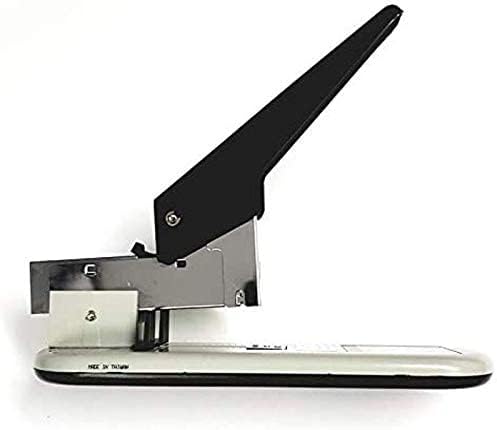
చిత్రం 3: పై నుండి క్రిందికి view రోకో హెవీ డ్యూటీ స్టెప్లర్ SH-208 యొక్క హ్యాండిల్ మరియు స్టెప్లింగ్ మెకానిజంను చూపిస్తుంది.
5. నిర్వహణ
క్రమం తప్పకుండా నిర్వహణ సజావుగా పనిచేయడానికి మరియు మీ స్టెప్లర్ యొక్క జీవితకాలం పొడిగించడానికి సహాయపడుతుంది.
- శుభ్రపరచడం: దుమ్ము మరియు చెత్తను తొలగించడానికి స్టెప్లర్ యొక్క బాహ్య భాగాన్ని క్రమానుగతంగా మృదువైన, పొడి గుడ్డతో తుడవండి. కఠినమైన రసాయనాలు లేదా రాపిడి క్లీనర్లను ఉపయోగించడం మానుకోండి.
- ప్రధానమైన ట్రే: అప్పుడప్పుడు స్టేపుల్ ట్రేని తీసివేసి, ఏవైనా చిన్న కాగితపు ముక్కలు లేదా విరిగిన స్టేపుల్స్ పేరుకుపోయి ఉంటే వాటిని తొలగించండి.
- సరళత: స్టెప్లర్ మెకానిజం సాధారణంగా స్వీయ-కందెనగా ఉంటుంది. మీరు దృఢత్వాన్ని గమనించినట్లయితే, కదిలే భాగాలకు తక్కువ మొత్తంలో తేలికపాటి మెషిన్ ఆయిల్ను పూయవచ్చు, కానీ అధిక సరళతను నివారించండి.
- నిల్వ: ఉపయోగంలో లేనప్పుడు స్టెప్లర్ను పొడి, శుభ్రమైన వాతావరణంలో నిల్వ చేయండి.
6. ట్రబుల్షూటింగ్
మీ రోకో హెవీ డ్యూటీ స్టెప్లర్తో మీకు సమస్యలు ఎదురైతే, ఈ క్రింది సాధారణ సమస్యలు మరియు పరిష్కారాలను చూడండి:
- అన్ని షీట్లలోకి చొచ్చుకుపోని స్టేపుల్స్:
- షీట్ల సంఖ్యకు సరైన స్టేపుల్ సైజును ఉపయోగిస్తున్నారని నిర్ధారించుకోండి.
- హ్యాండిల్ నొక్కినప్పుడు తగినంత ఒత్తిడిని వర్తించండి.
- స్టేపుల్ ట్రే పూర్తిగా లోడ్ చేయబడి సరిగ్గా అమర్చబడిందో లేదో తనిఖీ చేయండి.
- స్టాప్లర్ జామ్లు:
- స్టేపుల్ ట్రేని తీసివేసి, ఏవైనా జామ్ అయిన లేదా విరిగిన స్టేపుల్స్ను క్లియర్ చేయండి.
- స్టేపుల్స్ సరిగ్గా లోడ్ చేయబడ్డాయని మరియు వంగి లేదా దెబ్బతినకుండా చూసుకోండి.
- ప్రధానమైన ట్రేని అతిగా నింపకుండా ఉండండి.
- స్టేపుల్స్ సరిగ్గా పట్టుకోకపోవడం (ఉదా., శాశ్వత స్టాప్లింగ్ కోసం లోపలికి వంగకపోవడం):
- కదిలే అన్విల్ స్థానాన్ని తనిఖీ చేయండి. అది శాశ్వత స్టాప్లింగ్ మోడ్కు సెట్ చేయబడిందని నిర్ధారించుకోండి.
- కాగితం మందానికి స్టేపుల్ పరిమాణం తగినదని నిర్ధారించుకోండి.
సమస్యలు కొనసాగితే, మరింత సహాయం కోసం రోకో కస్టమర్ సపోర్ట్ను సంప్రదించండి.
7. స్పెసిఫికేషన్లు
| ఫీచర్ | వివరాలు |
|---|---|
| బ్రాండ్ | రోకో |
| మోడల్ సంఖ్య | RQ-20208 |
| స్టెప్లింగ్ సామర్థ్యం | 210 షీట్ల వరకు (80 గ్రా/మీ²) |
| మెటీరియల్ | ప్లాస్టిక్ తో మెటల్ సిasing |
| రంగు | నలుపు |
| ఉత్పత్తి కొలతలు | 13.97 x 6.09 x 3.81 సెం.మీ |
| వస్తువు బరువు | 60 గ్రా |
| ఆపరేషన్ మోడ్ | మాన్యువల్ |
| ప్రధాన గైడ్ | డబుల్, స్ప్రింగ్-మౌంటెడ్ |
| అన్విల్ రకం | కదిలే (తాత్కాలిక/శాశ్వత స్టెప్లింగ్ కోసం) |
8. వారంటీ మరియు మద్దతు
వారంటీ సమాచారం మరియు కస్టమర్ మద్దతు కోసం, దయచేసి మీ కొనుగోలుతో చేర్చబడిన డాక్యుమెంటేషన్ను చూడండి లేదా అధికారిక రోకోను సందర్శించండి. webసైట్. ఏవైనా వారంటీ క్లెయిమ్ల కోసం మీ కొనుగోలు రుజువును ఉంచుకోండి.
మీ రోకో హెవీ డ్యూటీ స్టాప్లర్ SH-208 తో మీకు సహాయం అవసరమైతే, దయచేసి వారి అధికారిక మార్గాల ద్వారా రోకో కస్టమర్ సేవను సంప్రదించండి.