
Uni-Com 66361
Uni-Com Premium Rechargeable Door Chime User Manual
మోడల్: 66361
పరిచయం
ధన్యవాదాలు, ధన్యవాదాలు.asing the Uni-Com Premium Rechargeable Door Chime. This portable chime unit offers convenience and reliability without the need for frequent battery replacements. Designed for ease of use, it features an extensive wireless range, multiple operating modes, and customizable chime sounds to ensure you never miss a visitor. This manual provides detailed instructions for setup, operation, and maintenance to help you get the most out of your new door chime.
ముఖ్యమైన భద్రతా సమాచారం
- Do not expose the chime unit or bell push to extreme temperatures or direct sunlight for prolonged periods.
- Keep the device away from water and high humidity to prevent damage, although the bell push is weather-resistant.
- యూనిట్లను మీరే తెరవడానికి లేదా మరమ్మతు చేయడానికి ప్రయత్నించవద్దు. అన్ని సర్వీసింగ్లను అర్హత కలిగిన సిబ్బందికి సూచించండి.
- Use only the supplied USB cable for charging the chime unit.
- స్థానిక నిబంధనల ప్రకారం బ్యాటరీలు మరియు ఎలక్ట్రానిక్ భాగాలను బాధ్యతాయుతంగా పారవేయండి.
ప్యాకేజీ విషయాలు
దయచేసి ఈ క్రింది అంశాల కోసం పెట్టెను ఎంచుకోండి:
- 1 x Uni-Com Premium Rechargeable Door Chime Unit
- 1 x Bell Push Unit
- 1 x Wall Fixing Kit (screws and wall plugs)
- 1 x CR2032 Button Cell Battery (pre-installed in bell push)
- 1 x USB ఛార్జింగ్ కేబుల్
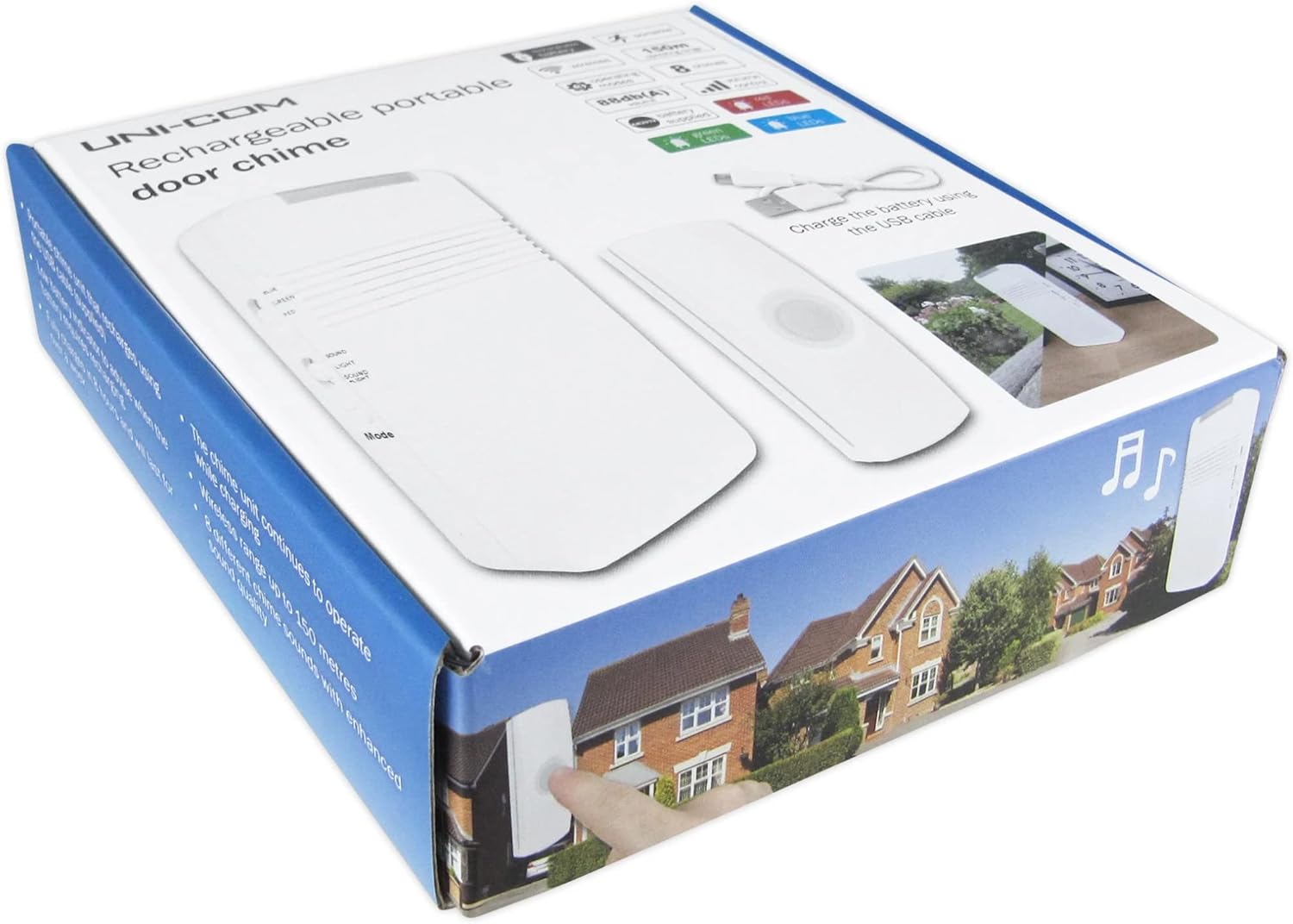
Image: The retail packaging for the Uni-Com Premium Rechargeable Door Chime, showing the chime unit and bell push.

Image: Various angles of the chime unit and bell push, highlighting controls and ports, along with the USB charging cable.
సెటప్ మరియు ఇన్స్టాలేషన్
1. Bell Push Installation
The bell push is weather-resistant and designed for outdoor use. It is powered by a pre-installed CR2032 button cell battery. To install:
- Choose a suitable location near your front door, ensuring it is easily accessible to visitors.
- Using the provided wall fixing kit, securely attach the bell push to a flat surface. Ensure the mounting surface is stable.

Image: Front, side, and back views of the bell push unit, showing its compact design and mounting points.
2. Chime Unit Charging
The chime unit is powered by a built-in 3.7V 600mAh Li-ion rechargeable battery. Before first use, or when the low battery indicator flashes red, charge the unit:
- Connect the supplied USB cable to the charging port on the chime unit.
- Plug the other end of the USB cable into a standard USB power adapter (not supplied) or a computer USB port.
- The unit will continue to operate while charging. A full charge provides over a week of operation.
3. యూనిట్లను జత చేయడం
The bell push and chime unit are typically pre-paired. If re-pairing is necessary or if you are adding additional bell pushes:
- Ensure both units are powered on and within range.
- Refer to the specific pairing instructions provided on the chime unit or in a separate quick start guide if available. Generally, this involves pressing a 'Code' button on the chime unit and then activating the bell push.
ఆపరేషన్
ఆపరేటింగ్ మోడ్లు
The chime unit offers three distinct operating modes:
- Chime Sound Only: The unit will play the selected chime sound when the bell push is activated.
- Flashing Light Only: The LED lens on top of the chime unit will flash in your chosen color (red, blue, or green) without sound. This mode is ideal for quiet environments or for individuals with hearing impairments.
- Both Sound and Light: The unit will play the chime sound and the LED lens will flash simultaneously.

Image: The chime unit shown with its top LED illuminating in red, green, and blue, demonstrating the visual alert feature.
వాల్యూమ్ సర్దుబాటు
Use the 'Volume' buttons (+ and -) on the side of the chime unit to increase or decrease the sound output. The maximum sound output is 88 dBA.
Changing Chime Sounds
The chime unit can be programmed with one of 8 enhanced chimes. These include traditional sounds like Westminster chime and Ding Dong, as well as a barking dog sound for increased security. To change the chime sound, locate the 'Mode' button on the chime unit and cycle through the available options until your desired sound is selected.
బ్యాటరీ సూచిక
The chime unit features a low battery indicator LED. If this LED is flashing red, it indicates that the battery needs recharging soon. Connect the USB cable to recharge the unit.
నిర్వహణ
- శుభ్రపరచడం: మెత్తటి, పొడి గుడ్డతో యూనిట్లను తుడవండి. రాపిడి క్లీనర్లు లేదా ద్రావకాలను ఉపయోగించవద్దు.
- Bell Push Battery Replacement: The CR2032 button cell battery in the bell push should be replaced approximately every 12 months. To replace, carefully open the bell push casing, remove the old battery, and insert a new CR2032 battery with the correct polarity.
- Chime Unit Recharging: Recharge the chime unit using the supplied USB cable when the low battery indicator flashes red. The unit can operate while charging.
ట్రబుల్షూటింగ్
| సమస్య | సాధ్యమైన కారణం | పరిష్కారం |
|---|---|---|
| Chime unit does not sound or light up. | Low battery on chime unit or bell push; units are out of range; units are not paired. | Recharge chime unit. Replace bell push battery. Move chime unit closer to bell push. Re-pair the units as per setup instructions. |
| Chime unit sounds intermittently. | Interference from other wireless devices; weak signal due to distance or obstacles. | Relocate chime unit or bell push to minimize interference. Ensure no large metal objects or thick walls are between units. |
| Bell push not responding. | Bell push battery is dead. | Replace the CR2032 battery in the bell push. |
సాంకేతిక లక్షణాలు
| ఫీచర్ | స్పెసిఫికేషన్ |
|---|---|
| మోడల్ సంఖ్య | 66361 |
| వైర్లెస్ ఫ్రీక్వెన్సీ | 433.92MHz |
| వైర్లెస్ రేంజ్ | Up to 150m (open air) |
| సౌండ్ అవుట్పుట్ | 88 dBA |
| Chime Unit Battery | Built-in 3.7V 600mAh Li-ion rechargeable battery |
| Bell Push Battery | 1 x CR2032 Button Cell Battery (supplied) |
| Chime Unit Dimensions (HxWxD) | 130 x 63 x 30 మిమీ |
| Bell Push Unit Dimensions (HxWxD) | 82 x 29 x 19 మిమీ |
| ఆపరేటింగ్ మోడ్లు | Chime Only, Light Only, Both |
| చిమ్ శబ్దాలు | 8 enhanced chimes |
| వర్తింపు | డైరెక్టివ్ 2014/53/EU (RED) |
వారంటీ మరియు మద్దతు
Uni-Com products are manufactured to high quality standards. For information regarding warranty coverage or technical support, please refer to the contact details provided on the product packaging or visit the official Uni-Com webసైట్. ఏవైనా వారంటీ క్లెయిమ్ల కోసం దయచేసి మీ కొనుగోలు రుజువును ఉంచుకోండి.
Ask a question about this manual
Ask about setup, troubleshooting, compatibility, parts, safety, or missing instructions. Manuals+ will review the question and use this page’s manual context to help answer it.