
పరిచయం
This manual provides detailed instructions for the installation, operation, maintenance, and troubleshooting of your MikroTik wAP ac LTE6 kit (model RBwAPGR-5HacD2HnD&R11e-LTE6). This device is a dual-band (2.4 / 5 GHz) wireless access point with an integrated CAT6 LTE modem, designed for robust indoor and outdoor connectivity. Please read this manual thoroughly before using the device to ensure proper setup and optimal performance.
ఉత్పత్తి ముగిసిందిview
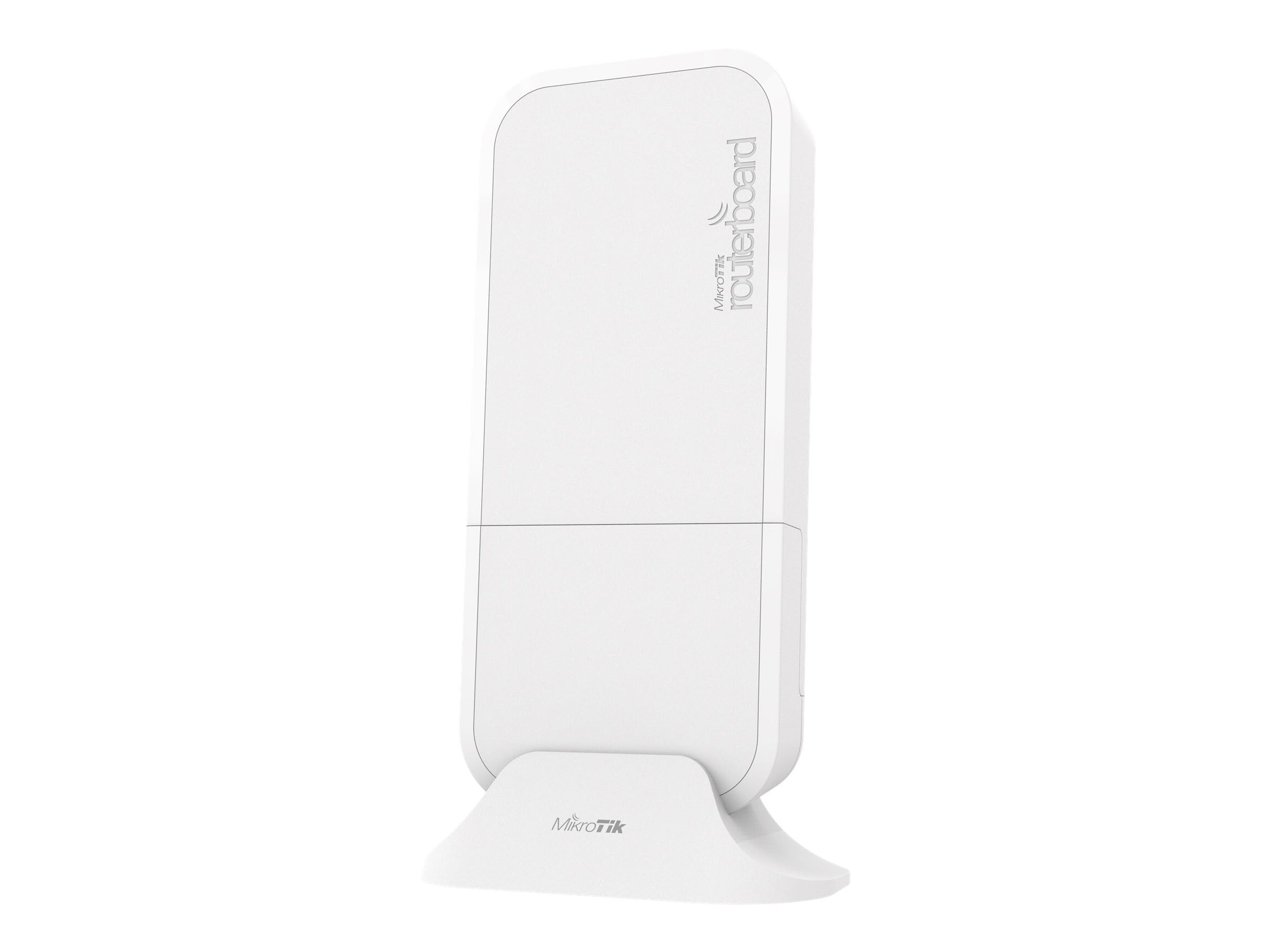
The MikroTik wAP ac LTE6 kit is a versatile device combining a powerful wireless access point with a high-speed CAT6 LTE modem. It features two Gigabit Ethernet ports and supports carrier aggregation for enhanced LTE performance. Its weatherproof design allows for flexible deployment in various environments.

Image: MikroTik wAP ac LTE6 kit, illustrating its compact and weatherproof design suitable for various installations.
సెటప్
1. అన్బాక్సింగ్ మరియు కాంపోనెంట్ ఐడెంటిఫికేషన్
ఇన్స్టాలేషన్ ప్రారంభించే ముందు, అన్ని భాగాలు ఉన్నాయని నిర్ధారించుకోండి:
- MikroTik wAP ac LTE6 kit unit
- పవర్ అడాప్టర్
- మౌంటు ఉపకరణాలు
2. భౌతిక సంస్థాపన
The wAP ac LTE6 kit can be mounted on walls, ceilings, or poles. Choose a location that provides optimal signal coverage for both Wi-Fi and LTE. Ensure the device is protected from direct exposure to extreme weather conditions, although it is designed to be weatherproof.
3. సిమ్ కార్డ్ చొప్పించడం
The device requires a Micro SIM card for LTE connectivity. Follow these steps to insert the SIM card:
- Locate the SIM card slot, typically found under a protective cover or within the device's internal compartment.
- Carefully open the cover or access panel.
- Insert the Micro SIM card into the designated slot with the gold contacts facing down and the notched corner oriented correctly.
- SIM కార్డ్ పూర్తిగా అమర్చబడిందని నిర్ధారించుకోండి.
- Close the cover or panel securely.
4. Connecting Power and Ethernet
The device supports Power over Ethernet (PoE) on ETH1 or can be powered via a DC jack. Connect the power source and any desired Ethernet cables:
- పవర్ ఇన్పుట్: Connect the provided power adapter to the DC jack (10-57 V DC) or use a PoE injector/switch with ETH1 (18-57 V PoE in).
- ఈథర్నెట్ పోర్ట్లు: Connect your network cables to ETH1 (PoE in) and ETH2. These are Gigabit Ethernet ports.
చిత్రం: వివరణాత్మకం view of the MikroTik wAP ac LTE6 kit's connectivity options, including Ethernet ports, DC power input, reset button, LED indicators, and the Micro SIM card slot.
5. ప్రారంభ ఆకృతీకరణ
Upon first power-on, the device will boot up. It runs MikroTik's RouterOS. You can access the device for initial configuration via a web browser or WinBox utility. Refer to the MikroTik documentation for detailed RouterOS configuration guides.
ఆపరేటింగ్ సూచనలు
1. LED సూచికలు
Monitor the device's status using the LED indicators:
- PWR (పవర్): పరికరం పవర్ ఆన్ చేయబడిందని సూచిస్తుంది.
- USR (User): Programmable LED, often used to indicate user-defined status or activity.
- LTE: Indicates LTE modem status (e.g., solid for connected, blinking for activity).
2. Wireless Connectivity (Wi-Fi)
The device operates as a dual-band (2.4 GHz and 5 GHz) 802.11ac wireless access point. Once configured, client devices can connect to the Wi-Fi networks broadcast by the wAP ac LTE6 kit using the configured SSID and password.
3. LTE Connectivity
With a properly inserted and activated Micro SIM card, the integrated CAT6 LTE modem will establish a connection to the cellular network. The CAT6 modem supports carrier aggregation, allowing for download speeds up to 300 Mbps and improved performance in congested areas.
4. Wired Network (Ethernet)
The two Gigabit Ethernet ports (ETH1 and ETH2) can be used to connect wired devices or integrate the wAP ac LTE6 kit into an existing wired network. ETH1 also supports PoE input.
నిర్వహణ
1. ఫర్మ్వేర్ నవీకరణలు
Regularly check for and apply firmware updates for RouterOS. Updates often include security patches, bug fixes, and performance improvements. Refer to the MikroTik website for the latest firmware and update procedures.
2. శుభ్రపరచడం
Clean the exterior of the device with a soft, dry cloth. Do not use liquid cleaners or aerosols, as they may damage the device. Ensure no dust or debris obstructs the ports or ventilation openings.
3. పర్యావరణ పరిగణనలు
The device is designed to operate in temperatures from -30°C to +60°C. While weatherproof, avoid prolonged exposure to direct sunlight or extreme moisture to maximize its lifespan.
ట్రబుల్షూటింగ్
1. పవర్ లేదు
- Check if the power adapter is securely connected to the device and a working power outlet.
- If using PoE, ensure the PoE injector/switch is providing power and the Ethernet cable is properly connected to ETH1.
- Verify the PWR LED is illuminated.
2. No Internet Connectivity (LTE)
- Ensure the Micro SIM card is correctly inserted and activated with a data plan.
- Check the LTE LED for status. If it's not lit or blinking, there might be an issue with the SIM card or cellular signal.
- Verify LTE modem configuration within RouterOS.
- Check for cellular network coverage in your location.
3. No Wi-Fi Connectivity
- Ensure the Wi-Fi interface is enabled and configured correctly in RouterOS.
- Check that client devices are within range and using the correct Wi-Fi password.
- పరికరాన్ని పునఃప్రారంభించండి.
4. పరికరాన్ని రీసెట్ చేస్తోంది
If the device is unresponsive or you need to restore factory defaults, use the reset button. With the device powered on, press and hold the reset button for approximately 5 seconds until the USR LED starts blinking, then release. This will reset the device to its default configuration.
స్పెసిఫికేషన్లు
| ఫీచర్ | వివరణ |
|---|---|
| బ్రాండ్ | మైక్రోటిక్ |
| మోడల్ పేరు | wAP ac LTE6 kit |
| మోడల్ సంఖ్య | RBwAPGR-5HacD2HnD&R11e-LTE6 |
| వైర్లెస్ స్టాండర్డ్ | 802.11ac (వై-ఫై 5) |
| ఫ్రీక్వెన్సీ బ్యాండ్ క్లాస్ | డ్యూయల్-బ్యాండ్ (2.4 GHz, 5 GHz) |
| LTE మోడెమ్ | CAT6 (up to 300 Mbps download) |
| ఈథర్నెట్ పోర్ట్స్ | 2x Gigabit Ethernet (ETH1 PoE in 18-57V, ETH2) |
| పవర్ ఇన్పుట్ | 10-57 V DC, 18-57 V PoE (ETH1) |
| ఆపరేటింగ్ సిస్టమ్ | రూటర్OS |
| ఆపరేటింగ్ ఉష్ణోగ్రత | -30°C నుండి +60°C |
| భద్రతా ప్రోటోకాల్ | WPA2-PSK, WPA-PSK, possibly WPA3 |
| కొలతలు | Refer to product packaging for exact dimensions |
| బరువు | 0.78 కిలోలు |
వారంటీ సమాచారం
MikroTik products typically come with a limited manufacturer's warranty. The specific terms and duration of the warranty may vary by region and retailer. Please retain your proof of purchase. For detailed warranty information, refer to the documentation included with your product or visit the official MikroTik webసైట్.
సాంకేతిక మద్దతు
For technical assistance, troubleshooting, or further information regarding your MikroTik wAP ac LTE6 kit, please visit the official MikroTik support website or contact their customer service. You can find resources, forums, and contact details at mikrotik.com/support.