
1. పరిచయం
The Marmitek View ME is an indoor Wi-Fi camera designed for remote monitoring of your home. It offers Full HD 1080p video, motion detection, two-way audio communication, and infrared night vision. This camera integrates seamlessly with the Smart me application, allowing you to control and monitor your home from your smartphone or tablet.
2. ప్యాకేజీ విషయాలు
ప్యాకేజీలో అన్ని అంశాలు ఉన్నాయని నిర్ధారించుకోండి:
- మార్మిటెక్ View ME Indoor Wi-Fi Camera
- పవర్ అడాప్టర్
- USB కేబుల్
- Mounting Accessories (if applicable, not explicitly listed but common)
- సూచనల మాన్యువల్ (ఈ పత్రం)

Image: The Marmitek View ME product box, showing the camera and branding.
3. ఉత్పత్తి ముగిసిందిview
Familiarize yourself with the different parts of your Marmitek View ME camera.
ముందు View
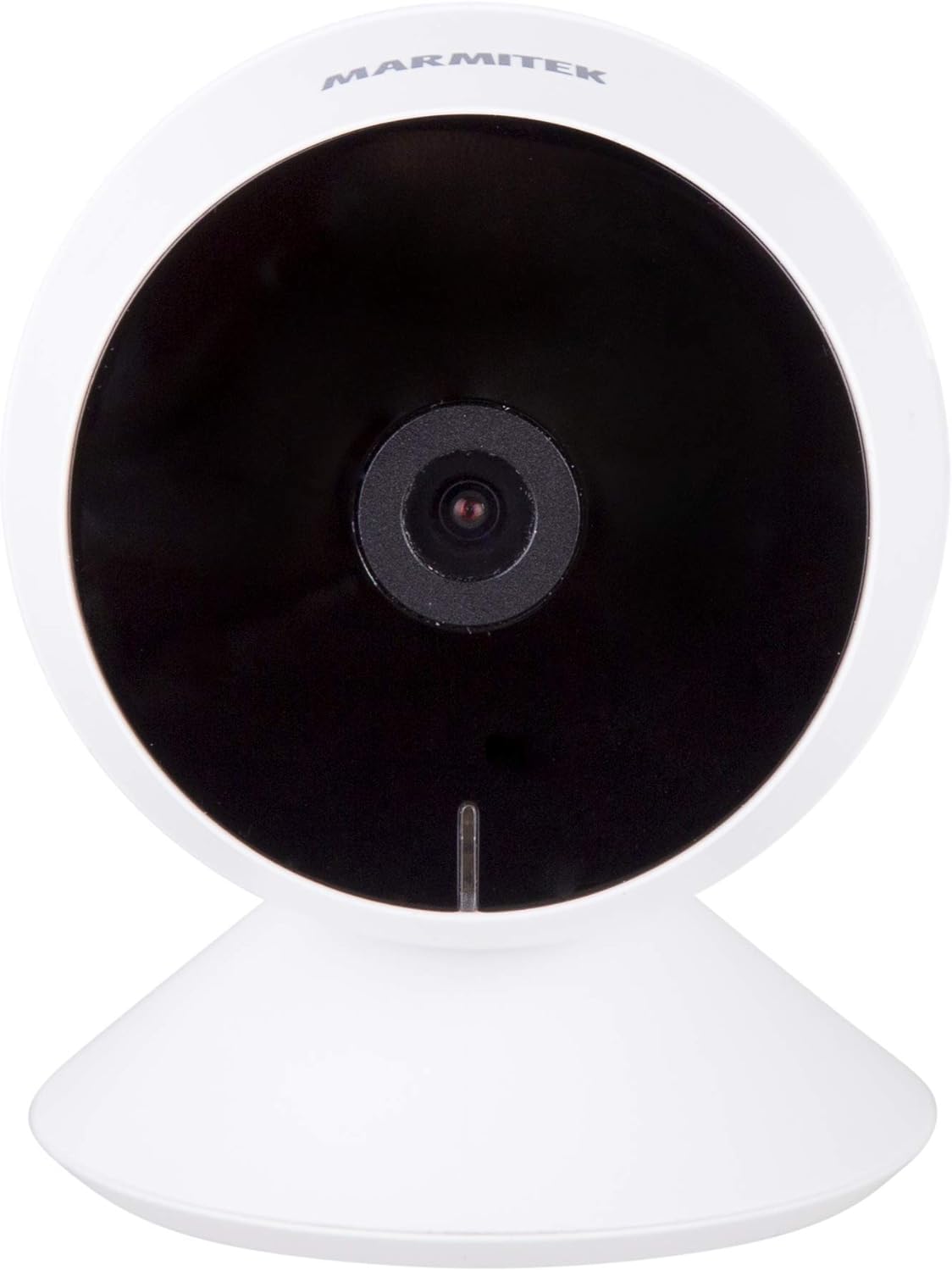
చిత్రం: ముందు భాగం view of the Marmitek View ME camera, showing the lens and indicator light.
వైపు View

చిత్రం: వైపు view of the Marmitek View ME camera, highlighting its compact design.
వెనుక View

చిత్రం: వెనుక view of the Marmitek View ME camera, showing the micro-USB port, speaker, and reset button.
4. సెటప్
4.1 ప్లేస్మెంట్
Position the camera in a central location within the area you wish to monitor. Ensure it has a clear line of sight and is within range of your Wi-Fi network. The camera is designed for indoor use and can be placed on a desk, shelf, or mounted on a wall or ceiling.

Image: The Marmitek View ME camera discreetly placed on a shelf in a living room environment.
4.2 పవర్ కనెక్షన్
- Connect the USB cable to the micro-USB port on the back of the camera.
- అందించిన పవర్ అడాప్టర్లోకి USB కేబుల్ యొక్క మరొక చివరను ప్లగ్ చేయండి.
- పవర్ అడాప్టర్ను ప్రామాణిక ఎలక్ట్రికల్ అవుట్లెట్లోకి చొప్పించండి.
- The camera will power on, and an indicator light will illuminate.

Image: The Marmitek View ME camera connected to its power adapter via a USB cable.
4.3 యాప్ ఇన్స్టాలేషన్ మరియు ఖాతా సృష్టి
The Marmitek View ME camera operates with the Smart me application. No gateway or additional software is required.
- డౌన్లోడ్ చేయండి నన్ను తెలివిగా యాప్ స్టోర్ (iOS) లేదా Google Play Store (Android) నుండి యాప్.
- కొత్త ఖాతాను సృష్టించడానికి లేదా మీకు ఇప్పటికే ఒకటి ఉంటే లాగిన్ అవ్వడానికి యాప్ను తెరిచి, స్క్రీన్పై ఉన్న సూచనలను అనుసరించండి.

Image: The Smart me application logo, featuring a Wi-Fi symbol.
4.4 Wi-Fiకి కనెక్ట్ చేస్తోంది
- Ensure your smartphone is connected to a 2.4 GHz Wi-Fi network. The camera does not support 5 GHz networks.
- In the Smart me app, tap the "+" icon to add a new device.
- Select "Camera" or the specific model if listed.
- Follow the in-app instructions to put the camera into pairing mode (usually indicated by a flashing light). You may need to press the reset button on the camera.
- ప్రాంప్ట్ చేయబడినప్పుడు మీ Wi-Fi నెట్వర్క్ పాస్వర్డ్ను నమోదు చేయండి.
- The app will generate a QR code. Hold your phone with the QR code in front of the camera lens at a distance of 15-20 cm until you hear a confirmation sound from the camera.
- Once connected, the camera's indicator light will change, and you will see the camera added to your Smart me app.
4.5 SD Card Installation (Optional)
The camera supports local storage via an SD card (not included) for recording videos.
- Locate the SD card slot on the camera (refer to the product overview images).
- Gently insert a compatible microSD card (Class 10 or higher, up to 128GB recommended) into the slot with the contacts facing down until it clicks into place.
- In the Smart me app, navigate to the camera settings to format the SD card before first use.
5. ఆపరేటింగ్ సూచనలు
5.1 ప్రత్యక్ష ప్రసారం View
Open the Smart me app and select your View ME camera from the device list to access the live video feed. You can view నిజ-సమయ footagఇంటర్నెట్ కనెక్షన్తో ఎక్కడి నుండైనా ఇ.

Image: A person interacting with the Smart me application on a smartphone, demonstrating remote access.
5.2 టూ-వే ఆడియో
The camera features an integrated speaker and microphone for two-way communication. While in live view, tap the microphone icon in the app to speak through the camera, and listen to audio from the camera's surroundings.
5.3 మోషన్ డిటెక్షన్ & నోటిఫికేషన్లు
The integrated motion detector can alert you to activity. Configure motion detection settings and notification preferences within the Smart me app. You will receive push notifications on your smartphone when motion is detected.
5.4 రికార్డింగ్ & ప్లేబ్యాక్
If an SD card is installed, the camera can record video footage. You can set the camera to record continuously, on motion detection, or manually. Access recorded videos through the playback function in the Smart me app.
౪.౧.౧౦ నైట్ విజన్
The camera is equipped with infrared night vision, providing clear video footage up to 10 meters in low-light or dark conditions. This feature activates automatically when ambient light is insufficient.
5.6 స్మార్ట్ హోమ్ ఇంటిగ్రేషన్
The Marmitek View ME camera is part of the Smart me ecosystem. You can link it with other Smart me products to create automated scenarios. For example, configure a rule to turn on a connected light bulb when the camera detects motion.

Image: A diagram illustrating the interconnectedness of various Smart me devices, including the camera, within a smart home setup.
6. నిర్వహణ
6.1 శుభ్రపరచడం
To clean the camera, gently wipe the lens and exterior with a soft, dry cloth. Do not use harsh chemicals or abrasive cleaners, as these can damage the device.
6.2 ఫర్మ్వేర్ నవీకరణలు
Periodically check the Smart me app for available firmware updates. Keeping your camera's firmware up-to-date ensures optimal performance and security.
6.3 SD కార్డ్ నిర్వహణ
If using an SD card for storage, regularly check its status in the app. Format the card periodically to maintain performance and free up space, or replace it if it becomes corrupted or full.
7. ట్రబుల్షూటింగ్
- కెమెరా Wi-Fi కి కనెక్ట్ కావడం లేదు: Ensure your Wi-Fi network is 2.4 GHz. Check Wi-Fi password. Move the camera closer to the router. Try resetting the camera by pressing the reset button for 5 seconds.
- ప్రత్యక్ష ప్రసారం లేదు view: Check your internet connection and the camera's power supply. Ensure the camera is online in the Smart me app.
- మోషన్ డిటెక్షన్ పనిచేయడం లేదు: Verify that motion detection is enabled in the app settings. Adjust sensitivity levels. Ensure the camera's view అడ్డుకోలేదు.
- రెండు-వైపుల ఆడియో సమస్యలు: Check your phone's microphone and speaker permissions for the Smart me app. Ensure the camera's microphone and speaker are not obstructed.
- SD కార్డ్ రికార్డ్ కావడం లేదు: Ensure the SD card is correctly inserted and formatted within the app. Check if the card is full or corrupted.
8. స్పెసిఫికేషన్లు
| ఫీచర్ | స్పెసిఫికేషన్ |
|---|---|
| మోడల్ సంఖ్య | 08528 |
| కొలతలు (L x W x H) | 7.8 x 6 x 6 సెం.మీ |
| బరువు | 240 గ్రాములు |
| వీడియో రిజల్యూషన్ | పూర్తి HD 1080p |
| కనెక్టివిటీ | Wi-Fi (2.4 GHz మాత్రమే) |
| నైట్ విజన్ రేంజ్ | 10 మీటర్ల వరకు (ఇన్ఫ్రారెడ్) |
| ఆడియో | Two-way (Built-in microphone and speaker) |
| నిల్వ | మైక్రో SD కార్డ్ (128GB వరకు, చేర్చబడలేదు) |
| శక్తి మూలం | AC/DC (230 Volts, 2.5 Watts) |
| ఇండోర్/అవుట్డోర్ ఉపయోగం | ఇండోర్ |
| IP రేటింగ్ | IP54 |
| అనుకూల పరికరాలు | Smartphone, Tablet (iOS, Android) |
9. భద్రతా సమాచారం
- Use only the provided power adapter and cable.
- కెమెరాను నీరు లేదా తేమకు బహిర్గతం చేయవద్దు.
- కెమెరాను వేడి వనరుల దగ్గర లేదా ప్రత్యక్ష సూర్యకాంతిలో ఎక్కువసేపు ఉంచకుండా ఉండండి.
- కెమెరాను మీరే విడదీయడానికి లేదా రిపేర్ చేయడానికి ప్రయత్నించవద్దు. సహాయం కోసం మద్దతును సంప్రదించండి.
- Keep the camera out of reach of children and pets.
10. వారంటీ మరియు మద్దతు
Marmitek products are manufactured to high quality standards. For warranty information, please refer to the warranty card included with your product or visit the official Marmitek webసాంకేతిక మద్దతు, ట్రబుల్షూటింగ్ సహాయం లేదా తదుపరి విచారణల కోసం, దయచేసి మార్మిటెక్ కస్టమర్ సేవను వారి అధికారిక మార్గాల ద్వారా సంప్రదించండి.