
1. ఉత్పత్తి ముగిసిందిview
The Xiaomi Mijia Robot is a versatile 2-in-1 device designed for both sweeping and wet mopping. It features an LDS laser navigation system for precise mapping and efficient cleaning paths. With intelligent electric control, it ensures even water distribution for mopping, protecting various floor types.
ముఖ్య లక్షణాలు:
- LDS laser navigation system for faster speed, higher precision, and more accurate mapping.
- Supports 3 cleaning modes: sweeping and mopping, sweeping only, and mopping only.
- Simulates artificial mopping with two-way repeated wiping for thorough cleaning.
- Intelligent electric control water tank ensures even water distribution, suitable for wooden floors.
- Equipped with 12 sets of high-precision sensors for assisted navigation and environmental sensing.
- APP control and support for Xiaoai voice interaction.
- Features scheduled cleaning, fixed cleaning, zone cleaning, and automatic recharge.
- Supports room partition, allowing merging, splitting, and naming of areas.
- Software allows setting virtual walls and forbidden sweep areas.
- బ్యాటరీ సామర్థ్యం: 3200mAh.
2. ప్యాకేజీ విషయాలు
ప్యాకేజీలో అన్ని అంశాలు ఉన్నాయని నిర్ధారించుకోండి:
- 1 x Sweeping Mopping Robot
- 1 x Chinese Manual (Note: This manual provides English instructions)
- 1 x 2-ఇన్-1 వాటర్ ట్యాంక్
- 2 x సైడ్ బ్రష్
- 1 x ఛార్జింగ్ స్టాండ్
- 1 x పవర్ అడాప్టర్
- 1 x మాప్ బ్రాకెట్
- 2 x Wiper
3. ఉత్పత్తి భాగాలు మరియు రేఖాచిత్రం
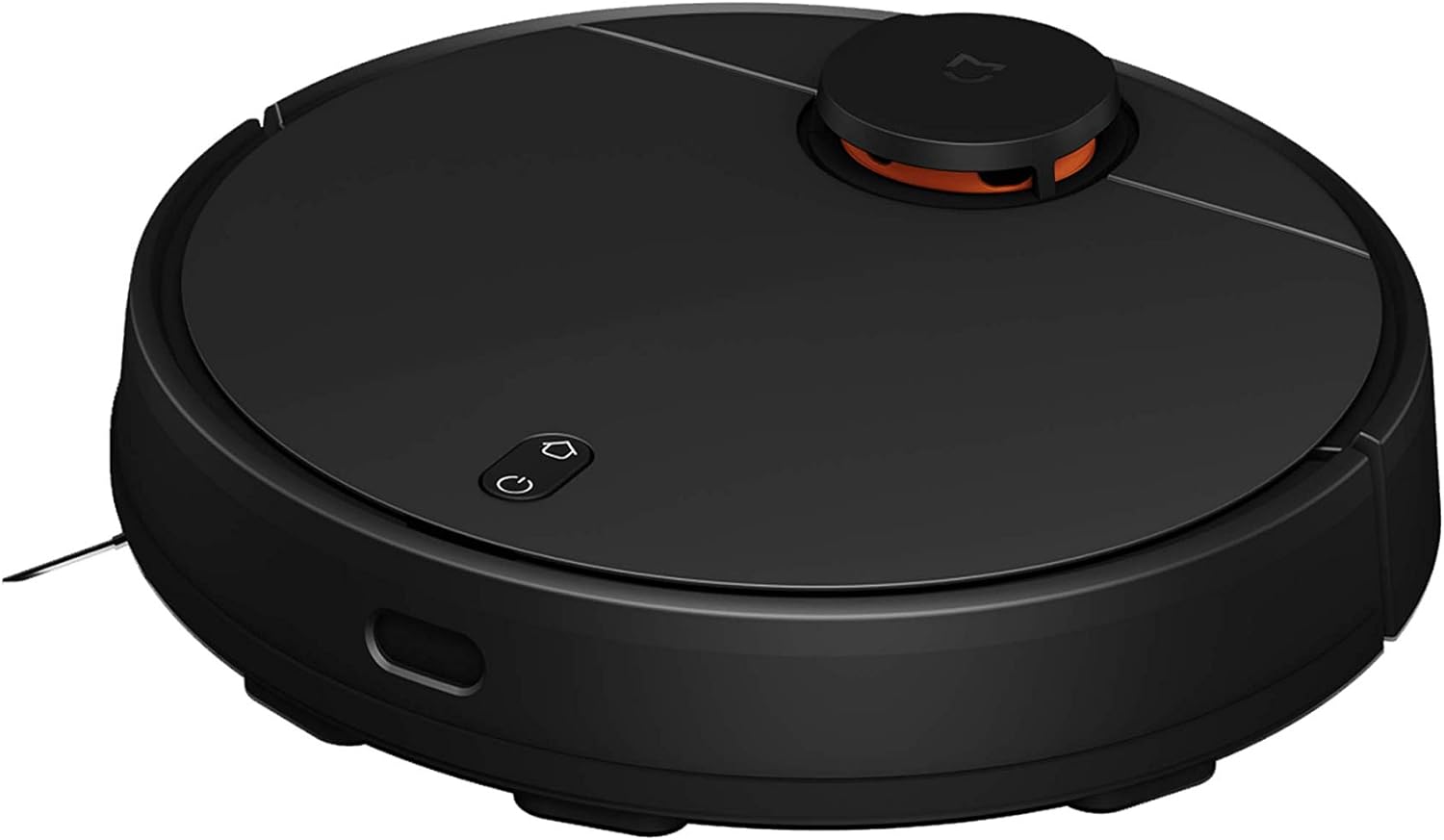
మూర్తి 3.1: టాప్ View of Robot Vacuum
This image displays the top surface of the robot vacuum, highlighting the LDS laser navigation sensor on top and the power/home buttons.
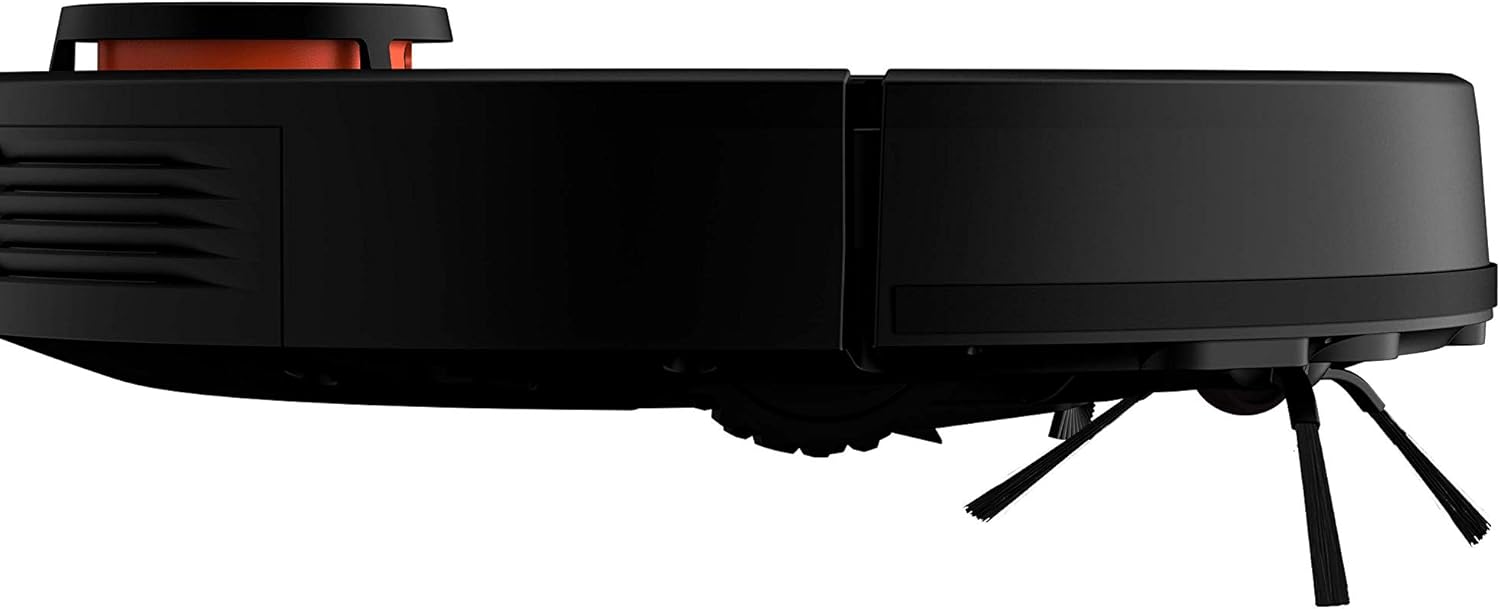
మూర్తి 3.2: వైపు View of Robot Vacuum
ఈ చిత్రం సైడ్ ప్రోని చూపిస్తుందిfile of the robot vacuum, illustrating its compact design and the placement of the side brushes.
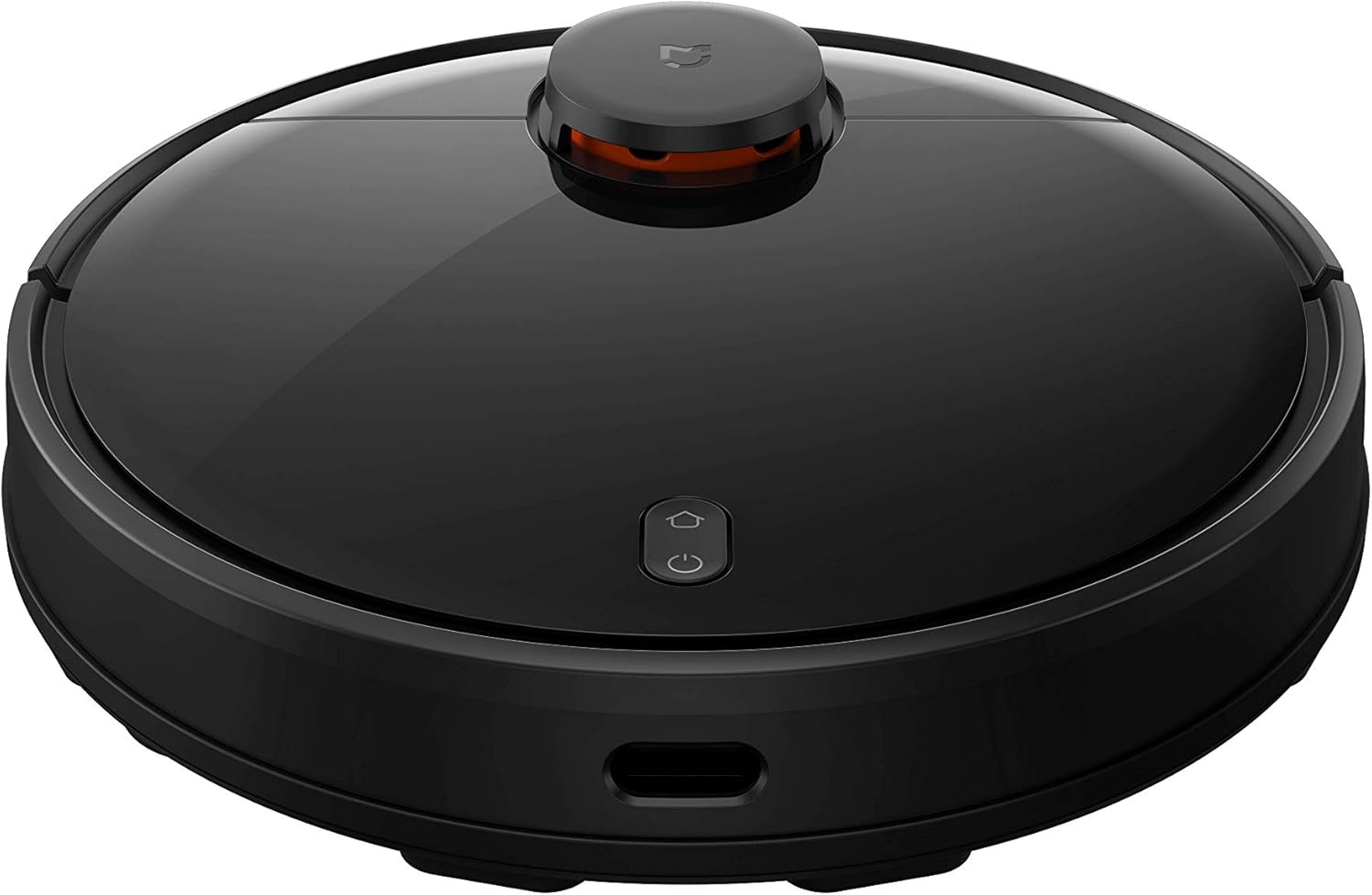
Figure 3.3: Front-Top View of Robot Vacuum
ఈ చిత్రం ఒక అందిస్తుంది view from the front and top, highlighting the charging contacts and the protective front bumper.
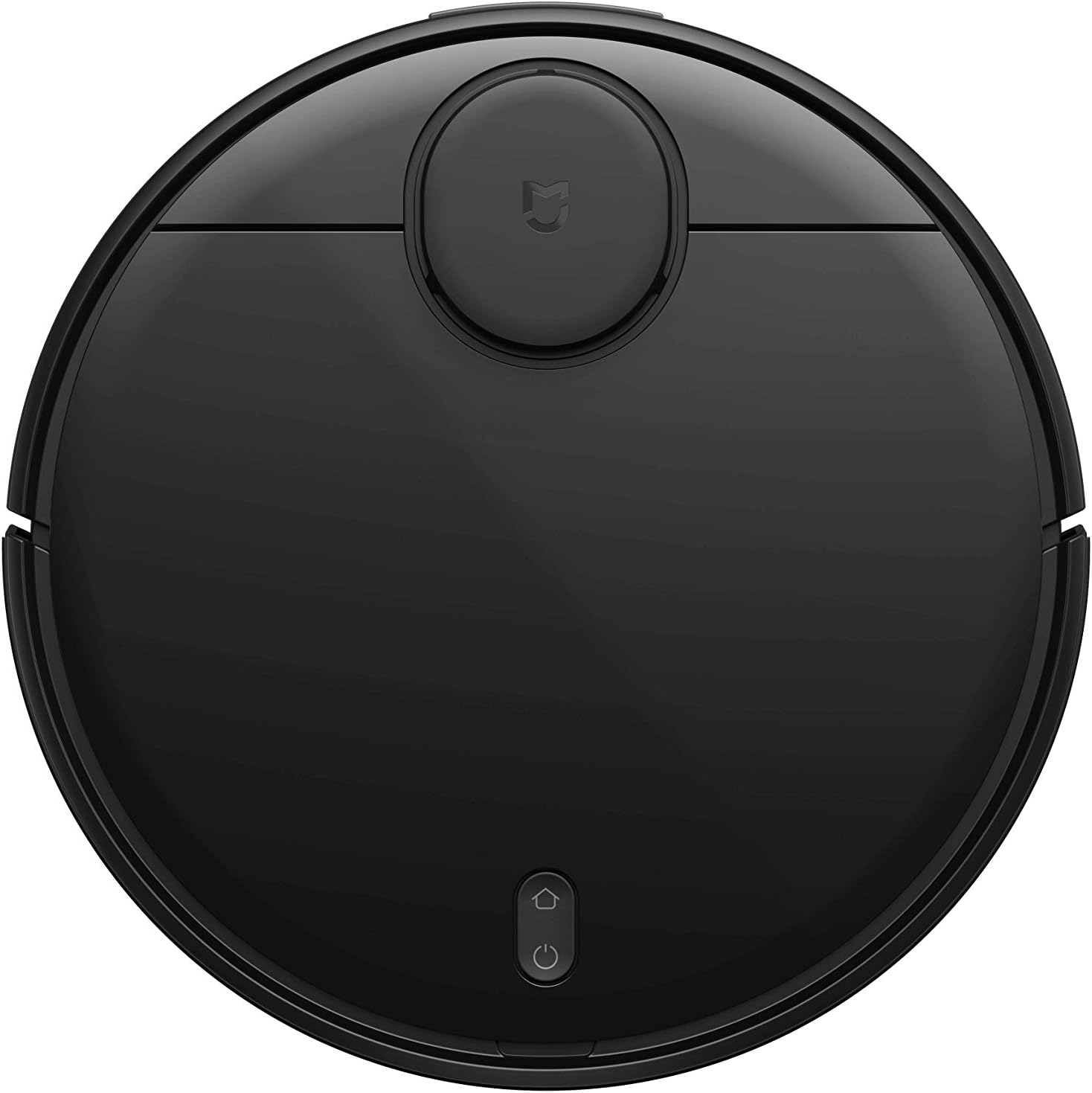
Figure 3.4: Laser Navigation System in Operation
This image illustrates the robot vacuum's laser navigation system actively scanning a room, depicted by blue grid lines extending from the device.

Figure 3.5: Optimized Cleaning Path
This image demonstrates the robot vacuum's efficient cleaning path, indicated by orange arrows on the floor, showcasing its systematic movement.

Figure 3.6: Laser Navigation Dome Internal View
This close-up image provides a detailed view of the laser navigation dome, revealing its internal components and mechanism.
4. సెటప్ గైడ్
- అన్ప్యాకింగ్: ప్యాకేజింగ్ నుండి అన్ని భాగాలను జాగ్రత్తగా తొలగించండి. భవిష్యత్తులో నిల్వ లేదా రవాణా కోసం ప్యాకేజింగ్ను ఉంచండి.
- Charging Stand Placement: Place the charging stand against a wall on a hard, level surface. Ensure there are no obstacles within 0.5 meters to either side and 1.5 meters in front of the stand. Connect the power adapter to the charging stand and plug it into a power outlet.
- ప్రారంభ ఛార్జ్: Place the robot vacuum on the charging stand. Ensure the charging contacts on the robot align with those on the stand. The indicator light will show charging status. For first use, fully charge the robot (approximately 4-5 hours).
- సైడ్ బ్రష్లను ఇన్స్టాల్ చేయండి: Snap the side brushes into their designated slots on the bottom of the robot until they click into place.
- నీటి ట్యాంక్ను ఇన్స్టాల్ చేయండి (తుడుపు కోసం): If using the mopping function, fill the 2-in-1 water tank with clean water. Attach the mop bracket and wiper to the tank. Slide the assembled water tank into the back of the robot until it locks securely.
- Mi హోమ్ యాప్ డౌన్లోడ్ చేసుకోండి: Scan the QR code in the included Chinese manual or search for "Mi Home" in your app store (Google Play Store or Apple App Store). Install the app on your smartphone.
- Wi-Fiకి కనెక్ట్ చేయండి: Open the Mi Home app and follow the on-screen instructions to add your Xiaomi Mijia Robot. You may need to reset the robot's Wi-Fi by pressing and holding the power and home buttons simultaneously for 3 seconds until you hear a voice prompt. Connect the robot to your home Wi-Fi network (2.4GHz recommended).
5. ఆపరేటింగ్ సూచనలు
5.1 First Use and Mapping
Before the first cleaning, ensure the robot is fully charged. It is recommended to allow the robot to complete a full cleaning cycle to create an accurate map of your home. This map is crucial for advanced features like zone cleaning and virtual walls.
- శుభ్రపరచడం ప్రారంభించండి: Press the power button on the robot or use the Mi Home app to start a cleaning cycle. The robot will begin mapping and cleaning your home.
- మ్యాపింగ్: During the first few runs, the robot will build a detailed map. Ensure doors to all areas you want cleaned are open. Avoid interrupting the robot during its initial mapping process.
- Room Partitioning: Once the map is complete, use the Mi Home app to partition rooms, merge or split areas, and name them for customized cleaning.
5.2 క్లీనింగ్ మోడ్లు
- ఊడ్చడం మరియు తుడవడం: The default mode. The robot will vacuum and mop simultaneously. Ensure the water tank is installed.
- Sweeping Only: The robot will only vacuum. Remove the water tank for this mode.
- తుడవడం మాత్రమే: The robot will only mop. Ensure the water tank is installed and the dustbin is empty.
5.3 యాప్ నియంత్రణ ఫీచర్లు
The Mi Home app provides extensive control over your robot vacuum:
- షెడ్యూల్ చేసిన శుభ్రపరచడం: రోబోట్ స్వయంచాలకంగా శుభ్రం చేయడానికి నిర్దిష్ట సమయాలను సెట్ చేయండి.
- జోన్ క్లీనింగ్: రోబోట్ శుభ్రం చేయడానికి మ్యాప్లో నిర్దిష్ట ప్రాంతాలను నిర్వచించండి.
- స్థిర శుభ్రపరచడం: Send the robot to a specific spot on the map to clean a small area.
- Virtual Walls/Forbidden Areas: Draw virtual lines or boxes on the map to prevent the robot from entering certain areas.
- చూషణ శక్తి సర్దుబాటు: Adjust the vacuum's suction power (e.g., Silent, Standard, Strong, Turbo).
- నీటి ప్రవాహ సర్దుబాటు: Control the water output for mopping.
- రియల్ టైమ్ మానిటరింగ్: View the robot's cleaning progress and current location on the map.
- వాయిస్ నియంత్రణ: Integrate with Xiaoai voice assistant for hands-free control.
5.4 Automatic Recharge
When the battery is low, the robot will automatically return to its charging stand. After recharging, it will resume cleaning from where it left off (if the cleaning cycle was not completed).
6. నిర్వహణ
క్రమం తప్పకుండా నిర్వహణ సరైన పనితీరును నిర్ధారిస్తుంది మరియు మీ రోబోట్ వాక్యూమ్ యొక్క జీవితకాలాన్ని పొడిగిస్తుంది.
6.1 డస్ట్బిన్ మరియు ఫిల్టర్
- ఖాళీ చెత్తబుట్ట: Empty the dustbin after each cleaning cycle or when full. Press the release button to remove the dustbin, open it, and discard debris.
- క్లీన్ ఫిల్టర్: Tap the filter to remove loose dirt. For a deeper clean, rinse the filter under running water. Ensure the filter is completely dry before reinserting it into the dustbin (allow 24 hours to air dry). Replace the filter every 3-6 months, depending on usage.
6.2 మెయిన్ బ్రష్ మరియు సైడ్ బ్రష్లు
- ప్రధాన బ్రష్ను శుభ్రం చేయండి: Remove the main brush cover and lift out the brush. Use the cleaning tool (if provided) to remove hair and debris tangled around the brush. Reinstall the brush and cover. Clean weekly.
- క్లీన్ సైడ్ బ్రష్లు: Remove the side brushes by pulling them up. Remove any tangled hair or debris. If brushes are worn or damaged, replace them. Clean monthly.
6.3 వాటర్ ట్యాంక్ మరియు మాప్ ప్యాడ్
- ఖాళీ నీటి ట్యాంక్: After each mopping session, empty any remaining water from the tank to prevent mold or odors.
- Clean Mop Pad: Remove the mop pad from the bracket. Hand wash or machine wash the mop pad with mild detergent. Air dry completely before reattaching. Clean after each mopping session.
6.4 సెన్సార్లు మరియు ఛార్జింగ్ కాంటాక్ట్లు
- Wipe Sensors: Use a clean, dry cloth to gently wipe all sensors (cliff sensors, wall sensors, LDS sensor window) on the robot to ensure proper navigation. Clean monthly.
- క్లీన్ ఛార్జింగ్ పరిచయాలు: Wipe the charging contacts on both the robot and the charging stand with a dry cloth to ensure a good connection. Clean monthly.
7. ట్రబుల్షూటింగ్
| సమస్య | సాధ్యమైన కారణం | పరిష్కారం |
|---|---|---|
| రోబోట్ ఆన్ చేయదు. | బ్యాటరీ తక్కువగా ఉంది; పవర్ బటన్ సరిగ్గా నొక్కబడలేదు. | Place robot on charging stand to charge. Press and hold power button for 3 seconds. |
| రోబోట్ Wi-Fiకి కనెక్ట్ కాలేదు. | తప్పు Wi-Fi పాస్వర్డ్; రోబోట్ రౌటర్ నుండి చాలా దూరంలో ఉంది; 5GHz Wi-Fi నెట్వర్క్. | Ensure correct password. Move robot closer to router. Connect to a 2.4GHz network. Reset Wi-Fi on robot (hold power + home for 3s). |
| రోబో తరచుగా ఇరుక్కుపోతుంది. | అడ్డంకులు (కేబుల్స్, రగ్గులు); క్లిఫ్ సెన్సార్లు మురికిగా ఉన్నాయి. | Clear obstacles. Use virtual walls in app. Clean cliff sensors. |
| పేలవమైన శుభ్రపరిచే పనితీరు. | పూర్తి చెత్తబుట్ట; మూసుకుపోయిన ఫిల్టర్; చిక్కుబడ్డ బ్రష్లు. | Empty dustbin. Clean/replace filter. Clean main and side brushes. |
| మాపింగ్ ఫంక్షన్ పనిచేయడం లేదు. | Empty water tank; Clogged water outlet; Incorrect water tank installation. | Fill water tank. Check for clogs in water outlet. Reinstall water tank correctly. |
8. స్పెసిఫికేషన్లు
- బ్రాండ్: Xiaomi
- మోడల్: 26199
- రంగు: నలుపు
- ఉత్పత్తి కొలతలు (L x W x H): 35.00 x 35.00 x 9.45 సెం.మీ (13.78 x 13.78 x 3.72 అంగుళాలు)
- ఉత్పత్తి బరువు: 3.60 కిలోలు (7.92 పౌండ్లు)
- బ్యాటరీ కెపాసిటీ: 3200mAh
- శక్తి (W): 33W
- Climb Capability: 2సెం.మీ
- నియంత్రణ పద్ధతి: యాప్
- ఫిల్టర్ రకం: గుళిక
- అంతస్తు రకాలు: Carpet, Ceramic Tile, Marble Floor, Shag Carpet, Tile Floor
- ప్రత్యేక ఫీచర్: సంచి లేనిది
9. అధికారిక ఉత్పత్తి వీడియోలు
ఈ ఉత్పత్తికి అధికారిక విక్రేత వీడియోలు అందుబాటులో లేవు.
10. వారంటీ మరియు మద్దతు
వారంటీ సమాచారం మరియు కస్టమర్ మద్దతు కోసం, దయచేసి అధికారిక Xiaomi వెబ్సైట్ను చూడండి. webసైట్లో లేదా మీ స్థానిక అధీకృత డీలర్ను సంప్రదించండి. కొనుగోలు రుజువుగా మీ కొనుగోలు రసీదును ఉంచండి.