
పరిచయం
The Aerocool Duo 12 Pro Pack provides an advanced cooling solution for your computer system, featuring three 120mm Addressable RGB (ARGB) fans, an H66F RGB fan hub, and a remote control. This system is designed to enhance both the aesthetic and thermal performance of your PC with vibrant lighting and efficient airflow.
This manual provides detailed instructions for the installation, operation, and maintenance of your Aerocool Duo 12 Pro Pack to ensure optimal performance and longevity.
ప్యాకేజీ విషయాలు
ఇన్స్టాలేషన్తో కొనసాగే ముందు, దయచేసి మీ ప్యాకేజీలో అన్ని భాగాలు ఉన్నాయని ధృవీకరించండి:
- 3 x Aerocool Duo 12 ARGB 120mm Fans
- 1 x H66F RGB Fan Hub
- 1 x రిమోట్ కంట్రోల్
- మౌంటు స్క్రూలు
- Cables for connection (6-pin fan connectors, 5V ARGB connector)
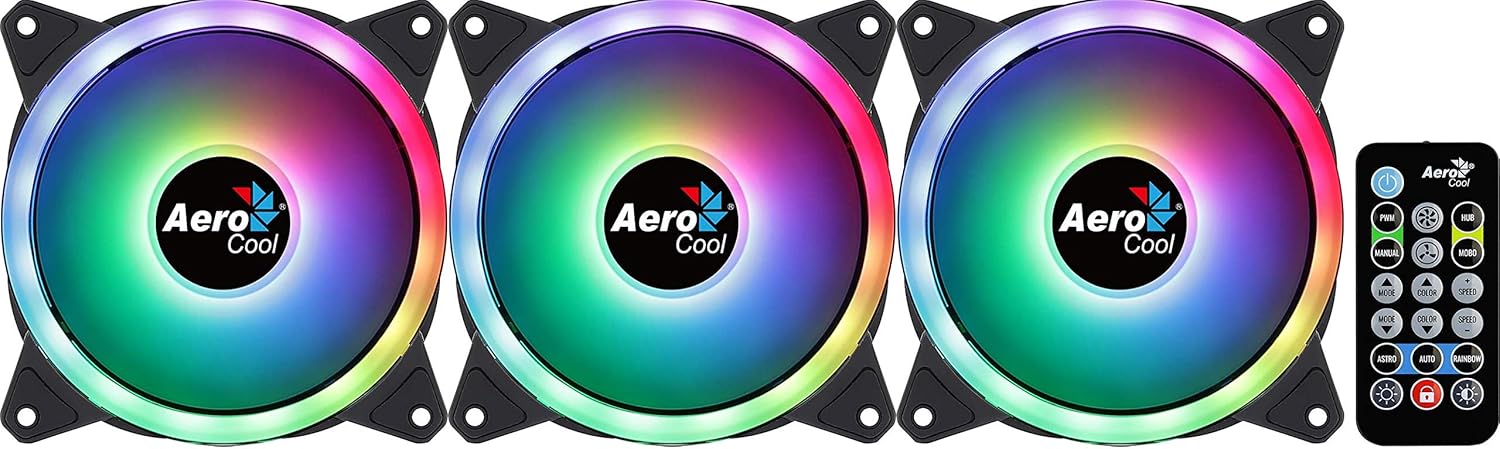
Image: The Aerocool Duo 12 Pro Pack showing three ARGB fans and the included remote control.
సెటప్ మరియు ఇన్స్టాలేషన్
Follow these steps to properly install your Aerocool Duo 12 Pro Pack fans and hub into your computer system.
1. మీ వ్యవస్థను సిద్ధం చేయండి
- మీ కంప్యూటర్ పవర్ ఆఫ్ చేయబడిందని మరియు వాల్ అవుట్లెట్ నుండి అన్ప్లగ్ చేయబడిందని నిర్ధారించుకోండి.
- అంతర్గత భాగాలను యాక్సెస్ చేయడానికి మీ కంప్యూటర్ కేసును తెరవండి.
2. Install the Fans
- Identify suitable 120mm fan mounting locations within your PC case (e.g., front, top, rear).
- Position each fan in the desired location, ensuring correct airflow direction (typically, the side with the frame supports is the exhaust side).
- Secure each fan using the provided mounting screws. The anti-vibration pads on the fan corners help reduce noise.
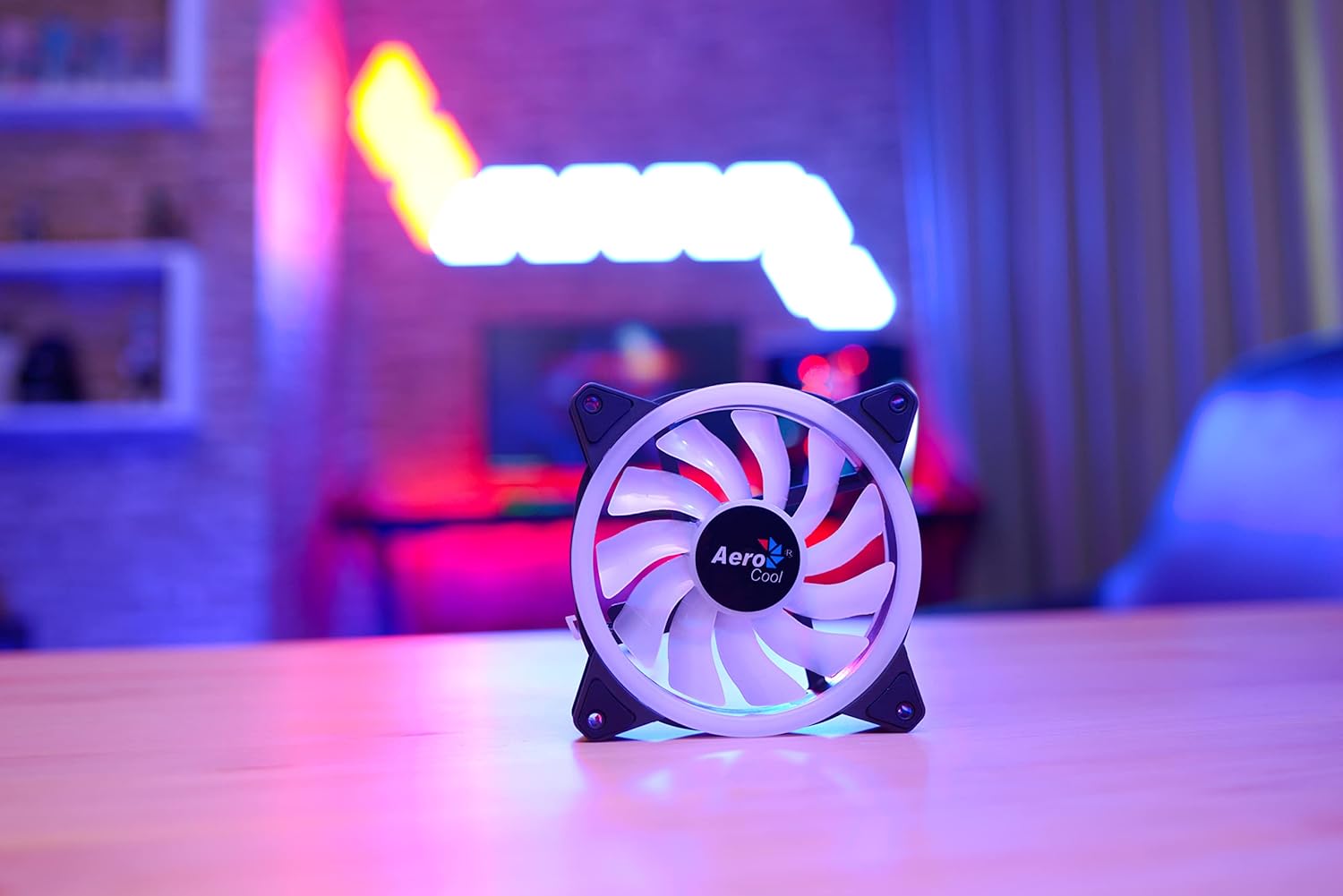
Image: A single Aerocool Duo 12 ARGB fan, highlighting its curved blades and anti-vibration pads.
3. Connect to the H66F RGB Fan Hub
- Locate a suitable mounting spot for the H66F RGB Fan Hub inside your case, away from moving parts and heat sources.
- Connect each 6-pin fan cable from the Aerocool Duo 12 fans to the corresponding 6-pin ports on the H66F RGB Fan Hub. The hub supports up to six 6-pin ARGB fans.
- Connect the 5V ARGB connector from the H66F hub to a compatible 5V ARGB header on your motherboard (if you wish to synchronize lighting with your motherboard's software).
- Connect the SATA power connector from the H66F hub to an available SATA power cable from your power supply unit (PSU). This provides power to the hub and connected fans/LEDs.

Image: The Aerocool Duo 12 Pro fans, H66F RGB fan hub, and remote control arranged on a desk, illustrating the components of the system.
ఆపరేటింగ్ సూచనలు
Once installed, you can control the fan speed and lighting effects using the included remote control or compatible motherboard software.
రిమోట్ కంట్రోల్ ఉపయోగించడం
The remote control allows for easy adjustment of lighting modes, colors, and fan speeds without needing to open your PC case or use software.
- పవర్ బటన్: Turns the LED lighting on or off.
- PWM Button: Cycles through fan speed modes (e.g., Silent, Standard, Performance).
- మోడ్ బటన్: Changes the ARGB lighting effect mode.
- రంగు బటన్: Selects static colors or color cycling effects.
- స్పీడ్ +/- బటన్లు: డైనమిక్ లైటింగ్ ప్రభావాల వేగాన్ని సర్దుబాటు చేస్తుంది.
- BRIGHTNESS +/- Buttons: Adjusts the brightness of the LED lighting.
- ఆటో బటన్: Initiates an automatic cycle through all available lighting effects.
Motherboard Synchronization
If the H66F hub is connected to a 5V ARGB header on a compatible motherboard, you can control the lighting effects through your motherboard's RGB software (e.g., ASUS Aura Sync, MSI Mystic Light Sync, Gigabyte RGB Fusion, ASRock Polychrome Sync). This allows for synchronized lighting across your entire system.
నిర్వహణ
Regular maintenance ensures optimal performance and extends the lifespan of your Aerocool Duo 12 Pro fans.
- శుభ్రపరచడం: Periodically clean the fan blades and frames to remove dust buildup. Use compressed air or a soft, dry cloth. Ensure the system is powered off and unplugged before cleaning.
- యాంటీ-వైబ్రేషన్ ప్యాడ్లు: The integrated anti-vibration pads are designed for durability. Inspect them occasionally for wear and tear, though replacement is rarely needed.
- కేబుల్ నిర్వహణ: Ensure all cables are neatly routed and secured to prevent interference with fan blades or other components, which can cause noise or damage.
ట్రబుల్షూటింగ్
If you encounter issues with your Aerocool Duo 12 Pro Pack, refer to the following common problems and solutions:
ఫ్యాన్లు తిరగడం లేదు
- పవర్ కనెక్షన్: Verify that the H66F RGB Fan Hub's SATA power connector is securely connected to your PSU.
- ఫ్యాన్ కనెక్షన్లు: Ensure all 6-pin fan cables are firmly connected to the H66F hub.
- Hub Functionality: Check if the hub itself is receiving power (some hubs have an indicator LED).
RGB లైటింగ్ పనిచేయడం లేదు లేదా తప్పుగా ఉంది
- ARGB కనెక్షన్: Confirm the 5V ARGB connector from the H66F hub is correctly plugged into a compatible 5V ARGB header on your motherboard (not a 12V RGB header, which can cause damage).
- రిమోట్ కంట్రోల్: Ensure the remote control has a working battery and is pointed towards the hub or a clear line of sight. Try pressing the power button on the remote.
- మదర్బోర్డ్ సాఫ్ట్వేర్: If using motherboard software, ensure it is up-to-date and correctly configured to control the ARGB header.
- LED నియంత్రణ బటన్: If your system has an external LED control button connected to the hub, try using it to cycle through effects.
మితిమీరిన శబ్దం
- మౌంటు: Ensure fans are securely mounted and not vibrating against the case. The anti-vibration pads should minimize this.
- అడ్డంకులు: ఫ్యాన్ బ్లేడ్లకు అడ్డుగా ఉన్న ఏవైనా కేబుల్స్ లేదా వస్తువులు ఉన్నాయా అని తనిఖీ చేయండి.
- డస్ట్ బిల్డప్: Clean the fans as described in the Maintenance section.
- ఫ్యాన్ వేగం: Adjust fan speed using the remote control or motherboard software to a lower setting if noise is a concern.
స్పెసిఫికేషన్లు
| ఫీచర్ | వివరాలు |
|---|---|
| బ్రాండ్ | ఏరోకూల్ |
| మోడల్ | DUO12PRO |
| ఫ్యాన్ పరిమాణం | 120మి.మీ |
| పవర్ కనెక్టర్ రకం | 6-Pin (for fans to hub) |
| Hub Power Connector | SATA |
| ARGB కనెక్టర్ | 5V ARGB (3-pin) |
| వాల్యూమ్tage | 5 Volts (LEDs), 12 Volts (Fan Motor) |
| శీతలీకరణ పద్ధతి | గాలి |
| అనుకూల పరికరాలు | డెస్క్టాప్ కంప్యూటర్లు |
| శబ్దం స్థాయి | 19.7 డెసిబెల్స్ (dB) |
| గరిష్ట భ్రమణ వేగం | 2000 RPM |
| మెటీరియల్ | పాలికార్బోనేట్ |
| వస్తువు బరువు | 420 Grams (Total Pack) |
| LEDs per Fan | 18 (Double RGB LED Ring) |
వారంటీ మరియు మద్దతు
Aerocool products are manufactured to high-quality standards. In the unlikely event of a defect, please refer to the following information.
- వారంటీ వ్యవధి: The EU spare part availability duration is 2 years. Please check your local retailer or Aerocool's official website for specific warranty terms in your region.
- సాంకేతిక మద్దతు: For technical assistance, troubleshooting beyond this manual, or warranty claims, please contact Aerocool customer support through their official webసైట్.
- కొనుగోలు రుజువు: వారంటీ ధ్రువీకరణ కోసం మీ కొనుగోలు రుజువును ఉంచుకోండి.