
Prtukyt Prtukyt 8S
Prtukyt 8S Wireless Bluetooth Headset User Manual
Model: Prtukyt 8S (PT-1088)
1. పరిచయం
Thank you for choosing the Prtukyt 8S Wireless Bluetooth Headset. This manual provides detailed instructions on how to set up, operate, and maintain your new headset. Please read this manual carefully before use to ensure optimal performance and longevity of your device.
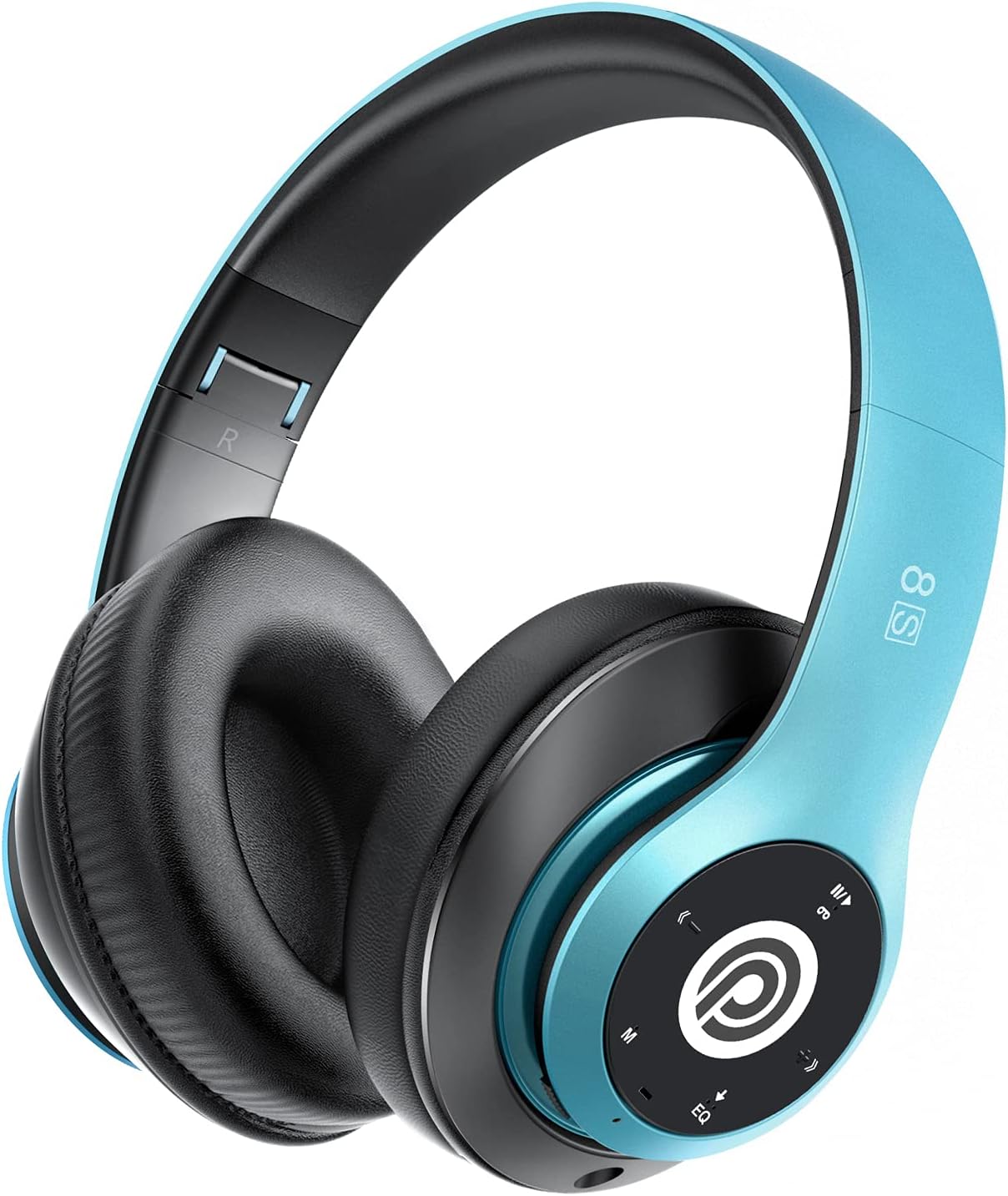
Image: The Prtukyt 8S Wireless Bluetooth Headset in blue, showcasing its sleek design and comfortable earcups.
2. భద్రతా సమాచారం
To ensure safe and proper use, please observe the following guidelines:
- హెడ్సెట్ను తీవ్రమైన ఉష్ణోగ్రతలు, తేమ లేదా తినివేయు పదార్థాలకు గురిచేయవద్దు.
- హెడ్సెట్ను బలమైన ప్రభావాలకు గురిచేయడం లేదా పడవేయడం మానుకోండి.
- Do not disassemble or modify the headset. This will void the warranty and may cause damage.
- Keep the headset away from water and liquids as it is not waterproof.
- ఎక్కువసేపు ఎక్కువసేపు వినడం వల్ల వినికిడి దెబ్బతినవచ్చు. వాల్యూమ్ను మితమైన స్థాయికి సర్దుబాటు చేయండి.
- స్థానిక నిబంధనల ప్రకారం ఉత్పత్తిని మరియు దాని బ్యాటరీని బాధ్యతాయుతంగా పారవేయండి.
3. ప్యాకేజీ విషయాలు
దయచేసి ఈ క్రింది అంశాల కోసం ప్యాకేజీని తనిఖీ చేయండి:
- 1 x Prtukyt 8S Wireless Bluetooth Headset
- 1 x ఆడియో కేబుల్ (3.5mm జాక్)
- 1 x USB ఛార్జింగ్ కేబుల్
- 1 x వినియోగదారు మాన్యువల్
4. ఉత్పత్తి ముగిసిందిview
Familiarize yourself with the various parts and controls of your Prtukyt 8S headset.
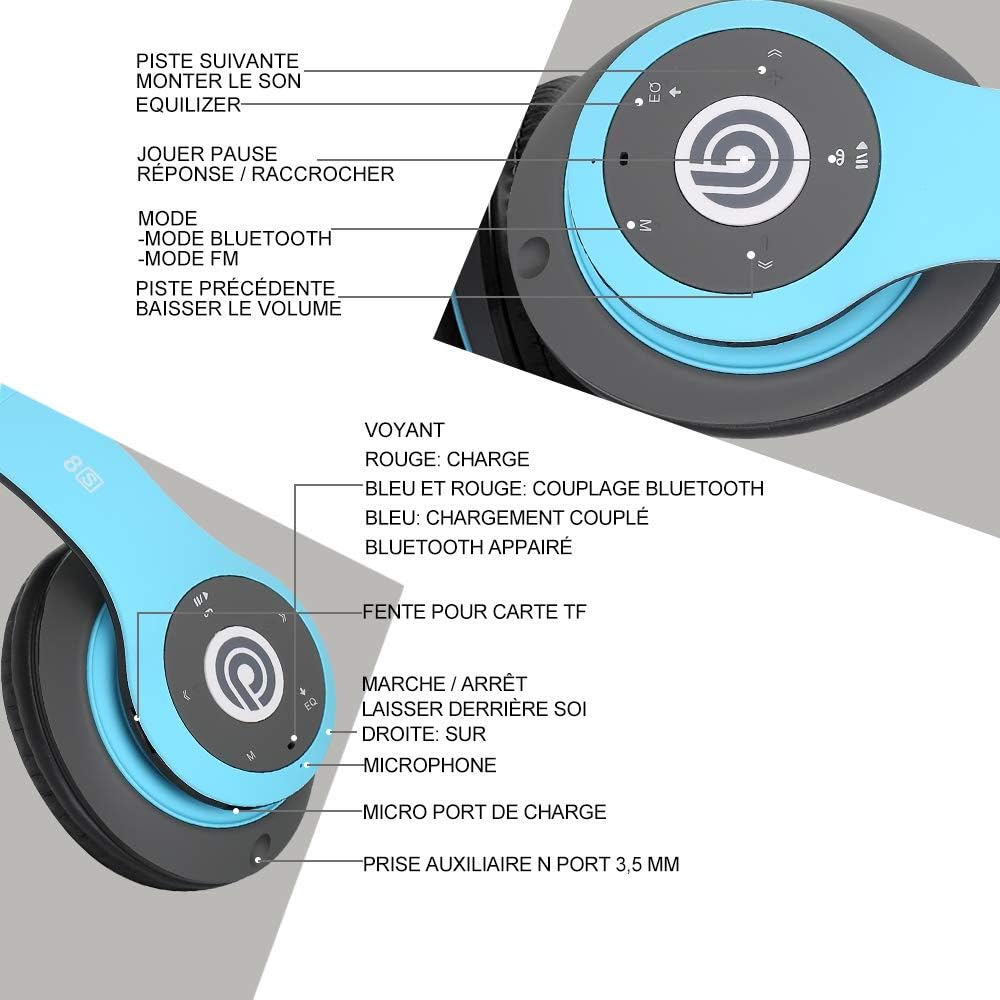
చిత్రం: వివరణాత్మకం view of the Prtukyt 8S headset's control panel and ports, including buttons, indicator light, TF card slot, microphone, charging port, and 3.5mm AUX port.
Control Panel & Ports:
- 1. Next Track / Volume Up: తదుపరి ట్రాక్ కోసం షార్ట్ ప్రెస్ చేయండి, వాల్యూమ్ పెంచడానికి లాంగ్ ప్రెస్ చేయండి.
- 2. EQ Button: Press to cycle through equalizer sound effects.
- 3. Play / Pause / Answer / Hang Up: Multi-function button for music and calls.
- 4. Mode Button (M): Short press to switch between Bluetooth, FM Radio, and TF Card modes.
- 5. Previous Track / Volume Down: మునుపటి ట్రాక్ కోసం షార్ట్ ప్రెస్ చేయండి, వాల్యూమ్ తగ్గించడానికి లాంగ్ ప్రెస్ చేయండి.
- 6. సూచిక కాంతి: Shows charging status, Bluetooth pairing, and connection status.
- 7. TF Card Slot: Insert a Micro SD/TF card for direct music playback.
- 8. Power On/Off Switch: హెడ్సెట్ను ఆన్ లేదా ఆఫ్ చేయడానికి స్లయిడ్ చేయండి.
- 9. మైక్రోఫోన్: హ్యాండ్స్-ఫ్రీ కాల్స్ కోసం.
- 10. మైక్రో యుఎస్బి ఛార్జింగ్ పోర్ట్: Connect the USB charging cable here.
- 11. 3.5mm AUX Port: ఆడియో పరికరాలకు వైర్డు కనెక్షన్ కోసం.
డిజైన్ లక్షణాలు:
- ఫోల్డబుల్ డిజైన్: The headset features a unique foldable design for easy portability and storage, saving space.

Image: The Prtukyt 8S headset demonstrating its multi-angle rotation and adjustable headband for ultimate comfort.
- Comfortable Earcups: Super soft foam earcups and an adjustable headband ensure a comfortable fit for extended listening sessions.
- హై-ఫిడిలిటీ ఆడియో: Equipped with powerful 57mm stereo drivers and Bluetooth 5.0 chip for deep bass and clear sound.

చిత్రం: ఒక అంతర్గత view highlighting the large aperture drivers and Bluetooth 5.0 chip for powerful performance.
5. సెటప్
5.1 ప్రారంభ ఛార్జింగ్
Before first use, fully charge the headset. Connect the USB charging cable to the Micro USB charging port on the headset and the other end to a USB power adapter (not included) or a computer's USB port.
- The indicator light will be ఎరుపు ఛార్జింగ్ సమయంలో.
- సూచిక దీపం వెలుగుతుంది నీలం ఛార్జింగ్ పూర్తయినప్పుడు.
- పూర్తిగా ఛార్జ్ కావడానికి సాధారణంగా 2-3 గంటలు పడుతుంది.
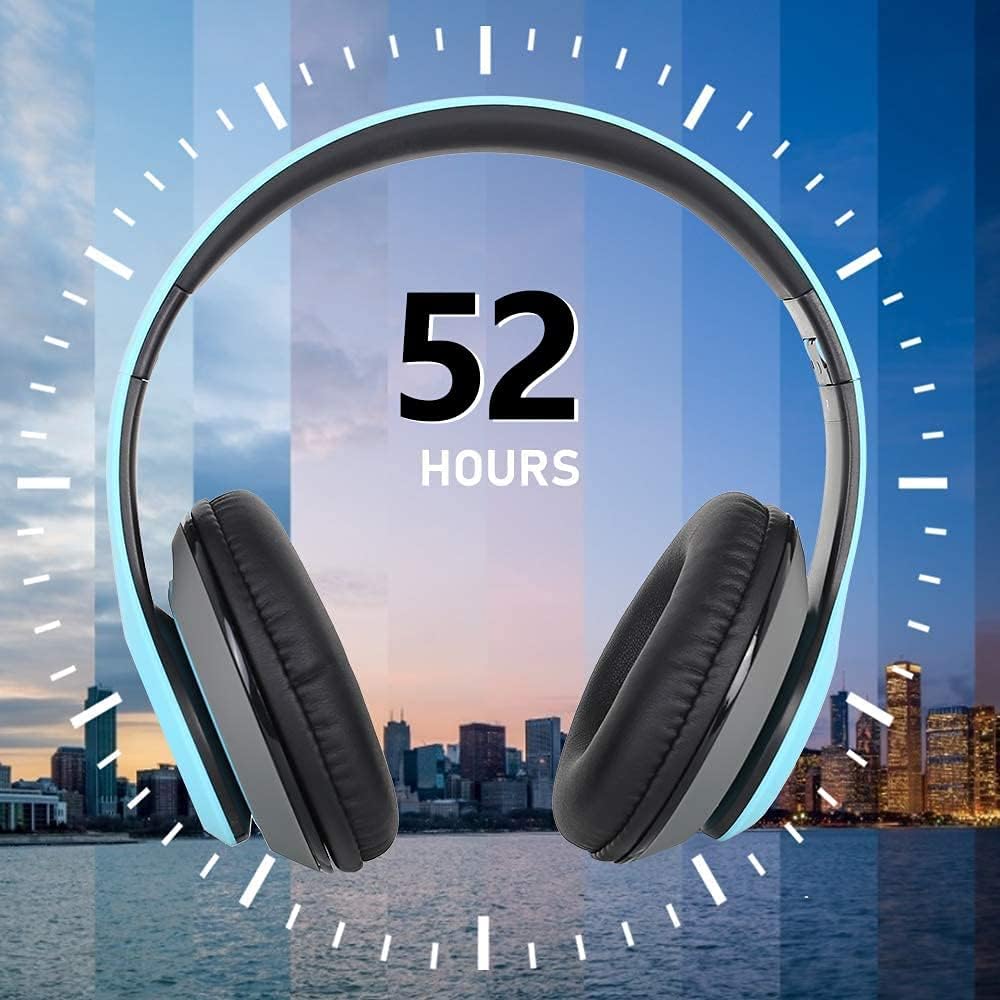
Image: The Prtukyt 8S headset illustrating its impressive 52-hour battery life on a single charge.
6. ఆపరేటింగ్ సూచనలు
6.1 పవర్ ఆన్/ఆఫ్
- పవర్ ఆన్: Slide the Power On/Off switch to the "ON" position. The indicator light will flash blue, indicating it's ready for pairing or connecting.
- పవర్ ఆఫ్: Slide the Power On/Off switch to the "OFF" position. The indicator light will turn off.
6.2 బ్లూటూత్ జత చేయడం
- హెడ్సెట్ శక్తితో ఉందని నిర్ధారించుకోండి.
- Slide the Power On/Off switch to the "ON" position. The headset will enter pairing mode, and the indicator light will flash నీలం మరియు ఎరుపు ప్రత్యామ్నాయంగా.
- మీ పరికరంలో బ్లూటూత్ను ప్రారంభించండి (స్మార్ట్ఫోన్, టాబ్లెట్, PC, మొదలైనవి).
- కోసం వెతకండి "Prtukyt 8S" or "PT-1088" in the list of available Bluetooth devices.
- Select "Prtukyt 8S" to connect. Once successfully paired, the indicator light will flash నీలం నెమ్మదిగా.
- పాస్వర్డ్ అడిగితే, "0000" ఎంటర్ చేయండి.
Note: The headset will automatically attempt to reconnect to the last paired device when powered on.
6.3 మ్యూజిక్ ప్లేబ్యాక్ (బ్లూటూత్ మోడ్)
- ప్లే/పాజ్: షార్ట్ ప్రెస్ ది ప్లే/పాజ్ చేయండి బటన్.
- తదుపరి ట్రాక్: షార్ట్ ప్రెస్ ది తదుపరి ట్రాక్ / వాల్యూమ్ అప్ బటన్.
- మునుపటి ట్రాక్: షార్ట్ ప్రెస్ ది మునుపటి ట్రాక్ / వాల్యూమ్ డౌన్ బటన్.
- ధ్వని పెంచు: లాంగ్ ప్రెస్ ది తదుపరి ట్రాక్ / వాల్యూమ్ అప్ బటన్.
- వాల్యూమ్ డౌన్: లాంగ్ ప్రెస్ ది మునుపటి ట్రాక్ / వాల్యూమ్ డౌన్ బటన్.
6.4 కాల్ విధులు
- సమాధానం కాల్: షార్ట్ ప్రెస్ ది ప్లే/పాజ్/సమాధానం/హ్యాంగ్ అప్ button when an incoming call rings.
- కాల్ ముగించు: షార్ట్ ప్రెస్ ది ప్లే/పాజ్/సమాధానం/హ్యాంగ్ అప్ కాల్ సమయంలో బటన్.
- కాల్ని తిరస్కరించండి: లాంగ్ ప్రెస్ ది ప్లే/పాజ్/సమాధానం/హ్యాంగ్ అప్ button when an incoming call rings.
- చివరి నంబర్ని మళ్లీ డయల్ చేయండి: రెండుసార్లు నొక్కండి ప్లే/పాజ్/సమాధానం/హ్యాంగ్ అప్ బటన్.
6.5 FM రేడియో మోడ్
- హెడ్సెట్ను ఆన్ చేయండి.
- షార్ట్ ప్రెస్ ది మోడ్ (M) button to switch to FM Radio mode. You will hear a voice prompt indicating the mode change.
- షార్ట్ ప్రెస్ ది ప్లే/పాజ్ చేయండి అందుబాటులో ఉన్న FM స్టేషన్లను స్వయంచాలకంగా స్కాన్ చేయడానికి మరియు సేవ్ చేయడానికి బటన్.
- ఉపయోగించండి తదుపరి ట్రాక్ మరియు మునుపటి ట్రాక్ సేవ్ చేసిన స్టేషన్ల మధ్య నావిగేట్ చేయడానికి బటన్లు.
6.6 TF కార్డ్ మోడ్
- Insert a Micro SD/TF card (with MP3 audio files) into the TF Card Slot.
- Turn on the headset. It should automatically switch to TF Card mode and begin playing music. If not, short press the మోడ్ (M) button to select TF Card mode.
- ఉపయోగించండి ప్లే/పాజ్ చేయండి, తదుపరి ట్రాక్, మునుపటి ట్రాక్, and volume buttons as in Bluetooth mode.
6.7 EQ ఫంక్షన్
The headset features an equalizer function to customize your listening experience.
- షార్ట్ ప్రెస్ ది EQ button to cycle through different equalizer presets (e.g., Pop, Rock, Jazz, Classic, Bass, Normal).
6.8 వైర్డ్ మోడ్ (AUX)
You can use the headset with non-Bluetooth devices via the included 3.5mm audio cable.
- Connect one end of the 3.5mm audio cable to the 3.5mm AUX Port on the headset.
- Connect the other end to the audio output jack of your device (e.g., computer, MP3 player).
- In wired mode, the headset's buttons (except volume control on some devices) will not function. Control playback and volume directly from your connected device.
7. నిర్వహణ
- హెడ్సెట్ను మృదువైన, పొడి గుడ్డతో క్రమం తప్పకుండా శుభ్రం చేయండి. రాపిడి క్లీనర్లను లేదా ద్రావకాలను ఉపయోగించవద్దు.
- Store the headset in a cool, dry place when not in use. The foldable design helps save space.
- ప్రత్యక్ష సూర్యకాంతికి లేదా తీవ్రమైన ఉష్ణోగ్రతలకు ఎక్కువసేపు గురికాకుండా ఉండండి.
- Do not expose the headset to water or moisture.
8. ట్రబుల్షూటింగ్
| సమస్య | సాధ్యమైన కారణం | పరిష్కారం |
|---|---|---|
| Headset won't turn on. | బ్యాటరీ తక్కువగా ఉంది లేదా డెడ్ అయింది. | హెడ్సెట్ను పూర్తిగా ఛార్జ్ చేయండి. |
| బ్లూటూత్ పరికరంతో జత చేయడం సాధ్యపడదు. | పరికరంలో బ్లూటూత్ ఆఫ్లో ఉంది; హెడ్సెట్ జత చేసే మోడ్లో లేదు; పరికరానికి చాలా దూరంలో ఉంది. | Ensure Bluetooth is enabled on your device. Put headset in pairing mode (flashing blue/red). Keep devices within 10 meters. Clear previous pairings on your device. |
| శబ్దం లేదు లేదా తక్కువ వాల్యూమ్ ఉంది. | Volume too low on headset or device; incorrect mode selected; loose cable in wired mode. | Increase volume on both headset and connected device. Ensure correct mode (Bluetooth, FM, TF, AUX) is selected. Check 3.5mm cable connection. |
| FM రేడియో రిసెప్షన్ పేలవంగా ఉంది. | బలహీనమైన సిగ్నల్; పర్యావరణ జోక్యం. | Try moving to a different location. The audio cable can act as an antenna; ensure it's connected if using FM. |
| TF కార్డ్ ప్లే కావడం లేదు. | కార్డ్ సరిగ్గా చొప్పించబడలేదు; మద్దతు లేదు file ఫార్మాట్; పాడైన కార్డ్. | Reinsert TF card firmly. Ensure music files are in MP3 format. Try a different TF card. |
9. స్పెసిఫికేషన్లు
| మోడల్ పేరు | Prtukyt 8S |
| మోడల్ సంఖ్య | పిటి -1088 |
| కనెక్టివిటీ టెక్నాలజీ | వైర్లెస్ (బ్లూటూత్ 5.0), వైర్డ్ (3.5mm జాక్) |
| ఫ్రీక్వెన్సీ రేంజ్ | 20 హెర్ట్జ్ - 20,000 హెర్ట్జ్ |
| డ్రైవర్ పరిమాణం | 57mm Stereo Drivers |
| ఫీచర్లు | Integrated Microphone, FM Radio, TF Card Playback, EQ Function, Foldable Design |
| బ్యాటరీ లైఫ్ (సుమారుగా) | Up to 52 hours (Music/Talk time) |
| ఛార్జింగ్ పోర్ట్ | మైక్రో USB |
| నీటి నిరోధకత | జలనిరోధిత కాదు |
| రంగు | నీలం |
10. వారంటీ & సపోర్ట్
Prtukyt is committed to providing an excellent customer experience. If you encounter any quality issues with your product, please contact us immediately. Our customer support team is ready to assist you with any questions or concerns regarding your Prtukyt 8S Wireless Bluetooth Headset.
For support, please refer to the contact information provided on your purchase platform or the official Prtukyt webసైట్.
Ask a question about this manual
Ask about setup, troubleshooting, compatibility, parts, safety, or missing instructions. Manuals+ will review the question and use this page’s manual context to help answer it.