
పరిచయం
This manual provides comprehensive instructions for the installation, operation, and maintenance of the AXIS P1447-LE Network Camera. Please read this manual thoroughly before using the product to ensure proper functionality and safety.
The AXIS P1447-LE Network Camera is designed for surveillance applications, offering excellent image quality at 5-megapixel resolution and a 16:9 aspect ratio.
ఉత్పత్తి ముగిసిందిview
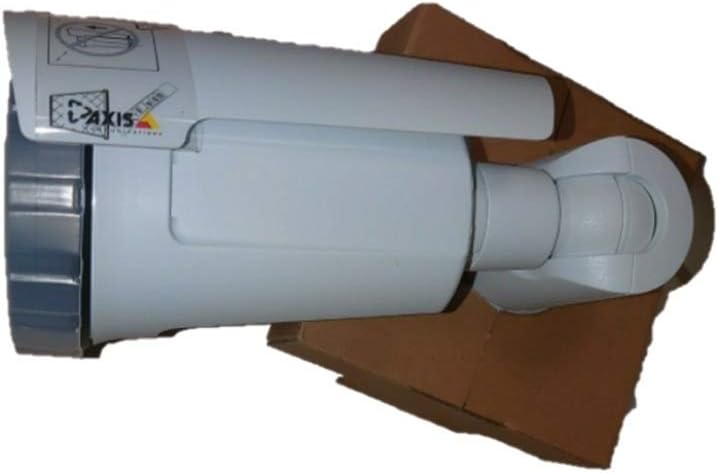
Figure 1: The AXIS P1447-LE Network Camera, a white bullet-style camera with a sun shield, shown resting on a brown cardboard box. The camera features the AXIS logo on its side.
The AXIS P1447-LE is a robust network camera built for reliable outdoor surveillance. Key features include:
- 5 MP resolution for detailed video capture.
- 16:9 format for wide-angle viewing.
- Low light technology (Night Color) for improved performance in challenging lighting conditions.
- Outdoor suitability with IP54 international protection rating.
- Wired connectivity and ONVIF compatibility.
సెటప్ మరియు ఇన్స్టాలేషన్
1. అన్ప్యాకింగ్
ప్యాకేజింగ్ నుండి అన్ని భాగాలను జాగ్రత్తగా తొలగించండి. ప్యాకింగ్ జాబితాలో జాబితా చేయబడిన అన్ని అంశాలు ఉన్నాయని నిర్ధారించుకోండి. భవిష్యత్తులో రవాణా లేదా నిల్వ కోసం అసలు ప్యాకేజింగ్ను ఉంచండి.
2. కెమెరాను మౌంట్ చేయడం
The AXIS P1447-LE supports ceiling mount installation. Choose a stable mounting surface that can support the camera's weight and provide an optimal field of view.
- Drill pilot holes according to the mounting template (if provided).
- Secure the mounting bracket to the surface using appropriate screws and anchors.
- Attach the camera body to the mounting bracket, ensuring it is firmly locked in place.
3. పవర్ మరియు నెట్వర్క్ కనెక్షన్
Connect the camera to a power source (AC/DC) and to your network via an Ethernet cable. The camera supports wired connectivity and ONVIF protocol for integration with network video recorders (NVRs) or video management systems (VMS).
- Ensure the power supply meets the camera's specifications.
- Use a reliable Ethernet cable for stable network connection.
ఆపరేటింగ్ సూచనలు
1. ప్రారంభ యాక్సెస్ మరియు కాన్ఫిగరేషన్
Upon first power-up, the camera will acquire an IP address from your network's DHCP server. Use the AXIS IP Utility or your VMS to discover the camera on the network.
- కెమెరాను యాక్సెస్ చేయండి web ఇంటర్ఫేస్ దాని IP చిరునామాను ఉపయోగించి a లో web బ్రౌజర్.
- Log in with the default credentials (refer to the camera's packaging or quick start guide for default username and password). It is highly recommended to change the default password immediately for security.
- Configure network settings, video resolution (up to 5 MP), frame rate (30 fps), and image quality settings.
2. Video Surveillance and Recording
The camera is primarily used for surveillance. It supports motion-only alert types and can be integrated with various surveillance platforms.
- Set up motion detection zones and sensitivity within the camera's web interface or your VMS.
- Configure recording schedules and storage locations (e.g., NVR, NAS, or cloud storage).
- Utilize the optical zoom feature for detailed viewనిర్దిష్ట ప్రాంతాల ing.
3. Remote Control and Monitoring
The camera can be controlled and monitored remotely. It is compatible with Amazon Alexa for certain control functions, and general remote control is available via its web interface or integrated VMS.
నిర్వహణ
Regular maintenance ensures optimal performance and longevity of your AXIS P1447-LE Network Camera.
- లెన్స్ క్లీనింగ్: Periodically clean the camera lens with a soft, lint-free cloth. For stubborn dirt, use a mild lens cleaning solution. Avoid abrasive materials that could scratch the lens.
- హౌసింగ్ తనిఖీ: Inspect the camera housing and mounting bracket for any signs of damage, corrosion, or loose connections. Tighten screws as needed.
- ఫర్మ్వేర్ నవీకరణలు: తయారీదారుని తనిఖీ చేయండి website regularly for firmware updates. Keeping the firmware updated can improve performance, add new features, and address security vulnerabilities.
- పర్యావరణ తనిఖీలు: కెమెరా ఆపరేటింగ్ వాతావరణం పేర్కొన్న ఉష్ణోగ్రత మరియు తేమ పరిధులలో ఉండేలా చూసుకోండి. కెమెరాను నిరోధించే ఏవైనా అడ్డంకులను తొలగించండి. view లేదా వెంటిలేషన్.
ట్రబుల్షూటింగ్
This section provides solutions to common issues you might encounter with your network camera.
| సమస్య | సాధ్యమైన కారణం | పరిష్కారం |
|---|---|---|
| వీడియో ఫీడ్ లేదు |
|
|
| చిత్ర నాణ్యత తక్కువగా ఉంది |
|
|
| యాక్సెస్ చేయలేరు web ఇంటర్ఫేస్ |
|
|
స్పెసిఫికేషన్లు
| ఫీచర్ | వివరాలు |
|---|---|
| మోడల్ | P1447-LE (01054-001) |
| బ్రాండ్ | ADI (AXIS) |
| వీడియో క్యాప్చర్ రిజల్యూషన్ | 5 ఎంపీ |
| ఫ్రేమ్ రేట్ | 30 fps |
| కనెక్టివిటీ టెక్నాలజీ | వైర్డు |
| కనెక్టివిటీ ప్రోటోకాల్ | ONVIF |
| శక్తి మూలం | AC/DC |
| మౌంటు రకం | సీలింగ్ మౌంట్ |
| ఇండోర్/అవుట్డోర్ వినియోగం | అవుట్డోర్ |
| అంతర్జాతీయ రక్షణ రేటింగ్ | IP54 |
| తక్కువ కాంతి సాంకేతికత | రాత్రి రంగు |
| హెచ్చరిక రకం | చలనం మాత్రమే |
| నియంత్రణ పద్ధతి | Remote, Amazon Alexa |
| ఫారమ్ ఫ్యాక్టర్ | బుల్లెట్ |
| UPC | 753359771953 |
వారంటీ మరియు మద్దతు
For warranty information and technical support, please refer to the official ADI (AXIS) webసైట్లో లేదా వారి కస్టమర్ సర్వీస్ను నేరుగా సంప్రదించండి. కొనుగోలు రుజువుగా మీ కొనుగోలు రసీదును ఉంచండి.
గమనిక: నిర్దిష్ట వారంటీ నిబంధనలు మరియు మద్దతు ఛానెల్లు ప్రాంతాల వారీగా మారవచ్చు.