
1. ముఖ్యమైన భద్రతా సూచనలు
Please read all instructions carefully before using this fan and retain them for future reference. Failure to follow these instructions may result in electric shock, fire, or serious injury.
- శుభ్రం చేయడానికి లేదా ఏదైనా నిర్వహణ చేయడానికి ముందు ఎల్లప్పుడూ ఫ్యాన్ను అన్ప్లగ్ చేయండి.
- దెబ్బతిన్న త్రాడు లేదా ప్లగ్తో ఫ్యాన్ను ఆపరేట్ చేయవద్దు.
- వేళ్లు మరియు ఇతర వస్తువులను ఫ్యాన్ బ్లేడ్లు మరియు ఓపెనింగ్స్ నుండి దూరంగా ఉంచండి.
- తడి లేదా డిలో ఫ్యాన్ని ఉపయోగించవద్దుamp స్థానాలు.
- ఫ్యాన్ ఒరిగిపోకుండా ఉండటానికి స్థిరమైన, సమతల ఉపరితలంపై ఉంచబడిందని నిర్ధారించుకోండి.
- ఈ ఫ్యాన్ ఇండోర్ ఉపయోగం కోసం మాత్రమే.
2. ప్యాకేజీ విషయాలు
అసెంబ్లీకి ముందు అన్ని భాగాలు ఉన్నాయని ధృవీకరించండి:
- Fan Head Assembly (Motor, Blades, Front and Rear Grills)
- సర్దుబాటు చేయగల స్టాండ్ పోల్
- రౌండ్ బేస్
- రిమోట్ కంట్రోల్
- వినియోగదారు మాన్యువల్
3. సెటప్ మరియు అసెంబ్లీ
Follow these steps to assemble your PELONIS Pedestal Fan:
- ఆధారాన్ని అటాచ్ చేయండి: Secure the adjustable stand pole to the round base. Ensure it is firmly tightened for stability.
- ఎత్తును సర్దుబాటు చేయండి: Loosen the height adjustment knob on the stand pole, extend the pole to your desired height, and then tighten the knob securely.
- Mount Fan Head: Attach the fan head assembly to the top of the adjustable stand pole. Ensure it clicks into place or is securely fastened according to the specific model's mechanism.
- Secure Grills: Ensure both the front and rear fan grills are properly aligned and securely fastened to prevent access to the blades during operation.

Figure 3.1: Step-by-step assembly guide for the Pelonis 16-inch Pedestal Fan.

Figure 3.2: The fan features a sturdy, weighted base for enhanced stability.
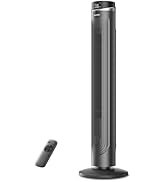
Figure 3.3: The fan's height can be adjusted to suit various needs, ranging from 3.5 feet to 4 feet.
4. ఆపరేటింగ్ సూచనలు
Your PELONIS Pedestal Fan offers multiple settings for personalized comfort.
4.1 పవర్ ఆన్/ఆఫ్
- నొక్కండి పవర్ బటన్ on the control panel or remote control to turn the fan on or off.
4.2 స్పీడ్ సెట్టింగులు
- The fan features 12 speed settings. Use the స్పీడ్ బటన్లు (usually '+' and '-') on the control panel or remote to adjust the airflow intensity.

Figure 4.1: The fan offers 12 customizable speed settings for varied airflow.
4.3 ఆసిలేషన్ ఫంక్షన్
- నొక్కండి డోలనం బటన్ (often an icon with arrows) on the control panel or remote to activate or deactivate the oscillation feature. This allows the fan head to sweep from side to side, distributing air across a wider area.

Figure 4.2: The fan provides 90-degree widespread oscillation for comprehensive air circulation.
4.4 టైమర్ సెట్టింగ్
- The fan includes a 12-hour timer. Press the టైమర్ బటన్ to set the fan to automatically turn off after a specified duration. Each press typically increases the timer by one hour.
4.5 రిమోట్ కంట్రోల్
- The included remote control allows convenient operation of all fan functions from a distance. Ensure the remote has working batteries.

Figure 4.3: Operate all fan functions conveniently with the included remote control.
5. నిర్వహణ
క్రమం తప్పకుండా శుభ్రపరచడం వల్ల మీ ఫ్యాన్ యొక్క ఉత్తమ పనితీరు మరియు దీర్ఘాయువు లభిస్తుంది.
5.1 ఫ్యాన్ను శుభ్రపరచడం
- శుభ్రం చేసే ముందు ఎల్లప్పుడూ ఫ్యాన్ను పవర్ అవుట్లెట్ నుండి అన్ప్లగ్ చేయండి.
- ఒక మృదువైన ఉపయోగించండి, డిamp ఫ్యాన్ బయటి ఉపరితలాలను తుడవడానికి గుడ్డ. రాపిడి క్లీనర్లు లేదా ద్రావకాలను ఉపయోగించవద్దు.
- To clean the fan blades, carefully remove the front grill. Wipe the blades with a soft, damp cloth. Ensure the blades are completely dry before reattaching the grill.
- ఫ్యాన్ను నీటిలో ముంచవద్దు లేదా మోటార్ హౌసింగ్లోకి నీరు కారేలా అనుమతించవద్దు.

Figure 5.1: The fan features an intensive fence design for safety, which can be disassembled for cleaning.
6. ట్రబుల్షూటింగ్
మీ ఫ్యాన్తో మీకు సమస్యలు ఎదురైతే, ఈ క్రింది సాధారణ సమస్యలు మరియు పరిష్కారాలను చూడండి:
- ఫ్యాన్ ఆన్ చేయదు: పవర్ కార్డ్ పనిచేసే ఎలక్ట్రికల్ అవుట్లెట్కి సురక్షితంగా ప్లగ్ చేయబడిందని నిర్ధారించుకోండి. పవర్ బటన్ నొక్కిందో లేదో తనిఖీ చేయండి.
- బలహీనమైన గాలి ప్రవాహం: Verify that the fan speed is set to a higher level. Check for any obstructions around the fan grills.
- ఫ్యాన్ శబ్దం: Ensure all parts are securely assembled. Check for any loose components or debris caught in the blades.
- డోలనం పనిచేయడం లేదు: Confirm the oscillation button has been pressed. Check for any obstructions preventing the fan head from rotating.
- రిమోట్ కంట్రోల్ పనిచేయదు: Replace the batteries in the remote control. Ensure there are no obstructions between the remote and the fan's receiver.
7. స్పెసిఫికేషన్లు
| ఫీచర్ | స్పెసిఫికేషన్ |
|---|---|
| మోడల్ పేరు | PFS40D6ABB |
| బ్రాండ్ | పెలోనిస్ |
| ఎలక్ట్రిక్ ఫ్యాన్ డిజైన్ | అంతస్తు అభిమాని |
| శక్తి మూలం | కార్డెడ్ ఎలక్ట్రిక్ |
| ఉత్పత్తి కొలతలు | 15.75"డి x 15.75"వా x 51.18"హ |
| ప్రత్యేక ఫీచర్ | Adjustable Height, Oscillating, Remote Control |
| శబ్దం స్థాయి | 38 డెసిబెల్స్ |
| వాట్tage | 2.7 వాట్స్ |
| బ్లేడ్ల సంఖ్య | 5 |
| గాలి ప్రవాహ సామర్థ్యం | నిమిషానికి 2520 క్యూబిక్ అడుగులు |
| బ్లేడ్ పొడవు | 16 అంగుళాలు |
| వాల్యూమ్tage | 110 వోల్ట్లు |
| శక్తి స్థాయిల సంఖ్య | 12 |
| మోటార్ రకం | DC |
| ఇండోర్/అవుట్డోర్ వినియోగం | ఇండోర్ |

Figure 7.1: Illustration of the fan's powerful and energy-efficient DC motor.
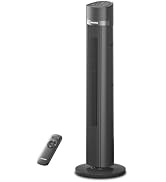
Figure 7.2: The fan operates at a low noise level of 38 dB, making it suitable for quiet environments like bedrooms.
8. వారంటీ మరియు మద్దతు
PELONIS products are designed for reliability and performance. This product comes with a 1-year limited warranty from the date of purchase. For warranty claims or technical support, please contact PELONIS customer service.
- కస్టమర్ సేవ: Refer to the contact information provided on the PELONIS official webసైట్ లేదా మీ ఉత్పత్తి ప్యాకేజింగ్.
- ఆన్లైన్ వనరులు: సందర్శించండి అమెజాన్లో పెలోనిస్ స్టోర్ అదనపు ఉత్పత్తి సమాచారం మరియు మద్దతు కోసం.