
1. పరిచయం
ధన్యవాదాలు, ధన్యవాదాలు.asing the HOMPOW Mini Projector. This projector is designed to provide a high-quality viewing experience with its 1080P Full HD support and 6500 lumens brightness. It includes a 100-inch projection screen for immediate use. This manual will guide you through the setup, operation, and maintenance of your new projector.
ప్యాకేజీ విషయాలు
- HOMPOW Mini Projector
- 100-inch Projection Screen
- రిమోట్ కంట్రోల్
- HDMI కేబుల్
- పవర్ అడాప్టర్
- వినియోగదారు మాన్యువల్
2. భద్రతా సూచనలు
ప్రొజెక్టర్ను ఉపయోగించే ముందు దయచేసి అన్ని భద్రతా సూచనలను జాగ్రత్తగా చదవండి. ఈ సూచనలను పాటించడంలో విఫలమైతే అగ్ని ప్రమాదం, విద్యుత్ షాక్ లేదా ఇతర గాయాలు సంభవించవచ్చు.
- l ఉన్నప్పుడు ప్రొజెక్టర్ లెన్స్లోకి నేరుగా చూడకండిamp ఆన్లో ఉంది. ప్రకాశవంతమైన కాంతి కంటికి హాని కలిగించవచ్చు.
- Do not block the ventilation openings. Proper airflow is essential to prevent overheating.
- ప్రొజెక్టర్ను నీరు లేదా ఇతర ద్రవాలకు దూరంగా ఉంచండి. తడి వాతావరణంలో పనిచేయవద్దు.
- Place the projector on a stable, flat surface to prevent it from falling.
- ప్రొజెక్టర్తో పాటు అందించిన పవర్ అడాప్టర్ను మాత్రమే ఉపయోగించండి.
- మెరుపు తుఫానుల సమయంలో లేదా ఎక్కువ కాలం ఉపయోగించనప్పుడు ప్రొజెక్టర్ను అన్ప్లగ్ చేయండి.
- ప్రొజెక్టర్ను మీరే రిపేర్ చేయడానికి ప్రయత్నించవద్దు. అన్ని సర్వీసింగ్లను అర్హత కలిగిన సిబ్బందికి సూచించండి.
3. ఉత్పత్తి ముగిసిందిview
ప్రొజెక్టర్ భాగాలు
Familiarize yourself with the main parts of your HOMPOW Mini Projector.


ఇన్పుట్/అవుట్పుట్ పోర్ట్లు
- HDMI పోర్ట్: Connect to devices like laptops, gaming consoles (PS3/PS4), Fire TV Stick, and TV boxes.
- USB పోర్ట్: Connect USB drives for media playback or power for streaming devices.
- SD కార్డ్ స్లాట్: Insert SD cards for direct media playback.
- AV పోర్ట్: AV కేబుల్ ఉపయోగించి పాత పరికరాలకు కనెక్ట్ చేయండి.
- VGA పోర్ట్: VGA అవుట్పుట్తో కంప్యూటర్లకు కనెక్ట్ చేయండి.
- ఆడియో అవుట్పుట్ (3.5mm జాక్): బాహ్య స్పీకర్లు లేదా హెడ్ఫోన్లను కనెక్ట్ చేయండి.
- DC లో: Power input for the projector.
4. సెటప్
ప్రారంభ నియామకం
Place the projector on a stable surface. For optimal viewing, ensure the projector is positioned directly in front of the projection surface (wall or screen). The recommended projection distance is approximately 3 meters for a clear image.
పవర్ కనెక్షన్
- ప్రొజెక్టర్లోని DC ఇన్ పోర్ట్కు పవర్ అడాప్టర్ను కనెక్ట్ చేయండి.
- పవర్ అడాప్టర్ను పవర్ అవుట్లెట్లోకి ప్లగ్ చేయండి.
- ప్రొజెక్టర్ లేదా రిమోట్ కంట్రోల్ ఆన్ చేయడానికి దానిలోని పవర్ బటన్ను నొక్కండి.
పరికరాలను కనెక్ట్ చేస్తోంది
The projector supports various input sources. Below are common connection methods:
HDMI Connection (e.g., Fire TV Stick, Laptop, Gaming Console)
- Connect the HDMI output cable from your device (e.g., Fire TV Stick) to the HDMI input port on the projector.
- If using a streaming stick like Fire TV Stick, connect its USB power cable to the projector's USB port for power.
- On the projector's main menu, select the "HDMI" input source.
Smartphone/Tablet Connection
To connect a smartphone or tablet, an HDMI conversion adapter (not included) is required. Connect your device to the adapter, then connect the adapter to the projector's HDMI port.

USB Drive/SD Card Playback
Insert a USB drive into the USB port or an SD card into the SD card slot. Select the corresponding input source from the main menu to browse and play media files.
5. ఆపరేటింగ్ సూచనలు
దృష్టి సర్దుబాటు
Rotate the focus ring on the projector lens until the image appears clear and sharp on the screen.
కీస్టోన్ దిద్దుబాటు
The projector features a ±15-degree keystone correction function. Adjust the keystone dial to correct distorted images (trapezoidal shape) if the projector is not perfectly perpendicular to the screen.
మూలం ఎంపిక
Use the remote control or the buttons on the projector to navigate the main menu and select your desired input source (HDMI, USB, SD, AV, VGA).
ఆడియో అవుట్పుట్
The projector has two built-in speakers for immersive sound. For a different audio experience, you can connect external speakers or headphones via the 3.5mm audio jack.
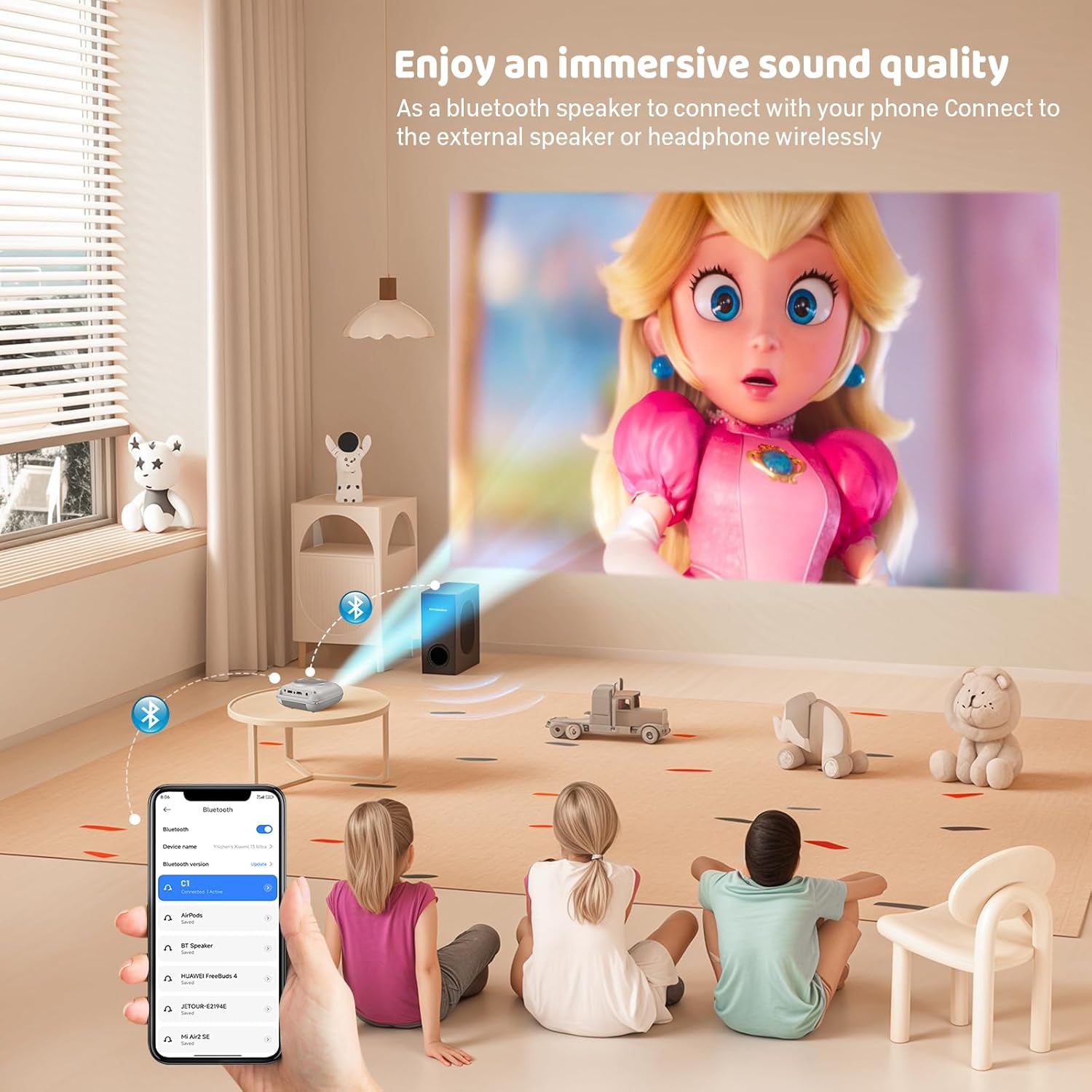
స్క్రీన్ మిర్రరింగ్
The projector supports screen mirroring for compatible devices. Refer to the on-screen instructions or the projector's menu for specific steps to enable screen mirroring from your smartphone or tablet.
6. నిర్వహణ
లెన్స్ శుభ్రపరచడం
ప్రొజెక్టర్ లెన్స్ను సున్నితంగా తుడవడానికి ఆప్టికల్ లెన్స్ల కోసం ప్రత్యేకంగా రూపొందించిన మృదువైన, లింట్-ఫ్రీ క్లాత్ను ఉపయోగించండి. లెన్స్ను గీతలు పడే రాపిడి క్లీనర్లు లేదా క్లాత్లను ఉపయోగించకుండా ఉండండి.
ప్రొజెక్టర్ బాడీని శుభ్రపరచడం
Wipe the exterior of the projector with a soft, dry cloth. Do not use liquid cleaners or solvents.
వెంటిలేషన్
Ensure the ventilation openings are clear of dust and debris. The projector features a dual-fan cooling system to maintain optimal operating temperature and extend lamp life. Do not obstruct these vents.
Lamp జీవితం
LED lamp in your HOMPOW projector has a lifespan of approximately 60,000 hours, providing long-term use without frequent lamp భర్తీ.
7. ట్రబుల్షూటింగ్
| సమస్య | సాధ్యమైన కారణం | పరిష్కారం |
|---|---|---|
| చిత్రం లేదు లేదా అస్పష్టమైన చిత్రం | Focus not adjusted; incorrect input source; cable not connected properly. | Adjust the focus ring; select the correct input source; check all cable connections. |
| శబ్దం లేదు | Volume too low; audio cable not connected; device audio settings. | Increase projector volume; ensure audio cables are connected; check audio output settings on the connected device. |
| చిత్రం ట్రాపెజోయిడల్ గా ఉంది | ప్రొజెక్టర్ స్క్రీన్కు లంబంగా లేదు. | Adjust the keystone correction dial or reposition the projector. |
| రిమోట్ కంట్రోల్ పనిచేయడం లేదు | Batteries low or dead; obstruction between remote and projector. | బ్యాటరీలను మార్చండి; ప్రొజెక్టర్ యొక్క IR రిసీవర్కు స్పష్టమైన దృశ్య రేఖ ఉండేలా చూసుకోండి. |
| ప్రొజెక్టర్ వేడెక్కుతుంది | Ventilation ports blocked. | Ensure all ventilation ports are clear and unobstructed. |
8. స్పెసిఫికేషన్లు
- ప్రదర్శన సాంకేతికత: LCD
- స్థానిక రిజల్యూషన్: 1280 x 720 పిక్సెల్లు
- మద్దతు ఉన్న రిజల్యూషన్: 1080P వరకు పూర్తి HD
- ప్రకాశం: 6500 ల్యూమెన్స్
- కాంట్రాస్ట్ రేషియో: 3000:1
- Lamp జీవితం: 60,000 గంటలు
- ప్రొజెక్షన్ పరిమాణం: 32-176 inches (Recommended: 100 inches)
- ప్రొజెక్షన్ దూరం: 1m - 5.2m (Recommended: 3m)
- కీస్టోన్ దిద్దుబాటు: ±15 degrees manual
- కనెక్టివిటీ: HDMI, USB, SD, AV, VGA
- ఆడియో: Built-in dual speakers, 3.5mm audio out
- విద్యుత్ వినియోగం: 48W
- ఉత్పత్తి కొలతలు: 19 x 15 x 8 సెం.మీ
- ఉత్పత్తి బరువు: 1.71 కిలోలు
9. వారంటీ మరియు మద్దతు
The HOMPOW Mini Projector comes with a manufacturer's warranty. Please refer to the warranty card included in your package for specific terms and conditions. For any product inquiries, technical support, or warranty claims, please contact HOMPOW customer service through the contact page on their official website or the platform where you purchased the product. Our customer support team aims to respond promptly during business hours.