
పరిచయం
ధన్యవాదాలు, ధన్యవాదాలు.asing the Uni-Com S/Chime Portable Door Chime 66705. This device is designed to provide a convenient and reliable alert when someone is at your door. This manual provides essential information for the proper setup, operation, and maintenance of your new door chime to ensure optimal performance and longevity.
భద్రతా సమాచారం
- పరికరాన్ని తీవ్రమైన ఉష్ణోగ్రతలు, ప్రత్యక్ష సూర్యకాంతి లేదా అధిక తేమకు గురిచేయవద్దు.
- పరికరాన్ని నీరు మరియు ఇతర ద్రవాలకు దూరంగా ఉంచండి.
- పరికరాన్ని మీరే తెరవడానికి లేదా మరమ్మతు చేయడానికి ప్రయత్నించవద్దు. అన్ని సర్వీసింగ్లను అర్హత కలిగిన సిబ్బందికి సూచించండి.
- Dispose of the product and any batteries responsibly according to local regulations.
ప్యాకేజీ విషయాలు
అన్ని అంశాలు ఉన్నాయని నిర్ధారించుకోవడానికి దయచేసి ప్యాకేజీలోని విషయాలను తనిఖీ చేయండి:
- 1 x Uni-Com S/Chime Portable Door Chime Receiver
- 1 x Doorbell Push Button Transmitter

Image: The Uni-Com S/Chime Portable Door Chime receiver unit and the separate push button transmitter unit, both in white.
సెటప్
The Uni-Com S/Chime Portable Door Chime is designed for easy setup. This model operates on AC power, meaning it plugs directly into a wall outlet, eliminating the need for batteries in the receiver unit.
1. Powering the Receiver
- Locate a suitable indoor AC power outlet where you wish to hear the chime.
- Plug the Uni-Com S/Chime receiver unit directly into the power outlet. Ensure it is securely seated.
2. Installing the Push Button Transmitter
The push button transmitter is typically battery-operated (batteries not included, please check product packaging for specific battery type if required for the push button). It can be mounted near your door.
- Choose a flat, clean surface near your entrance door for mounting the push button.
- Use the provided screws or adhesive tape to securely attach the push button to the chosen surface. Ensure it is within range of the receiver unit.

Image: The Uni-Com S/Chime Portable Door Chime receiver and push button, superimposed on a background of houses, illustrating typical placement.
ఆపరేటింగ్
Once the receiver is plugged in and the push button is installed, your door chime system is ready for use.
Triggering the Chime
- Press the button on the doorbell transmitter.
- The receiver unit will sound the selected chime melody.
Placement for Optimal Performance
For best results, place the receiver unit in a central location within your home where the chime can be easily heard. Avoid placing it near large metal objects or other electronic devices that may cause interference.
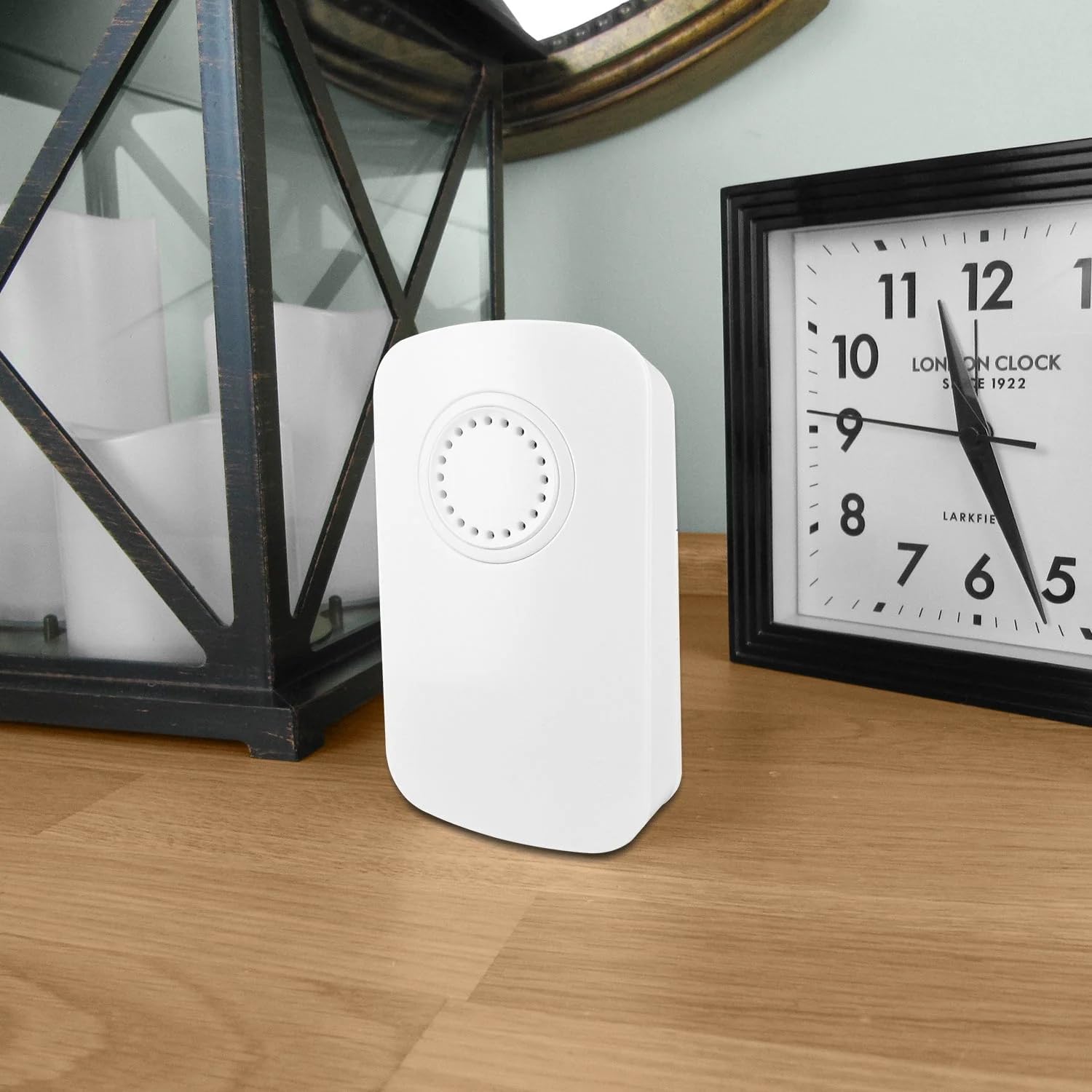
Image: The Uni-Com S/Chime Portable Door Chime receiver unit placed on a wooden surface indoors, next to a clock and a decorative lantern, demonstrating typical indoor placement.

Image: The Uni-Com S/Chime Portable Door Chime receiver unit placed on an outdoor wooden table, with garden foliage and a glass in the background, highlighting its portability and potential for outdoor use (receiver must be indoors and powered).
నిర్వహణ
Regular maintenance will help prolong the life of your door chime.
క్లీనింగ్
- Wipe the surfaces of both the receiver and push button with a soft, dry cloth.
- రాపిడి క్లీనర్లు, ద్రావకాలు లేదా కఠినమైన రసాయనాలను ఉపయోగించవద్దు.
Battery Replacement (Push Button)
If the push button transmitter stops working or its range decreases, the battery may need replacement. Refer to the specific battery type indicated on the push button unit or its packaging.
- Carefully open the battery compartment on the back of the push button transmitter.
- పాత బ్యాటరీని తీసివేసి కొత్తదాన్ని చొప్పించండి, సరైన ధ్రువణతను (+/-) నిర్ధారించుకోండి.
- బ్యాటరీ కంపార్ట్మెంట్ను సురక్షితంగా మూసివేయండి.
ట్రబుల్షూటింగ్
If you encounter issues with your Uni-Com S/Chime, try the following solutions:
| సమస్య | సాధ్యమైన కారణం | పరిష్కారం |
|---|---|---|
| చైమ్ వినిపించడం లేదు. | రిసీవర్ పవర్ చేయబడలేదు. | Ensure the receiver is securely plugged into a working AC outlet. |
| చైమ్ వినిపించడం లేదు. | పుష్ బటన్ బ్యాటరీ డెడ్ అయింది. | Replace the battery in the push button transmitter. |
| చైమ్ వినిపించడం లేదు. | పరిధి లేదా జోక్యం లేదు. | Move the receiver closer to the push button. Avoid placing near large metal objects or other electronics. |
| అప్పుడప్పుడు చైమ్ మోగుతోంది. | Weak push button battery. | Replace the battery in the push button transmitter. |
| అప్పుడప్పుడు చైమ్ మోగుతోంది. | పర్యావరణ జోక్యం. | Relocate the receiver or push button to a different position. |
స్పెసిఫికేషన్లు
- మోడల్: UNC66705
- తయారీదారు: యూని-కామ్
- పార్ట్ నంబర్: 013979
- ఉత్పత్తి కొలతలు: 4.7 x 13.4 x 13.7 సెం.మీ
- వస్తువు బరువు: 160 గ్రా
- శక్తి మూలం: AC (for receiver unit)
- అంశం ప్యాకేజీ పరిమాణం: 1
- చేర్చబడిన భాగాలు: S/CHIME PORT DOOR CHIME 66705 (Receiver and Push Button)
- బ్యాటరీలు ఉన్నాయి: No (for receiver), check push button for specific battery requirements.
- బ్యాటరీలు అవసరం: No (for receiver), Yes (for push button, type not specified in provided data).
వారంటీ
This product is covered by a standard manufacturer's warranty. Please retain your proof of purchase for any warranty claims. For specific warranty terms and conditions, refer to the documentation included with your purchase or contact Uni-Com customer support.
మద్దతు
If you require further assistance or have questions not covered in this manual, please contact Uni-Com customer support. You can typically find contact information on the product packaging or the official Uni-Com webసైట్.