
TrustFire MC12
TrustFire MC12 1000 Lumen Rechargeable Headlamp వినియోగదారు మాన్యువల్
1. పరిచయం
This manual provides detailed instructions for the safe and effective use of your TrustFire MC12 1000 Lumen Rechargeable Headlamp. Please read this manual thoroughly before operating the device and retain it for future reference.
2. ఉత్పత్తి ముగిసిందిview
The TrustFire MC12 is a versatile, high-performance headlamp designed for various outdoor and indoor activities. It features a powerful LED, multiple lighting modes, and a durable, waterproof construction.
2.1 ముఖ్య లక్షణాలు
- ద్వంద్వ-వినియోగ డిజైన్: Functions as both a headlamp with the included headband and a compact EDC (Everyday Carry) flashlight.
- ఐదు లైటింగ్ మోడ్లు: High (1000 lumens), Medium (200 lumens), Low (60 lumens), Moonlight (3 lumens), and Strobe (1000 lumens).
- IP68 జలనిరోధిత రేటింగ్: Ensures reliable performance in heavy rain or splashing water.
- మాగ్నెటిక్ USB ఛార్జింగ్: Convenient and efficient charging with a magnetic USB cable.
- మాగ్నెటిక్ టెయిల్క్యాప్: Allows for hands-free attachment to metal surfaces.
- సర్దుబాటు చేయగల శరీరం: The light head can be adjusted 180 degrees to direct illumination.
- తొలగించగల పాకెట్ క్లిప్: For easy attachment to clothing, backpacks, or belts.
- కాంపాక్ట్ మరియు తేలికపాటి: Designed for portability and comfort.
2.2 ప్యాకేజీ విషయాలు
- TrustFire MC12 Headlamp
- హెడ్బ్యాండ్
- మాగ్నెటిక్ USB ఛార్జింగ్ కేబుల్
- 1 x CR123A Battery (included)
- వినియోగదారు మాన్యువల్ (ఈ పత్రం)
2.3 ఉత్పత్తి రేఖాచిత్రం

Image: TrustFire MC12 Headlamp shown with its adjustable headband and magnetic USB charging cable.

చిత్రం: ముందు భాగం view of the TrustFire MC12 Headlamp securely attached to its headband.
3. సెటప్
3.1 బ్యాటరీ ఇన్స్టాలేషన్
The TrustFire MC12 comes with a pre-installed rechargeable CR123A battery. If you need to replace the battery, unscrew the tail cap, insert a compatible 16340 (3.6V/3.7V) or CR123A (3V) battery with the positive (+) end facing the head of the lamp, and then screw the tail cap back on securely.
3.2 బ్యాటరీని ఛార్జ్ చేయడం
మొదటిసారి ఉపయోగించే ముందు, హెడ్ల్ను పూర్తిగా ఛార్జ్ చేయండిamp. The magnetic charging cable allows for convenient charging.
- Connect the USB end of the magnetic charging cable to a power source (e.g., USB wall adapter, computer, power bank, car charger).
- Attach the magnetic end of the cable to the charging port on the headlamp. The indicator light on the cable will show red during charging and turn green when fully charged.

Image: The TrustFire MC12 Headlamp connected to its magnetic USB charging cable, illustrating compatibility with various USB power sources.
3.3 హెడ్బ్యాండ్ను అటాచ్ చేయడం
హెడ్ల్ను స్లైడ్ చేయండిamp into the rubber mount on the elastic headband. Ensure the light is securely seated. Adjust the headband for a comfortable and snug fit on your head.

Image: A family wearing TrustFire MC12 headlamps, highlighting the comfortable and user-friendly design for various users.
4. ఆపరేటింగ్ సూచనలు
4.1 పవర్ ఆన్/ఆఫ్
- ఆన్ చేయడానికి: పవర్ బటన్ను ఒకసారి నొక్కండి.amp will turn on in the last used mode (memory function).
- ఆపివేయడానికి: పవర్ బటన్ను సుమారు 0.5 సెకన్ల పాటు నొక్కి పట్టుకోండి.
4.2 స్విచింగ్ మోడ్లు
ఎప్పుడు హెడ్ల్amp is on, single-press the power button to cycle through the modes in the following order: High > Medium > Low > Moonlight. Release the button to select the desired mode.
4.3 స్ట్రోబ్ మోడ్
From any mode (or when off), double-press the power button quickly to activate Strobe mode. Single-press again to return to the previous mode or turn off.
4.4 లాకౌట్ ఫంక్షన్
ప్రమాదవశాత్తు క్రియాశీలతను నివారించడానికి, హెడ్ల్amp features a lockout function. Double-press the power button quickly when the light is off to engage the lockout. The light will flash twice to indicate it is locked. To unlock, double-press the power button again.
4.5 Adjustable Light Head
హెడ్ల్amp body can be rotated up to 180 degrees within its mount, allowing you to direct the light precisely where needed.
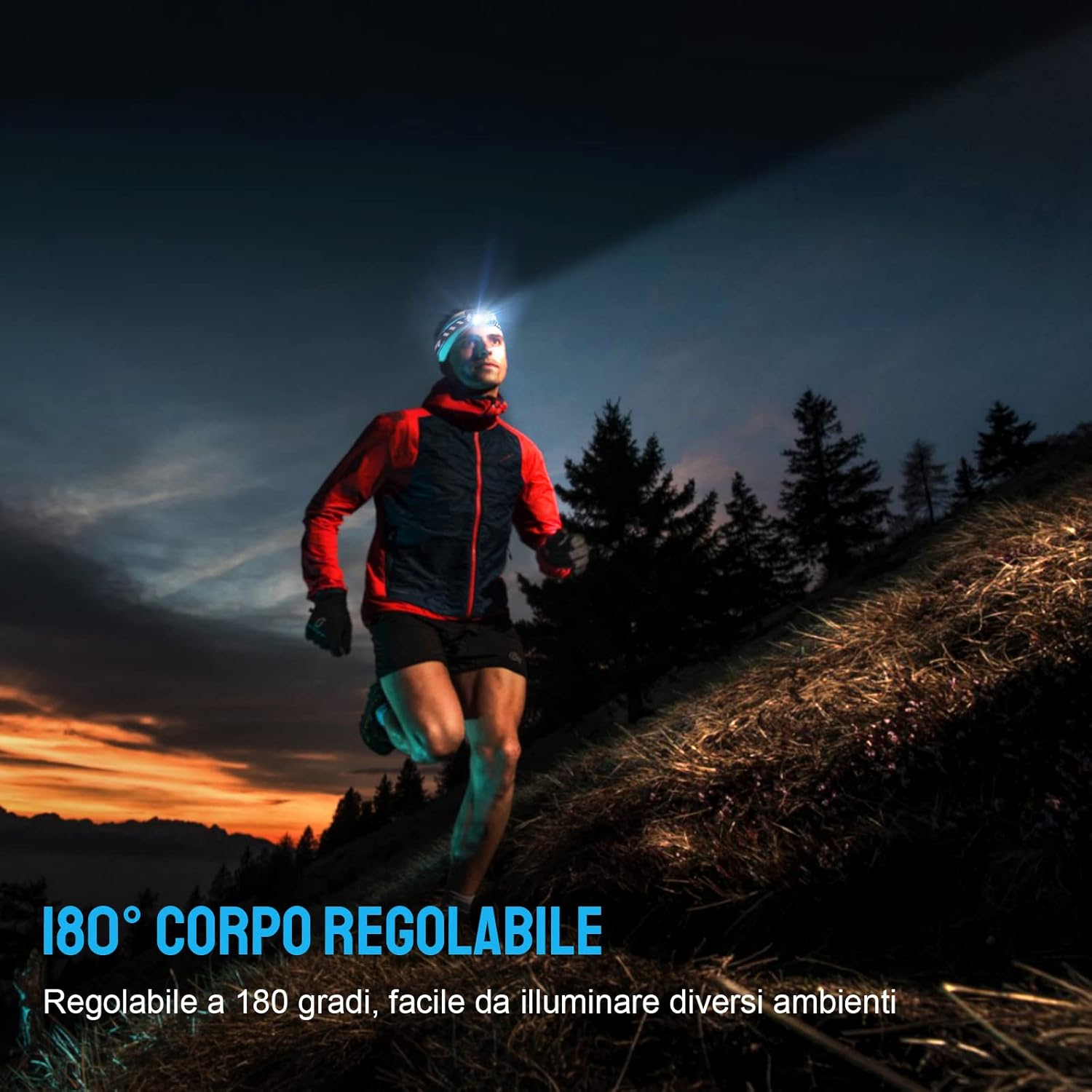
Image: A person running outdoors with the TrustFire MC12 headlamp, illustrating the flexibility of its 180-degree adjustable body to illuminate different areas.
4.6 Using as an EDC Flashlight
The MC12 can be removed from the headband and used as a compact, handheld flashlight. Its dual-direction pocket clip allows for easy attachment to pockets, belts, or hat brims.

Image: The TrustFire MC12 Headlamp detached from its headband, functioning as a compact Everyday Carry (EDC) flashlight.

Image: A person demonstrating the removable pocket clip of the TrustFire MC12, attaching it to a shirt pocket for hands-free use.
4.7 Magnetic Tailcap Functionality
The magnetic tailcap allows the headlamp to be securely attached to ferrous metal surfaces, providing hands-free illumination in various work environments.

Image: The TrustFire MC12 Headlamp magnetically secured to the underside of a car hood, providing hands-free lighting for automotive repair.
5. నిర్వహణ
5.1 శుభ్రపరచడం
తల తుడవండిamp ఒక మృదువైన, డిamp cloth. Do not use abrasive cleaners or solvents. Keep the charging port clean and free of debris.
5.2 బ్యాటరీ సంరక్షణ
- Recharge the battery regularly, even if not in frequent use, to maintain optimal performance and extend battery life.
- బ్యాటరీని పూర్తిగా డిశ్చార్జ్ చేయడాన్ని నివారించండి.
- If storing for an extended period, remove the battery or ensure it is partially charged (around 50%).
5.3 నిల్వ
హెడ్ల్ను నిల్వ చేయండిamp in a cool, dry place away from direct sunlight and extreme temperatures. If storing for a long time, consider removing the battery.
6. ట్రబుల్షూటింగ్
| సమస్య | సాధ్యమైన కారణం | పరిష్కారం |
|---|---|---|
| హెడ్ల్amp ఆన్ చేయదు. | బ్యాటరీ క్షీణించింది. | బ్యాటరీని ఛార్జ్ చేయండి. |
| Battery incorrectly installed. | బ్యాటరీ ధ్రువణతను తనిఖీ చేయండి (+/-). | |
| హెడ్ల్amp లాకౌట్ మోడ్లో ఉంది. | Double-press the power button to unlock. | |
| హెడ్ల్amp వసూలు చేయదు. | ఛార్జింగ్ కేబుల్ సరిగ్గా కనెక్ట్ కాలేదు. | Ensure magnetic cable is firmly attached to the charging port and USB end is connected to a working power source. |
| ఛార్జింగ్ పోర్ట్ మురికిగా ఉంది. | Clean the charging port with a dry cotton swab. | |
| Light output decreases or headlamp gets hot. | Automatic thermal regulation. | This is normal behavior to prevent overheating and protect the LED. The light will automatically reduce brightness. |
7. స్పెసిఫికేషన్లు
| ఫీచర్ | వివరాలు |
|---|---|
| మోడల్ | MC12 |
| బ్రాండ్ | TrustFire |
| కాంతి మూలం రకం | LED |
| తెల్లని ప్రకాశం | 1000 ల్యూమెన్స్ (గరిష్టంగా) |
| శక్తి మూలం | బ్యాటరీ ఆధారితమైనది |
| బ్యాటరీ రకం | Rechargeable Lithium-Ion (16340/CR123A compatible) |
| వాల్యూమ్tage | 3.7 వోల్ట్లు |
| నీటి నిరోధక స్థాయి | IP68 జలనిరోధిత |
| వస్తువు బరువు | 135 గ్రాములు (సుమారు 4.8 ఔన్సులు) |
| Dimensions (Headlamp) | Length: 65 mm (2.4 in), Diameter: 20.6 mm (0.79 in) |
| చేర్చబడిన భాగాలు | USB Cable, Headband |
| మౌంటు రకం | Clip Mount, Belt Mount |
| సిఫార్సు చేసిన ఉపయోగాలు | Camping, Cycling, Exploring, Fishing, Hiking, Hunting, Indoor activities, Repairing |
| UPC | 751433559831 |

Image: Individuals using the TrustFire MC12 headlamp in challenging weather, demonstrating its IP68 waterproof capability in snow and rain.
8. భద్రతా సమాచారం
- కంటి భద్రత: Do not shine the light directly into eyes. The high intensity light can cause temporary vision impairment or permanent eye damage.
- పిల్లలు: పిల్లలకు దూరంగా ఉంచండి.
- వేడి: హెడ్ల్amp may become warm during prolonged use, especially in High mode. This is normal. Avoid direct contact with hot surfaces.
- బ్యాటరీ భద్రత: Use only recommended batteries. Do not mix old and new batteries or different types of batteries. Do not dispose of batteries in fire.
- వేరుచేయడం: హెడ్ల్ను విడదీయడానికి లేదా సవరించడానికి ప్రయత్నించవద్దుamp, as this will void the warranty and could cause damage or injury.
9. వారంటీ మరియు మద్దతు
For warranty information, technical support, or customer service inquiries, please visit the official TrustFire webసైట్ లేదా మీ రిటైలర్ను సంప్రదించండి.
అధికారిక Webసైట్: www.trustfire.com
Ask a question about this manual
Ask about setup, troubleshooting, compatibility, parts, safety, or missing instructions. Manuals+ will review the question and use this page’s manual context to help answer it.