
పరిచయం
This manual provides essential information for the proper setup, operation, and maintenance of your Schubert Preludio 88-Key Digital Piano. Please read this manual thoroughly before using the instrument to ensure optimal performance and longevity. Keep this manual for future reference.
భద్రతా సూచనలు
- పవర్ అడాప్టర్ వాల్యూమ్ను నిర్ధారించుకోండిtagఇ మీ స్థానిక విద్యుత్ సరఫరాతో సరిపోలుతుంది.
- పరికరాన్ని వర్షం, తేమ లేదా తీవ్రమైన ఉష్ణోగ్రతలకు గురిచేయవద్దు.
- పరికరాన్ని ఉష్ణ వనరుల దగ్గర లేదా ప్రత్యక్ష సూర్యకాంతిలో ఉంచకుండా ఉండండి.
- సి ని తెరవవద్దుasing; అన్ని సర్వీసింగ్లను అర్హత కలిగిన సిబ్బందికి సూచించండి.
- ప్రమాదాలను నివారించడానికి చిన్న పిల్లలకు దూరంగా ఉంచండి.
- Disconnect power during thunderstorms or when not in use for extended periods.
సెటప్
అన్ప్యాకింగ్ మరియు అసెంబ్లీ
Carefully remove all components from the packaging. Ensure all items listed in the "Included in Delivery" section are present.
- Place the keyboard on a stable, flat surface or a compatible keyboard stand.
- Attach the music stand to the designated slot on the keyboard.
- Connect the sustain pedal to the "PEDAL" input on the rear panel of the keyboard.
- Connect the power adapter to the "DC 12V" input and then to a power outlet.

చిత్రం 1: చేర్చబడిన ఉపకరణాలు. The image displays the Schubert Preludio keyboard's accessories, including the music stand, sustain pedal, power adapter, and various USB cables for connectivity.

Figure 2: Connection Options. This image shows the various input/output ports on the rear of the keyboard, including Audio In, Audio Out, USB, pedal input, and two 6.3mm headphone jacks.
ఆపరేటింగ్ సూచనలు
పవర్ ఆన్/ఆఫ్
నొక్కండి శక్తి కీబోర్డ్ను ఆన్ లేదా ఆఫ్ చేయడానికి బటన్.
వాల్యూమ్ నియంత్రణ
ఉపయోగించి మాస్టర్ వాల్యూమ్ను సర్దుబాటు చేయండి మాస్టర్ వాల్యూమ్ knob. Individual volumes for Upper and Lower voices can be adjusted via the VOL+ మరియు VOL- buttons in Function mode.
స్వరాలను ఎంచుకోవడం (ధ్వనులు)
The Schubert Preludio offers 140 different voices. To select a voice:
- నొక్కండి వాయిస్ బటన్.
- నంబర్ ప్యాడ్ లేదా +/- buttons to select the desired voice number. The selected voice number will be displayed on the LED screen.

Figure 3: Control Panel and Voice Selection. The image highlights the control panel with buttons for voice selection, layering, splitting, and reverb, along with categories like Piano, Organ, Guitar, and Strings.
Layer and Split Functions
- లేయర్: నొక్కండి పొర button to combine two voices simultaneously. Select the second voice using the voice selection method.
- విభజన: నొక్కండి స్ప్లిట్ button to divide the keyboard into two sections, each with a different voice. The split point can be adjusted. This is useful for teaching or playing duets.
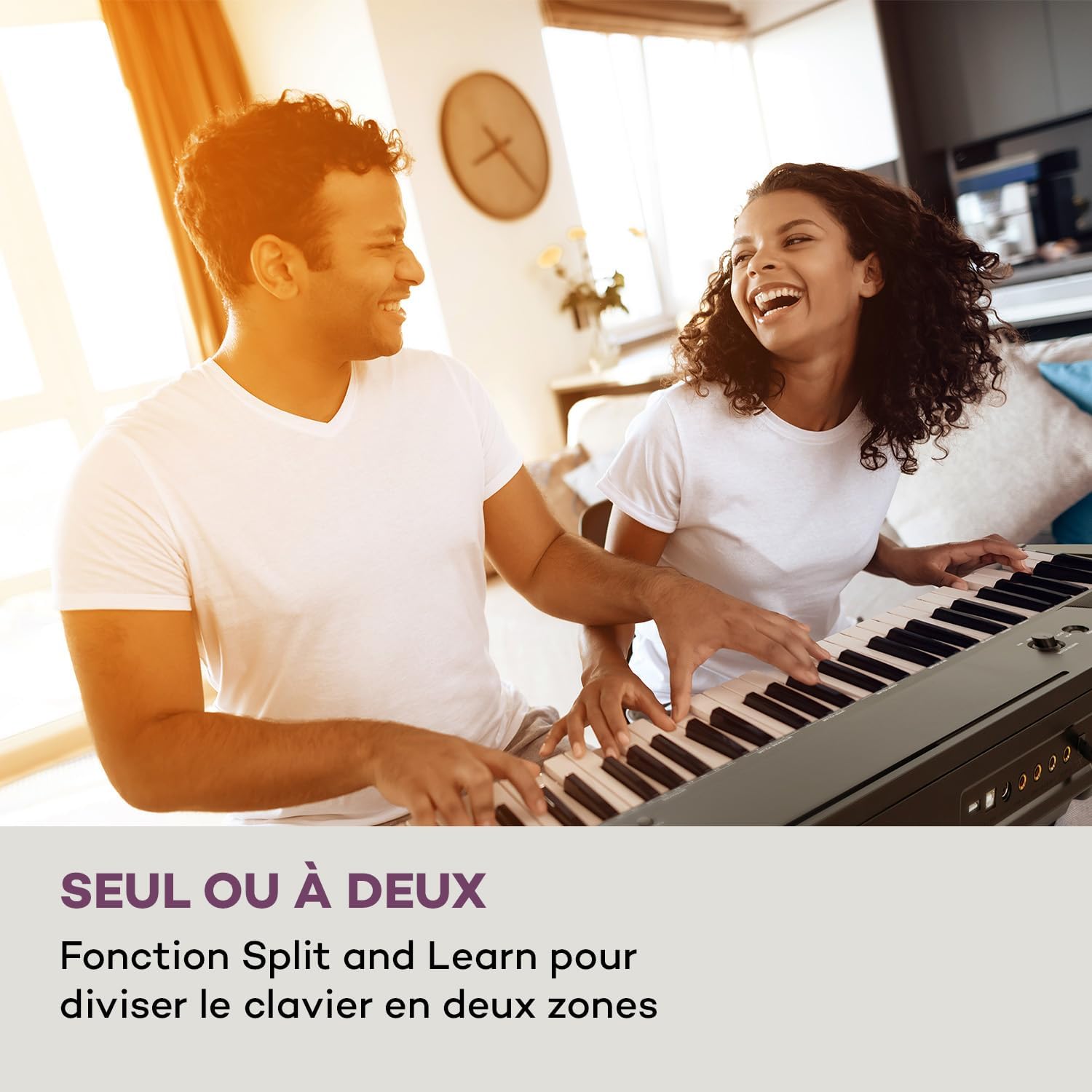
Figure 4: Split and Learn Function. This image shows two individuals playing the keyboard simultaneously, demonstrating the Split function which divides the keyboard into two playable zones.
Metronome and Tempo
Activate the metronome by pressing the మెట్రో button. Adjust the tempo using the టెంపో బటన్లు.
రికార్డింగ్ మరియు ప్లేబ్యాక్
The keyboard features a recording function:
- నొక్కండి రికార్డ్ చేయండి button to start recording your performance.
- నొక్కండి ఆడండి to listen to your recorded track.
USB కనెక్టివిటీ
The integrated USB port allows for MP3 playback and MIDI connectivity:
- MP3 ప్లేబ్యాక్: MP3 ఉన్న USB డ్రైవ్ను చొప్పించండి fileUSB పోర్ట్లోకి లు. ఉపయోగించండి పాట buttons to navigate and play tracks.
- USB-MIDI: Connect the keyboard to a computer using the provided USB-MIDI cable for use with educational and recording software.

Figure 5: Recording and USB Playback. The image depicts the keyboard's capability for recording performances and playing MP3 files via its integrated USB port, enhanced by its 5-watt RMS speakers.
నిర్వహణ
- శుభ్రపరచడం: కీబోర్డ్ ఉపరితలాన్ని శుభ్రం చేయడానికి మృదువైన, పొడి వస్త్రాన్ని ఉపయోగించండి. రాపిడి క్లీనర్లు లేదా ద్రావకాలను ఉపయోగించవద్దు.
- నిల్వ: When not in use, store the keyboard in a dry, dust-free environment. If storing for a long period, disconnect the power adapter.
- కీలక సంరక్షణ: Avoid excessive force on the keys. Clean keys gently with a slightly damp అవసరమైతే గుడ్డతో తుడిచి, వెంటనే ఆరబెట్టండి.
ట్రబుల్షూటింగ్
| సమస్య | సాధ్యమైన కారణం | పరిష్కారం |
|---|---|---|
| శబ్దం లేదు | Power not connected, volume too low, headphones connected. | Check power connection, increase master volume, disconnect headphones. |
| కీలు స్పందించడం లేదు | Function mode active, internal error. | Exit Function mode, power cycle the instrument. |
| సస్టైన్ పెడల్ పని చేయడం లేదు | Pedal not fully inserted, pedal polarity issue. | Ensure pedal is firmly connected. Some pedals require the keyboard to be powered on with the pedal already pressed to set polarity. |
| USB ప్లేబ్యాక్ సమస్యలు | మద్దతు లేదు file format, corrupted USB drive. | నిర్ధారించండి files are MP3 format. Try a different USB drive or reformat the current one. |
స్పెసిఫికేషన్లు
- మోడల్ పేరు: Preludio
- కీల సంఖ్య: 88
- కీ రకం: Full-size, touch-sensitive (3 levels)
- శబ్దాలు (స్వరాలు): 140
- డెమో పాటలు: 16
- విధులు: Sustain, Vibrato, Transposition, Octave, Split, Layer, Metronome, Record, Playback, Learning Function
- కనెక్టివిటీ: 1 x 6.3 mm Audio In, 1 x 6.3 mm Audio Out, 2 x 6.3 mm Headphone Outputs, 1 x USB (Type A for MP3), 1 x USB-MIDI (Type B)
- విద్యుత్ సరఫరా: AC adapter (220-240 V~ | 50/60 Hz)
- కొలతలు (L x H x D): సుమారుగా 130 x 29 x 35 సెం.మీ (51.2 x 11.4 x 13.8 అంగుళాలు)
- బరువు: సుమారు 6.2 కిలోలు (13.7 పౌండ్లు)
- మెటీరియల్: ప్లాస్టిక్

చిత్రం 6: ఉత్పత్తి కొలతలు. A visual representation of the keyboard's length, height, and depth measurements.
వారంటీ మరియు మద్దతు
For detailed warranty information and technical support, please refer to the warranty card included with your product or visit the official Schubert webసైట్. ఏవైనా వారంటీ క్లెయిమ్ల కోసం మీ కొనుగోలు రుజువును ఉంచుకోండి.
ఉత్పత్తి వీడియోలు
Sustain Pedal Overview
This video provides a close-up view and demonstration of the M-Audio SP-2 sustain pedal, which is compatible with digital pianos like the Schubert Preludio. It shows how the pedal functions to extend notes, similar to an acoustic piano.
Keyboard Features Overview
This video offers a detailed close-up view of the digital piano, showcasing its keys, control panel, and various functions. It provides a visual guide to the instrument's design and user interface.