
పరిచయం
Thank you for choosing the ACCUweight 211 Digital Kitchen Scale. This manual provides important information regarding the setup, operation, maintenance, and troubleshooting of your new kitchen scale. Please read it thoroughly before use to ensure proper functionality and to extend the lifespan of your device. This scale is designed for precise measurement of food ingredients and other small items, offering high accuracy and multiple convenient features.
భద్రతా సమాచారం
- Do not immerse the scale in water or other liquids. The scale is not waterproof.
- ప్రకటనతో స్కేల్ను శుభ్రం చేయండిamp గుడ్డ. రాపిడి క్లీనర్లను ఉపయోగించవద్దు.
- Place the scale on a hard, flat, and stable surface for accurate measurements. Avoid soft or uneven surfaces.
- స్కేల్ను దాని గరిష్ట సామర్థ్యం 5 కిలోల (11 పౌండ్లు) కంటే ఎక్కువగా లోడ్ చేయవద్దు.
- Avoid dropping the scale or subjecting it to strong impacts, as this may damage the internal sensors.
- స్కేల్ను తీవ్రమైన ఉష్ణోగ్రతలు మరియు ప్రత్యక్ష సూర్యకాంతి నుండి దూరంగా ఉంచండి.
- లీకేజీని నివారించడానికి స్కేల్ను ఎక్కువ కాలం ఉపయోగించకపోతే బ్యాటరీలను తీసివేయండి.
- ఈ స్కేల్ గృహ వినియోగం కోసం మాత్రమే ఉద్దేశించబడింది.
ఉత్పత్తి ముగిసిందిview
The ACCUweight 211 is a compact and durable digital kitchen scale featuring a high-precision sensor and a backlit LCD display. It is constructed with a high-quality stainless steel platform and an ABS plastic frame.

మూర్తి 1: టాప్ view of the ACCUweight 211 Digital Kitchen Scale. It features a brushed stainless steel weighing platform, a backlit LCD display, and two control buttons: Z/T (Zero/Tare) and UNIT.
ముఖ్య లక్షణాలు:
- హై-ప్రెసిషన్ సెన్సార్: Measures with 1g resolution, minimum capacity 3g, maximum capacity 5kg.
- Multifunctional Units: Easily switch between g, kg, lb, oz, ml, and milk.ml.
- తారే ఫంక్షన్: Allows you to subtract the weight of a container for net weight measurement.
- బ్యాక్లిట్ LCD డిస్ప్లే: Provides clear readings in various lighting conditions.
- ఆటో-ఆఫ్ ఫంక్షన్: Conserves battery power by automatically turning off after 180 seconds of inactivity.
- Low Battery & Overload Indication: Alerts you to battery status and potential overload.
- మన్నికైన నిర్మాణం: Stainless steel platform and ABS plastic frame.
- Anti-Fingerprint & Easy to Clean: Designed for simple maintenance.
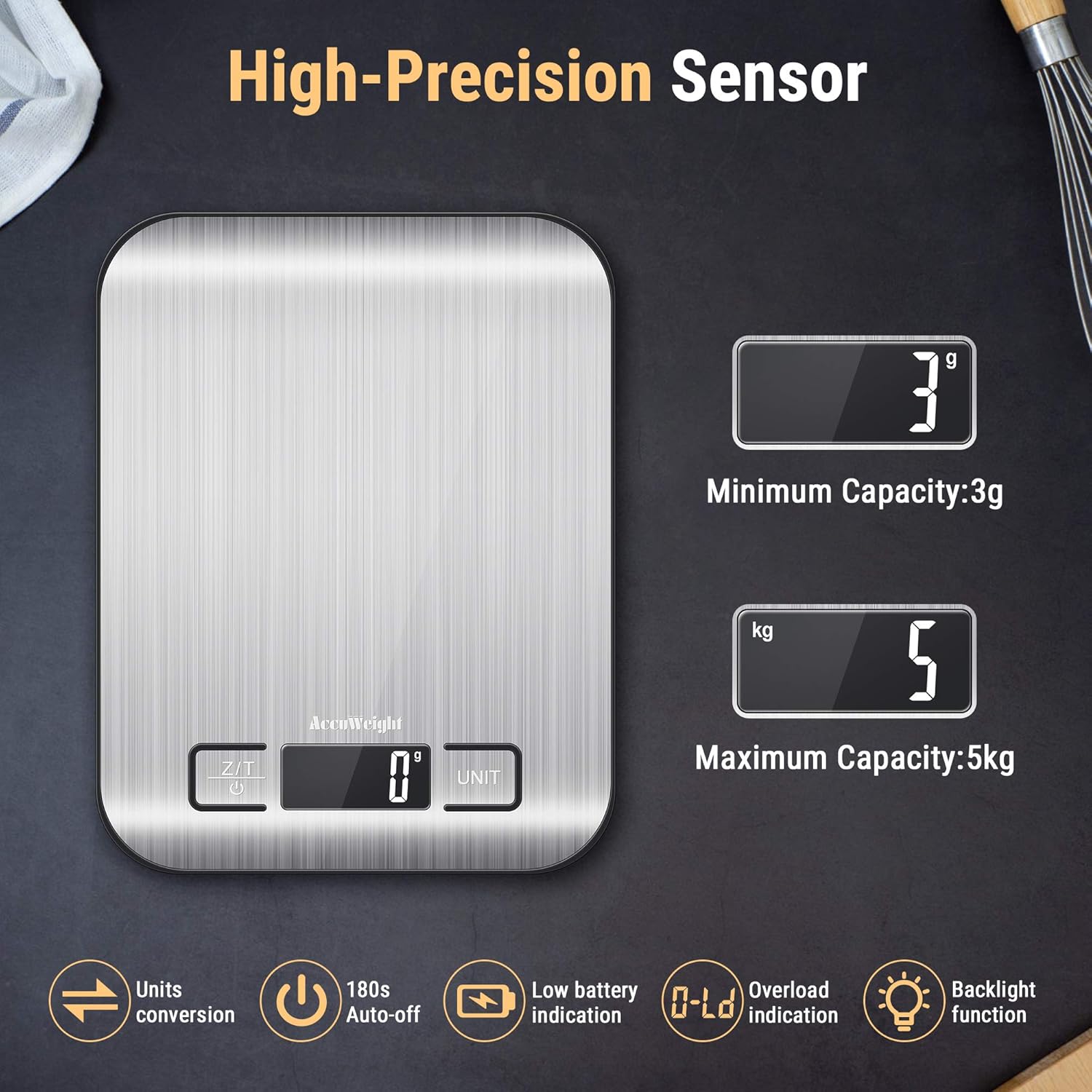
Figure 2: Illustration highlighting the high-precision sensor, showing a minimum capacity of 3g and a maximum capacity of 5kg. Icons also indicate unit conversion, 180s auto-off, low battery indication, overload indication, and backlight function.
సెటప్
బ్యాటరీ ఇన్స్టాలేషన్:
- స్కేల్ యొక్క దిగువ భాగంలో బ్యాటరీ కంపార్ట్మెంట్ను గుర్తించండి.
- బ్యాటరీ కంపార్ట్మెంట్ కవర్ తెరవండి.
- కంపార్ట్మెంట్ లోపల సూచించిన విధంగా సరైన ధ్రువణత (+/-) ఉండేలా చూసుకుంటూ 2 x AAA బ్యాటరీలను చొప్పించండి.
- బ్యాటరీ కంపార్ట్మెంట్ కవర్ను సురక్షితంగా మూసివేయండి.
గమనిక: For optimal performance, use new batteries. If the scale displays a "Lo" indicator, replace the batteries.
ఆపరేటింగ్ సూచనలు
1. పవర్ ఆన్/ఆఫ్:
- స్కేల్ను ఆన్ చేయడానికి, Z/T button. The display will show "8888" and then "0g" (or the last used unit).
- స్కేల్ను ఆఫ్ చేయడానికి, నొక్కి పట్టుకోండి Z/T button for 3 seconds. The scale will also automatically turn off after 180 seconds of inactivity.
2. Unit Conversion:
- స్కేల్ ఆన్ చేయబడినప్పుడు, నొక్కండి యూనిట్ button to cycle through the available units: g, kg, lb, oz, ml, and milk.ml.
- ఎంచుకున్న యూనిట్ LCD స్క్రీన్పై ప్రదర్శించబడుతుంది.

Figure 3: The scale demonstrating quick unit conversion, displaying various units such as grams (g), kilograms (kg), pounds (lb), ounces (oz), milliliters (ml), and milk milliliters (milk.ml).
3. Tare Function:
The tare function allows you to weigh ingredients in a container by subtracting the container's weight. This is useful for measuring multiple ingredients in the same bowl.
- Place an empty container on the center of the scale platform. The display will show the container's weight.
- నొక్కండి Z/T button. The display will reset to "0g" (or the current unit).
- Add the ingredients you wish to weigh into the container. The display will show the net weight of the ingredients.
- You can repeat the tare process multiple times to add different ingredients sequentially.

Figure 4: A visual representation of the tare function. First, an empty bowl is weighed (e.g., 230g). Then, the tare button is pressed to zero the scale. Finally, pet food is added, and only the weight of the food (e.g., 694g) is displayed.
4. బరువు వస్తువులు:
- Ensure the scale is on a flat, stable surface and powered on, displaying "0g".
- తూకం వేయవలసిన వస్తువు(లు)ను నేరుగా స్టెయిన్లెస్ స్టీల్ ప్లాట్ఫారమ్ మధ్యలో ఉంచండి.
- LCD స్క్రీన్పై ప్రదర్శించబడే బరువును చదవండి.
5. Milk and Liquid Measuring:
The scale includes specific units for measuring liquids like water (ml) and milk (milk.ml), which account for their different densities for more accurate volume estimation.
- Place an empty container on the scale and use the tare function to zero it.
- నొక్కండి యూనిట్ button until "ml" or "milk.ml" is displayed.
- Pour the liquid into the container. The display will show the volume in the selected unit.

Figure 5: The scale in use, measuring milk being poured into a bowl of cereal. The display shows the volume in milliliters (ml).
నిర్వహణ
శుభ్రపరచడం:
- స్కేల్ ఉపరితలాన్ని మృదువైన, d తో తుడవండి.amp ఉపయోగించిన వెంటనే వస్త్రం.
- For stubborn stains, use a mild detergent on the damp తరువాత శుభ్రమైన గుడ్డతో తుడవండి, damp గుడ్డ.
- Do not use abrasive cleaners, harsh chemicals, or immerse the scale in water.
- నిల్వ చేయడానికి ముందు స్కేల్ పూర్తిగా పొడిగా ఉందని నిర్ధారించుకోండి.

Figure 6: A hand wiping the stainless steel surface of the scale with a yellow sponge, illustrating its anti-fingerprint and easy-to-clean design.
నిల్వ:
- స్కేల్ను చల్లని, పొడి ప్రదేశంలో నిల్వ చేయండి.
- ఉపయోగంలో లేనప్పుడు భారీ వస్తువులను స్కేల్పై ఉంచడం మానుకోండి.
- If storing for an extended period, remove the batteries.
ట్రబుల్షూటింగ్
| సమస్య | సాధ్యమైన కారణం | పరిష్కారం |
|---|---|---|
| స్కేల్ ఆన్ చేయబడదు. | డెడ్ లేదా తప్పుగా ఇన్స్టాల్ చేయబడిన బ్యాటరీలు. | బ్యాటరీ ధ్రువణతను తనిఖీ చేయండి లేదా కొత్త AAA బ్యాటరీలతో భర్తీ చేయండి. |
| "లో" ప్రదర్శించబడింది. | తక్కువ బ్యాటరీ శక్తి. | బ్యాటరీలను భర్తీ చేయండి. |
| "O-Ld" ప్రదర్శించబడింది. | స్కేల్ ఓవర్లోడ్ చేయబడింది. | Remove items immediately. Do not exceed 5 kg capacity. |
| సరికాని రీడింగ్లు. |
|
|
| Display flickers or is unstable. | Interference from electronic devices or unstable surface. | Move scale away from other electronics. Ensure stable surface. |
స్పెసిఫికేషన్లు
| ఫీచర్ | వివరాలు |
|---|---|
| మోడల్ సంఖ్య | IC211 |
| బ్రాండ్ | ACCUWEIGHT |
| కెపాసిటీ | 5 కిలోలు (11 పౌండ్లు) |
| కనీస బరువు | 3 గ్రా |
| Accuracy/Resolution | 1 గ్రా |
| కొలత యూనిట్లు | g, kg, lb, oz, ml, milk.ml |
| ప్రదర్శించు | బ్యాక్లిట్ LCD |
| శక్తి మూలం | 2 x AAA బ్యాటరీలు (తప్పనిసరి) |
| ఆటో-ఆఫ్ | 180 సెకన్లు |
| మెటీరియల్ | Stainless Steel Platform, ABS Plastic Frame |
| ఉత్పత్తి కొలతలు (L x W x H) | 18 x 14 x 1 సెం.మీ (7 x 5.5 x 0.6 అంగుళాలు) |
| వస్తువు బరువు | 290 గ్రాములు |
| రంగు | వెండి |
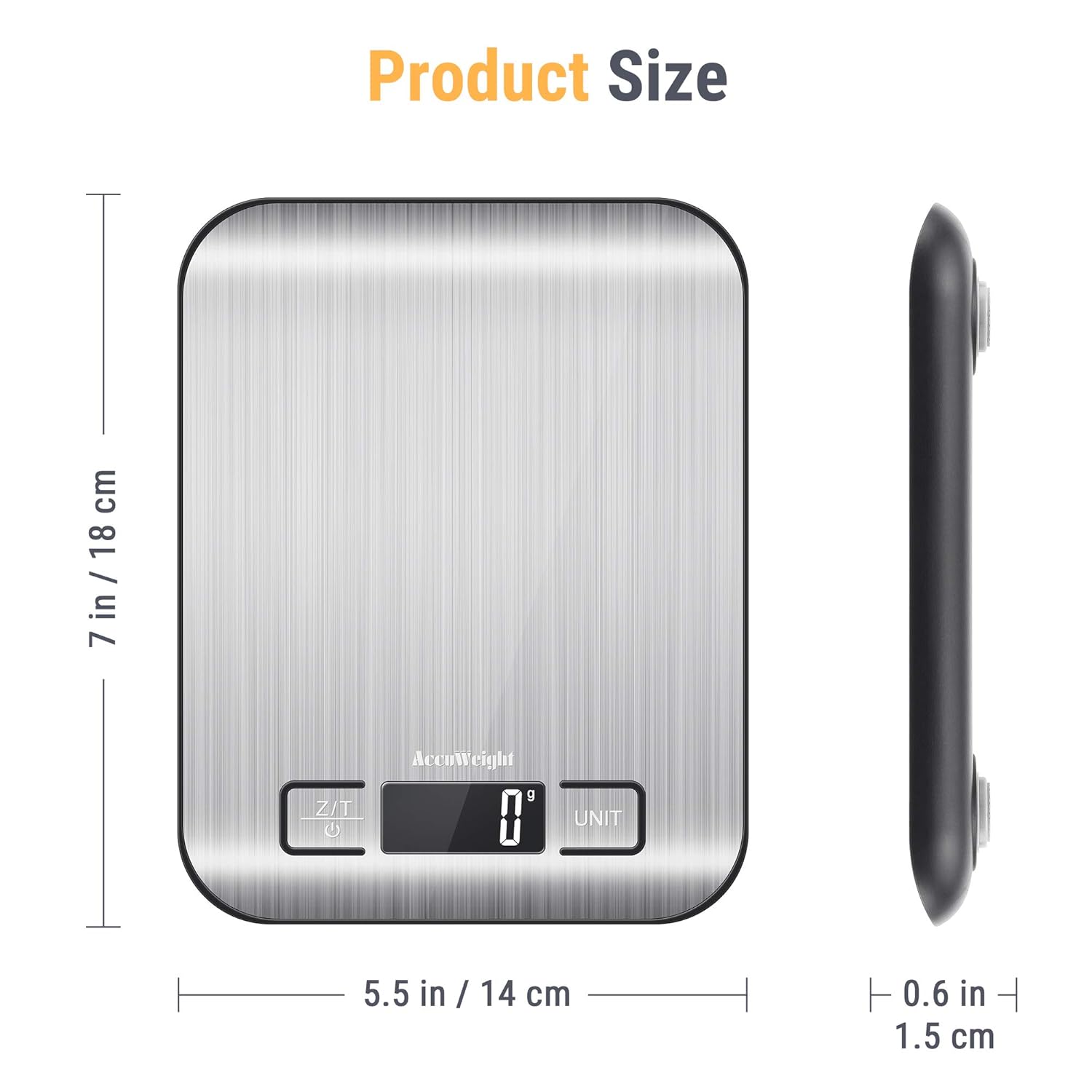
Figure 7: Diagram illustrating the dimensions of the ACCUweight 211 Digital Kitchen Scale: 7 inches (18 cm) in length, 5.5 inches (14 cm) in width, and 0.6 inches (1.5 cm) in thickness.
వారంటీ మరియు మద్దతు
ACCUWEIGHT products are manufactured to high-quality standards. For warranty information or technical support, please refer to the contact details provided with your purchase or visit the official ACCUWEIGHT webసైట్. ఏవైనా వారంటీ క్లెయిమ్ల కోసం దయచేసి మీ కొనుగోలు రుజువును ఉంచుకోండి.
గమనిక: Availability of spare parts is currently unavailable as per product information.