
1. ఓవర్view
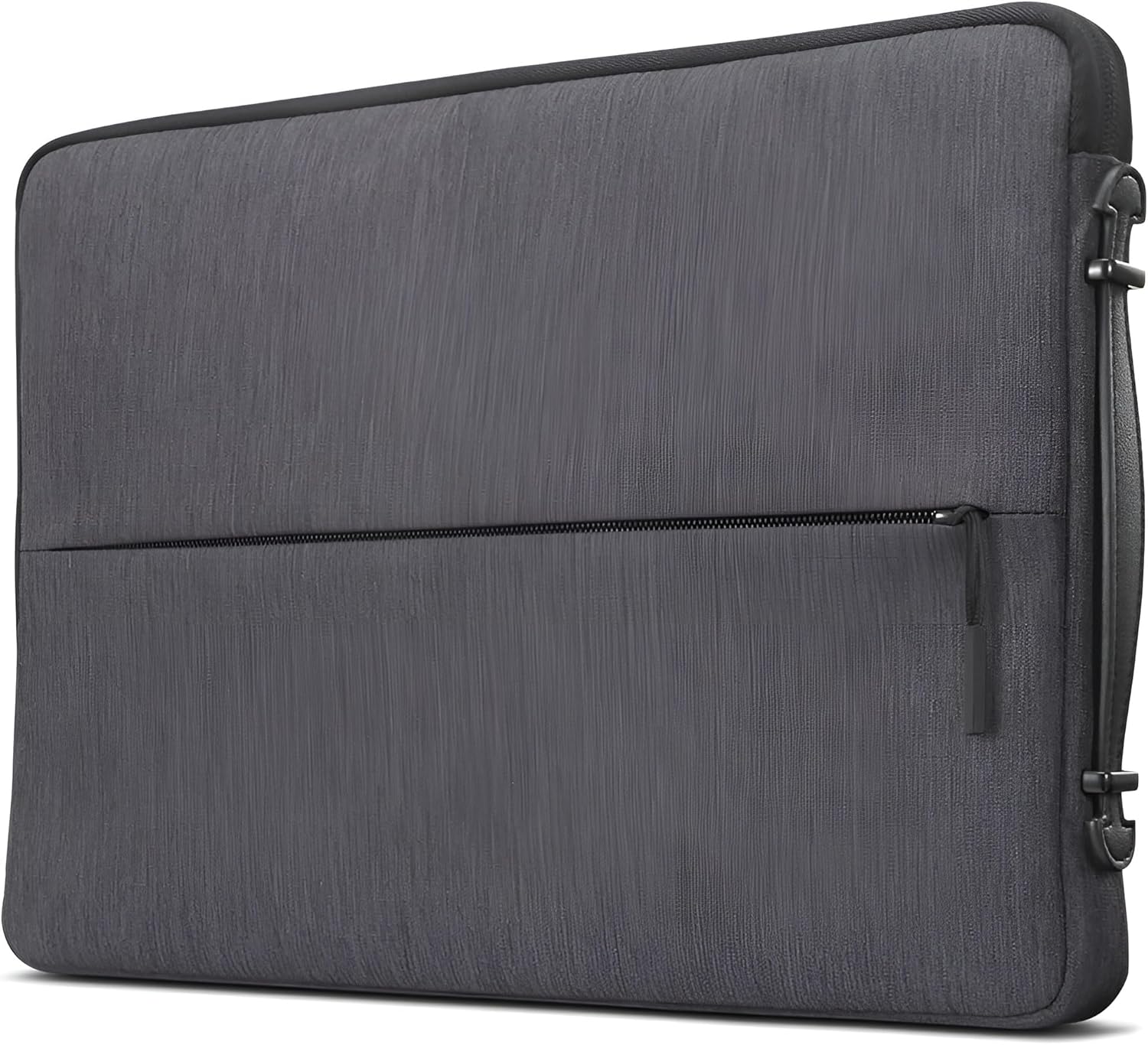
The Lenovo Urban Laptop Sleeve is designed to provide protection and portability for your 15.6-inch laptop, notebook, or tablet. It features a water-resistant exterior, padded compartments, and a slim, lightweight design for convenient transport. This manual provides essential information for the proper use and care of your sleeve.
2 కీ ఫీచర్లు
- Durable and Water-Resistant Design: Constructed from high-quality polyester, offering durability and water resistance to protect devices from moisture.
- స్లిమ్ మరియు లైట్ వెయిట్: Designed for a precise fit without adding bulk, weighing approximately 10.2 ounces (0.29 kg).
- Convenient Carrying Handle: Features a sturdy handle for easy transportation.
- Padded Compartments: Interior includes multiple padded sections for devices and accessories, providing cushioning and preventing scratches.
- Protective Rubber Bumpers: Equipped with rubber bumpers on each corner to absorb shock from accidental drops and impacts.


3. సెటప్
- పరికర అనుకూలతను ధృవీకరించండి: Before use, measure your laptop, notebook, or tablet to ensure its dimensions are compatible with the sleeve. The internal dimensions for this 15.6-inch sleeve are 15.6" x 10.6" x 1.1" (395 x 270 x 28 mm).
- ప్రారంభ తనిఖీ: Unpack the sleeve and inspect it for any signs of damage. Ensure all zippers and seams are intact.
- ఉపయోగం కోసం సిద్ధం చేయండి: Remove any packaging materials from inside the sleeve. The sleeve is ready for immediate use.


4. ఆపరేటింగ్ సూచనలు
- మీ పరికరాన్ని చొప్పించడం: Open the main zipper compartment. Gently slide your laptop or tablet into the padded interior. Ensure it sits snugly within the protective lining.
- Using Accessory Compartments: Utilize the zippered front pocket for smaller accessories such as a power bank, mouse, cables, or pens. The internal padded compartments help organize and protect these items.
- Carrying the Sleeve: Use the integrated carrying handle for easy transport. Alternatively, the slim design allows the sleeve to be placed inside a larger bag or backpack.


5. నిర్వహణ
- శుభ్రపరచడం: For minor spills or dirt, wipe the exterior with a damp గుడ్డ మరియు తేలికపాటి సబ్బుతో శుభ్రం చేయండి. మెషిన్ వాష్ లేదా టంబుల్ డ్రై చేయవద్దు. పూర్తిగా గాలికి ఆరనివ్వండి.
- నీటి నిరోధకత: While the sleeve is water-resistant, it is not fully waterproof. Avoid prolonged exposure to heavy rain or submersion in water.
- నిల్వ: Store the sleeve in a cool, dry place when not in use. Avoid exposing it to extreme temperatures or direct sunlight for extended periods.
6. ట్రబుల్షూటింగ్
- Device Does Not Fit: Ensure you have the correct sleeve size for your device. Refer to the specifications section for internal dimensions.
- జిప్పర్ సమస్యలు: If a zipper becomes stiff, apply a small amount of zipper lubricant or wax. Avoid forcing the zipper, as this can cause damage.
- మరకలు: For stubborn stains, a gentle fabric cleaner designed for polyester may be used, following the product instructions carefully. Test on an inconspicuous area first.
7. స్పెసిఫికేషన్లు
| ఫీచర్ | వివరాలు |
|---|---|
| బ్రాండ్ | లెనోవో |
| మోడల్ సంఖ్య | GX40Z50942 |
| రంగు | చార్కోల్ గ్రే |
| Compatible Device Size (Maximum) | 15.6 అంగుళాలు |
| బాహ్య కొలతలు | 15.7" x 10.8" x 1.2" (400 x 275 x 30 మిమీ) |
| అంతర్గత కొలతలు | 15.6" x 10.6" x 1.1" (395 x 270 x 28 మిమీ) |
| వస్తువు బరువు | 10.2 ఔన్సులు (0.29 కిలోలు) |
| ఎన్క్లోజర్ మెటీరియల్ | పాలిస్టర్ |
| నీటి నిరోధక స్థాయి | వాటర్ రెసిస్టెంట్ |
| అంతర్నిర్మిత మీడియా | Lenovo Urban Sleeve Case, Warranty Card |
8. వారంటీ మరియు మద్దతు
వారంటీ సమాచారం
This Lenovo Urban Laptop Sleeve comes with a 1 సంవత్సరాల పరిమిత వారంటీ. Please refer to the included Warranty Card for detailed terms and conditions, including coverage and claim procedures.
కస్టమర్ మద్దతు
For technical assistance, warranty claims, or product inquiries, please visit the official Lenovo support website or contact their customer service. Contact information can typically be found on the Lenovo webసైట్ లేదా ఉత్పత్తి ప్యాకేజింగ్లో.