
పరిచయం
This manual provides detailed instructions for the setup, operation, maintenance, and troubleshooting of your ABKO K515 RGB Gaming Quick Swap Switch Mechanical Keyboard. Please read this manual thoroughly before using the product to ensure proper functionality and longevity.
ప్యాకేజీ విషయాలు
- ABKO K515 RGB Gaming Mechanical Keyboard
- USB కేబుల్
- కీకాప్ పుల్లర్
- స్విచ్ పుల్లర్
- వినియోగదారు మాన్యువల్ (ఈ పత్రం)
సెటప్
1. కీబోర్డ్ను కనెక్ట్ చేస్తోంది
- Unpack the ABKO K515 keyboard and its accessories from the box.
- కీబోర్డ్ నుండి USB కేబుల్ను మీ కంప్యూటర్లో అందుబాటులో ఉన్న USB పోర్ట్కు కనెక్ట్ చేయండి.
- మీ ఆపరేటింగ్ సిస్టమ్ ద్వారా కీబోర్డ్ స్వయంచాలకంగా గుర్తించబడుతుంది. ప్రాథమిక కార్యాచరణ కోసం సాధారణంగా అదనపు డ్రైవర్లు అవసరం లేదు.
- విజయవంతమైన కనెక్షన్ తర్వాత RGB బ్యాక్లైటింగ్ ప్రకాశిస్తుంది.
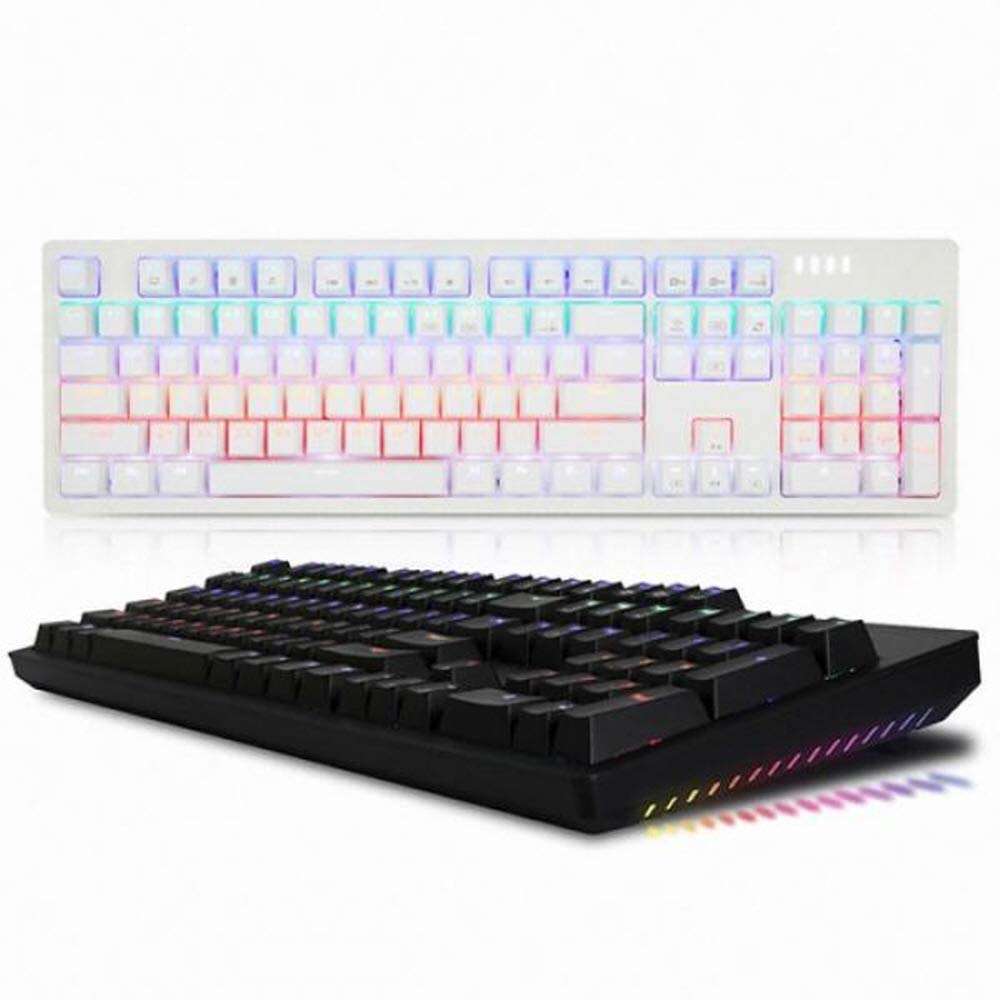
This image displays the ABKO K515 RGB Gaming Mechanical Keyboard in black. The keyboard features a full-size layout with a numeric keypad and function keys. The keys are illuminated with multi-color RGB backlighting, visible across the keycaps. The top right corner shows indicator lights.
ఆపరేటింగ్ సూచనలు
ప్రాథమిక కీబోర్డ్ విధులు
The ABKO K515 functions as a standard 104-key mechanical keyboard. All keys perform their labeled functions. The keyboard features a 1000Hz polling rate for rapid response times.
RGB లైటింగ్ కంట్రోల్
The keyboard features customizable RGB backlighting. Specific key combinations are used to change lighting modes, brightness, and speed. Refer to the quick guide included with your keyboard for detailed instructions on RGB effect customization.
- Function Key (Fn) Combinations: Look for keys with secondary icons or labels related to lighting. Typically, these involve pressing the Fn key simultaneously with another key (e.g., Fn + F9 for mode change, Fn + Arrow keys for brightness/speed).
Quick Swap Switch Functionality
The ABKO K515 is designed with Quick Swap (hot-swappable) switches, allowing users to change individual mechanical switches without soldering. This feature enables customization of typing feel and sound.
కీక్యాప్లను తొలగించడం
- Use the provided keycap puller. Position the puller over the keycap you wish to remove.
- Gently pull upwards until the keycap detaches from the switch stem.
- Exercise caution to avoid scratching keycaps or damaging the switch.
స్విచ్లను తొలగిస్తోంది
- First, remove the keycap from the desired switch.
- Use the provided switch puller. Align the two prongs of the switch puller with the small tabs on the top and bottom (or sides) of the switch housing.
- Squeeze the tabs firmly and pull the switch straight upwards from the PCB.
- గమనిక: Some switches, such as GTMX switches used in this keyboard, may fit very tightly. Significant force may be required, and care should be taken to avoid damaging the switch housing or the PCB. If a switch is particularly difficult to remove, ensure the tabs are fully compressed.
స్విచ్లను ఇన్స్టాల్ చేస్తోంది
- Ensure the new switch has straight pins. If bent, gently straighten them.
- కొత్త స్విచ్ యొక్క పిన్లను PCB లోని రంధ్రాలతో సమలేఖనం చేయండి.
- Press the switch firmly and evenly into place until it clicks and sits flush with the plate.
- Test the switch functionality before replacing the keycap.
నిర్వహణ
కీబోర్డ్ను శుభ్రపరచడం
- సాధారణ శుభ్రపరచడం: Use a soft, dry cloth to wipe down the keyboard surface.
- డీప్ క్లీనింగ్: For dust and debris under keycaps, remove keycaps using the provided puller. Use compressed air to blow out debris. A small brush or cotton swab can be used for stubborn dirt.
- నీటి నిరోధకత: The ABKO K515 features a waterproof design. While it offers protection against spills, it is not recommended to submerge the keyboard. In case of a spill, disconnect the keyboard immediately, wipe off excess liquid, and allow it to air dry completely before reconnecting.
ట్రబుల్షూటింగ్
| సమస్య | సాధ్యమైన కారణం | పరిష్కారం |
|---|---|---|
| కీబోర్డ్ ప్రతిస్పందించడం లేదు | USB కనెక్షన్ వదులుగా ఉంది, USB పోర్ట్ తప్పుగా ఉంది, సిస్టమ్ లోపం. |
|
| కీలు నమోదు కావడం లేదా రెండుసార్లు టైప్ చేయడం లేదు | కీక్యాప్ కింద దుమ్ము/శిధిలాలు, స్విచ్ తప్పు. |
|
| RGB లైటింగ్ పనిచేయడం లేదు లేదా తప్పుగా ఉంది | Software glitch, incorrect lighting settings. |
|
స్పెసిఫికేషన్లు
- మోడల్: K515
- స్విచ్ రకం: GTMX Mechanical Switches (Blue Switch variant)
- స్టెబిలైజర్: Cherry Stabilizer
- పోలింగ్ రేటు: 1000Hz
- బ్యాక్లైటింగ్: RGB LED ప్రభావం
- కనెక్టివిటీ: USB
- కొలతలు: 445 x 134 x 35 మిమీ (17.52 x 5.28 x 1.38 అంగుళాలు)
- బరువు: 840 గ్రా (2.35 పౌండ్లు)
- ప్రత్యేక లక్షణాలు: Quick Swap Switch, Waterproof Design
- అనుకూల పరికరాలు: పిసి, గేమింగ్ కన్సోల్
వారంటీ మరియు మద్దతు
For warranty information or technical support, please refer to the warranty card included with your product or visit the official ABKO website. Contact customer service for assistance with product issues or inquiries.
ABKO Official Webసైట్: www.abko.co.kr (గమనిక: Website availability and language may vary.)