
Hunter X2-600
HUNTER X2-600 6-Station Sprinkler Timer Controller
వినియోగదారు సూచనల మాన్యువల్
1. పరిచయం మరియు ఓవర్view
The Hunter X2-600 is a 6-station sprinkler timer controller designed for efficient and convenient management of irrigation systems. This controller is Wi-Fi ready, allowing for advanced scheduling and remote management when paired with the optional Hunter Hydrawise Wi-Fi module. It provides reliable performance for maintaining healthy landscapes through routine installations and real-time status updates.
2. భద్రతా సమాచారం
Please read all safety instructions before installation and operation. Failure to follow these instructions may result in property damage, personal injury, or death.
- విద్యుత్ భద్రత: Always disconnect power to the controller before performing any wiring or maintenance. Ensure all wiring connections are secure and comply with local electrical codes.
- బాహ్య వినియోగం: While designed for outdoor use, protect the controller from direct water spray and extreme weather conditions to ensure longevity.
- పిల్లలు: కంట్రోలర్ను పిల్లలకు అందుబాటులో లేకుండా ఉంచండి.
- అర్హత కలిగిన సిబ్బంది: Installation and servicing should be performed by qualified personnel where necessary.
3. ప్యాకేజీ విషయాలు
ప్యాకేజీలో అన్ని అంశాలు ఉన్నాయని నిర్ధారించుకోండి:
- Hunter X2-600 Controller Unit
- పవర్ కార్డ్ (ముందుగా జతచేయబడింది)
- మౌంటింగ్ హార్డ్వేర్ (స్క్రూలు, యాంకర్లు)
- వినియోగదారు మాన్యువల్ (ఈ పత్రం)
4. సెటప్ మరియు ఇన్స్టాలేషన్
4.1 కంట్రోలర్ను మౌంట్ చేయడం
Select a suitable location for mounting the controller. It should be protected from direct sunlight and extreme weather, and close to a power outlet and irrigation valves.
- Use the provided mounting template or hold the controller against the wall and mark the top mounting hole.
- Drill a pilot hole and insert a wall anchor if necessary.
- Install a screw into the top hole, leaving approximately 1/8 inch (3 mm) exposed.
- Hang the controller on the top screw.
- Mark the locations for the two bottom mounting holes.
- Remove the controller, drill pilot holes, and insert wall anchors.
- Re-hang the controller and secure it with the bottom screws.

మూర్తి 4.1: ముందు view of the Hunter X2-600 controller.
4.2 కంట్రోలర్కు వైరింగ్ వేయడం
Ensure power is disconnected before wiring. The X2-600 supports up to 6 irrigation zones, a common wire, and sensor connections.
- Common Wire (COM): Connect the common wire from your irrigation valves to the terminal labeled 'COM'. This is typically a white wire.
- Zone Wires (1-6): Connect each individual zone wire from your irrigation valves to the corresponding numbered terminal (1 through 6).
- Sensor Wires (SEN): If using a rain or soil sensor, connect its wires to the 'SEN' terminals. Refer to your sensor's manual for specific wiring.
- 24VAC Power: The controller comes with a pre-attached power cord. Plug it into a standard 120V AC outlet. The 24VAC terminals are for optional external power sources or accessories.

Figure 4.2: Wiring terminals of the Hunter X2-600 controller.
4.3 Initial Power-Up and Wi-Fi Readiness
Once wired, connect the power cord to an electrical outlet. The controller display will illuminate. The X2-600 is Wi-Fi ready, meaning it can be upgraded to smart control by purchasing and installing a separate Hunter Hydrawise Wi-Fi module. This module plugs directly into the controller and enables remote management via the Hydrawise app.
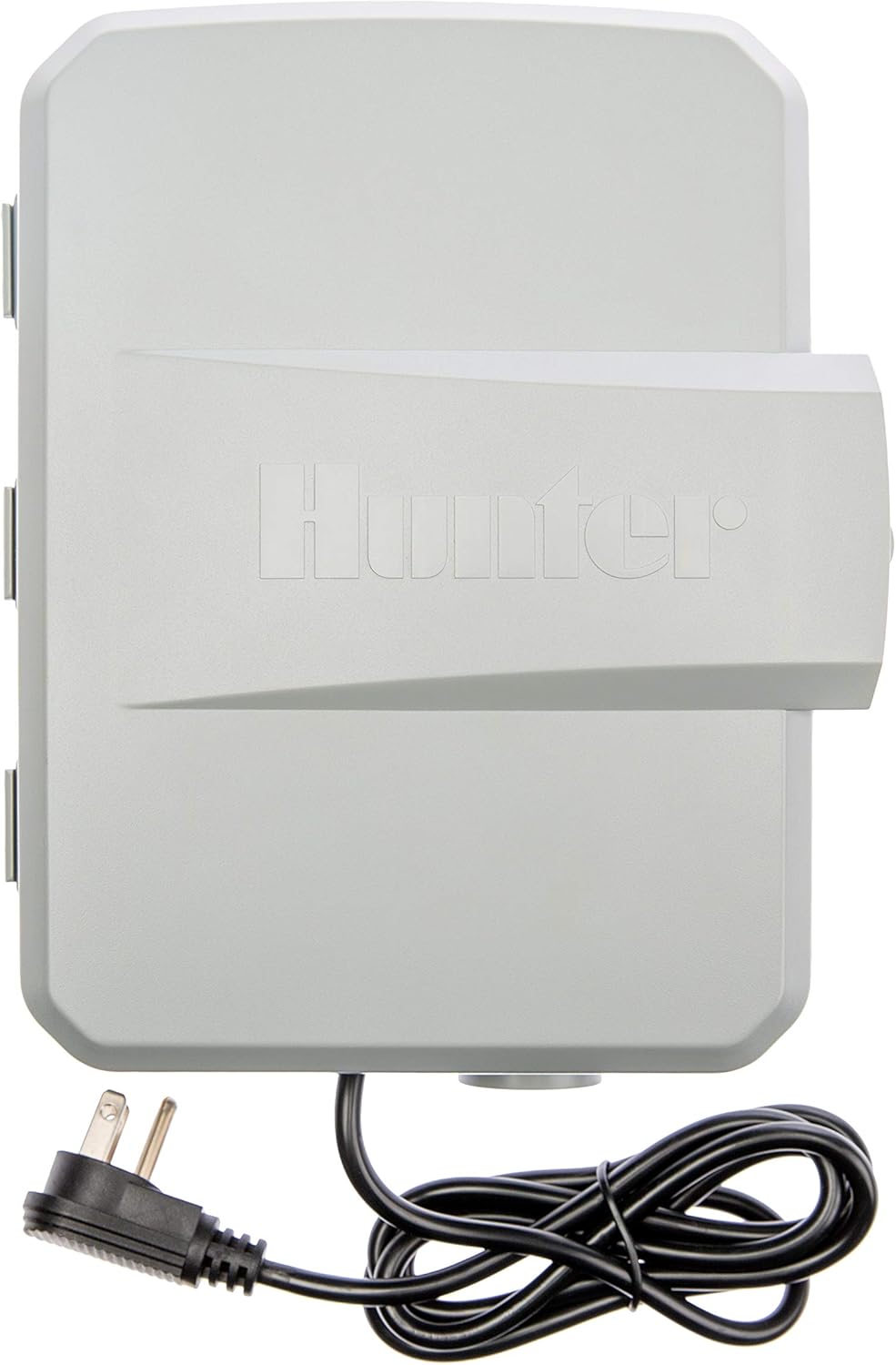
మూర్తి 4.3: వెనుకకు view of the Hunter X2-600 controller with power cord.
5. ఆపరేటింగ్ సూచనలు
The X2-600 features a simple dial and button interface for programming.
5.1 తేదీ మరియు సమయాన్ని సెట్ చేయడం
- Turn the dial to the 'Date/Time' position.
- సంవత్సరం, నెల, రోజు, గంట మరియు నిమిషాన్ని సర్దుబాటు చేయడానికి బాణం బటన్లను ఉపయోగించండి.
- Press the 'PRG' button to confirm each setting.
5.2 Programming Irrigation Schedules
The controller allows for multiple independent programs (A, B, C).
- ప్రోగ్రామ్ని ఎంచుకోండి: Turn the dial to 'PRG' and use the arrow buttons to select Program A, B, or C.
- ప్రారంభ సమయాలను సెట్ చేయండి: Turn the dial to 'Start Times'. Use the arrow buttons to set up to four start times per program.
- రన్ టైమ్లను సెట్ చేయండి: Turn the dial to 'Run Times'. For each zone (1-6), use the arrow buttons to set the desired watering duration in minutes.
- నీటి రోజులను సెట్ చేయండి: Turn the dial to 'Water Days'. Use the arrow buttons to select specific days of the week for watering, or choose interval watering (e.g., every 2 days).
5.3 మాన్యువల్ ఆపరేషన్
To manually run a single station or all stations:
- Turn the dial to 'Manual'.
- Use the arrow buttons to select the desired zone or 'ALL' for all zones.
- Press the 'PRG' button to start the manual run.
5.4 Seasonal Adjust
The 'Seasonal Adjust' feature allows you to quickly increase or decrease watering durations for all zones in a program by a percentage, without reprogramming individual run times.
- Turn the dial to 'Seasonal Adjust'.
- Use the arrow buttons to adjust the percentage (e.g., 100% for normal, 50% for half, 150% for more).
5.5 Wi-Fi Control (with optional module)
If the Hunter Hydrawise Wi-Fi module is installed, you can manage your controller remotely using the Hydrawise app on your smartphone or tablet. This includes setting schedules, monitoring water usage, and receiving alerts. Refer to the Hydrawise module's specific instructions for setup and app usage.
6. నిర్వహణ
The Hunter X2-600 controller requires minimal maintenance.
- శుభ్రపరచడం: Periodically wipe the exterior of the controller with a soft, damp గుడ్డ. రాపిడి క్లీనర్లు లేదా ద్రావకాలు ఉపయోగించవద్దు.
- కనెక్షన్లు: అన్ని వైరింగ్ కనెక్షన్లు సురక్షితంగా మరియు తుప్పు పట్టకుండా ఉన్నాయని నిర్ధారించుకోవడానికి ప్రతి సంవత్సరం వాటిని తనిఖీ చేయండి.
- శీతాకాలం: In regions with freezing temperatures, disconnect the controller from power and drain the irrigation system to prevent damage from freezing water.
7. ట్రబుల్షూటింగ్
సాధారణ సమస్యలు మరియు వాటి పరిష్కారాల కోసం క్రింది పట్టికను చూడండి:
| సమస్య | సాధ్యమైన కారణం | పరిష్కారం |
|---|---|---|
| కంట్రోలర్ డిస్ప్లే ఖాళీగా ఉంది | No power to the controller. | Check power outlet, circuit breaker, and power cord connection. |
| Zone not watering | Faulty wiring, valve issue, or program error. | Verify zone wiring, check valve for manual operation, ensure program is set correctly for that zone. |
| Wi-Fi not connecting (with module) | Module not installed correctly, network issues, or incorrect setup. | Ensure Wi-Fi module is securely plugged in. Check Wi-Fi network signal strength. Refer to Hydrawise module instructions for setup. |
| Watering at wrong times | Incorrect date/time or program settings. | Verify current date and time. Review start times, run times, and water days for all active programs. |
8. స్పెసిఫికేషన్లు
- మోడల్: X2-600
- స్టేషన్లు: 6
- పవర్ ఇన్పుట్: 120V AC (with attached plug)
- అవుట్పుట్: 24V AC
- కొలతలు (ప్యాకేజీ): 10.43 x 8.62 x 4.29 అంగుళాలు
- వస్తువు బరువు: 3.54 పౌండ్లు
- రంగు: తెలుపు
- సెట్టింగ్ల సంఖ్య: 2 (likely referring to programs A/B)
- స్క్రీన్ పరిమాణం: 6 Inches (referring to the overall display area)
- UPC: 611698666555
9. వారంటీ మరియు మద్దతు
Hunter Industries provides a manufacturer's warranty for the X2-600 controller. For specific warranty terms, duration, and conditions, please refer to the warranty card included with your product or visit the official Hunter Industries website. For technical support, troubleshooting assistance, or to inquire about replacement parts, please contact Hunter customer service or visit their online support resources.
Hunter Industries Official Webసైట్: www.hunterindustries.com
Ask a question about this manual
Ask about setup, troubleshooting, compatibility, parts, safety, or missing instructions. Manuals+ will review the question and use this page’s manual context to help answer it.