
VENTION CHL-1
VENTION 4-Port USB 3.0 Hub (Model CHL-1) Instruction Manual
Model: CHL-1 | Brand: VENTION
1. పరిచయం
Thank you for choosing the VENTION 4-Port USB 3.0 Hub. This ultra-slim data USB splitter is designed to expand your device's connectivity, offering high-speed data transfer and charging support. Please read this manual carefully to ensure proper use and optimal performance.
2. ఉత్పత్తి లక్షణాలు
- 4 USB 3.0 పోర్ట్లు: Expands one USB port into four, supporting various USB peripherals.
- హై-స్పీడ్ డేటా బదిలీ: Up to 5Gbps, 10 times faster than USB 2.0.
- Charging Supported: కనెక్ట్ చేయబడిన పరికరాలకు శక్తిని అందిస్తుంది.
- ప్లగ్ మరియు ప్లే: చాలా ఆపరేటింగ్ సిస్టమ్లకు డ్రైవర్లు అవసరం లేదు.
- కాంపాక్ట్ మరియు పోర్టబుల్ డిజైన్: Easy to carry for travel or daily use.
- విస్తృత అనుకూలత: Supports Windows, Mac OS, Linux, and ChromeOS.
3. ప్యాకేజీ విషయాలు
ప్యాకేజీలో అన్ని వస్తువులు ఉన్నాయని నిర్ధారించుకోండి:
- VENTION 4-Port USB 3.0 Hub (Model CHL-1)
- సూచనల మాన్యువల్ (ఈ పత్రం)
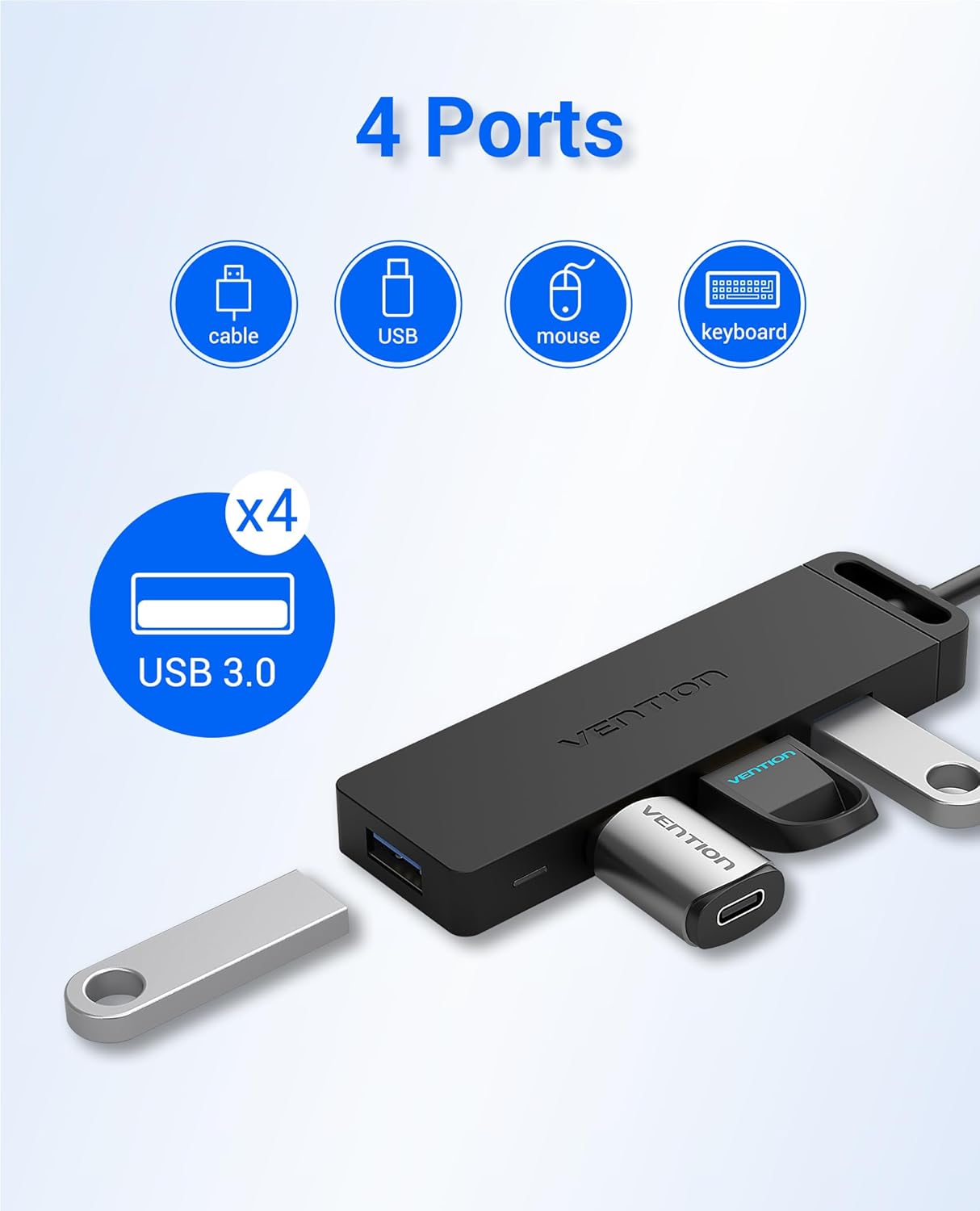
Image: The VENTION 4-Port USB 3.0 Hub, showcasing its compact design and four blue USB 3.0 ports. The integrated USB-A cable is visible.
4. సెటప్ సూచనలు
- మీ పరికరానికి హబ్ను కనెక్ట్ చేయండి:
Plug the USB-A connector of the VENTION Hub into an available USB 3.0 port on your computer (laptop, desktop, etc.).
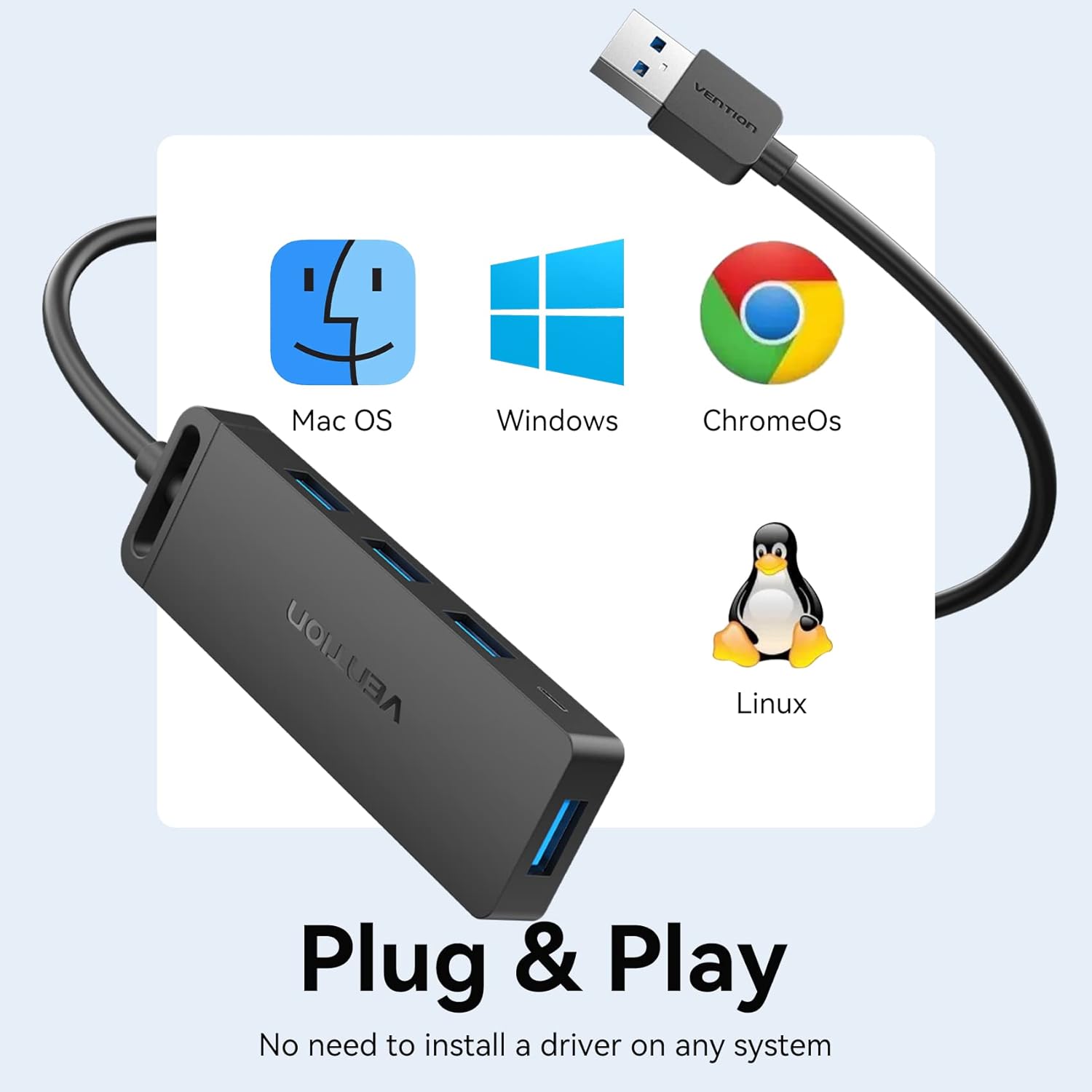
Image: The VENTION USB Hub connected to a laptop, illustrating the plug-and-play setup. A blue LED indicator light confirms power and connection.
- శక్తి సూచిక:
A blue LED indicator light on the hub will illuminate, confirming that the hub is powered and ready for use.

చిత్రం: క్లోజప్ view of the VENTION USB Hub, highlighting the blue LED indicator light when the device is active.
- Optional External Power (for high-power devices):
For power-hungry devices (e.g., external 8TB hard drives, printers), connect an external 5V/2A power adapter (not included) to the Micro USB port on the side of the hub. Do not connect power adapters exceeding 5V/2A.

Image: The VENTION USB Hub facilitating connections to a laptop and an external hard drive, with an additional Micro USB cable providing supplementary power to the hub for high-power devices.
5. ఆపరేటింగ్ సూచనలు
- USB పరికరాలను కనెక్ట్ చేస్తోంది:
Insert your USB devices (flash drives, mouse, keyboard, printer, etc.) into the available USB 3.0 ports on the hub. The hub supports simultaneous connection of multiple devices.

Image: The VENTION USB Hub with various USB devices plugged in, demonstrating its ability to expand connectivity for multiple peripherals.
- డేటా బదిలీ:
The hub supports data transfer speeds of up to 5Gbps. When transferring large files, ensure both the source and destination devices support USB 3.0 for optimal performance.

Image: A visual representation of the 5Gbps data transfer capability of the USB 3.0 hub, highlighting its speed advantage over USB 2.0.
- ఛార్జింగ్ ఫంక్షనాలిటీ:
The USB 3.0 ports on the hub can provide power to charge compatible devices. For faster charging or multiple devices, consider using the optional external power supply.
Video: This video demonstrates the VENTION 4-Port USB 3.0 Hub's ability to expand USB ports and support data transfer and charging. It shows the hub connected to a laptop, with a blue indicator light, and a flash drive being used for data transfer. It also illustrates the hub providing stable power for charging multiple devices like smartphones.
6. అనుకూలత
The VENTION 4-Port USB 3.0 Hub is widely compatible with:
- Operating Systems: Windows 10, 8, 7, Vista, XP, Mac OS x 10.6-10.12 or later, Linux 2.6.14 or later, ChromeOS.
- Devices: MacBook, Laptops, Surface Pro, PS4, PC, Flash Drives, Mobile HDDs, Keyboards, Mice, Printers, and other USB peripherals.

Image: The VENTION USB Hub displayed alongside logos for Mac OS, Windows, ChromeOS, and Linux, emphasizing its broad operating system compatibility.
7. నిర్వహణ మరియు సంరక్షణ
- Keep the hub away from water, fire, and corrosive substances.
- హబ్ను బలమైన ప్రభావాలకు గురిచేయడం లేదా పడవేయడం మానుకోండి.
- మెత్తటి, పొడి గుడ్డతో పరికరాన్ని శుభ్రం చేయండి. లిక్విడ్ క్లీనర్లను ఉపయోగించవద్దు.
- ఉపయోగంలో లేనప్పుడు చల్లని, పొడి ప్రదేశంలో నిల్వ చేయండి.
8. ట్రబుల్షూటింగ్
| సమస్య | సాధ్యమైన కారణం | పరిష్కారం |
|---|---|---|
| పరికరం గుర్తించబడలేదు. | Loose connection, incompatible device, or insufficient power. | Ensure the hub is securely plugged into a USB 3.0 port. Try a different USB port on your computer. If connecting a high-power device, use an external 5V/2A power adapter. |
| తక్కువ డేటా బదిలీ వేగం. | Connected device is USB 2.0, or the computer's port is USB 2.0. | Ensure both the hub and the connected device are plugged into USB 3.0 ports for optimal 5Gbps speeds. |
| ఛార్జింగ్ నెమ్మదిగా ఉంది లేదా పనిచేయడం లేదు. | Insufficient power from the host device, or high-power devices connected. | Connect an external 5V/2A power adapter to the Micro USB port on the hub. |
9. స్పెసిఫికేషన్లు
| ఫీచర్ | వివరాలు |
|---|---|
| బ్రాండ్ | VENTION |
| మోడల్ సంఖ్య | CHL-1 (0.5MZZ) |
| హార్డ్వేర్ ఇంటర్ఫేస్ | USB 3.0 |
| మొత్తం USB పోర్ట్లు | 4 |
| డేటా బదిలీ వేగం | 5Gbps వరకు |
| ఇన్పుట్ వాల్యూమ్tage | 5 వోల్ట్లు (DC) |
| వస్తువు బరువు | 48 గ్రాములు |
| Cable Length (Current Variant) | 1.5FT |
| UPC | 616859493230 |
10. వారంటీ మరియు మద్దతు
VENTION products typically come with a 1-year warranty. For any questions about our product, please feel free to contact our reliable customer service. We aim to reply within 24 hours.
Contact Information: Refer to the product packaging or the official VENTION website for the most up-to-date customer support details.
Ask a question about this manual
Ask about setup, troubleshooting, compatibility, parts, safety, or missing instructions. Manuals+ will review the question and use this page’s manual context to help answer it.