
1. పరిచయం
This manual provides instructions for the EBTOOLS Ultra Slim Bluetooth Keyboard with Touchpad. This device is designed for portability and compatibility with various operating systems, enhancing productivity across multiple devices.
2. ఉత్పత్తి ముగిసిందిview
2.1 ప్యాకేజీ విషయాలు
- EBTOOLS Ultra Slim Bluetooth Keyboard with Touchpad
- USB ఛార్జింగ్ కేబుల్
- వినియోగదారు మాన్యువల్ (ఈ పత్రం)
2.2 ముఖ్య లక్షణాలు
- అల్ట్రా స్లిమ్ డిజైన్: Measures 6.2mm (0.24 inches) thick for enhanced portability.
- ఇంటిగ్రేటెడ్ టచ్ప్యాడ్: Provides mouse functionality for navigation.
- విస్తృత అనుకూలత: Supports Android, iOS, and Windows operating systems.
- సుదీర్ఘ బ్యాటరీ జీవితం: Built-in 280mAh rechargeable Li-polymer battery offers up to 90 hours of continuous working time on a full charge.
- ప్రభావవంతమైన పరిధి: Operates wirelessly up to 10 meters (33 feet) via Bluetooth 3.0.
- "X" Scissor Switch Mechanism: Designed for quiet and comfortable typing with responsive keys.
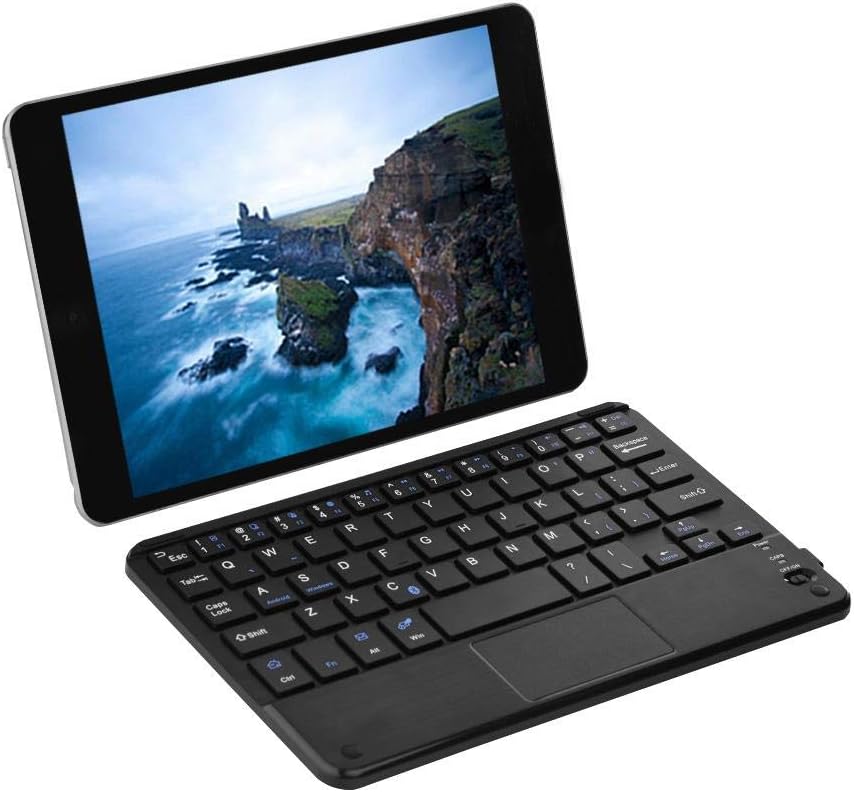
Figure 1: EBTOOLS Ultra Slim Bluetooth Keyboard paired with a tablet.
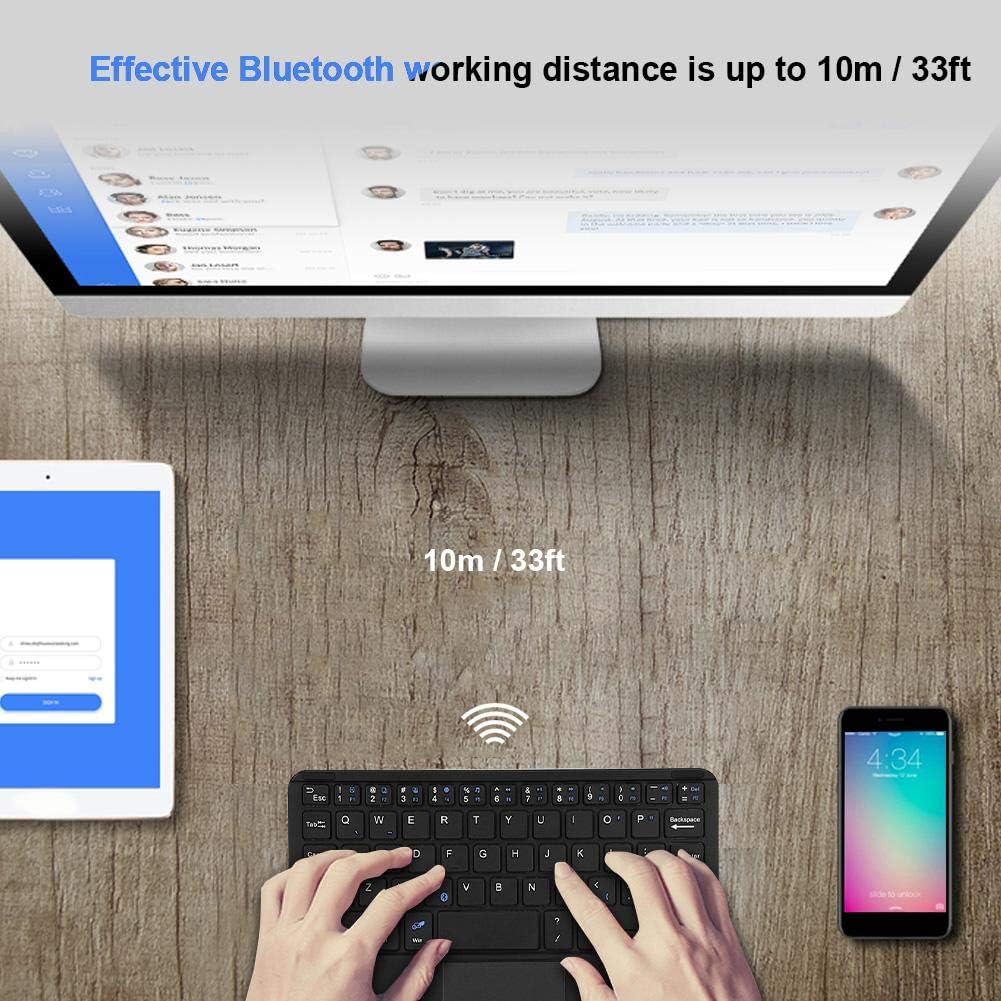
చిత్రం 2: పై నుండి క్రిందికి view of the EBTOOLS Bluetooth keyboard, highlighting the layout and integrated touchpad.

మూర్తి 3: వైపు view of the EBTOOLS Bluetooth keyboard showing its ultra-thin 6.2mm profile.
3. సెటప్
3.1 కీబోర్డ్ను ఛార్జ్ చేయడం
- Locate the micro USB charging port on the keyboard.
- Connect the provided USB charging cable to the keyboard and a USB power source (e.g., computer USB port, USB wall adapter).
- The charging indicator light will illuminate. Once fully charged, the light will typically change color or turn off.
- పూర్తిగా ఛార్జ్ చేస్తే దాదాపు 90 గంటల నిరంతర ఉపయోగం లభిస్తుంది.
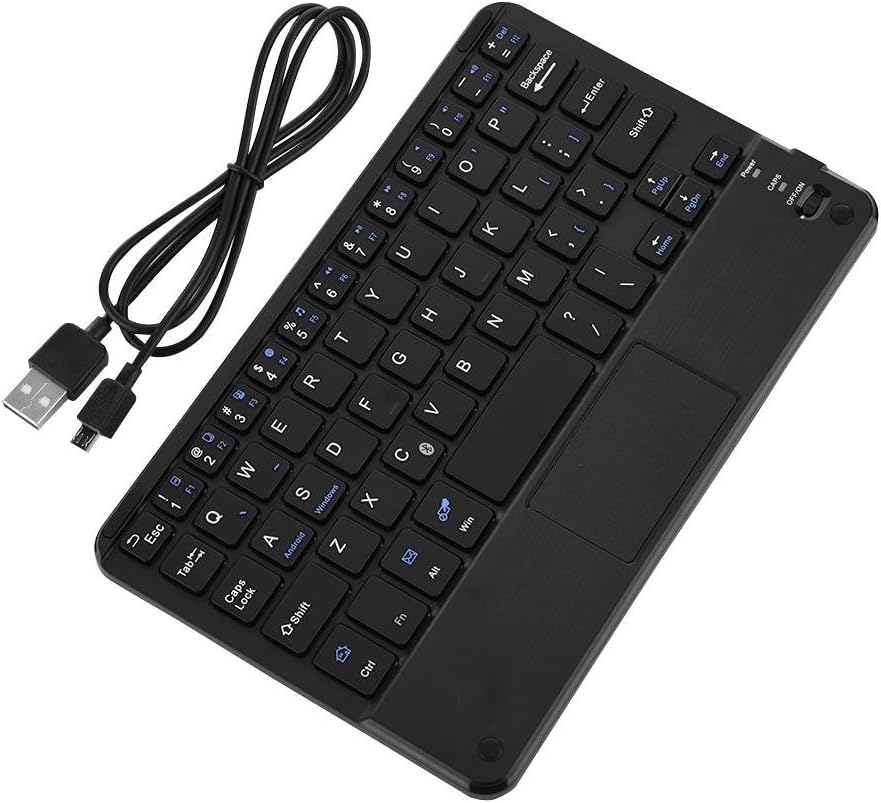
Figure 4: Keyboard battery and charging indication.
3.2 బ్లూటూత్ జత చేయడం
Follow these steps to pair your EBTOOLS Bluetooth Keyboard with your device:
- పవర్ ఆన్: Slide the power switch on the keyboard to the 'ON' position. The power indicator light will turn on briefly.
- జత చేసే విధానాన్ని నమోదు చేయండి: నొక్కండి Fn + C keys simultaneously. The Bluetooth indicator light will start blinking, indicating the keyboard is in pairing mode.
- మీ పరికరంలో బ్లూటూత్ను ప్రారంభించండి: On your PC, tablet, or smartphone, go to the Bluetooth settings and ensure Bluetooth is enabled.
- కోసం వెతకండి పరికరాలు: Your device will scan for available Bluetooth devices. Look for 'Bluetooth Keyboard' or a similar name in the list.
- కనెక్ట్ చేయండి: Select the keyboard from the list. Your device may prompt you to enter a pairing code displayed on your screen. Type this code on the EBTOOLS keyboard and press నమోదు చేయండి.
- ధృవీకరణ: Once successfully paired, the Bluetooth indicator light on the keyboard will stop blinking and turn off, and your device will show the keyboard as connected.

Figure 5: Keyboard in use, demonstrating effective Bluetooth range.
4. ఆపరేటింగ్ సూచనలు
4.1 ప్రాథమిక టైపింగ్
The keyboard functions like a standard QWERTY keyboard. Simply type as you would on any other keyboard.
4.2 టచ్ప్యాడ్ వాడకం
The integrated touchpad allows for cursor control. Use standard gestures for navigation:
- సింగిల్ ఫింగర్ ట్యాప్: ఎడమ-క్లిక్ చేయండి.
- రెండు వేళ్ల ట్యాప్: Right-click (functionality may vary by operating system).
- రెండు వేళ్ల స్క్రోల్: పైకి క్రిందికి స్క్రోల్ చేయండి.
4.3 ఫంక్షన్ కీలు
The keyboard includes function keys (F1-F12) and multimedia keys. To activate the secondary functions printed in blue on the keys, press and hold the Fn కీని నొక్కి, ఆపై కావలసిన ఫంక్షన్ కీని నొక్కండి.
4.4 సిస్టమ్ స్విచింగ్
The keyboard supports multiple operating systems. To optimize key functions for your specific OS, use the following combinations:
- Fn + Android: Android పరికరాల కోసం.
- Fn + Windows: విండోస్ పరికరాల కోసం.
- Fn + iOS: For iOS devices (iPad, iPhone).

Figure 6: Compatibility with various operating systems and devices.
5. స్పెసిఫికేషన్లు
| ఫీచర్ | స్పెసిఫికేషన్ |
|---|---|
| మోడల్ సంఖ్య | EBTOOLSrua15pxtdg |
| కనెక్టివిటీ టెక్నాలజీ | బ్లూటూత్ 3.0 |
| ఆపరేటింగ్ దూరం | 10 మీటర్లు (33 అడుగులు) వరకు |
| బ్యాటరీ రకం | పునర్వినియోగపరచదగిన లి-పాలిమర్ |
| బ్యాటరీ కెపాసిటీ | 280mAh |
| నిరంతర పని సమయం | సుమారు 90 గంటలు |
| అనుకూల వ్యవస్థలు | Android, iOS, Windows |
| ఉత్పత్తి కొలతలు | 7.87 x 4.96 x 0.24 అంగుళాలు (20 x 12.6 x 0.62 సెం.మీ.) |
| వస్తువు బరువు | 6.6 ఔన్సులు (187 గ్రాములు) |
| మెటీరియల్ | ప్లాస్టిక్ |
6. ట్రబుల్షూటింగ్
6.1 కీబోర్డ్ కనెక్ట్ కావడం లేదు
- శక్తిని తనిఖీ చేయండి: కీబోర్డ్ ఆన్ చేయబడిందని మరియు తగినంత బ్యాటరీ ఛార్జ్ ఉందని నిర్ధారించుకోండి.
- జత చేసే మోడ్ని తిరిగి నమోదు చేయండి: Turn off the keyboard, then turn it on and press Fn + C జత చేసే మోడ్లోకి మళ్లీ ప్రవేశించడానికి.
- పరికర బ్లూటూత్: Verify that Bluetooth is enabled on your device and it is discoverable.
- పరికరాన్ని మర్చిపో: If previously paired, try 'forgetting' or 'unpairing' the keyboard from your device's Bluetooth settings and then re-pair.
- దూరం: Ensure the keyboard is within the 10-meter operating range of your device.
6.2 కీలు స్పందించడం లేదు
- బ్యాటరీ స్థాయి: The battery might be low. Charge the keyboard fully.
- మళ్లీ కనెక్షన్: బ్లూటూత్ కనెక్షన్ని డిస్కనెక్ట్ చేసి, మళ్లీ కనెక్ట్ చేయండి.
- సిస్టమ్ మోడ్: Ensure the correct system mode (Android, Windows, iOS) is selected using Fn + OS key.
6.3 Touchpad Not Working
- సిస్టమ్ అనుకూలత: Touchpad functionality can sometimes be limited or behave differently on certain operating systems or applications.
- రీబూట్: కీబోర్డ్ మరియు కనెక్ట్ చేయబడిన పరికరం రెండింటినీ పునఃప్రారంభించి ప్రయత్నించండి.
7. నిర్వహణ
- శుభ్రపరచడం: Use a soft, dry cloth to clean the keyboard surface. For stubborn dirt, slightly dampనీరు లేదా తేలికపాటి శుభ్రపరిచే ద్రావణంతో గుడ్డను తుడవండి. అధిక తేమను నివారించండి.
- నిల్వ: కీబోర్డ్ను ప్రత్యక్ష సూర్యకాంతి మరియు తీవ్రమైన ఉష్ణోగ్రతలకు దూరంగా చల్లని, పొడి ప్రదేశంలో నిల్వ చేయండి.
- ద్రవాలను నివారించండి: Do not expose the keyboard to liquids, as this can cause damage.
- జాగ్రత్తగా నిర్వహించండి: కీబోర్డ్ను బలమైన ప్రభావాలకు గురిచేయడం లేదా పడవేయడం మానుకోండి.
8. వారంటీ మరియు మద్దతు
EBTOOLS products are designed for reliability and performance. For any questions, technical support, or warranty inquiries, please refer to the contact information provided with your purchase or visit the official EBTOOLS webవారంటీ క్లెయిమ్ల కోసం దయచేసి మీ కొనుగోలు రుజువును మీ వద్ద ఉంచుకోండి.