
1. పరిచయం
Thank you for choosing the Greadio Retro Bluetooth Speaker and FM Radio. This device combines vintage design with modern audio technology, offering versatile playback options including Bluetooth, FM radio, TF card, and AUX input. This manual provides essential information for safe and optimal use of your speaker.
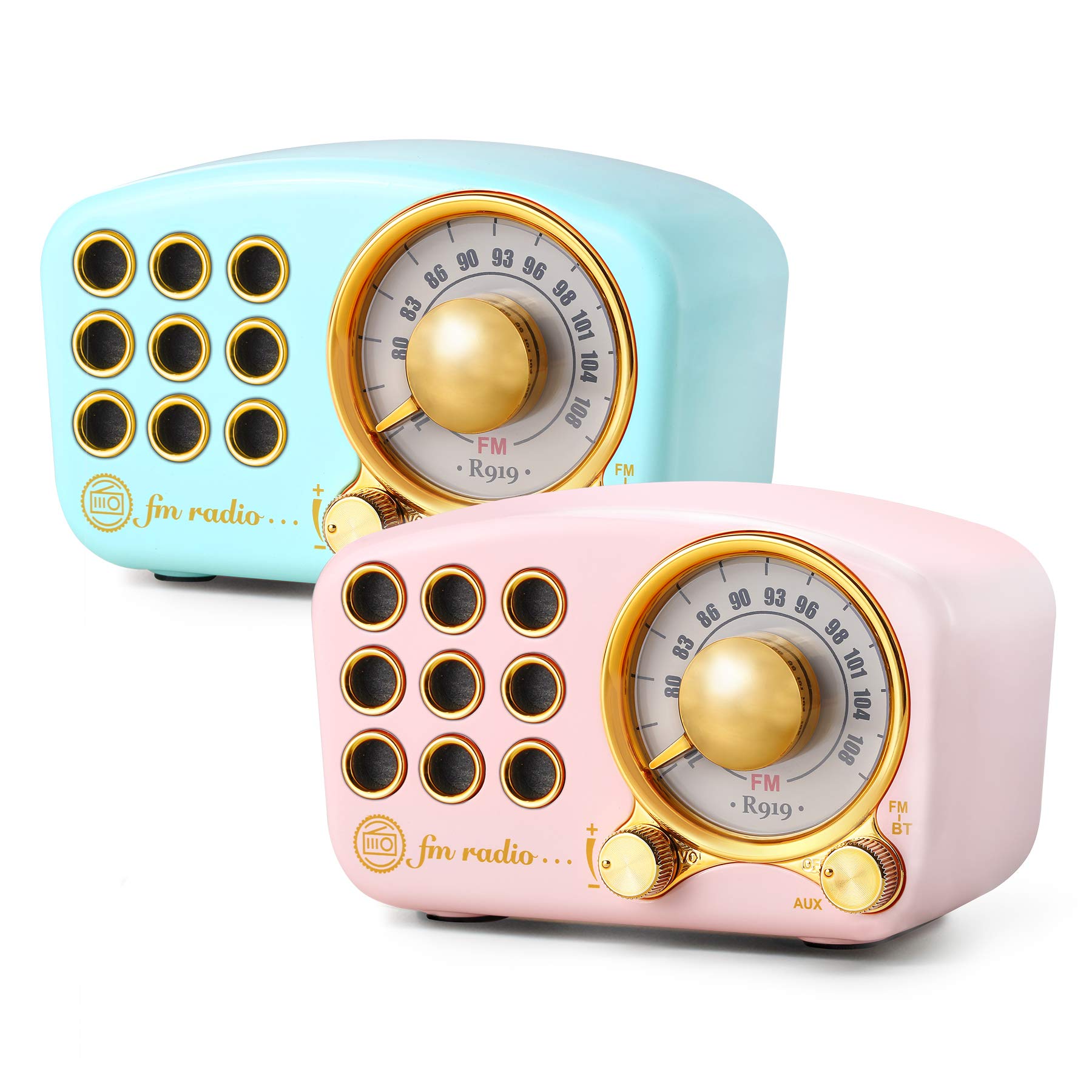
Image: The Greadio Retro Bluetooth Speaker, showcasing its compact size and retro design.
2. ప్యాకేజీ విషయాలు
దయచేసి ఈ క్రింది అంశాల కోసం ప్యాకేజీని తనిఖీ చేయండి:
- Greadio Retro Bluetooth Speaker (Main Unit)
- AUX త్రాడు
- యూజర్ మాన్యువల్ (ఈ పత్రం)
3 పరికర లేఅవుట్
Familiarize yourself with the buttons and ports on your speaker.

Image: Front panel of the speaker, highlighting the tuning dial, mode switch, and control buttons.
Note: Specific button functions are detailed in the "Operating Instructions" section.
4. సెటప్
4.1 స్పీకర్ను ఛార్జ్ చేయడం
The speaker is equipped with a built-in 1100mAh rechargeable battery. Before first use, fully charge the speaker.
- Connect the provided charging cable (not explicitly listed as included, but implied for rechargeable battery) to the speaker's charging port.
- ఛార్జింగ్ కేబుల్ యొక్క మరొక చివరను USB పవర్ అడాప్టర్ (చేర్చబడలేదు) లేదా కంప్యూటర్ యొక్క USB పోర్ట్కు కనెక్ట్ చేయండి.
- ఛార్జింగ్ ఇండికేటర్ లైట్ వెలుగుతుంది. ఛార్జింగ్ పూర్తయిన తర్వాత అది ఆపివేయబడుతుంది లేదా రంగు మారుతుంది.
A full charge typically provides up to 9 hours of playback time, depending on volume and usage.
4.2 పవర్ చేయడం ఆన్/ఆఫ్
- To power on: Rotate the volume knob clockwise or press and hold the power button (refer to device layout for exact control).
- To power off: Rotate the volume knob counter-clockwise until it clicks, or press and hold the power button.
5. ఆపరేటింగ్ సూచనలు
5.1 బ్లూటూత్ మోడ్
The speaker uses Bluetooth 4.2 for wireless connection.
- స్పీకర్ను ఆన్ చేయండి. ఇది స్వయంచాలకంగా బ్లూటూత్ జత చేసే మోడ్లోకి ప్రవేశిస్తుంది, ఇది ఫ్లాషింగ్ LED లైట్ ద్వారా సూచించబడుతుంది.
- మీ మొబైల్ పరికరంలో (స్మార్ట్ఫోన్, టాబ్లెట్, మొదలైనవి), బ్లూటూత్ను ప్రారంభించి, అందుబాటులో ఉన్న పరికరాల కోసం శోధించండి.
- Select "Greadio Speaker" (or similar name) from the list of devices.
- Once connected, the LED indicator will stop flashing and remain solid. You can now play audio from your device through the speaker.

Image: Speaker connected via Bluetooth to a smartphone, demonstrating wireless audio playback.
5.2 FM రేడియో మోడ్
Enjoy FM radio broadcasts with the built-in tuner.
- స్పీకర్పై శక్తి.
- Switch the mode selector to "FM" (or press the Mode button until FM is selected).
- Use the tuning dial to scan for radio stations. Rotate the dial slowly to find clear signals.
- వాల్యూమ్ నాబ్ ఉపయోగించి వాల్యూమ్ను సర్దుబాటు చేయండి.
Tip: For better FM reception, extend the antenna if available, or reposition the speaker.
5.3 TF కార్డ్ ప్లేబ్యాక్
MP3 ఆడియోను ప్లే చేయండి fileనేరుగా TF (మైక్రో SD) కార్డ్ నుండి.
- Insert a TF card (up to 32GB, formatted to FAT32) with MP3 fileTF కార్డ్ స్లాట్లోకి లు.
- Power on the speaker. The speaker should automatically switch to TF card mode or you may need to select it using the Mode button.
- Playback will begin automatically. Use the control buttons (e.g., Play/Pause, Next/Previous) to manage playback.
5.4 AUX ఇన్పుట్ మోడ్
Connect external audio devices using the provided AUX cord.
- Connect one end of the AUX cord to the speaker's AUX input port.
- Connect the other end of the AUX cord to the headphone jack or audio output of your external device (e.g., MP3 player, computer).
- Switch the speaker's mode selector to "AUX" (or press the Mode button until AUX is selected).
- Play audio from your external device. Adjust volume on both the speaker and the external device.
6. నిర్వహణ
- శుభ్రపరచడం: Use a soft, dry cloth to clean the speaker's surface. Do not use abrasive cleaners, alcohol, or solvents.
- నిల్వ: స్పీకర్ను ప్రత్యక్ష సూర్యకాంతి మరియు తీవ్రమైన ఉష్ణోగ్రతలకు దూరంగా చల్లని, పొడి ప్రదేశంలో నిల్వ చేయండి.
- బ్యాటరీ సంరక్షణ: బ్యాటరీ జీవితకాలాన్ని పొడిగించడానికి, బ్యాటరీని తరచుగా పూర్తిగా డిశ్చార్జ్ చేయకుండా ఉండండి. ఎక్కువసేపు ఉపయోగంలో లేనప్పటికీ, స్పీకర్ను క్రమం తప్పకుండా ఛార్జ్ చేయండి.
- నీటి బహిర్గతం: ఈ స్పీకర్ వాటర్ ప్రూఫ్ కాదు. నీటికి లేదా అధిక తేమకు గురికాకుండా ఉండండి.
7. ట్రబుల్షూటింగ్
| సమస్య | సాధ్యమైన కారణం | పరిష్కారం |
|---|---|---|
| స్పీకర్ పవర్ ఆన్ చేయదు. | బ్యాటరీ క్షీణించింది. | స్పీకర్ను పూర్తిగా ఛార్జ్ చేయండి. |
| శబ్దం లేదు. | వాల్యూమ్ చాలా తక్కువగా ఉంది; తప్పు మోడ్ ఎంచుకోబడింది; పరికరం సరిగ్గా కనెక్ట్ కాలేదు. | Increase volume; ensure correct mode (Bluetooth, FM, TF, AUX) is selected; re-pair Bluetooth or re-connect AUX cable. |
| బ్లూటూత్ కనెక్షన్ విఫలమైంది. | Speaker is too far from device; speaker not in pairing mode; interference. | Ensure speaker is within 10 meters of device; restart speaker and device; try pairing again. |
| FM రేడియో స్పందన సరిగా లేదు. | బలహీనమైన సిగ్నల్; పర్యావరణ జోక్యం. | Reposition the speaker; extend the antenna if applicable. |
8. స్పెసిఫికేషన్లు
- మోడల్ సంఖ్య: 5acc8bb8-96b8-41bc-9445-b84cbdcaadb7
- బ్రాండ్: గ్రేడియో
- కొలతలు (L x W x H): 4.4" x 2.7" x 2"
- కనెక్టివిటీ: Bluetooth 4.2, Auxiliary (AUX)
- ప్రత్యేక ఫీచర్: పునర్వినియోగపరచదగినది
- ట్యూనర్ టెక్నాలజీ: FM
- శక్తి మూలం: బ్యాటరీ ఆధారితం (అంతర్నిర్మిత 1100mAh రీఛార్జబుల్ బ్యాటరీ)
- రేడియో బ్యాండ్లకు మద్దతు ఉంది: FM
- ఆడియో అవుట్పుట్: 5-వాట్ ampజీవితకాలం
- ప్లేబ్యాక్ సమయం: Up to 9 hours (varies with volume and usage)
- చేర్చబడిన భాగాలు: AUX త్రాడు
9. వారంటీ మరియు మద్దతు
The Greadio Retro Bluetooth Speaker comes with a 1-year money-back warranty. Greadio also provides lifetime customer service for this product (excluding wear and tear).
For technical support, warranty claims, or any inquiries, please contact Greadio customer service through the retailer's platform or the official Greadio webసైట్.