
పరిచయం
Thank you for choosing the PALOVUE iSound True Wireless Earbuds. These earbuds are designed to provide a superior audio experience with advanced features such as Qualcomm CSR Bluetooth 5.0, aptX HD sound quality, CVC 8.0 noise cancellation, and intuitive touch controls. This manual will guide you through the setup, operation, and maintenance of your new earbuds to ensure optimal performance.
పెట్టెలో ఏముంది
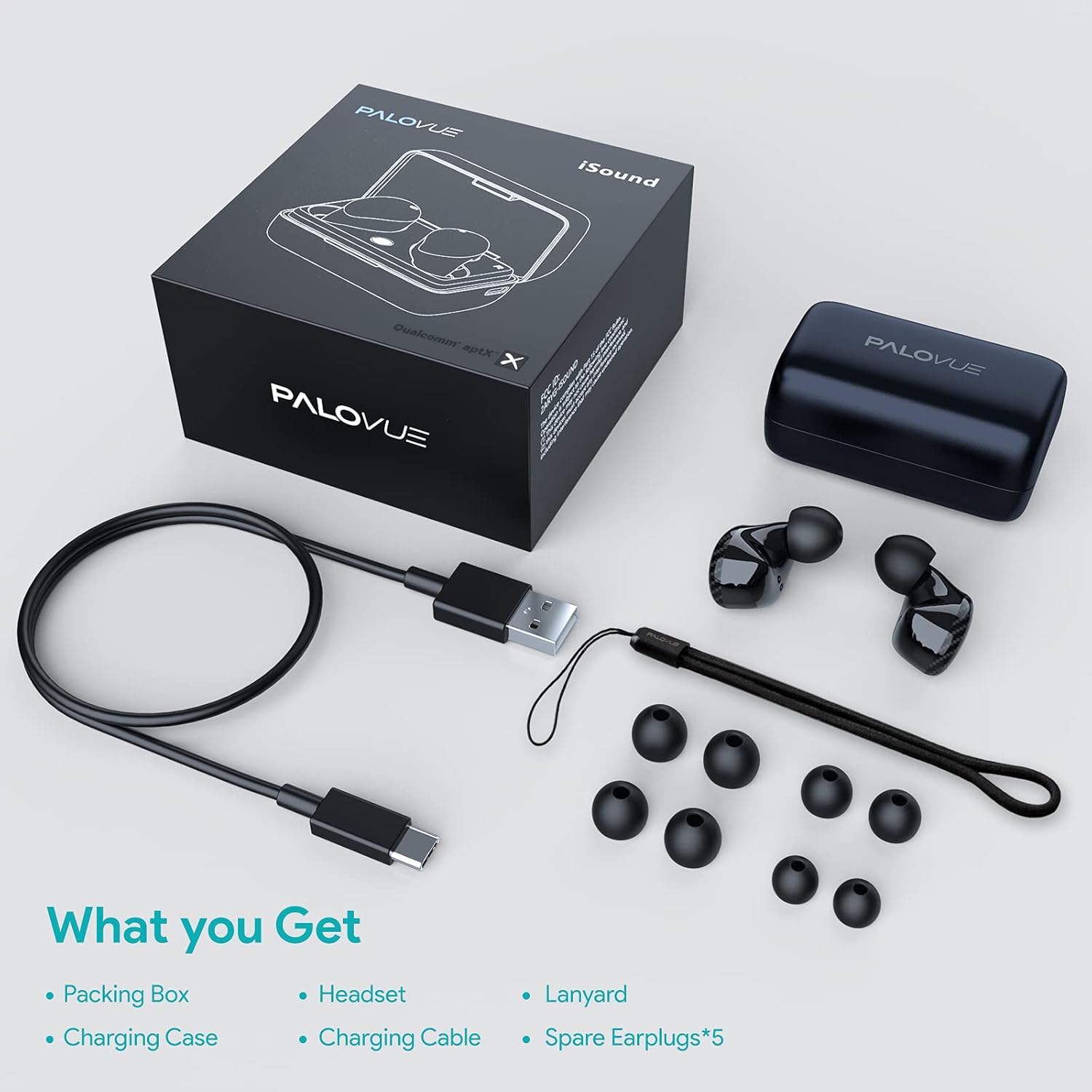
Upon unboxing your PALOVUE iSound True Wireless Earbuds, please verify that all components are present:
- PALOVUE iSound Earbuds (Left and Right)
- ఛార్జింగ్ కేసు
- USB-C ఛార్జింగ్ కేబుల్
- లాన్యార్డ్
- 5 Pairs of Silicone Ear Tips (XS, S, M, L, XL)
- వినియోగదారు మాన్యువల్ (ఈ పత్రం)
ఉత్పత్తి ముగిసిందిview
Familiarize yourself with the key components of your PALOVUE iSound Earbuds.


సెటప్
1. ఇయర్బడ్లు మరియు కేస్ను ఛార్జ్ చేయడం
Before first use, fully charge the earbuds and the charging case. Place the earbuds into the charging case. Connect the USB-C charging cable to the case and a power source. The indicator lights on the case will show the charging status.
- A full charge provides up to 24 hours of playback with the charging case.
2. మీ పరికరంతో జత చేయడం
- మీ పరికరం యొక్క బ్లూటూత్ ఆన్ చేయబడిందని నిర్ధారించుకోండి.
- Open the charging case. The earbuds will automatically enter pairing mode (if it's the first time or if they are not connected to a previously paired device).
- On your device, search for Bluetooth devices and select "PALOVUE iSound" from the list.
- కనెక్ట్ అయిన తర్వాత, మీరు నిర్ధారణ టోన్ వింటారు.
ఆటోమేటిక్ రీకనెక్షన్: After the initial pairing, simply open the charging case, and the earbuds will automatically connect to your last paired device.
3. ఇయర్బడ్స్ ధరించడం
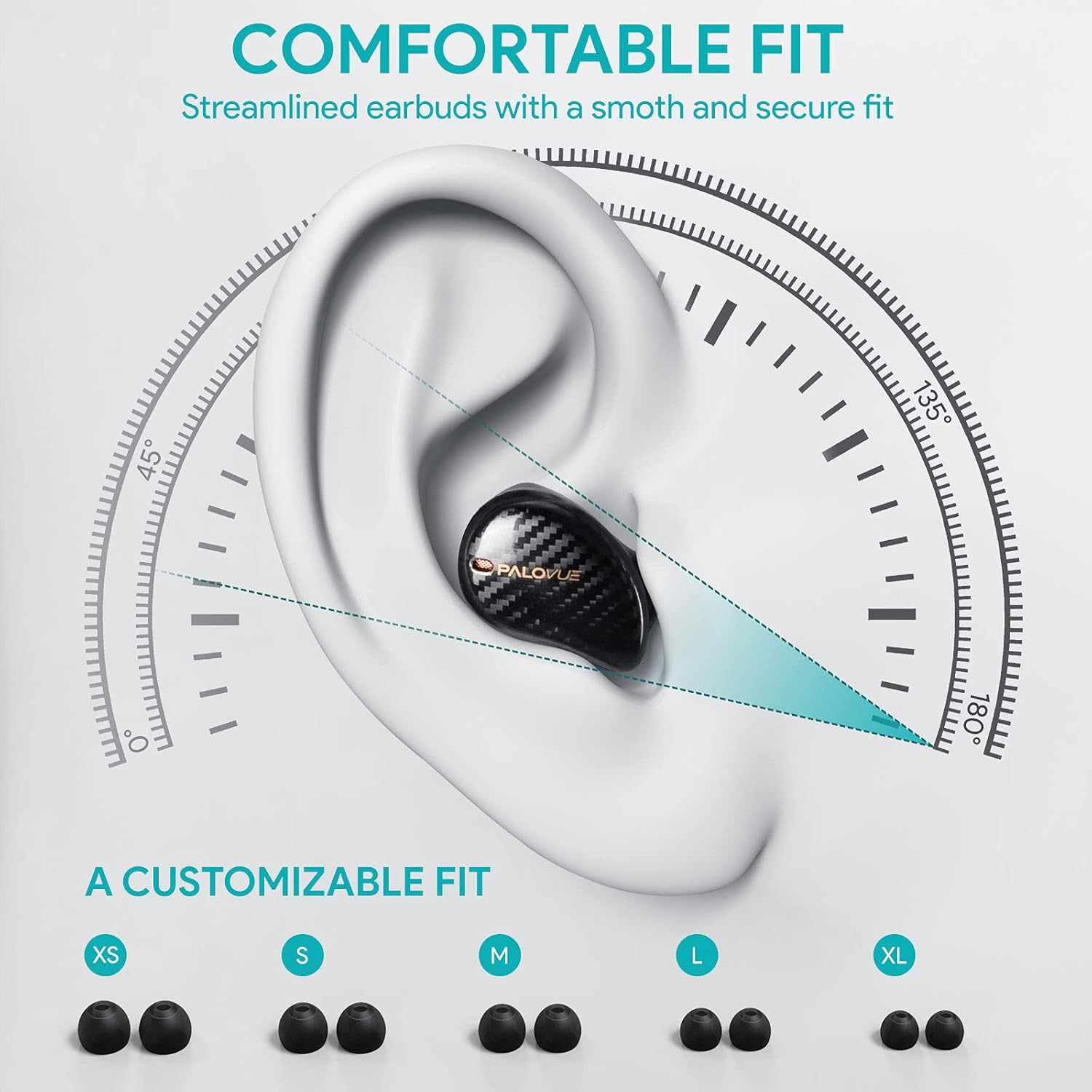
For optimal sound quality and comfort, select the correct ear tip size and ensure a secure fit.
- Choose from the 5 provided ear tip sizes (XS, S, M, L, XL) to find the best fit for your ears.
- Gently insert the earbuds into your ear canal and rotate them slightly until they feel secure and comfortable.
ఆపరేటింగ్ సూచనలు
టచ్ కంట్రోల్స్
The PALOVUE iSound earbuds feature multi-function touch panels on each earbud for easy control of audio playback and calls. Specific touch functions can be customized via the PALOVUE iSound app.
- ప్లే/పాజ్: ఇయర్బడ్పై ఒక్కసారి నొక్కండి.
- తదుపరి ట్రాక్: కుడి ఇయర్బడ్పై రెండుసార్లు నొక్కండి.
- మునుపటి ట్రాక్: ఎడమ ఇయర్బడ్పై రెండుసార్లు నొక్కండి.
- సమాధానం/ముగింపు కాల్: ఇయర్బడ్పై ఒక్కసారి నొక్కండి.
- కాల్ని తిరస్కరించండి: ఇయర్బడ్ని 2 సెకన్ల పాటు నొక్కి, పట్టుకోండి.
- వాయిస్ అసిస్టెంట్ను సక్రియం చేయండి: ఏ ఇయర్బడ్పైనా మూడుసార్లు నొక్కండి.
- వాల్యూమ్ నియంత్రణ: Customizable via the PALOVUE iSound app (e.g., tap and hold left for volume down, right for volume up).

Call Management and Noise Cancellation
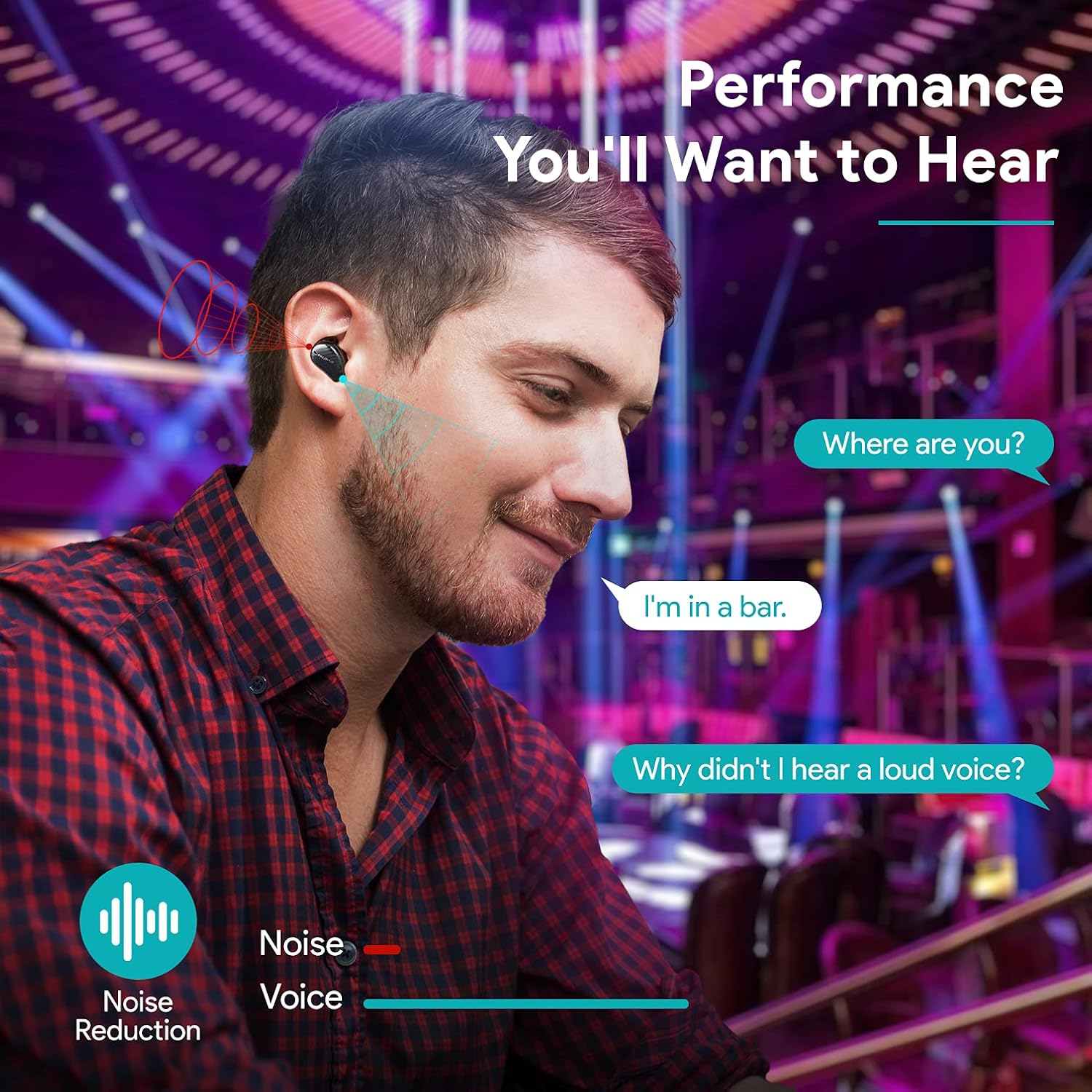
The earbuds are equipped with 4 microphones and CVC 8.0 noise cancellation technology to ensure clear calls even in noisy environments.
PALOVUE iSound App
Download the PALOVUE iSound app to customize touch controls, check battery status, and access additional features for your earbuds.
నిర్వహణ
సరైన నిర్వహణ మీ ఇయర్బడ్ల దీర్ఘాయువు మరియు సరైన పనితీరును నిర్ధారిస్తుంది.
- శుభ్రపరచడం: ఇయర్బడ్లు మరియు ఛార్జింగ్ కేసును మృదువైన, పొడి, మెత్తటి బట్టతో క్రమం తప్పకుండా శుభ్రం చేయండి. కఠినమైన రసాయనాలు లేదా రాపిడి పదార్థాలను ఉపయోగించవద్దు.
- చెవి చిట్కాలు: Remove and clean the silicone ear tips with mild soap and water. Ensure they are completely dry before reattaching.
- నిల్వ: ఉపయోగంలో లేనప్పుడు, ఇయర్బడ్లను దుమ్ము మరియు నష్టం నుండి రక్షించడానికి వాటి ఛార్జింగ్ కేసులో నిల్వ చేయండి.
- నీటిని నివారించండి: While the earbuds may have some water resistance, avoid submerging them in water or exposing them to excessive moisture.
ట్రబుల్షూటింగ్
If you encounter issues with your PALOVUE iSound earbuds, refer to the following common solutions:
- ఇయర్బడ్లు జత కావడం లేదు:
- రెండు ఇయర్బడ్లు ఛార్జ్ అయ్యాయని నిర్ధారించుకోండి.
- ఇయర్బడ్లను తిరిగి కేస్లో ఉంచండి, దాన్ని మూసివేసి, జత చేసే మోడ్లోకి తిరిగి ప్రవేశించడానికి దాన్ని మళ్ళీ తెరవండి.
- Forget "PALOVUE iSound" from your device's Bluetooth settings and try pairing again.
- ఒకే ఒక ఇయర్బడ్ పనిచేస్తోంది:
- రెండు ఇయర్బడ్లు ఛార్జ్ అయ్యాయని నిర్ధారించుకోండి.
- ఇయర్బడ్లను రీసెట్ చేయడానికి ప్రయత్నించండి (యాప్ లేదా తయారీదారుని చూడండి) webనిర్దిష్ట రీసెట్ సూచనల కోసం సైట్).
- Place both earbuds in the charging case, close the lid, wait a few seconds, then open it again.
- పేలవమైన ధ్వని నాణ్యత:
- Ensure the ear tips provide a secure seal in your ear canal. Try different sizes.
- ఇయర్బడ్ నాజిల్ల నుండి ఏవైనా చెత్తను శుభ్రం చేయండి.
- Ensure your device is within the Bluetooth range (up to 10 meters).
- ఇయర్బడ్లు ఛార్జ్ కావడం లేదు:
- ఛార్జింగ్ కేబుల్ కేస్ మరియు పవర్ సోర్స్ రెండింటికీ సురక్షితంగా కనెక్ట్ చేయబడిందని నిర్ధారించుకోండి.
- ఇయర్బడ్లపై మరియు కేస్ లోపల ఛార్జింగ్ కాంటాక్ట్లు శుభ్రంగా మరియు చెత్త లేకుండా ఉన్నాయో లేదో తనిఖీ చేయండి.
- వేరే USB-C కేబుల్ మరియు పవర్ అడాప్టర్ని ప్రయత్నించండి.
For further assistance, please contact PALOVUE customer support.
స్పెసిఫికేషన్లు
| బ్రాండ్ | పాల్వూ |
| మోడల్ సంఖ్య | 012000125 |
| హెడ్ఫోన్ రకం | ఇన్-ఇయర్ |
| కనెక్టివిటీ టెక్నాలజీ | వైర్లెస్ (బ్లూటూత్ 5.0) |
| వైర్లెస్ కమ్యూనికేషన్ టెక్నాలజీ | బ్లూటూత్ |
| ప్రత్యేక లక్షణాలు | Noise Reduction (CVC 8.0), Wireless |
| చిప్సెట్ | Qualcomm CSR QCC3020 |
| ఆడియో కోడెక్ | aptX HD |
| బ్యాటరీ కూర్పు | లిథియం పాలిమర్ |
| పునర్వినియోగపరచదగిన బ్యాటరీ | అవును |
| ప్లేబ్యాక్ సమయం | ఛార్జింగ్ కేసుతో 24 గంటల వరకు |
| మెటీరియల్ | ప్లాస్టిక్ |
వారంటీ మరియు మద్దతు
PALOVUE products are designed for reliability and performance. For warranty information, please refer to the warranty card included in your product packaging or visit the official PALOVUE webసైట్.
If you require technical support or have questions regarding your PALOVUE iSound True Wireless Earbuds, please contact PALOVUE customer service through their official webసైట్ లేదా మీ ఉత్పత్తి డాక్యుమెంటేషన్లో అందించిన సంప్రదింపు సమాచారం.
సపోర్ట్ను సంప్రదించేటప్పుడు దయచేసి మీ మోడల్ నంబర్ (012000125) మరియు కొనుగోలు వివరాలను సిద్ధంగా ఉంచుకోండి.