
1. ఉత్పత్తి ముగిసిందిview
The TODAAIR JS-P165 is a 1080P HD wireless indoor smart security camera designed for home surveillance. It features night vision, accurate motion detection, 135° viewing angle, and two-way audio communication. This camera connects via 2.4GHz Wi-Fi and supports local TF card storage as well as cloud storage options.

Image 1.1: TODAAIR JS-P165 Camera Features. This image illustrates the camera's key functionalities including 1080P HD resolution, 16.5ft/5m infrared night vision, cloud storage, motion detection, two-way audio, and support for up to 128GB TF cards. It also highlights the 135° wide-angle lens and the manual rotation capabilities of 180° vertically and 360° horizontally.
2. ప్యాకేజీ విషయాలు
దయచేసి ఈ క్రింది అంశాల కోసం ప్యాకేజీని తనిఖీ చేయండి:
- TODAAIR JS-P165 Smart Security Camera
- USB పవర్ కేబుల్
- పవర్ అడాప్టర్
- Mounting Accessories (screws, wall anchors)
- వినియోగదారు మాన్యువల్
3. భౌతిక భాగాలు
Familiarize yourself with the camera's physical features and ports.
Video 3.1: TODAAIR Camera Physical Features. This video demonstrates the manual 360° horizontal rotation and 180° vertical adjustment of the camera. It also highlights the location of the USB power port, the reset button, and the SD card socket on the device.
- కెమెరా లెన్స్: Captures 1080P HD video.
- ఇన్ఫ్రారెడ్ LED లు: Provides clear night vision up to 16.5ft (5m).
- మైక్రోఫోన్: For two-way audio communication and sound detection.
- స్పీకర్: రెండు-మార్గాల ఆడియో కమ్యూనికేషన్ మరియు హెచ్చరికల కోసం.
- USB పోర్ట్: Connects the camera to the power adapter using the provided USB cable.
- రీసెట్ బటన్: Used to reset the camera to factory settings. Typically located near the USB port.
- SD కార్డ్ సాకెట్: Supports up to 128GB TF (Micro SD) card for local video storage.
4. సెటప్ గైడ్
4.1 పవర్ ఆన్
- Connect the USB power cable to the camera's USB port.
- USB కేబుల్ యొక్క మరొక చివరను పవర్ అడాప్టర్లోకి ప్లగ్ చేయండి.
- Plug the power adapter into a wall outlet. The camera will power on and indicate its status with an LED light.
4.2 యాప్ డౌన్లోడ్ మరియు ఖాతా నమోదు
- Download the 'Smart Life' or 'Tuya Smart' app from the Apple App Store or Google Play Store.
- యాప్ని తెరిచి కొత్త ఖాతా కోసం నమోదు చేసుకోండి లేదా మీకు ఇప్పటికే ఖాతా ఉంటే లాగిన్ అవ్వండి.
4.3 Adding the Camera to the App
- Ensure your mobile device is connected to a 2.4GHz Wi-Fi network. (5GHz Wi-Fi is not supported).
- Open the app, tap '+' or 'Add Device'.
- Select 'Security & Video Surveillance' > 'Smart Camera (Wi-Fi)'.
- Follow the on-screen instructions to reset the camera (if necessary) and confirm the indicator light is blinking rapidly.
- మీ 2.4GHz Wi-Fi నెట్వర్క్ పాస్వర్డ్ను నమోదు చేయండి.
- The app will generate a QR code. Hold your phone with the QR code approximately 6-8 inches (15-20 cm) in front of the camera lens until you hear a prompt.
- Once connected, the camera's LED indicator will turn solid blue, and the camera will appear in your app's device list.
4.4 కెమెరా మౌంటు
The camera can be placed on a flat surface or mounted to a wall or ceiling.

Image 4.1: Camera Dimensions and Mounting Options. This image displays the camera's dimensions (4.53 inches / 115mm height, 3.15 inches / 80mm width) and highlights the screw slots on the base for quick wall mounting.
- టాబ్లెట్ ప్లేస్మెంట్: Simply place the camera on any flat, stable surface.
- గోడ/సీలింగ్ మౌంటింగ్: Use the provided mounting accessories. Mark the desired position, drill holes, insert wall anchors, and secure the camera base with screws. Adjust the camera's angle manually as needed.
5. ఆపరేటింగ్ సూచనలు
5.1 ప్రత్యక్ష ప్రసారం View మరియు ప్లేబ్యాక్
Once connected, tap on the camera in the app to access the live video feed. You can view నిజ-సమయ footage and access recorded videos from the timeline if an SD card is inserted or cloud storage is active.
5.2 టూ-వే ఆడియో
కెమెరాలో రెండు వైపులా కమ్యూనికేషన్ కోసం అంతర్నిర్మిత మైక్రోఫోన్ మరియు స్పీకర్ ఉన్నాయి.
Image 5.1: Two-Way Audio Functionality. This image shows a scenario where a user can communicate through the camera using the two-way audio feature, allowing interaction with family members or pets remotely.
- ప్రత్యక్ష ప్రసారంలో view interface, tap the microphone icon to speak through the camera.
- Tap the speaker icon to listen to audio from the camera's environment.
5.3 మోషన్ డిటెక్షన్ మరియు హెచ్చరికలు
The camera can detect motion and send real-time alerts to your phone.

Image 5.2: Motion Detection Alerts. This image demonstrates how the camera detects movement, such as a dog walking, and sends an immediate notification to the user's smartphone via the app.
- Navigate to the camera settings in the app.
- Enable 'Motion Detection' and adjust sensitivity levels as desired.
- You will receive push notifications on your phone when motion is detected.
౪.౧.౧౦ నైట్ విజన్
The camera automatically switches to infrared night vision in low-light conditions.
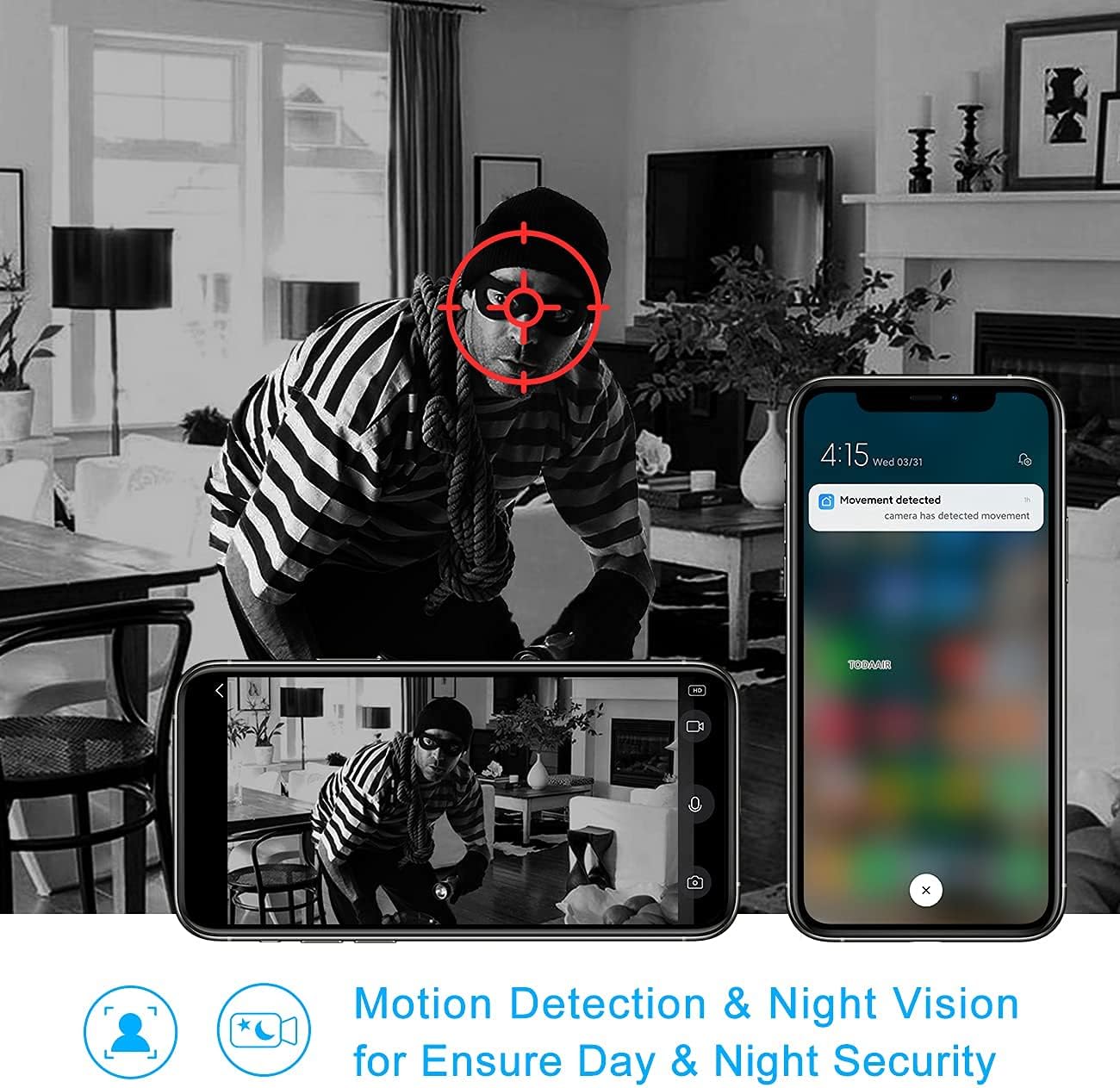
Image 5.3: Night Vision and Motion Detection. This image illustrates the camera's ability to provide clear black-and-white footage in low-light conditions using infrared night vision, alongside its motion detection capabilities for enhanced security.
5.5 రికార్డింగ్ మరియు నిల్వ
The camera supports both local storage via a TF card and optional cloud storage.

Image 5.4: Cloud and Local Storage Options. This diagram highlights the availability of USA server cloud storage (with data centers in Oregon and Virginia) and local storage via a maximum 128GB TF card, ensuring data privacy and flexible recording options.
- TF కార్డ్ నిల్వ: Insert a formatted TF card (up to 128GB) into the SD card socket. The camera will automatically begin recording based on your settings (e.g., continuous, motion-triggered).
- క్లౌడ్ నిల్వ: Subscribe to the cloud storage service through the app for secure, off-site video backup.
6. నిర్వహణ
6.1 లెన్స్ శుభ్రపరచడం
To ensure clear image quality, regularly clean the camera lens with a soft, dry cloth. Avoid using harsh chemicals or abrasive materials.
6.2 ఫర్మ్వేర్ నవీకరణలు
Periodically check the app for available firmware updates. Keeping your camera's firmware up-to-date ensures optimal performance and security features. Follow the in-app instructions for any updates.
7. ట్రబుల్షూటింగ్
- కెమెరా ఆఫ్లైన్:
- Check if the camera is powered on and the power adapter is working.
- Ensure your Wi-Fi network is stable and the camera is within range.
- కెమెరాను అన్ప్లగ్ చేసి, తిరిగి ప్లగ్ చేయడం ద్వారా దాన్ని పునఃప్రారంభించండి.
- If the issue persists, try resetting the camera and re-pairing it with the app.
- Wi-Fiకి కనెక్ట్ చేయడం సాధ్యపడదు:
- మీ Wi-Fi నెట్వర్క్ 2.4GHz అని నిర్ధారించండి. కెమెరా 5GHz నెట్వర్క్లకు మద్దతు ఇవ్వదు.
- Ensure the Wi-Fi password entered in the app is correct.
- కెమెరాను మీ Wi-Fi రూటర్కి దగ్గరగా తరలించండి.
- కెమెరాను రీసెట్ చేసి, జత చేసే ప్రక్రియను మళ్ళీ ప్రయత్నించండి.
- మోషన్ డిటెక్షన్ హెచ్చరికలు అందలేదు:
- Check the motion detection settings in the app to ensure it's enabled and sensitivity is appropriate.
- Verify that app notifications are enabled in your phone's settings.
- కెమెరాకు స్థిరమైన ఇంటర్నెట్ కనెక్షన్ ఉందని నిర్ధారించుకోండి.
- SD కార్డ్ రికార్డ్ కావడం లేదు:
- Ensure the TF card is inserted correctly and is not full.
- Format the TF card through the camera settings in the app.
- Check if recording settings (e.g., continuous recording, motion-triggered recording) are enabled in the app.
8. స్పెసిఫికేషన్లు
| మోడల్ సంఖ్య | JS-P165 |
| వీడియో క్యాప్చర్ రిజల్యూషన్ | 1080p, 720p |
| కనెక్టివిటీ టెక్నాలజీ | వైర్లెస్ (వై-ఫై 2.4GHz) |
| Viewing యాంగిల్ | 135° |
| నైట్ విజన్ రేంజ్ | 16.5ft / 5m (IR LEDs) |
| నిల్వ ఎంపికలు | TF కార్డ్ (128GB వరకు), క్లౌడ్ స్టోరేజ్ |
| ఆడియో | టూ-వే ఆడియో (బిల్ట్-ఇన్ మైక్రోఫోన్ & స్పీకర్) |
| మోషన్ డిటెక్షన్ | అవును |
| అనుకూల పరికరాలు | స్మార్ట్ఫోన్, టాబ్లెట్ |
| కంట్రోలర్ రకం | Amazon Alexa (Voice Control) |
| మౌంటు రకం | వాల్ మౌంట్, టేబుల్ టాప్ |
| ఉత్పత్తి కొలతలు | 6 x 4 x 4 అంగుళాలు (15.24 x 10.16 x 10.16 సెం.మీ.) |
| వస్తువు బరువు | 11.2 ఔన్సులు (317.5 గ్రాములు) |
| ఇండోర్/అవుట్డోర్ వినియోగం | ఇండోర్ |
9. వారంటీ మరియు మద్దతు
9.1 వారంటీ సమాచారం
This product comes with a standard manufacturer's warranty. Please refer to the product packaging or contact TODAAIR customer service for specific warranty terms and conditions.
9.2 కస్టమర్ మద్దతు
If you encounter any issues or have questions regarding your TODAAIR JS-P165 camera, please contact our customer support team. We are committed to providing professional after-sale service within 24 hours.
సంప్రదింపు సమాచారం:
- ఇమెయిల్: support@todaair.com (ఉదాample email, please replace with actual if available)
- Webసైట్: TODAAIR Official Store on Amazon