
1. పరిచయం
The KuWFi AC1200 Dual Band Wireless USB Adapter provides high-speed Wi-Fi connectivity for your desktop or laptop PC. This adapter supports both 2.4GHz and 5GHz frequency bands, offering flexible and reliable wireless performance. Its compact design ensures portability and ease of use.

Image 1.1: The KuWFi AC1200 adapter highlighting its dual-band capabilities with speeds of 867Mbps on 5GHz and 300Mbps on 2.4GHz.
2. ఉత్పత్తి లక్షణాలు
- డ్యూయల్ బ్యాండ్ కనెక్టివిటీ: Supports 2.4GHz (up to 300Mbps) and 5GHz (up to 867Mbps) for a combined speed of up to 1200Mbps.
- హై-స్పీడ్ పనితీరు: Ideal for online gaming, HD video streaming, and large file బదిలీలు.
- విస్తృత అనుకూలత: Compatible with Windows 10 (32/64bit), Windows 8, and Windows 7 operating systems.
- Driver-Free Installation: Plug-and-play functionality for Windows 10 (32/64bit) systems.
- అధునాతన భద్రత: Supports WEP, WPA-PSK, WPA2-PSK, and WPA/WPA2 64/128bit encryption protocols.
- మినీ & పోర్టబుల్ డిజైన్: Compact size for easy carrying and convenient use.
- AP Mode Support: Can function as a Wi-Fi hotspot (SimulationAP).

Image 2.1: Key features of the KuWFi AC1200 adapter, including its compact size and AP mode capability.

Image 2.2: The adapter's mini size, making it highly portable.
3. సిస్టమ్ అవసరాలు
- Operating System: Windows 10 (32/64bit), Windows 8, Windows 7
- Available USB Port (USB 2.0 or higher recommended)
- CD-ROM drive (for driver installation on Windows 7/8, not required for Windows 10)
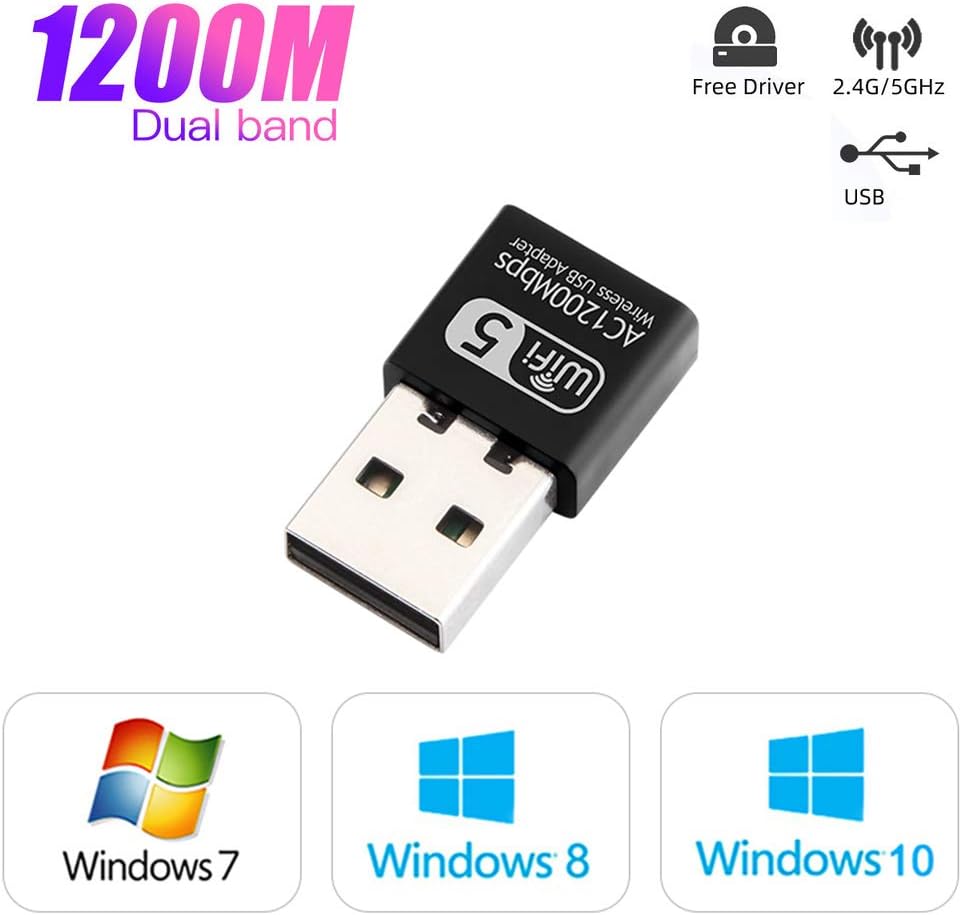
Image 3.1: Operating system compatibility and driver-free support for Windows 10.
4. ప్యాకేజీ విషయాలు
- 1 x KuWFi AC1200 Dual Band Wireless USB Adapter
- 1 x Driver CD (for Windows 7/8)
5. ఇన్స్టాలేషన్ గైడ్
Step 1: Insert the USB Adapter
Carefully insert the KuWFi AC1200 Wireless USB Adapter into an available USB port on your desktop or laptop computer.

Image 5.1: Inserting the USB adapter into a computer's USB port.
దశ 2: డ్రైవర్ ఇన్స్టాలేషన్
For Windows 10 (32/64bit): The adapter is designed for plug-and-play functionality. The system should automatically detect and install the necessary drivers. If not, proceed with the CD driver installation steps.
Windows 7/8 కోసం:
- అందించిన డ్రైవర్ CDని మీ కంప్యూటర్ యొక్క CD-ROM డ్రైవ్లోకి చొప్పించండి.
- Open 'My Computer' or 'This PC'.
- Double-click on the CD Driver icon to open it.
- Locate and double-click the setup or install file.
- డ్రైవర్ ఇన్స్టాలేషన్ను పూర్తి చేయడానికి ఆన్-స్క్రీన్ సూచనలను అనుసరించండి.

Image 5.2: Visual guide for installing drivers from the CD.
Step 3: Connect to a Wi-Fi Network
Once the drivers are installed, your computer will detect available Wi-Fi networks. Select your desired network and enter the password to connect.
6. ఆపరేటింగ్ సూచనలు
డ్యూయల్ బ్యాండ్ ఆపరేషన్
The KuWFi AC1200 adapter supports both 2.4GHz and 5GHz Wi-Fi bands. You can choose the band that best suits your needs:
- 2.4GHz బ్యాండ్: Offers wider coverage and better penetration through walls, suitable for general internet browsing and tasks that do not require very high speeds.
- 5GHz బ్యాండ్: Provides faster speeds and less interference, ideal for online gaming, HD video streaming, and large file downloads. This band typically has a shorter range.
Your computer's Wi-Fi settings will display available networks. Networks operating on the 5GHz band often have '5G' or '5GHz' in their name (e.g., 'MyWiFi_5G'). Select the appropriate network based on your requirements.
AP Mode (Soft AP)
The adapter can function as a Wi-Fi hotspot (Soft AP) if your computer has an internet connection via Ethernet. This allows other devices to connect to your computer's internet through the adapter. Refer to your operating system's network settings for instructions on enabling mobile hotspot or Soft AP functionality.
7. నిర్వహణ
- అడాప్టర్ను శుభ్రంగా మరియు దుమ్ము లేకుండా ఉంచండి.
- అడాప్టర్ను తీవ్రమైన ఉష్ణోగ్రతలు లేదా తేమకు గురిచేయకుండా ఉండండి.
- Do not shake or plug/unplug the adapter excessively to prevent damage to the USB port or the adapter itself.
- Store the adapter in a safe place when not in use.
8. ట్రబుల్షూటింగ్
No Wi-Fi Networks Detected
- అడాప్టర్ USB పోర్ట్కి సురక్షితంగా ప్లగ్ చేయబడిందని నిర్ధారించుకోండి.
- Verify that the drivers are correctly installed. Check Device Manager (Windows) for any yellow exclamation marks next to the network adapter.
- మీ కంప్యూటర్ని పునఃప్రారంభించండి.
- అడాప్టర్ను వేరే USB పోర్ట్లోకి ప్లగ్ చేసి ప్రయత్నించండి.
నెమ్మదిగా కనెక్షన్ వేగం
- Ensure you are connected to the 5GHz band if your router supports it and you are within range.
- Reduce the distance between your computer and the Wi-Fi router.
- Minimize obstacles (walls, large metal objects) between the adapter and the router.
- Check for other devices causing interference (e.g., microwaves, cordless phones).
- మీ రౌటర్ యొక్క ఫర్మ్వేర్ను నవీకరించండి.
Connection Drops Frequently
- Ensure the adapter is not loose in the USB port.
- Check for driver updates from the manufacturer's webసైట్ అందుబాటులో ఉంటే.
- Adjust the position of your computer or router to improve signal strength.
- Disable power-saving features for the USB port or network adapter in your computer's settings.
9. స్పెసిఫికేషన్లు
| మోడల్ | AC1200 |
| హార్డ్వేర్ ఇంటర్ఫేస్ | USB |
| డేటా బదిలీ రేటు | 1200 Mbps వరకు (5GHzలో 867 Mbps, 2.4GHzలో 300 Mbps) |
| ఫ్రీక్వెన్సీ బ్యాండ్లు | 2.4GHz, 5GHz |
| అనుకూల పరికరాలు | డెస్క్టాప్, ల్యాప్టాప్ |
| ఆపరేటింగ్ సిస్టమ్స్ | Windows 10 (32/64bit), Windows 8, Windows 7 |
| Encryption Support | WEP, WPA-PSK, WPA2-PSK, WPA/WPA2 64/128bit |
| వస్తువు బరువు | 0.634 ఔన్సులు (సుమారు 18 గ్రాములు) |
| ప్యాకేజీ కొలతలు | 3.78 x 3.35 x 0.47 అంగుళాలు |