
పరిచయం
The Sharkoon Skiller SGK30 is a mechanical gaming keyboard designed for performance and durability. It features customizable RGB lighting, N-Key rollover, and a 1000Hz polling rate for responsive gameplay and typing. This manual provides essential information for setting up, operating, and maintaining your keyboard.

Image: Sharkoon Skiller SGK30 Mechanical Gaming Keyboard banner displaying the product name and type.
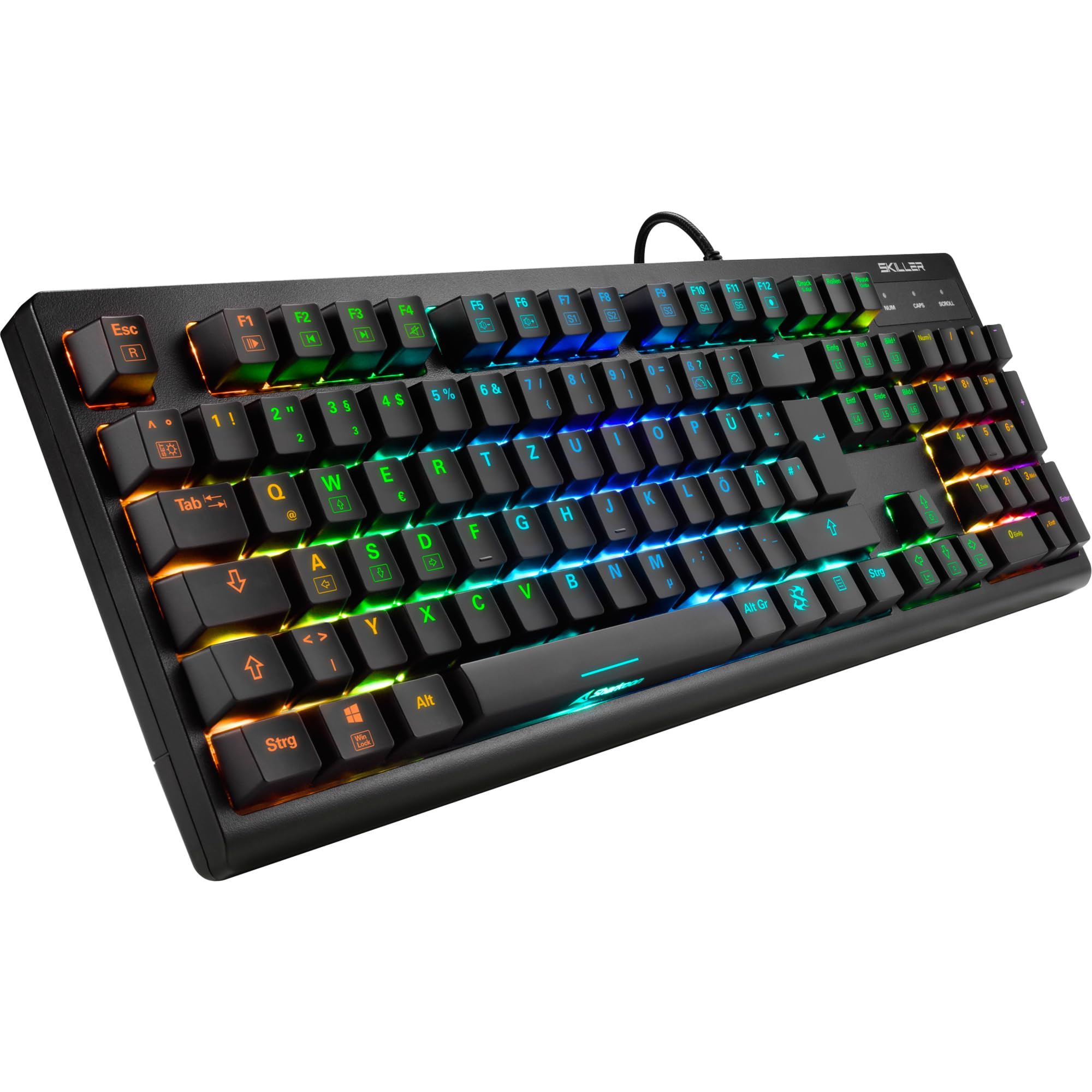
చిత్రం: పై నుండి క్రిందికి view of the Sharkoon Skiller SGK30 mechanical gaming keyboard, showcasing దాని పూర్తి లేఅవుట్ మరియు శక్తివంతమైన RGB బ్యాక్లైటింగ్.
ఉత్పత్తి ముగిసిందిview వీడియో
వీడియో: అధికారిక ఉత్పత్తి ముగిసిందిview of the Sharkoon Skiller SGK30 Mechanical Gaming Keyboard, demonstrating its features, RGB lighting effects, and mechanical switches.
సెటప్
Follow these steps to set up your Sharkoon Skiller SGK30 keyboard:
- కీబోర్డ్ను అన్ప్యాక్ చేయండి: కీబోర్డ్ మరియు దాని ప్యాకేజింగ్ నుండి చేర్చబడిన USB కేబుల్ను జాగ్రత్తగా తీసివేయండి.
- కంప్యూటర్కు కనెక్ట్ చేయండి: Plug the Micro USB end of the cable into the keyboard's port and the standard USB-A end into an available USB port on your computer.
- డ్రైవర్ ఇన్స్టాలేషన్: The keyboard is plug-and-play. Your operating system (Windows 10 or later recommended) should automatically detect and install the necessary drivers.
- సాఫ్ట్వేర్ ఇన్స్టాలేషన్ (ఐచ్ఛికం): For advanced customization of RGB lighting and key assignments, download the official Sharkoon software from the manufacturer's webసైట్.

Image: The Sharkoon Skiller SGK30 keyboard positioned on a desk, ready for connection.
ఆపరేటింగ్ సూచనలు
ప్రాథమిక కీ విధులు
The Sharkoon Skiller SGK30 features a standard layout with additional function keys accessible via the FN కీ.
- ఎఫ్ఎన్ + ఎఫ్1-ఎఫ్12: Access multimedia controls (e.g., play/pause, volume up/down, mute).
- FN + విండోస్ కీ: Lock/unlock the Windows key to prevent accidental presses during gaming.
- ఎన్-కీ రోల్ ఓవర్: All keys are registered simultaneously, ensuring every keystroke is detected, even during rapid input.
RGB లైటింగ్ కంట్రోల్
The keyboard offers extensive RGB lighting customization. Use the following combinations to adjust lighting effects:
- FN + Insert/Home/Page Up/Delete/End/Page Down: Cycle through various pre-programmed lighting effects.
- FN + Arrow Keys (Up/Down): Adjust brightness levels of the lighting.
- FN + Arrow Keys (Left/Right): డైనమిక్ లైటింగ్ ప్రభావాల వేగాన్ని సర్దుబాటు చేయండి.
- Custom Illumination: Use the dedicated software for advanced per-key lighting customization.

చిత్రం: క్లోజప్ view of the keyboard keys highlighting the adjustable RGB illumination capabilities.
సాఫ్ట్వేర్ అనుకూలీకరణ
For advanced settings, macro programming, and detailed RGB customization, download and install the Sharkoon Skiller SGK30 software from the official Sharkoon webసైట్. సాఫ్ట్వేర్ మిమ్మల్ని వీటిని అనుమతిస్తుంది:
- కస్టమ్ లైటింగ్ ప్రోని సృష్టించండి మరియు సేవ్ చేయండిfiles.
- Program macros for specific keys.
- Remap key functions.

Image: A screenshot showing the graphical user interface of the Sharkoon Skiller SGK30 customization software, illustrating various options for lighting and key remapping.
నిర్వహణ
సరైన నిర్వహణ మీ కీబోర్డ్ యొక్క దీర్ఘాయువు మరియు పనితీరును నిర్ధారిస్తుంది:
- శుభ్రపరచడం: Use a soft, dry cloth to wipe the surface of the keyboard. For deeper cleaning, use compressed air to remove dust and debris from between the keycaps.
- కీక్యాప్ తొలగింపు: If necessary, keycaps can be carefully removed using a keycap puller (not included) for thorough cleaning of the switches. Reinstall keycaps by pressing them firmly onto the switch stems.
- ద్రవాలను నివారించండి: కీబోర్డ్ను ద్రవాలకు బహిర్గతం చేయవద్దు. ఒకవేళ నీరు చిందినట్లయితే, వెంటనే కీబోర్డ్ను డిస్కనెక్ట్ చేసి, తిరిగి కనెక్ట్ చేసే ముందు పూర్తిగా ఆరనివ్వండి.
- నిల్వ: కీబోర్డ్ను ప్రత్యక్ష సూర్యకాంతి మరియు తీవ్రమైన ఉష్ణోగ్రతలకు దూరంగా చల్లని, పొడి ప్రదేశంలో నిల్వ చేయండి.

చిత్రం: క్లోజప్ view of the mechanical switches on the Sharkoon Skiller SGK30 keyboard, illustrating their design for durability and ease of maintenance. Note: This model is available with Red switches, while the image shows Blue switches.
ట్రబుల్షూటింగ్
If you encounter issues with your Sharkoon Skiller SGK30 keyboard, refer to the following common solutions:
| సమస్య | సాధ్యమైన కారణం | పరిష్కారం |
|---|---|---|
| కీబోర్డ్ ప్రతిస్పందించడం లేదు | USB కనెక్షన్ వదులుగా ఉంది, USB పోర్ట్ తప్పుగా ఉంది, డ్రైవర్ సమస్య. |
|
| RGB లైటింగ్ పనిచేయడం లేదు లేదా తప్పుగా ఉంది | Lighting settings incorrect, software conflict. |
|
| కీలు నమోదు కావడం లేదు | కీక్యాప్ కింద దుమ్ము/శిధిలాలు, స్విచ్ తప్పు. |
|
స్పెసిఫికేషన్లు
| ఫీచర్ | వివరాలు |
|---|---|
| బ్రాండ్ | షార్కూన్ |
| మోడల్ సంఖ్య | 4044951030026 |
| కీబోర్డ్ రకం | మెకానికల్ గేమింగ్ కీబోర్డ్ |
| స్విచ్ రకం | Red Switch (Blue switches are also available for this model series) |
| కనెక్టివిటీ | మైక్రో USB |
| పోలింగ్ రేటు | 1000Hz |
| ఎన్-కీ రోల్ ఓవర్ | మద్దతు ఇచ్చారు |
| RGB లైటింగ్ | Customizable RGB |
| ఆపరేటింగ్ సిస్టమ్ | Windows 10 (and compatible with other Windows versions) |
| కొలతలు (LxWxH) | 44 x 14.4 x 3.5 సెం.మీ |
| బరువు | 867 గ్రా |
పెట్టెలో ఏముంది
The Sharkoon Skiller SGK30 package includes:
- Sharkoon Skiller SGK30 Mechanical Gaming Keyboard
- USB కేబుల్
వారంటీ మరియు మద్దతు
వారంటీ సమాచారం మరియు సాంకేతిక మద్దతు కోసం, దయచేసి అధికారిక షార్కూన్ను చూడండి. webమీ స్థానిక రిటైలర్ను సంప్రదించండి లేదా సంప్రదించండి. వారంటీ క్లెయిమ్ల కోసం మీ కొనుగోలు రుజువును ఉంచండి.
గమనిక: ఉత్పత్తి వివరణలు మరియు లక్షణాలు ముందస్తు నోటీసు లేకుండానే మారవచ్చు.