
DUODUOGO J6+
DUODUOGO J6+ Smartphone User Manual
Model: J6+
ఉత్పత్తి ముగిసిందిview
The DUODUOGO J6+ is a 4G-enabled smartphone featuring a 6.0-inch HD+ display and running on Android 9.0. It is designed for everyday use, offering a balance of performance and features.
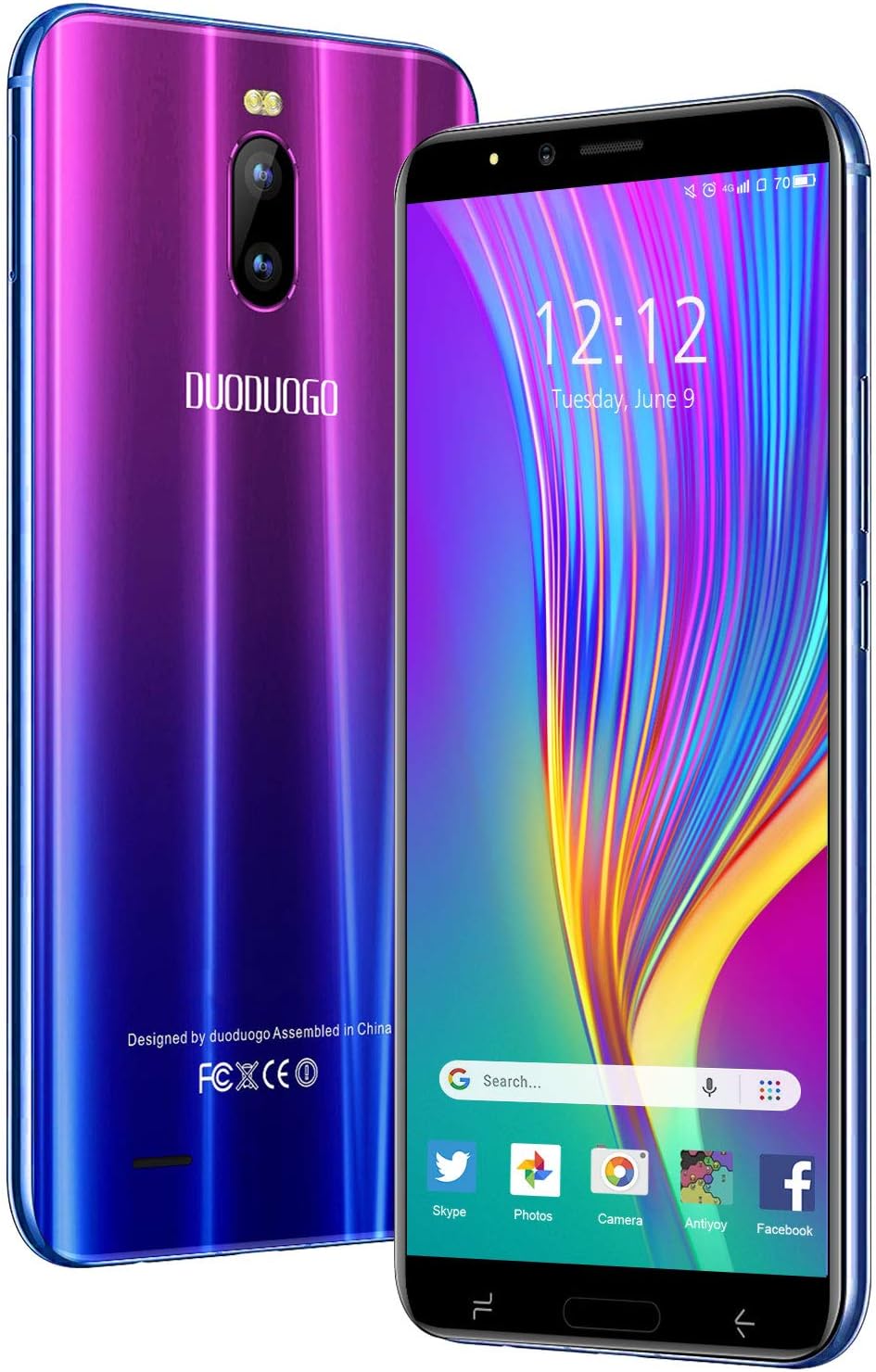
చిత్రం: ముందు మరియు వెనుక view of the DUODUOGO J6+ smartphone, showcasing its vibrant purple-to-blue gradient finish and the display.
ముఖ్య లక్షణాలు:
- ప్రదర్శన: 6.0-inch HD+ screen.
- ఆపరేటింగ్ సిస్టమ్: ఆండ్రాయిడ్ 9.0.
- పనితీరు: 3GB RAM and 16GB internal storage, expandable up to 128GB via microSD.
- బ్యాటరీ: 4800 mAh large capacity battery for extended use.
- కెమెరాలు: 8MP rear camera and 5MP front camera.
- భద్రత: Face ID unlock feature.
- కనెక్టివిటీ: Dual SIM (2 Micro-SIM + 1 MicroSD) with 2G/3G/4G network support, Wi-Fi, Bluetooth 4.2, and GPS.
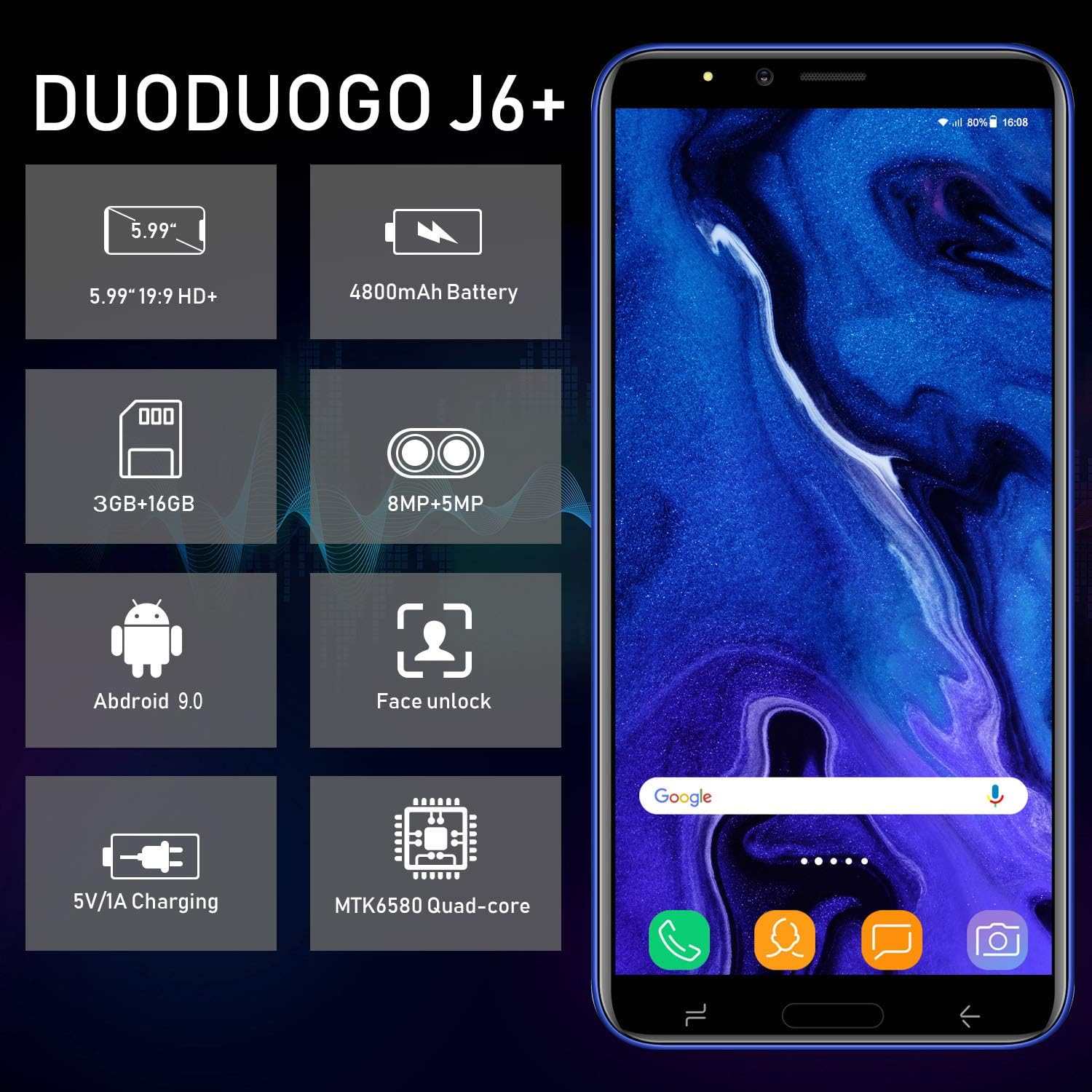
Image: Infographic highlighting key specifications of the DUODUOGO J6+, including screen size, battery capacity, memory, camera resolution, Android version, Face Unlock, charging, and processor type.
ప్యాకేజీ విషయాలు
ప్యాకేజీని తెరిచినప్పుడు, దయచేసి ఈ క్రింది అన్ని అంశాలు ఉన్నాయని నిర్ధారించుకోండి:
- DUODUOGO J6+ Smartphone
- ఛార్జర్
- USB డేటా కేబుల్
- హెడ్ఫోన్లు
- రక్షణ కేసు
- Screen Protector (Anti-burst membrane)
- వినియోగదారు మాన్యువల్

Image: All items included in the DUODUOGO J6+ smartphone package, neatly laid out, including the phone, charger, USB cable, headphones, protective case, and user manual.
సెటప్
1. బ్యాటరీ ఇన్స్టాలేషన్ మరియు ప్రారంభ ఛార్జ్
The DUODUOGO J6+ comes with a removable battery. Before first use, remove the insulating film from the battery terminals. Insert the battery into the designated compartment on the back of the phone. Close the back cover securely.
Connect the charger to the phone's USB port and plug it into a power outlet. Charge the phone completely before initial use. A full charge ensures optimal battery calibration.
2. SIM కార్డ్ మరియు మైక్రో SD కార్డ్ ఇన్స్టాలేషన్
The phone supports two Micro-SIM cards and one MicroSD card for expandable storage.
- Locate the SIM/MicroSD card slot(s), typically under the battery or on the side of the device.
- Carefully insert your Micro-SIM cards into the SIM slots with the gold contacts facing down.
- If desired, insert a MicroSD card (up to 128GB) into the dedicated MicroSD slot.
- Ensure the cards are seated correctly.
3. పవర్ ఆన్ మరియు ప్రారంభ సెటప్
Press and hold the Power button (usually on the right side) until the screen lights up. Follow the on-screen prompts to complete the initial setup, which includes selecting your language, connecting to Wi-Fi, setting up your Google account, and configuring security features like Face ID.
ఆపరేటింగ్ సూచనలు
ప్రాథమిక నావిగేషన్
- పవర్ ఆన్/ఆఫ్: పవర్ బటన్ను నొక్కి పట్టుకోండి. ఎంపికల నుండి "పవర్ ఆఫ్" లేదా "రీస్టార్ట్" ఎంచుకోండి.
- స్క్రీన్ లాక్/అన్లాక్: స్క్రీన్ను లాక్ చేయడానికి లేదా అన్లాక్ చేయడానికి పవర్ బటన్ను క్లుప్తంగా నొక్కండి.
- హోమ్ స్క్రీన్: హోమ్ స్క్రీన్ల మధ్య నావిగేట్ చేయడానికి ఎడమ లేదా కుడికి స్వైప్ చేయండి.
- నోటిఫికేషన్లు: నోటిఫికేషన్ ప్యానెల్ మరియు త్వరిత సెట్టింగ్లను యాక్సెస్ చేయడానికి స్క్రీన్ పై నుండి క్రిందికి స్వైప్ చేయండి.
- ఇటీవలి యాప్లు: Tap the square navigation button (or swipe up and hold from the bottom if using gestures) to view ఇటీవల ఉపయోగించిన అప్లికేషన్లు.
కాల్స్ చేయడం మరియు సందేశాలు పంపడం
- కాల్లు: Open the "Phone" app, enter the number, and tap the call icon.
- సందేశాలు: Open the "Messages" app, tap the new message icon, enter the recipient's number or select from contacts, and type your message.
కెమెరా వినియోగం
The DUODUOGO J6+ features an 8MP rear camera and a 5MP front camera.
- "కెమెరా" యాప్ను తెరవండి.
- ఫోటో తీయడానికి షట్టర్ బటన్ను నొక్కండి.
- Tap the video icon to switch to video recording mode.
- Use the camera switch icon to toggle between the front and rear cameras.

Image: The DUODUOGO J6+ smartphone displayed with icons indicating its 8MP rear camera and 5MP front camera capabilities.
Face ID Unlock
To set up Face ID, go to Settings > Security & Location > Face Unlock. Follow the on-screen instructions to register your face. Once set up, simply look at the front camera to unlock your device quickly and securely.
నిర్వహణ
సాధారణ సంరక్షణ
- పరికరాన్ని పొడిగా ఉంచండి. తేమ ఎలక్ట్రానిక్ సర్క్యూట్లను దెబ్బతీస్తుంది.
- అధిక ఉష్ణోగ్రతలను నివారించండి. అధిక ఉష్ణోగ్రతలు ఎలక్ట్రానిక్ పరికరాల జీవితకాలాన్ని తగ్గిస్తాయి మరియు బ్యాటరీలను దెబ్బతీస్తాయి.
- పరికరాన్ని వదలవద్దు, కొట్టండి లేదా కదిలించవద్దు. కఠినమైన నిర్వహణ అంతర్గత సర్క్యూట్ బోర్డులను విచ్ఛిన్నం చేస్తుంది.
- ఆమోదించబడిన ఛార్జర్లు మరియు ఉపకరణాలను మాత్రమే ఉపయోగించండి.
- స్క్రీన్ మరియు బాడీని మృదువైన, పొడి గుడ్డతో శుభ్రం చేయండి. కఠినమైన రసాయనాలను వాడకుండా ఉండండి.
బ్యాటరీ సంరక్షణ
- బ్యాటరీ జీవితకాలాన్ని పొడిగించడానికి, బ్యాటరీని తరచుగా పూర్తిగా డిశ్చార్జ్ చేయకుండా ఉండండి.
- ఫోన్ పూర్తిగా ఛార్జ్ అయిన తర్వాత ఎక్కువసేపు ఛార్జింగ్లో ఉంచవద్దు.
- If the phone will not be used for an extended period, charge it to about 50% before storing.

Image: A visual representation emphasizing the 4800mAh large capacity battery of the DUODUOGO J6+ smartphone.
ట్రబుల్షూటింగ్
| సమస్య | సాధ్యమైన కారణం / పరిష్కారం |
|---|---|
| ఫోన్ పవర్ ఆన్ అవ్వడం లేదు. | Battery might be completely drained. Charge the phone for at least 30 minutes before attempting to power on. Ensure the insulating film is removed from the battery. |
| Wi-Fiకి కనెక్ట్ చేయడం సాధ్యపడదు. | Ensure Wi-Fi is enabled in settings. Check if the Wi-Fi password is correct. Restart your router and the phone. |
| SIM కార్డ్ కనుగొనబడలేదు. | Ensure the SIM card is correctly inserted in the slot. Restart the phone. Check if the SIM card is active with your network provider. |
| ఫేస్ ఐడి పనిచేయడం లేదు. | Ensure your face is well-lit and not obstructed. Re-register your face in settings if the issue persists. |
| నెమ్మదిగా పనితీరు. | Close unused apps. Clear cache from apps. Free up storage space by deleting unnecessary files or moving them to the SD card. Restart the phone. |
స్పెసిఫికేషన్లు
| ఫీచర్ | వివరాలు |
|---|---|
| మోడల్ పేరు | J6+ |
| బ్రాండ్ | DUODUOGO |
| ఆపరేటింగ్ సిస్టమ్ | ఆండ్రాయిడ్ 9.0 |
| ప్రదర్శన పరిమాణం | 6.0 inches (15.3 cm) HD+ |
| RAM | 3 GB |
| అంతర్గత నిల్వ | 16 GB |
| విస్తరించదగిన నిల్వ | 128 GB వరకు (MicroSD) |
| వెనుక కెమెరా | 8 ఎంపీ |
| ఫ్రంట్ కెమెరా | 5 ఎంపీ |
| బ్యాటరీ కెపాసిటీ | 4800 mAh |
| SIM కార్డ్ స్లాట్లు | Dual-SIM (2 Micro-SIM) |
| నెట్వర్క్ టెక్నాలజీ | 2G, 3G, 4G |
| కనెక్టివిటీ | Bluetooth 4.2, USB, WLAN (Wi-Fi), GPS |
| భద్రతా లక్షణాలు | ఫేస్ ID |
| ఉత్పత్తి కొలతలు | 16.1 x 7.7 x 0.8 సెం.మీ |
| ఉత్పత్తి బరువు | 170 గ్రాములు |
| రంగు | వైలెట్ |

Image: Detailed dimensions of the DUODUOGO J6+ smartphone, showing its length, width, and thickness.
వారంటీ మరియు మద్దతు
The DUODUOGO J6+ smartphone comes with a 1 సంవత్సరాల వారంటీ from the date of purchase. This warranty covers manufacturing defects and malfunctions under normal use. Please note that the warranty does not cover damages caused by human factors (e.g., accidental drops, liquid damage, unauthorized repairs).
For any questions, technical support, or warranty claims, please contact DUODUOGO customer service. Refer to the contact information provided in your product packaging or on the official DUODUOGO webసైట్.
Ask a question about this manual
Ask about setup, troubleshooting, compatibility, parts, safety, or missing instructions. Manuals+ will review the question and use this page’s manual context to help answer it.