
1. పరిచయం
Thank you for choosing the W-KING X10 Portable Bluetooth Speaker. This manual provides essential information for setting up, operating, and maintaining your speaker to ensure optimal performance and longevity. The W-KING X10 delivers powerful 120W peak sound with deep bass, features IPX6 waterproofing, and offers versatile connectivity options for an immersive audio experience.
2. పెట్టెలో ఏముంది
- X10 Portable Outdoor Bluetooth Speaker
- టైప్-సి ఛార్జింగ్ కేబుల్
- 3.5mm AUX ఆడియో కేబుల్
- వినియోగదారు మాన్యువల్
3. ఉత్పత్తి ముగిసిందిview & లక్షణాలు
The W-KING X10 is engineered for robust audio performance and durability. Key features include:
- శక్తివంతమైన ఆడియో: 120W peak output (70W RMS) with 2*45W subwoofers and 2*15W tweeters, enhanced by triple passive radiators for deep bass and DSP intelligent crossover technology for clear sound up to 40kHz.
- Omnidirectional HD Stereo: Designed to fill any space with rich, balanced audio.
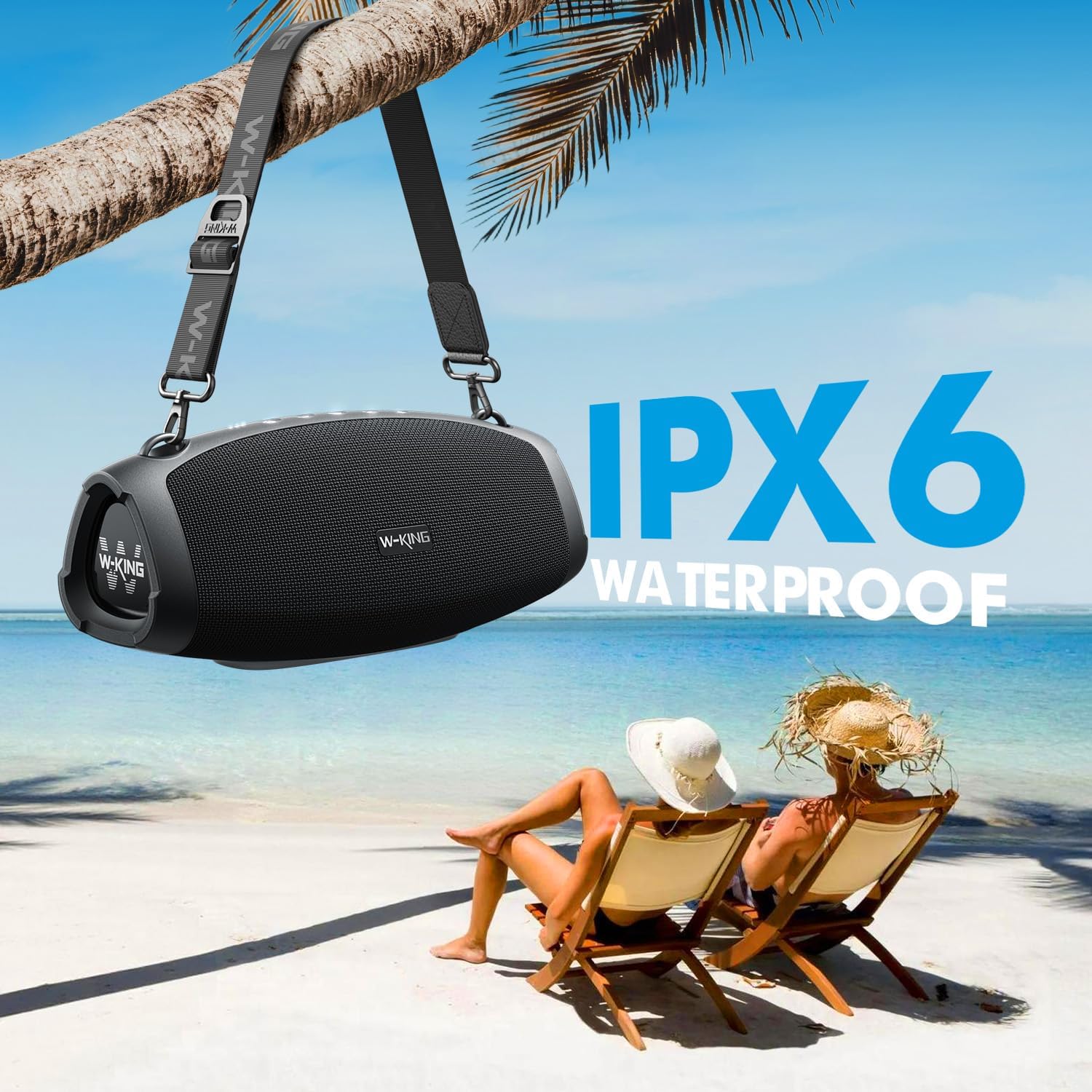
- IPX6 జలనిరోధిత: Resistant to strong water jets, making it suitable for outdoor use. Ports must be covered to ensure water resistance.
- పొడిగించిన ప్లేటైమ్: Up to 42 hours of playtime on a single charge (varies with volume and content).
- పవర్ బ్యాంక్ ఫంక్షన్: Large capacity battery allows charging of external devices via the USB-A port.
- బహుళ ప్లేబ్యాక్ మోడ్లు: Bluetooth 5.0, 3.5mm AUX input, and TF card slot.
- EQ మోడ్లు: Switch between Indoor mode (boosted bass) and Outdoor mode (crisp sound).
- నిజమైన వైర్లెస్ స్టీరియో (TWS): Connect two X10 speakers for a 240W peak, immersive stereo experience.
- మన్నికైన డిజైన్: Sturdy ABS plastic, translucent soft rubber, and waterproof mesh surface for impact resistance.
- పోర్టబుల్: Includes a detachable, adjustable shoulder strap for easy transport.

వివరణాత్మక అంతర్గత view of the W-KING X10 speaker, highlighting its dual subwoofers, tweeters, and passive radiators.
4. సెటప్
4.1 స్పీకర్ను ఛార్జ్ చేయడం
Before first use, fully charge your W-KING X10 speaker. Connect the provided Type-C charging cable to the speaker's Type-C port and a compatible 5V/2A adapter (not included). The battery indicator lights will show charging progress. A full charge takes approximately 3.5 hours.

The W-KING X10 speaker connected to a power source for charging, demonstrating its large battery capacity.
4.2 పవర్ ఆన్/ఆఫ్
- పవర్ ఆన్ చేయడానికి: నొక్కండి మరియు పట్టుకోండి పవర్ బటన్ (⏻) for 2-3 seconds until the indicator lights illuminate.
- పవర్ ఆఫ్ చేయడానికి: నొక్కండి మరియు పట్టుకోండి పవర్ బటన్ (⏻) for 2-3 seconds until the indicator lights turn off.
4.3 బ్లూటూత్ జత చేయడం
- Ensure the speaker is powered on and the Bluetooth indicator light is flashing, indicating it's in pairing mode.
- మీ మొబైల్ పరికరంలో, బ్లూటూత్ని ప్రారంభించండి మరియు అందుబాటులో ఉన్న పరికరాల కోసం శోధించండి.
- Select "W-KING X10" from the list of devices.
- కనెక్ట్ చేసిన తర్వాత, బ్లూటూత్ ఇండికేటర్ లైట్ దృఢంగా ఉంటుంది.
4.4 ట్రూ వైర్లెస్ స్టీరియో (TWS) జత చేయడం
For an enhanced stereo experience, you can pair two W-KING X10 speakers together. (Note: X10 and X10-1 models cannot be paired together.)
- Ensure both W-KING X10 speakers are powered on and not connected to any other Bluetooth device.
- ఒక స్పీకర్పై (ఇది మీ ప్రాథమిక స్పీకర్ అవుతుంది), నొక్కండి TWS బటన్ (often indicated by three dots or a chain link icon). The speaker will enter TWS pairing mode.
- ప్రాథమిక స్పీకర్ స్వయంచాలకంగా ద్వితీయ స్పీకర్ కోసం శోధిస్తుంది మరియు కనెక్ట్ అవుతుంది.
- Once paired, the TWS indicator light on both speakers will become solid.
- ఇప్పుడు, విభాగం 4.3 లో వివరించిన విధంగా బ్లూటూత్ ద్వారా మీ మొబైల్ పరికరాన్ని ప్రాథమిక స్పీకర్కు కనెక్ట్ చేయండి.
5. ఆపరేటింగ్ సూచనలు
5.1 నియంత్రణ బటన్లు

Top panel of the W-KING X10 speaker with illuminated control buttons.
| బటన్ | ఫంక్షన్ |
|---|---|
| ⏻ (శక్తి) | Press and hold to Power On/Off. Short press to check battery status. |
| - (వాల్యూమ్ డౌన్) | వాల్యూమ్ తగ్గించడానికి షార్ట్ ప్రెస్ చేయండి. మునుపటి ట్రాక్ కోసం నొక్కి పట్టుకోండి. |
| ▶ (Play/Pause) | Short press to Play/Pause music. Short press to Answer/End calls. Press and hold to Reject calls. |
| + (వాల్యూమ్ అప్) | వాల్యూమ్ పెంచడానికి షార్ట్ ప్రెస్ చేయండి. తదుపరి ట్రాక్ కోసం నొక్కి పట్టుకోండి. |
| ☰ (EQ Mode) | Short press to switch between Indoor (boosted bass) and Outdoor (crisp sound) EQ modes. |
| … (TWS) | Press to enter TWS pairing mode (for connecting two X10 speakers). |
5.2 కనెక్టివిటీ ఎంపికలు
- బ్లూటూత్ 5.0: Wireless connection with up to 100ft range.
- AUX ఇన్పుట్: Connect external audio devices using the 3.5mm AUX audio cable.
- TF కార్డ్: Insert a TF card into the slot for direct music playback.
The rear panel of the W-KING X10 speaker, revealing the USB-A, Type-C, TF card, and AUX ports, protected by a waterproof flap.
5.3 EQ మోడ్లు
Optimize your listening experience by switching between two EQ modes:
- ఇండోర్ మోడ్: Delivers boosted bass, ideal for enclosed spaces.
- అవుట్డోర్ మోడ్: Provides crisp, clear sound, optimized for open environments.

The W-KING X10 speaker demonstrating its adaptability to different environments with dedicated EQ modes.
6. నిర్వహణ
To ensure the longevity and optimal performance of your W-KING X10 speaker, follow these maintenance guidelines:
- శుభ్రపరచడం: ఒక మృదువైన ఉపయోగించండి, డిamp cloth to wipe the speaker's surface. Avoid using harsh chemicals or abrasive cleaners.
- నీటి నిరోధకత: The speaker is IPX6 waterproof. Ensure all port covers are securely closed before exposing it to water. Do not submerge the speaker directly in water.
- నిల్వ: ఉపయోగంలో లేనప్పుడు స్పీకర్ను ప్రత్యక్ష సూర్యకాంతి మరియు తీవ్రమైన ఉష్ణోగ్రతలకు దూరంగా చల్లని, పొడి ప్రదేశంలో నిల్వ చేయండి.
- బ్యాటరీ సంరక్షణ: బ్యాటరీ జీవితకాలం బాగా ఉండాలంటే, తరచుగా బ్యాటరీని పూర్తిగా డిశ్చార్జ్ చేయకండి. నిరంతరం ఉపయోగంలో లేకపోయినా, క్రమం తప్పకుండా ఛార్జ్ చేయండి.

The W-KING X10 speaker demonstrating its IPX6 waterproof capability, suitable for outdoor environments.
7. ట్రబుల్షూటింగ్
If you encounter issues with your W-KING X10 speaker, refer to the following common solutions:
- శక్తి లేదు: బ్యాటరీ ఛార్జ్ అయ్యిందని నిర్ధారించుకోండి. టైప్-సి కేబుల్ ఉపయోగించి స్పీకర్ను పవర్ సోర్స్కి కనెక్ట్ చేయండి.
- బ్లూటూత్ ద్వారా జత చేయడం సాధ్యం కాదు:
- స్పీకర్ జత చేసే మోడ్లో ఉందని నిర్ధారించుకోండి (బ్లూటూత్ సూచిక మెరుస్తోంది).
- మీ పరికరంలో బ్లూటూత్ను నిలిపివేసి, తిరిగి ప్రారంభించండి.
- స్పీకర్ను మీ పరికరానికి దగ్గరగా తరలించండి.
- మీ ఫోన్లోని బ్లూటూత్ పరికర జాబితాను క్లియర్ చేసి, మళ్లీ జత చేయడానికి ప్రయత్నించండి.
- ధ్వని లేదు:
- స్పీకర్ మరియు మీ కనెక్ట్ చేయబడిన పరికరం రెండింటిలోనూ వాల్యూమ్ స్థాయిలను తనిఖీ చేయండి.
- Ensure the correct input mode (Bluetooth, AUX, TF card) is selected.
- AUX ఉపయోగిస్తుంటే, కేబుల్ పూర్తిగా చొప్పించబడి, క్రియాత్మకంగా ఉందని నిర్ధారించుకోండి.
- TWS జత చేయడంలో వైఫల్యం:
- Ensure both speakers are W-KING X10 models (X10 and X10-1 are not compatible for TWS).
- Make sure both speakers are not connected to any other Bluetooth devices.
- జత చేసే సమయంలో స్పీకర్లను ఒకదానికొకటి దగ్గరగా ఉంచండి.
8. స్పెసిఫికేషన్లు
| ఫీచర్ | స్పెసిఫికేషన్ |
|---|---|
| బ్రాండ్ | W-కింగ్ |
| మోడల్ సంఖ్య | X10 |
| స్పీకర్ గరిష్ట అవుట్పుట్ పవర్ | 120 వాట్స్ (పీక్) |
| ఫ్రీక్వెన్సీ రెస్పాన్స్ | 40000 Hz |
| కనెక్టివిటీ టెక్నాలజీ | Bluetooth, Wireless, 3.5mm AUX, TF CARD |
| ఆడియో అవుట్పుట్ మోడ్ | స్టీరియో |
| నీటి నిరోధక స్థాయి | IPX6 జలనిరోధిత |
| బ్లూటూత్ రేంజ్ | 30.48 మీటర్లు (100 అడుగులు) |
| బ్యాటరీ సగటు జీవితం | 42 Hours (Playtime may vary depending on volume and audio content) |
| బ్యాటరీ ఛార్జ్ సమయం | 3.5 గంటలు |
| అంశం కొలతలు D x W x H | 5.31"డి x 12.41"వా x 5.5"హ |
| వస్తువు బరువు | 3.37 కిలోలు |

Detailed dimensions of the W-KING X10 Portable Bluetooth Speaker.
9. వారంటీ & సపోర్ట్
Your W-KING X10 Portable Bluetooth Speaker comes with a 30-రోజుల భర్తీ పాలసీ మరియు ఎ 12 నెలల వారంటీ. For support or warranty claims, please refer to the contact information provided in your product packaging or visit the W-KING official webసైట్.