
ABKO K560
ABKO Hacker K560 Mechanical Gaming Keyboard User Manual
మోడల్: K560
1. పరిచయం
ధన్యవాదాలు, ధన్యవాదాలు.asing the ABKO Hacker K560 Mechanical Gaming Keyboard. This keyboard is designed for an enhanced gaming and typing experience, featuring hotswappable mechanical switches, vibrant Rainbow Moving LED lighting, and durable dual injection keycaps. This manual provides detailed instructions for setup, operation, maintenance, and troubleshooting to ensure optimal performance and longevity of your device.
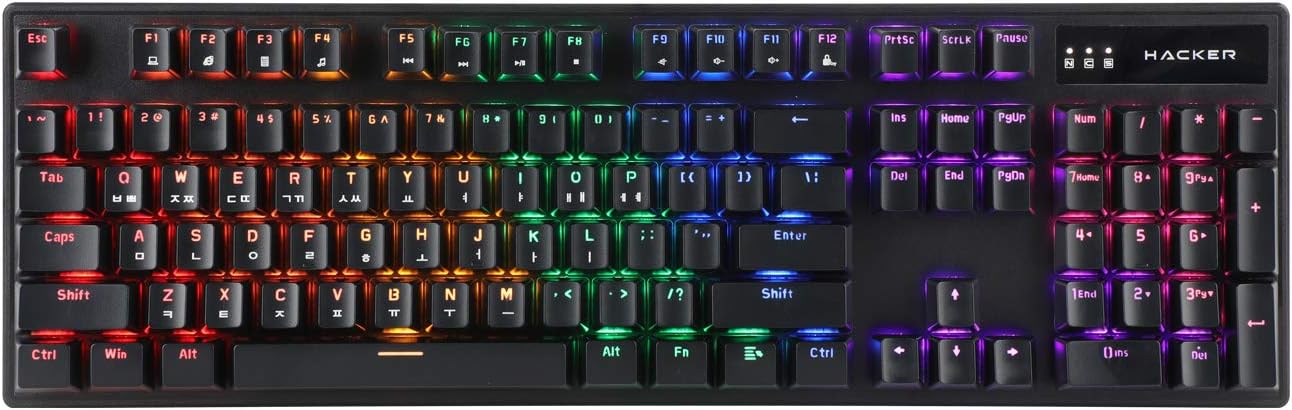
Figure 1.1: ABKO Hacker K560 Mechanical Gaming Keyboard (Top View)
This image displays the full layout of the ABKO Hacker K560 keyboard from a top-down perspective, showcasing its 104-key design and the vibrant rainbow LED backlighting illuminating each key. The Korean-English layout is visible on the keycaps.
2 కీ ఫీచర్లు
- Viki Type: Unique keycap profile సౌకర్యవంతమైన టైపింగ్ కోసం.
- Rainbow Moving LED: Dynamic and customizable RGB lighting effects.
- Mechanical Switch: Equipped with durable and responsive mechanical switches (Brown Switch variant).
- Cherry Stabilizer: Enhanced stability for larger keys like Spacebar, Shift, and Enter.
- 104 కీల లేఅవుట్: Full-size keyboard layout for comprehensive functionality.
- Double Injection Keycaps: Legends are molded into the keycap, preventing wear and fading.
- Hotswap Capability: టంకం లేకుండా స్విచ్లను సులభంగా మార్చడానికి అనుమతిస్తుంది.
- నీటి నిరోధకత: Designed to withstand minor spills.

Figure 2.1: ABKO Hacker K560 Keyboard (Angled View)
This image provides an angled perspective of the keyboard, showcasing the ergonomic Viki Type keycap profile and the vibrant illumination of the Rainbow Moving LED backlighting from the side.
3. సెటప్ గైడ్
3.1. ప్యాకేజీ విషయాలు
కొనసాగే ముందు, అన్ని అంశాలు ప్యాకేజీలో ఉన్నాయని నిర్ధారించుకోండి:
- ABKO Hacker K560 Mechanical Gaming Keyboard
- వినియోగదారు మాన్యువల్ (ఈ పత్రం)
- Keycap Puller (may be included for hotswap functionality)
- Switch Puller (may be included for hotswap functionality)
3.2. కీబోర్డ్ను కనెక్ట్ చేస్తోంది
- Locate an available USB port on your computer (PC, Laptop, Gaming Console).
- Plug the USB connector of the ABKO Hacker K560 keyboard into the USB port.
- ఆపరేటింగ్ సిస్టమ్ అవసరమైన డ్రైవర్లను స్వయంచాలకంగా గుర్తించి ఇన్స్టాల్ చేస్తుంది. ఈ ప్రక్రియకు కొన్ని క్షణాలు పట్టవచ్చు.
- Once installation is complete, the keyboard's LED lighting will illuminate, indicating it is ready for use.
4. ఆపరేటింగ్ సూచనలు
4.1. ప్రాథమిక వినియోగం
The ABKO Hacker K560 functions as a standard 104-key keyboard. Simply begin typing or using the keys as you would with any other keyboard.
4.2. LED Lighting Control (Rainbow Moving LED)
The keyboard features various dynamic LED lighting modes. Use the following key combinations to control the lighting:
- ఎఫ్ఎన్ + ఎఫ్1-ఎఫ్12: (Specific functions may vary, refer to keyboard legends for media controls, volume, etc.)
- Fn + స్క్రోల్ లాక్: Cycle through different Rainbow Moving LED lighting effects.
- Fn + Print Screen: Adjust LED brightness (usually multiple levels).
- Fn + పాజ్ బ్రేక్: Change LED lighting direction or speed (for moving effects).
- Fn + బాణం కీలు: Some models allow fine-tuning of specific lighting zones or effects.
Experiment with these combinations to find your preferred lighting mode and brightness.
4.3. Hotswap Switch Replacement
The ABKO Hacker K560 supports hotswappable mechanical switches, allowing you to change switches without soldering. This feature is useful for customizing typing feel or replacing faulty switches.
- పవర్ ఆఫ్: Disconnect the keyboard from your computer before attempting any switch replacement.
- కీక్యాప్ను తీసివేయండి: కావలసిన కీక్యాప్ను సున్నితంగా తొలగించడానికి చేర్చబడిన కీక్యాప్ పుల్లర్ను ఉపయోగించండి.
- స్విచ్ తొలగించు: Use the included switch puller to carefully grip the top and bottom clips of the switch and pull it straight up.
- కొత్త స్విచ్ చొప్పించండి: కొత్త స్విచ్ యొక్క పిన్లను PCBలోని రంధ్రాలతో సమలేఖనం చేయండి. స్విచ్ స్థానంలో క్లిక్ అయ్యే వరకు సున్నితంగా క్రిందికి నెట్టండి. పిన్లు వంగకుండా చూసుకోండి.
- కీక్యాప్ను భర్తీ చేయండి: కొత్త స్విచ్ గట్టిగా అమర్చబడే వరకు కీక్యాప్ను దానిపై నొక్కండి.
- పరీక్ష: కీబోర్డ్ను తిరిగి కనెక్ట్ చేసి, కొత్త స్విచ్ను పరీక్షించండి.
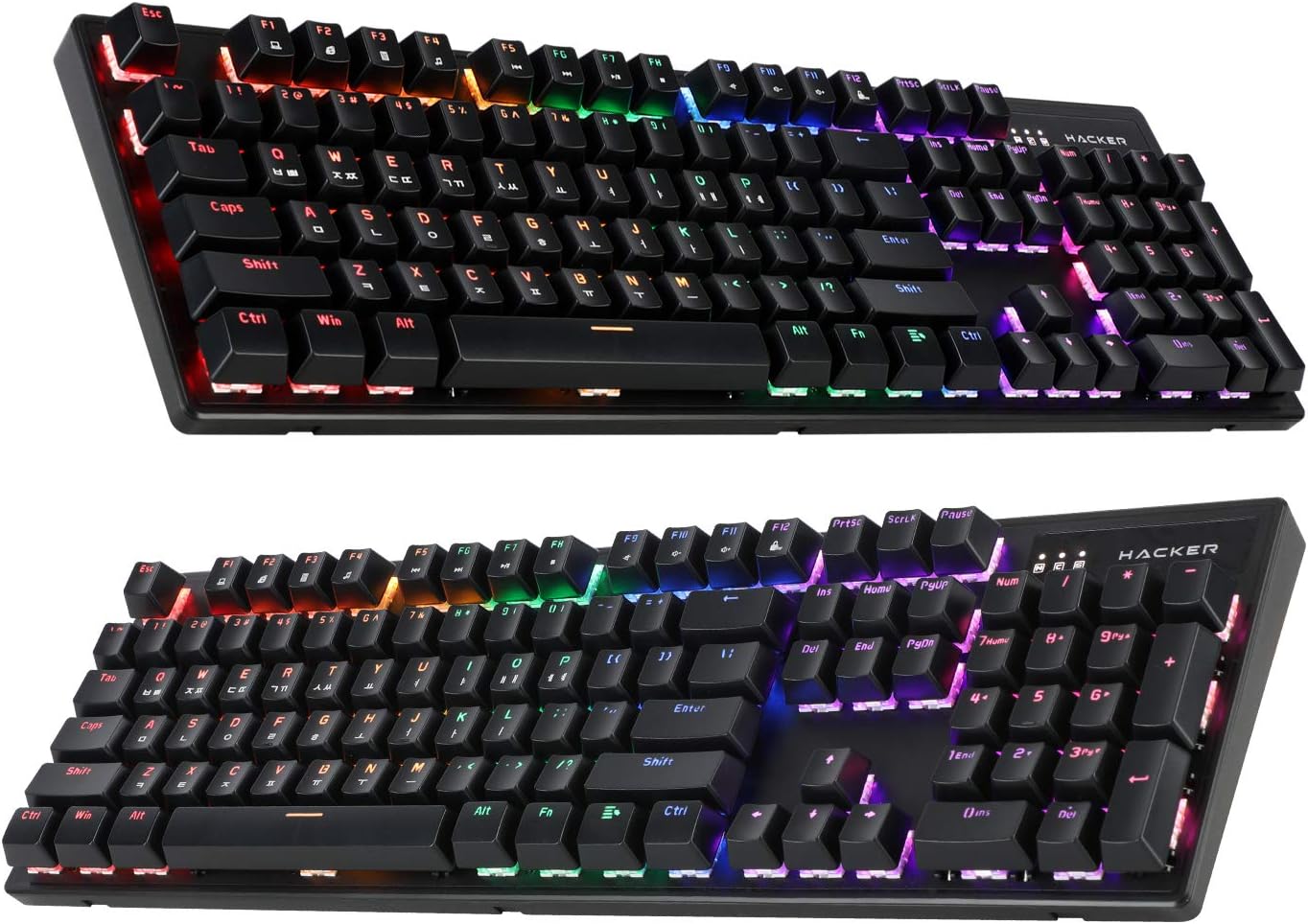
Figure 4.1: ABKO Hacker K560 Keyboard (Dual Angled View)
This image presents two different angled views of the ABKO Hacker K560 keyboard, providing a comprehensive look at its full 104-key layout and the distinct dual injection keycap design, which contributes to its durability and aesthetic.
5. నిర్వహణ
5.1. కీబోర్డ్ను శుభ్రపరచడం
క్రమం తప్పకుండా శుభ్రపరచడం వల్ల కీబోర్డ్ యొక్క రూపాన్ని మరియు కార్యాచరణను నిర్వహించడానికి సహాయపడుతుంది.
- దుమ్ము తొలగింపు: కీక్యాప్ల మధ్య నుండి దుమ్ము మరియు చెత్తను ఊదడానికి కంప్రెస్డ్ ఎయిర్ డబ్బాను ఉపయోగించండి.
- ఉపరితల శుభ్రపరచడం: Wipe the surface of the keycaps and frame with a soft, slightly damp, మెత్తటి బట్ట. అధిక తేమను నివారించండి.
- Deep Cleaning (Optional): For thorough cleaning, keycaps can be removed using a keycap puller and washed with mild soap and water. Ensure they are completely dry before reattaching.
జాగ్రత్త: Always disconnect the keyboard from your computer before cleaning. Do not immerse the keyboard in water, despite its water-resistant feature, as this is for minor spills, not submersion.
5.2. నిల్వ
ఎక్కువసేపు ఉపయోగంలో లేనప్పుడు, కీబోర్డ్ను ప్రత్యక్ష సూర్యకాంతి మరియు తీవ్రమైన ఉష్ణోగ్రతలకు దూరంగా చల్లని, పొడి ప్రదేశంలో నిల్వ చేయండి.
6. ట్రబుల్షూటింగ్
If you encounter issues with your ABKO Hacker K560 keyboard, refer to the following common solutions:
| సమస్య | సాధ్యమైన కారణం | పరిష్కారం |
|---|---|---|
| Keyboard not responding / No input | USB కనెక్షన్ వదులుగా ఉంది, USB పోర్ట్ తప్పుగా ఉంది, డ్రైవర్ సమస్య. |
|
| LED lights are off or not working correctly | LED mode turned off, brightness set to minimum, software conflict. |
|
| Specific key not working | కీక్యాప్ కింద శిథిలాలు, స్విచ్ తప్పు. |
|
ఈ పరిష్కారాలను ప్రయత్నించిన తర్వాత కూడా సమస్య కొనసాగితే, దయచేసి కస్టమర్ మద్దతును సంప్రదించండి.
7. స్పెసిఫికేషన్లు
| ఫీచర్ | వివరాలు |
|---|---|
| మోడల్ పేరు | Hacker K560 |
| బ్రాండ్ | ABKO |
| కీబోర్డ్ రకం | మెకానికల్ గేమింగ్ కీబోర్డ్ |
| స్విచ్ రకం | Tactile (Brown Switch) |
| లేఅవుట్ | 104 Keys (Full-size, Korean-English Layout) |
| కీక్యాప్ మెటీరియల్ | డబుల్ ఇంజెక్షన్ |
| బ్యాక్లైటింగ్ | Rainbow Moving LED (RGB) |
| కనెక్టివిటీ | వైర్డ్ (USB) |
| ప్రత్యేక లక్షణాలు | Hotswappable Switches, Cherry Stabilizer, Viki Type Keycaps, Water Resistant |
| అనుకూల పరికరాలు | ల్యాప్టాప్, గేమింగ్ కన్సోల్, పిసి, టాబ్లెట్, స్మార్ట్ఫోన్ |
8. వారంటీ మరియు మద్దతు
ABKO products are manufactured to the highest quality standards. For information regarding warranty coverage, technical support, or service inquiries, please refer to the warranty card included with your product or visit the official ABKO webసైట్.
వారంటీ క్లెయిమ్ల కోసం దయచేసి మీ కొనుగోలు రుజువును ఉంచుకోండి.
Ask a question about this manual
Ask about setup, troubleshooting, compatibility, parts, safety, or missing instructions. Manuals+ will review the question and use this page’s manual context to help answer it.