
1. పరిచయం
ధన్యవాదాలు, ధన్యవాదాలు.asing the BESTEK 150W Car Power Inverter MRI1510NU. This device is designed to convert your vehicle's DC 12V power into household AC 100V power, along with providing two USB charging ports. It is ideal for powering and charging a wide range of electronic devices on the go, ensuring you stay connected and powered during road trips, outdoor activities, or even during emergency power outages. Please read this manual thoroughly before use to ensure safe and optimal operation.
2. ఉత్పత్తి ముగిసిందిview
The BESTEK 150W Car Power Inverter features a compact design with multiple output options. Familiarize yourself with the components shown below.

- LED సూచిక: శక్తి స్థితిని చూపుతుంది.
- AC పవర్ స్విచ్: Turns the AC output on/off.
- AC అవుట్లెట్ (100V): For devices requiring AC power.
- USB Output Ports (2 ports, 5V): USB-ఆధారిత పరికరాలను ఛార్జ్ చేయడానికి.
- Internal Cooling Fan: Dissipates heat to maintain optimal operating temperature.
- వేడి వెదజల్లే వెంట్లు: Allows airflow for cooling.
- DC 12V ఇన్పుట్: Connects to the car's cigarette lighter socket.
3. భద్రతా లక్షణాలు
The BESTEK 150W Car Power Inverter is equipped with six levels of protection to ensure the safety of both the device and your connected electronics.

- Output Overload Protection: Automatically cuts AC output if connected devices exceed the inverter's maximum output.
- అవుట్పుట్ షార్ట్ సర్క్యూట్ రక్షణ: Cuts AC output if a short circuit is detected.
- Input Short Circuit Protection: An internal fuse will blow, preventing damage.
- Abnormal Temperature Protection: Cuts AC output if the internal temperature exceeds approximately 65°C.
- అండర్వాల్ ఇన్పుట్tagఇ రక్షణ: Cuts AC output if an abnormally low voltage is detected from the input.
- ఇన్పుట్ ఓవర్వోల్tagఇ రక్షణ: Prevents AC output if an abnormally high voltage is detected from the input.
The inverter also features a heat-dissipating aluminum alloy casing and V0 standard fire-retardant material for enhanced safety and durability.
4. సెటప్ మరియు ఆపరేషన్
4.1. Connecting the Inverter
- Ensure your vehicle is turned off before connecting the inverter.
- Inspect the car's cigarette lighter socket for any debris and remove it.
- Insert the inverter's DC 12V plug firmly into the car's cigarette lighter socket.
- Turn on your vehicle's ignition. The LED indicator on the inverter should light up, indicating it is powered.
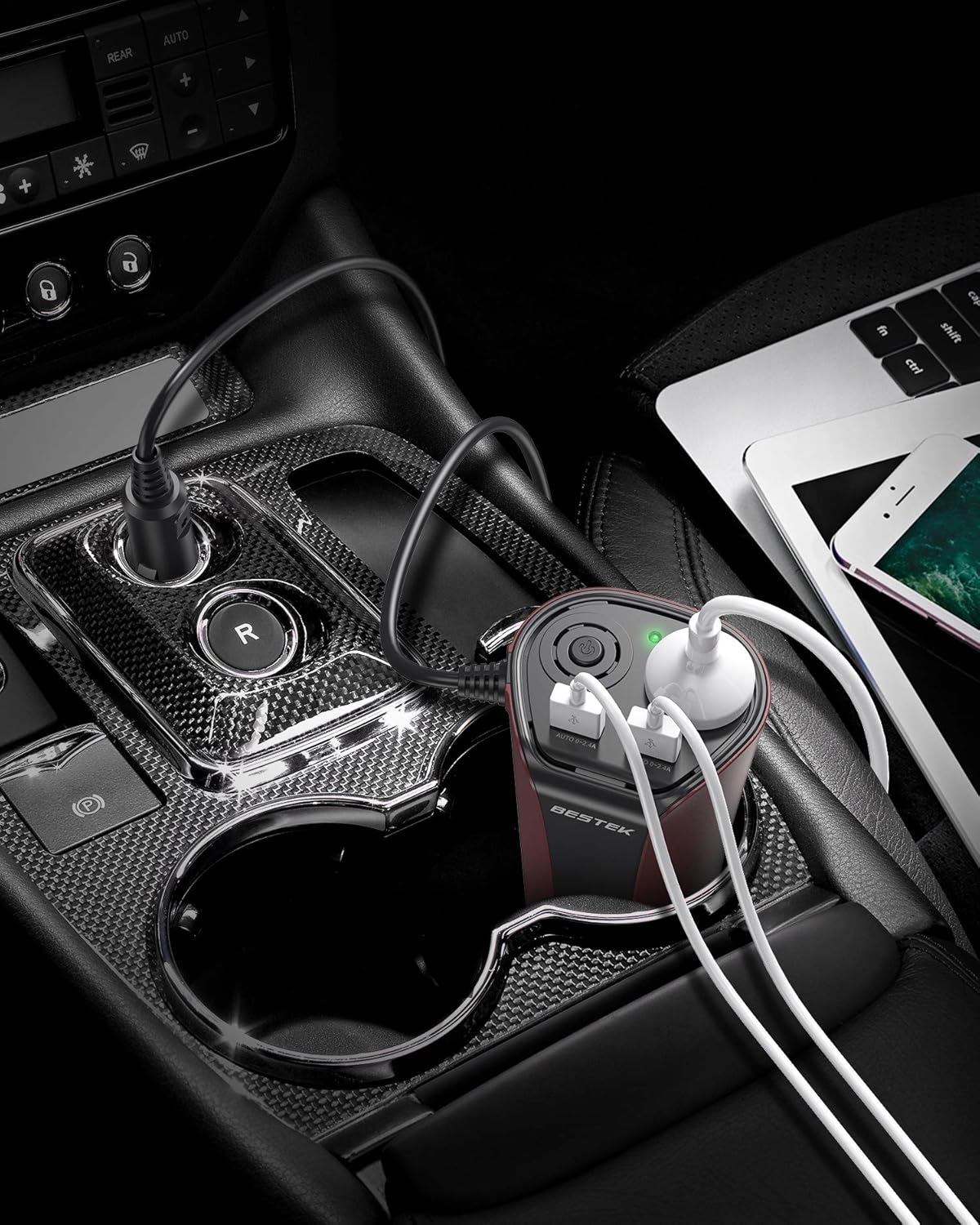
4.2. AC అవుట్లెట్లను ఉపయోగించడం
- Press the AC power switch to turn on the AC output.
- Plug your AC-powered device (e.g., laptop, small appliance) into the AC outlet. Ensure the device's power consumption does not exceed 150W.
- After use, turn off the AC power switch and unplug your device.
4.3. Using USB Ports
- Connect your USB charging cable to one of the two USB output ports on the inverter.
- Connect the other end of the cable to your USB-powered device (e.g., smartphone, tablet).
- పరికరం స్వయంచాలకంగా ఛార్జ్ అవ్వడం ప్రారంభమవుతుంది.

4.4. వీడియో ప్రదర్శన
Watch this short video to see the BESTEK 150W Car Inverter in use:
5. స్పెసిఫికేషన్లు
Detailed technical specifications for the BESTEK 150W Car Power Inverter MRI1510NU.
| ఫీచర్ | స్పెసిఫికేషన్ |
|---|---|
| బ్రాండ్ | బెస్టెక్ |
| మోడల్ సంఖ్య | MRI1510NU |
| శక్తి మూలం | బ్యాటరీ ఆధారితమైనది |
| వాట్tage | 150 W |
| రంగు | గోధుమ రంగు |
| చేర్చబడిన భాగాలు | ఇన్స్ట్రక్షన్ మాన్యువల్ |
| అవుట్లెట్ల సంఖ్య | 1 (AC) |
| ఇన్పుట్ వాల్యూమ్tage | 12 వోల్ట్లు (DC) |
| ధ్వని స్థాయి | 150 వాట్స్ |
| Standby Power Cutoff | 85% పైగా |
| అవుట్పుట్ వాల్యూమ్tage | 100 వోల్ట్లు (AC) |
| పీక్ అవుట్పుట్ పవర్ | 150 వాట్స్ |
| Electrical Output Waveform | స్క్వేర్ వేవ్ |
| ఫ్రీక్వెన్సీ | 55 Hz |
| ఉత్పత్తి బరువు | 262 గ్రాములు |
| తయారీదారు | బెస్టెక్ |
| వారంటీ | ఒక సంవత్సరం |
| మూలం దేశం | చైనా |

6. Important Notes and Warnings
- This product is designed for DC12V negative ground vehicles only. Do not use it with other voltage systems (e.g., DC24V) or positive ground vehicles.
- If using devices with a total power exceeding 150W, please use separate battery connection clips (not included) directly to the car battery.
- When connecting battery connection clips to the battery terminals, ensure correct polarity: connect (+) to (+) and (-) to (-). Reversing polarity can cause severe damage to the inverter and vehicle.
- Do not drive the car while the inverter is connected directly to the car battery using battery clips.
- Before inserting the inverter into the car's cigarette lighter socket, ensure the socket is clean and free of any debris.
- When charging an iPhone, always use a genuine charging cable to ensure compatibility and safety.
- Avoid exposing the inverter to direct sunlight, heat sources, or moisture.
- Do not disassemble or modify the inverter. This will void the warranty and may lead to safety hazards.
7. ట్రబుల్షూటింగ్
If you encounter issues with your BESTEK 150W Car Power Inverter, please refer to the following common problems and solutions:
- పవర్ లేదు/LED ఆఫ్:
- Check if the inverter is securely plugged into the cigarette lighter socket.
- వాహనం యొక్క ఇగ్నిషన్ ఆన్లో ఉందని నిర్ధారించుకోండి.
- Verify the car's cigarette lighter fuse is not blown.
- Check if the inverter's internal fuse (if accessible) is intact.
- AC అవుట్పుట్ పనిచేయడం లేదు:
- Ensure the AC power switch on the inverter is turned on.
- Check if the connected device's power consumption exceeds 150W.
- The inverter may have entered protection mode (overload, overheat, undervoltagఇ, ఓవర్ వోల్tage). Disconnect devices, turn off the inverter, wait a few minutes, and try again.
- USB ఛార్జింగ్ పనిచేయడం లేదు:
- Ensure the USB cable is properly connected to both the inverter and the device.
- Try a different USB cable or device to rule out cable/device issues.
- Inverter Overheating:
- Ensure the inverter's vents are not blocked and there is adequate airflow.
- Reduce the load by unplugging some devices.
- చల్లని వాతావరణంలో ఇన్వర్టర్ను ఆపరేట్ చేయండి.
If the problem persists after trying these steps, please contact BESTEK customer support.
8. నిర్వహణ
To ensure the longevity and optimal performance of your inverter, follow these maintenance guidelines:
- శుభ్రపరచడం: Regularly wipe the exterior of the inverter with a soft, dry cloth. Do not use abrasive cleaners or solvents.
- వెంటిలేషన్: వేడెక్కకుండా ఉండటానికి వెంటిలేషన్ ఓపెనింగ్లను దుమ్ము మరియు శిధిలాల నుండి స్పష్టంగా ఉంచండి.
- నిల్వ: When not in use, store the inverter in a cool, dry place away from direct sunlight and extreme temperatures.
- కేబుల్ కేర్: పవర్ కార్డ్ను ఎక్కువగా వంచడం లేదా ముడతలు పెట్టడం మానుకోండి.
9. వారంటీ మరియు మద్దతు
BESTEK provides a one-year warranty service for this product. In the unlikely event of a quality defect or if you require assistance, please contact BESTEK customer support. We are committed to providing sincere and dedicated support.
For support, please refer to the contact information provided with your purchase or visit the official BESTEK webసైట్.