
1. పరిచయం
Thank you for choosing the Ledwood Capella Wireless Bluetooth 5.2 Stereo Earphones. This manual provides essential information for the proper setup, operation, and maintenance of your new earphones. Please read it carefully before use and retain it for future reference.
ప్యాకేజీ విషయాలు:
- 1 x CAPELLA In-Ear Headphones
- 1 x ఛార్జింగ్ కేస్
- 1 x USB-C కేబుల్
- 2 x Pairs of Silicone Earbuds

Image: Ledwood Capella earphones and charging case. The white earphones are shown next to their matching white charging case, which has a USB-C port visible.
2. సెటప్
2.1 ఇయర్ఫోన్లు మరియు కేస్ను ఛార్జ్ చేయడం
మొదటిసారి ఉపయోగించే ముందు, ఛార్జింగ్ కేస్ మరియు ఇయర్ఫోన్లు రెండూ పూర్తిగా ఛార్జ్ అయ్యాయని నిర్ధారించుకోండి.
- Place the earphones into the charging case. Ensure they are correctly seated to make contact with the charging pins.
- Connect the provided USB-C cable to the charging port on the case and the other end to a USB power source (e.g., wall adapter, computer USB port).
- The LED indicator on the case will show the charging status. Once fully charged, the indicator will change or turn off.
- A full charge typically takes approximately 1 hour. The case provides up to 9 hours of total battery life (3 charges of 3 hours each for the earphones).
2.2 బ్లూటూత్ పరికరంతో జత చేయడం
To connect your Ledwood Capella earphones to your smartphone or other Bluetooth-enabled device:
- ఇయర్ఫోన్లు ఛార్జ్ అయ్యాయని నిర్ధారించుకోండి.
- Open the charging case. The earphones will automatically enter pairing mode, indicated by a flashing LED on the earphones.
- మీ పరికరంలో, బ్లూటూత్ సెట్టింగ్లకు వెళ్లి, బ్లూటూత్ని ప్రారంభించండి.
- కోసం వెతకండి available devices. You should see "Ledwood Capella" or a similar name appear in the list.
- Select "Ledwood Capella" to connect. Once connected, the LED indicator on the earphones will stop flashing.
- పరికరంలో బ్లూటూత్ ప్రారంభించబడితే, ఇయర్ఫోన్లను కేస్ నుండి బయటకు తీసినప్పుడు అవి చివరిగా జత చేసిన పరికరానికి స్వయంచాలకంగా తిరిగి కనెక్ట్ అవుతాయి.
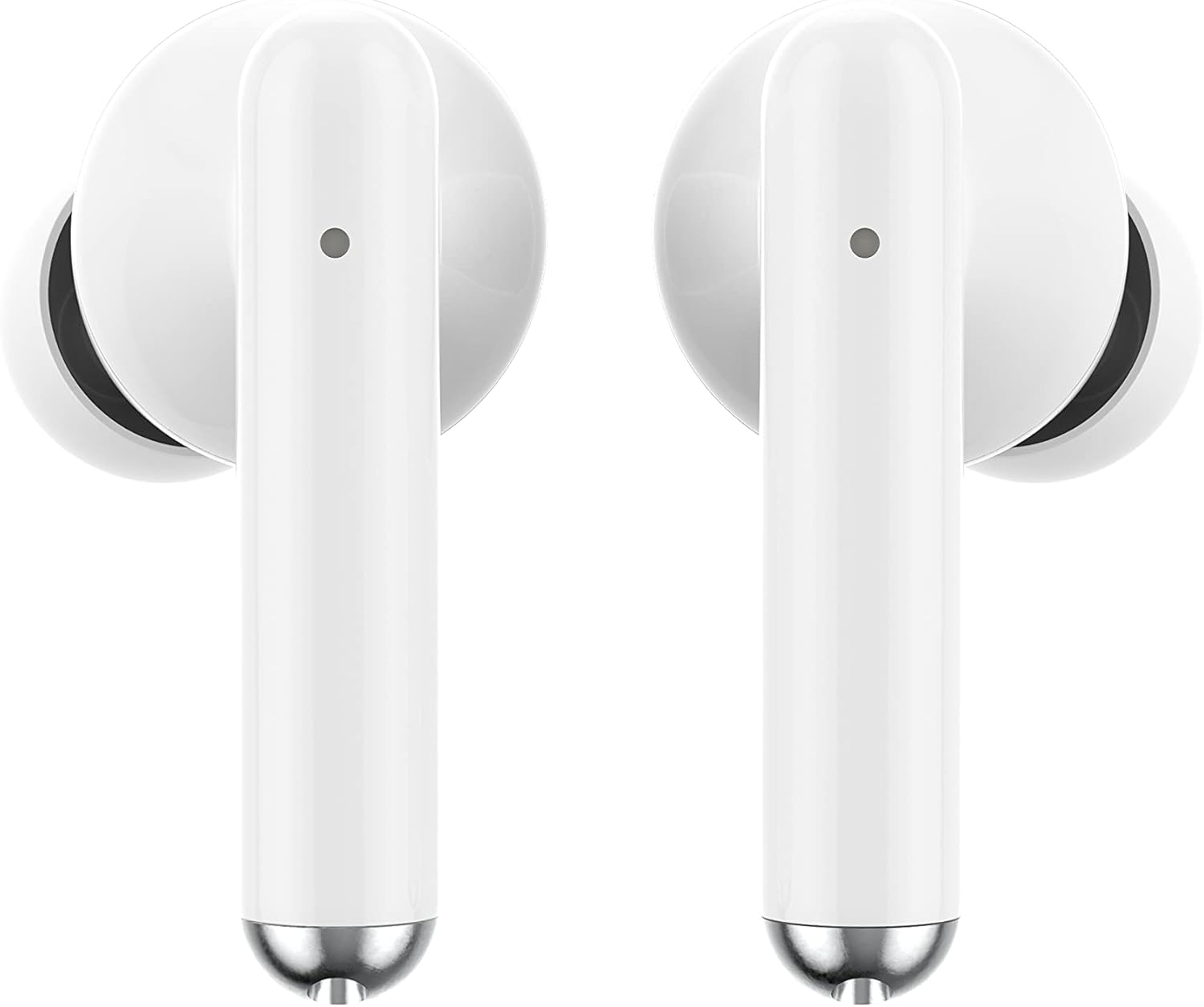
చిత్రం: క్లోజప్ view of the Ledwood Capella earphones. The white earbuds feature a sleek design with a small microphone hole visible on the stem.
3. ఇయర్ఫోన్లను ఆపరేట్ చేయడం
The Ledwood Capella earphones feature sensitive touch controls for easy management of your audio and calls.
3.1 టచ్ నియంత్రణలు
The touch-sensitive area is located on the outer surface of each earphone stem. Refer to the diagram below for typical touch control functions:
- సింగిల్ ట్యాప్: సంగీతాన్ని ప్లే చేయండి/పాజ్ చేయండి, కాల్కు సమాధానం ఇవ్వండి/ముగించండి.
- Double Tap (Left Earphone): మునుపటి ట్రాక్.
- Double Tap (Right Earphone): తదుపరి ట్రాక్.
- Triple Tap (Left Earphone): వాల్యూమ్ తగ్గించండి.
- Triple Tap (Right Earphone): వాల్యూమ్ పెంచండి.
- లాంగ్ ప్రెస్ (2 సెకన్లు): Activate Voice Assistant, Reject call.
3.2 వాయిస్ అసిస్టెంట్
The Capella earphones are compatible with major voice assistants (e.g., Siri, Google Assistant). To activate your device's voice assistant, perform a long press (2 seconds) on either earphone's touch control area. You can then issue commands through the earphone's microphone.
3.3 Super Bass Technology
The earphones are equipped with Super Bass technology, utilizing highly flexible polymer membranes to reproduce deep and rich bass sounds for an enhanced audio experience.
4. నిర్వహణ
4.1 శుభ్రపరచడం
సరైన పనితీరు మరియు పరిశుభ్రతను నిర్వహించడానికి:
- ఇయర్ఫోన్లు మరియు ఛార్జింగ్ కేసును మృదువైన, పొడి, మెత్తటి రహిత వస్త్రంతో క్రమం తప్పకుండా శుభ్రం చేయండి.
- రాపిడి క్లీనర్లు, ఆల్కహాల్ లేదా రసాయన ద్రావకాలను ఉపయోగించవద్దు.
- చెవి చివరలు మరియు స్పీకర్ మెష్ నుండి ఏదైనా ఇయర్వాక్స్ లేదా చెత్తను చిన్న, మృదువైన బ్రష్ లేదా కాటన్ శుభ్రముపరచు ఉపయోగించి సున్నితంగా తొలగించండి.
- Ensure the charging contacts on both the earphones and case are clean and dry.
4.2 నిల్వ
ఉపయోగంలో లేనప్పుడు, ఇయర్ఫోన్లను దుమ్ము, నష్టం నుండి రక్షించడానికి మరియు వాటిని ఛార్జ్లో ఉంచడానికి వాటి ఛార్జింగ్ కేసులో నిల్వ చేయండి.
5. ట్రబుల్షూటింగ్
If you encounter issues with your Ledwood Capella earphones, try the following solutions:
- ఇయర్ఫోన్లు జత కావడం లేదు:
- రెండు ఇయర్ఫోన్లు ఛార్జ్ అయ్యాయని నిర్ధారించుకోండి.
- మీ పరికరం యొక్క బ్లూటూత్ను ఆఫ్ చేసి ఆన్ చేయండి.
- Forget "Ledwood Capella" from your device's Bluetooth list and attempt to pair again.
- Place earphones back in the case, close it, wait a few seconds, then open it again to re-enter pairing mode.
- శబ్దం లేదు లేదా తక్కువ వాల్యూమ్:
- మీ పరికరం మరియు ఇయర్ఫోన్లు రెండింటిలోనూ వాల్యూమ్ స్థాయిని తనిఖీ చేయండి.
- మీ చెవుల్లో ఇయర్ఫోన్లు సరిగ్గా అమర్చబడ్డాయని నిర్ధారించుకోండి.
- ఇయర్ఫోన్ స్పీకర్ మెష్ నుండి ఏదైనా చెత్తను శుభ్రం చేయండి.
- ఛార్జింగ్ సమస్యలు:
- USB-C కేబుల్ కేస్ మరియు పవర్ సోర్స్ రెండింటికీ సురక్షితంగా కనెక్ట్ చేయబడిందని ధృవీకరించండి.
- వేరే USB-C కేబుల్ లేదా పవర్ అడాప్టర్ని ప్రయత్నించండి.
- Ensure charging contacts on earphones and case are clean.
- Earphones disconnecting frequently:
- మీరు మీ పరికరం యొక్క 10 మీటర్ల బ్లూటూత్ పరిధిలో ఉన్నారని నిర్ధారించుకోండి.
- ఇయర్ఫోన్లు మరియు మీ పరికరం మధ్య సిగ్నల్కు అంతరాయం కలిగించే అడ్డంకులను నివారించండి.
- సమీపంలో జోక్యం కలిగించే ఇతర బలమైన వైర్లెస్ సిగ్నల్లు లేవని నిర్ధారించుకోండి.
6. స్పెసిఫికేషన్లు
| ఫీచర్ | స్పెసిఫికేషన్ |
|---|---|
| మోడల్ పేరు | కాపెల్లా |
| మోడల్ సంఖ్య | LD-T06 |
| వైర్లెస్ కమ్యూనికేషన్ | బ్లూటూత్ 5.2 |
| పరిధి | 10 మీటర్ వరకు |
| బ్యాటరీ లైఫ్ (ఇయర్ఫోన్లు) | సుమారు ఛార్జీకి 3 గంటలు |
| బ్యాటరీ లైఫ్ (ఛార్జింగ్ కేస్తో) | Up to 9 hours (3 x 3 hours) |
| ఛార్జింగ్ సమయం | సుమారు 1 గంట |
| ఛార్జింగ్ రకం | USB-C |
| వాయిస్ కంట్రోల్ | అవును |
| సున్నితమైన స్పర్శ | అవును |
| మెటీరియల్ | సిలికాన్ (చెవి చిట్కాలు) |
7. వారంటీ మరియు మద్దతు
7.1 వారంటీ సమాచారం
Your Ledwood Capella earphones are covered by a manufacturer's warranty against defects in materials and workmanship. Please refer to the warranty card included in your package or contact your retailer for specific warranty terms and conditions.
7.2 కస్టమర్ మద్దతు
For further assistance, technical support, or inquiries regarding your Ledwood Capella earphones, please contact the retailer where you purchased the product or visit the official Ledwood webమద్దతు సంప్రదింపు సమాచారం కోసం సైట్.