
1. పరిచయం
This manual provides detailed instructions for the proper use, setup, and maintenance of your cellularline Key In-Ear True Wireless Earbuds. Please read this manual thoroughly before using the product to ensure optimal performance and longevity.
2. ప్యాకేజీ విషయాలు
- cellularline Key In-Ear True Wireless Earbuds (Left and Right)
- LED డిస్ప్లేతో ఛార్జింగ్ కేస్
- USB-C ఛార్జింగ్ కేబుల్
- వినియోగదారు మాన్యువల్
3. ఉత్పత్తి ముగిసిందిview
The cellularline Key In-Ear True Wireless Earbuds offer a compact design with intuitive touch controls and a convenient LED display charging case.

మూర్తి 3.1: The cellularline Key In-Ear True Wireless Earbuds resting in their charging case.

మూర్తి 3.2: The charging case features an LED display that indicates the current battery level.

మూర్తి 3.3: The compact and lightweight design of the charging case allows for easy portability.
4. ఇయర్బడ్లు మరియు కేస్ను ఛార్జ్ చేయడం
To ensure optimal performance, fully charge your earbuds and charging case before first use.
4.1. ఇయర్బడ్లను ఛార్జ్ చేయడం
- ఛార్జింగ్ కేస్లో ఇయర్బడ్లను వాటి సంబంధిత స్లాట్లలో ఉంచండి.
- Ensure the charging case has sufficient power. The earbuds will begin charging automatically.
4.2. ఛార్జింగ్ కేసును వసూలు చేయడం
- అందించిన USB-C ఛార్జింగ్ కేబుల్ను కేస్లోని ఛార్జింగ్ పోర్ట్కు కనెక్ట్ చేయండి.
- USB-C కేబుల్ యొక్క మరొక చివరను అనుకూలమైన USB పవర్ సోర్స్కి (ఉదా. వాల్ అడాప్టర్, కంప్యూటర్ USB పోర్ట్) కనెక్ట్ చేయండి.
- The LED display on the case will show the current charge level. A full charge takes approximately 4 hours.
The earbuds provide up to 4 hours of continuous playback on a single charge, with an additional 12 hours of playtime available from the fully charged case, totaling 16 hours of battery life.
5. సెటప్ మరియు జత చేయడం
Follow these steps to pair your cellularline Key Earbuds with your device.
5.1. ప్రారంభ జత చేయడం
- మీ ఇయర్బడ్లు ఛార్జ్ అయ్యాయని నిర్ధారించుకోండి.
- ఛార్జింగ్ కేస్ను తెరవండి. ఇయర్బడ్లు ఆటోమేటిక్గా పవర్ ఆన్ అయి, జత చేసే మోడ్లోకి ప్రవేశిస్తాయి.
- మీ స్మార్ట్ఫోన్ లేదా బ్లూటూత్-ప్రారంభించబడిన పరికరంలో, బ్లూటూత్ సెట్టింగ్లకు నావిగేట్ చేయండి.
- కోసం వెతకండి available devices and select "cellularline Key" from the list.
- కనెక్ట్ అయిన తర్వాత, మీరు వినగల నిర్ధారణను వింటారు మరియు ఇయర్బడ్లు ఉపయోగం కోసం సిద్ధంగా ఉంటాయి.
5.2. ఆటోమేటిక్ రీకనెక్షన్
After initial pairing, the earbuds will automatically connect to the last paired device when removed from the charging case, provided Bluetooth is enabled on the device.

మూర్తి 5.1: The earbuds are designed for seamless wireless connection with your smartphone for music and calls.
6. ఆపరేటింగ్ సూచనలు
The cellularline Key Earbuds feature intuitive touch controls for managing calls, music, and volume.
6.1. టచ్ నియంత్రణలు
| ఫంక్షన్ | చర్య |
|---|---|
| సంగీతాన్ని ప్లే/పాజ్ చేయండి | ఇయర్బడ్పై ఒక్కసారి నొక్కండి |
| తదుపరి ట్రాక్ | కుడి ఇయర్బడ్పై రెండుసార్లు నొక్కండి |
| మునుపటి ట్రాక్ | ఎడమ ఇయర్బడ్పై రెండుసార్లు నొక్కండి |
| సమాధానం/కాల్ ముగించు | ఇయర్బడ్పై ఒక్కసారి నొక్కండి |
| కాల్ని తిరస్కరించండి | ఇయర్బడ్ని 2 సెకన్ల పాటు నొక్కి, పట్టుకోండి |
| వాయిస్ అసిస్టెంట్ని యాక్టివేట్ చేయండి | Triple tap on either earbud (functionality may vary by device) |
6.2. Double Master Function
The earbuds support a double master function, allowing you to use either the left or right earbud independently for calls or music playback. This provides flexibility and convenience.
7. నిర్వహణ మరియు సంరక్షణ
సరైన జాగ్రత్త మీ ఇయర్బడ్ల జీవితకాలాన్ని పొడిగిస్తుంది.
- ఇయర్బడ్లు మరియు ఛార్జింగ్ కేసును శుభ్రంగా మరియు పొడిగా ఉంచండి.
- Use a soft, dry cloth to wipe the surfaces. Avoid using abrasive cleaners or solvents.
- ఇయర్బడ్లను రక్షించడానికి మరియు వాటిని ఛార్జ్లో ఉంచడానికి ఉపయోగంలో లేనప్పుడు వాటి ఛార్జింగ్ కేస్లో నిల్వ చేయండి.
- తీవ్రమైన ఉష్ణోగ్రతలు మరియు ప్రత్యక్ష సూర్యకాంతి నివారించండి.
- Do not attempt to disassemble the product, as this will void the warranty.
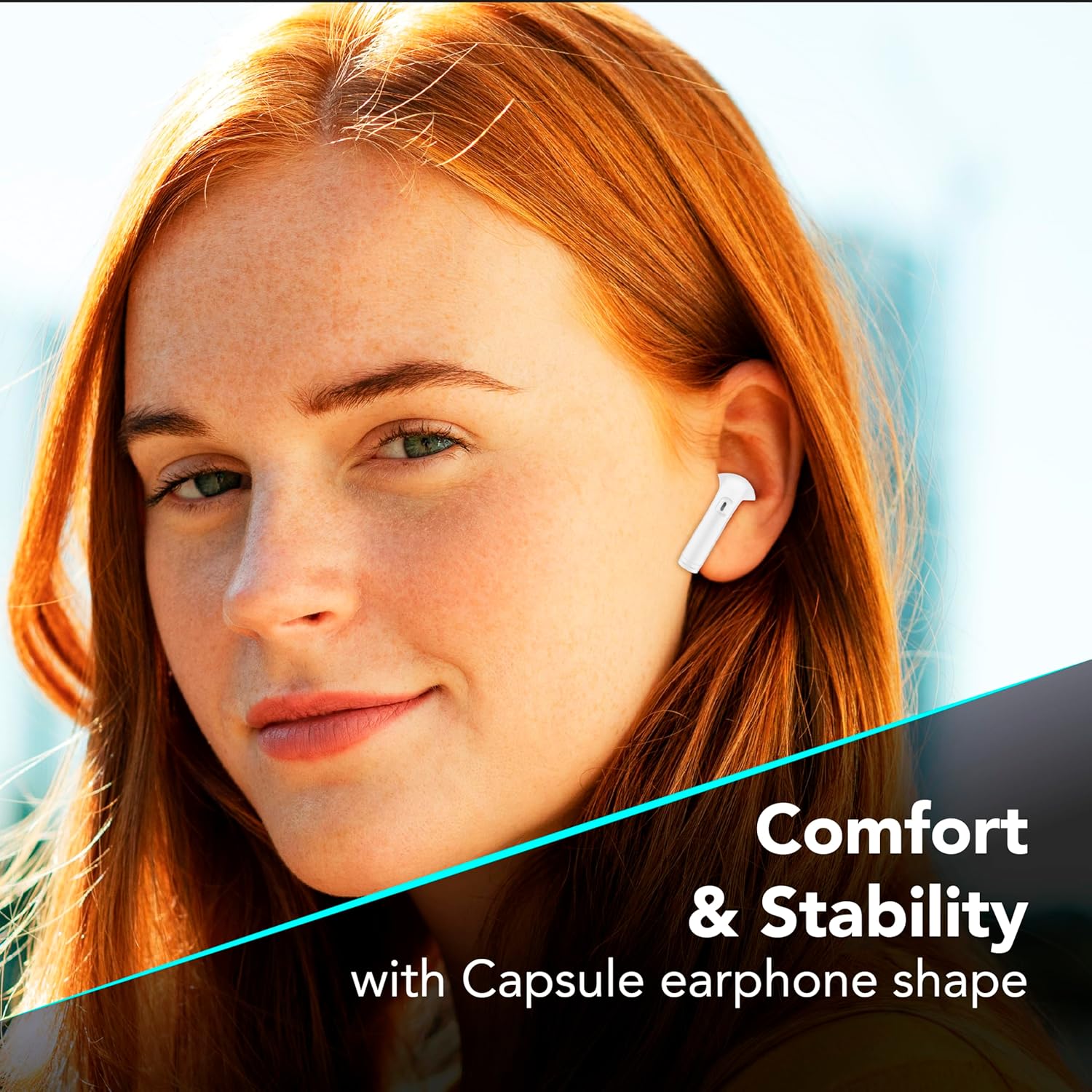
మూర్తి 7.1: The in-ear design provides a comfortable and stable fit for extended wear.
8. ట్రబుల్షూటింగ్
If you encounter issues with your earbuds, refer to the following common solutions.
| సమస్య | సాధ్యమైన పరిష్కారం |
|---|---|
| ఇయర్బడ్లు జత చేయడం లేదు |
|
| ఒక ఇయర్బడ్ నుండి శబ్దం లేదు |
|
| ఛార్జింగ్ కేసు ఛార్జింగ్ కాదు |
|
| టచ్ కంట్రోల్లు స్పందించడం లేదు |
|
9. స్పెసిఫికేషన్లు
| ఫీచర్ | వివరాలు |
|---|---|
| మోడల్ సంఖ్య | BTKEYTWSW |
| కనెక్టివిటీ | బ్లూటూత్ 5 |
| ఇయర్బడ్ బ్యాటరీ లైఫ్ | 4 గంటల వరకు (ఒకసారి ఛార్జ్ చేస్తే) |
| మొత్తం ప్లేటైమ్ (కేస్తో సహా) | 16 గంటల వరకు |
| ఛార్జింగ్ సమయం (కేస్) | సుమారు 4 గంటలు |
| ఛార్జింగ్ పోర్ట్ | USB-C |
| మెటీరియల్ | ప్లాస్టిక్ |
| ప్రత్యేక లక్షణాలు | True Wireless, Touch Control, LED Display Charging Case, Double Master Function |
10. వారంటీ మరియు మద్దతు
Your cellularline Key In-Ear True Wireless Earbuds are covered by a standard manufacturer's warranty. For specific warranty details, please refer to the warranty card included in your product packaging or visit the official cellularline webసైట్.
For technical support, troubleshooting assistance beyond this manual, or warranty claims, please contact cellularline customer service through their official channels.