
1. పరిచయం
Thank you for choosing the Syntex 32-inch LED HD TV Model 32S610. This manual provides essential information for the safe and efficient use of your new television. Please read these instructions thoroughly before operating the device and retain them for future reference.
2. భద్రతా సమాచారం
అగ్ని ప్రమాదం, విద్యుత్ షాక్ మరియు గాయం ప్రమాదాన్ని తగ్గించడానికి ఈ టెలివిజన్ను ఉపయోగిస్తున్నప్పుడు ఎల్లప్పుడూ ప్రాథమిక భద్రతా జాగ్రత్తలను అనుసరించండి.
- వర్షం లేదా తేమకు టీవీని బహిర్గతం చేయవద్దు.
- వెంటిలేషన్ ఓపెనింగ్స్ను నిరోధించవద్దు.
- పవర్ కార్డ్ పించ్ చేయబడలేదని లేదా నడవలేదని నిర్ధారించుకోండి.
- మెరుపు తుఫానుల సమయంలో లేదా ఎక్కువసేపు ఉపయోగించనప్పుడు టీవీని అన్ప్లగ్ చేయండి.
- అన్ని సేవలను అర్హత కలిగిన సేవా సిబ్బందికి సూచించండి.
3. ప్యాకేజీ విషయాలు
అన్ని వస్తువులు ప్యాకేజీలో చేర్చబడ్డాయని నిర్ధారించుకోండి:
- Syntex 32-inch LED HD TV (Model 32S610)
- రిమోట్ కంట్రోల్
- రిమోట్ కంట్రోల్ కోసం బ్యాటరీలు
- టీవీ స్టాండ్ (బేస్ మరియు స్క్రూలు)
- వినియోగదారు మాన్యువల్ (ఈ పత్రం)
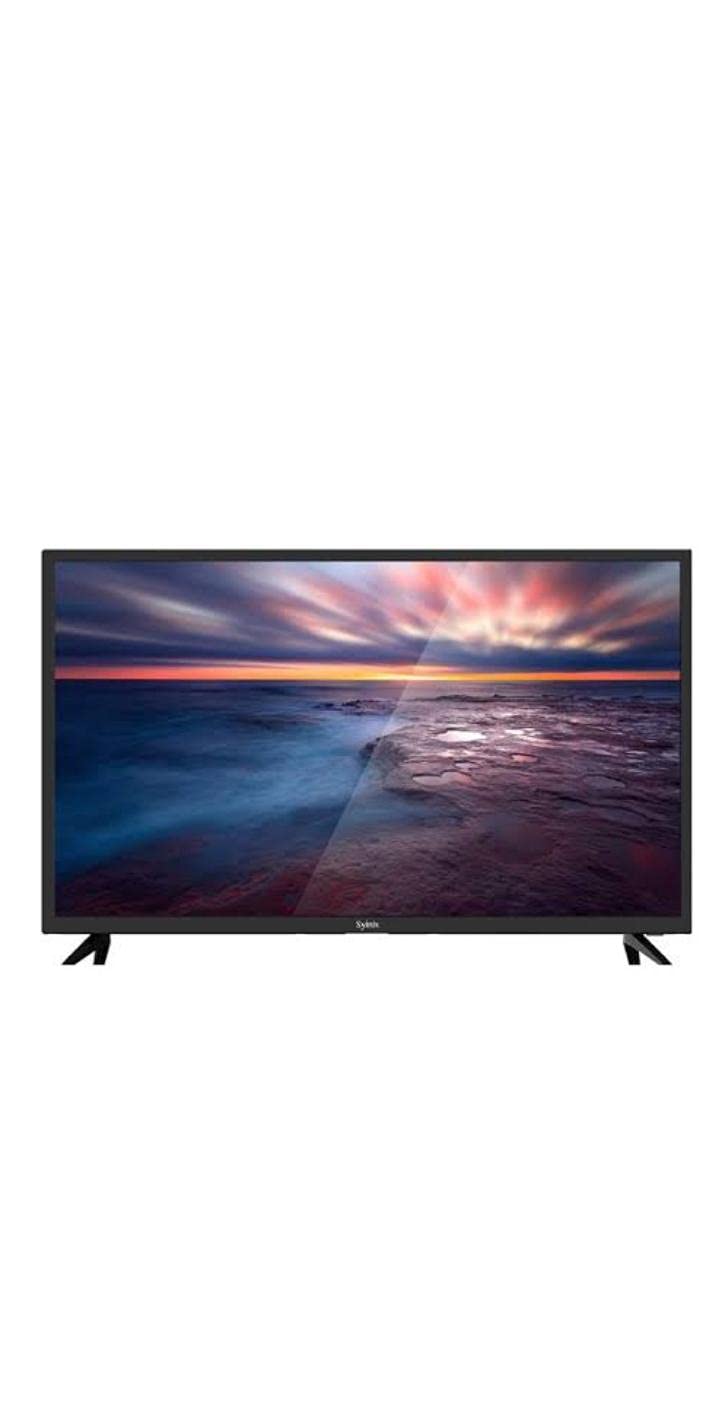
Image 3.1: Syntex 32-inch LED HD TV with included accessories.
4. ఉత్పత్తి లక్షణాలు
The Syntex 32S610 TV offers the following key features:
- 32-inch LED Display
- HD Resolution (1366x768 pixels)
- Built-in Digital Receiver (ATSC Tuner Technology)
- Multiple Connectivity Options (HDMI, USB)
- ఇంటిగ్రేటెడ్ స్పీకర్లు
- రిమోట్ కంట్రోల్ ఆపరేషన్
5. సెటప్
5.1 స్టాండ్ అటాచ్ చేయడం
- స్క్రీన్ దెబ్బతినకుండా ఉండటానికి టీవీని ముఖం కిందకి మృదువైన, శుభ్రమైన ఉపరితలంపై జాగ్రత్తగా ఉంచండి.
- టీవీ అడుగున ఉన్న మౌంటు రంధ్రాలతో స్టాండ్ బేస్ను సమలేఖనం చేయండి.
- అందించిన స్క్రూలను ఉపయోగించి స్టాండ్ను భద్రపరచండి. ఎక్కువగా బిగించవద్దు.
- టీవీని స్థిరమైన, స్థాయి ఉపరితలంపై ఉంచండి.
5.2 కనెక్ట్ చేసే పరికరాలు
Ensure the TV is unplugged before making any connections.
- శక్తి: పవర్ కార్డ్ను టీవీ పవర్ ఇన్పుట్కి మరియు తరువాత వాల్ అవుట్లెట్కి కనెక్ట్ చేయండి.
- HDMI: For high-definition devices (e.g., Blu-ray player, game console), connect an HDMI cable from the device to an HDMI port on the TV.
- USB: మీడియా ప్లేబ్యాక్ కోసం USB పోర్ట్లోకి USB నిల్వ పరికరాలను చొప్పించండి.
- యాంటెన్నా/కేబుల్: Connect an antenna or cable TV feed to the ANT/CABLE input for over-the-air or cable channels.
5.3 ప్రారంభ పవర్ ఆన్
- టీవీని పవర్ అవుట్లెట్లోకి ప్లగ్ చేయండి.
- రిమోట్ కంట్రోల్ లేదా టీవీలో పవర్ బటన్ను నొక్కండి.
- Follow the on-screen instructions to select your language, country, and perform an automatic channel scan for the built-in receiver.
6. ఆపరేటింగ్ సూచనలు
6.1 రిమోట్ కంట్రోల్ ఓవర్view
The remote control allows you to access all TV functions. Insert the provided batteries, ensuring correct polarity.
6.2 ప్రాథమిక విధులు
- శక్తి: టీవీని ఆన్ లేదా ఆఫ్ చేస్తుంది.
- వాల్యూమ్ (+/-): ధ్వని స్థాయిని సర్దుబాటు చేస్తుంది.
- ఛానల్ (CH +/-): టీవీ ఛానెల్ని మారుస్తుంది.
- మ్యూట్: Silences the TV sound.
- ఇన్పుట్/మూలం: ఇన్పుట్ మూలాన్ని (HDMI, USB, TV) ఎంచుకుంటుంది.
6.3 మెనూ నావిగేషన్
నొక్కండి మెనూ button on the remote to access the main menu. Use the arrow keys to navigate through options and సరే/నమోదు చేయండి ఎంపికలను నిర్ధారించడానికి. నొక్కండి EXIT/BACK to return to the previous menu or exit the menu entirely.
6.4 Built-in Receiver (Channel Scan)
If you did not perform a channel scan during initial setup, or if you connect a new antenna, you can do so via the menu:
- నొక్కండి మెనూ రిమోట్లో.
- Navigate to the 'Channel' or 'Setup' section.
- Select 'Auto Scan' or 'Channel Search'.
- Confirm to start the scan. This may take several minutes.
7. నిర్వహణ
7.1 టీవీని శుభ్రపరచడం
శుభ్రం చేసే ముందు టీవీని ఎల్లప్పుడూ అన్ప్లగ్ చేయండి.
- స్క్రీన్: స్క్రీన్ను మృదువైన, మెత్తటి బట్టతో సున్నితంగా తుడవండి. మొండి మరకల కోసం, టీవీల కోసం ప్రత్యేకంగా రూపొందించిన స్క్రీన్ క్లీనర్ను ఉపయోగించండి, నేరుగా స్క్రీన్కు కాకుండా వస్త్రానికి వర్తించండి.
- కేబినెట్: Wipe the cabinet and stand with a soft, dry cloth. Do not use abrasive cleaners or solvents.
7.2 నిల్వ
If storing the TV for an extended period, unplug it, remove batteries from the remote, and cover it to protect from dust. Store in a cool, dry place.
8. ట్రబుల్షూటింగ్
మద్దతును సంప్రదించే ముందు, ఈ సాధారణ పరిష్కారాలను ప్రయత్నించండి:
| సమస్య | సాధ్యమైన పరిష్కారం |
|---|---|
| శక్తి లేదు | Check power cord connection. Ensure outlet is working. Try pressing power button on TV itself. |
| చిత్రం లేదు, కానీ ధ్వని ఉంది | Check input source selection. Ensure external device is powered on and connected correctly. |
| శబ్దం లేదు, కానీ చిత్రం ఉంది | Check volume level. Ensure TV is not muted. Check audio settings. |
| రిమోట్ కంట్రోల్ పనిచేయడం లేదు | బ్యాటరీలను మార్చండి. రిమోట్ మరియు టీవీ మధ్య ఎటువంటి అడ్డంకులు లేకుండా చూసుకోండి. |
| Cannot find channels | Ensure antenna is connected. Perform a channel auto-scan. |
9. స్పెసిఫికేషన్లు
| మోడల్ సంఖ్య | 32S610 |
| స్క్రీన్ పరిమాణం | 32 అంగుళాలు |
| ప్రదర్శన రకం | LED |
| రిజల్యూషన్ | 1366 x 768 (HD) |
| కారక నిష్పత్తి | 16:9 (1.77:1) |
| ట్యూనర్ టెక్నాలజీ | ATSC (Built-in Receiver) |
| కనెక్టివిటీ | HDMI, USB |
| ఆడియో | అంతర్నిర్మిత స్పీకర్లు |
| రంగు | నలుపు |
| మౌంటు రకం | టాబ్లెట్ టాప్ |
10. వారంటీ మరియు మద్దతు
For warranty information, please refer to the warranty card included with your product or contact your local Syntex dealer. Keep your purchase receipt as proof of purchase.
For technical support or service inquiries, please contact Syntex customer service through the contact information provided on the official Syntex website or your regional support channels.