
1. పరిచయం
This manual provides essential instructions for the installation, operation, and maintenance of your TODAAIR PTZ Baby Monitor and Home Security Camera (Model CA01). This camera is designed to provide 1080P HD video surveillance with advanced features such as night vision, motion detection, two-way audio, and compatibility with smart home systems like Amazon Alexa and Google Home. Please read this manual thoroughly before using the product to ensure proper setup and functionality.
2. ఉత్పత్తి ముగిసిందిview
2.1 ప్యాకేజీ విషయాలు
- TODAAIR PTZ Baby Monitor and Home Security Camera (Model CA01)
- పవర్ అడాప్టర్
- Mounting Accessories (Screws, Wall Plugs)
- వినియోగదారు మాన్యువల్
2.2 ముఖ్య లక్షణాలు
- 1080P HD Vision: Provides clear 1080P HD image and video recording for detailed monitoring.
- పాన్-టిల్ట్-జూమ్ (PTZ) కార్యాచరణ: Features 355° horizontal and 70° vertical tilt range for comprehensive area coverage.
- క్లియర్ నైట్ విజన్: Enhanced lens combined with infrared technology allows for clear black and white images in dark conditions, up to 5 meters.
- మోషన్ డిటెక్షన్ అలారం: Real-time motion detection sends notifications to your smartphone when activity is detected.
- రెండు-మార్గం ఆడియో: Built-in microphone and speaker enable two-way communication.
- స్మార్ట్ హోమ్ అనుకూలత: Works with Amazon Alexa and Google Home for voice control and integration.
- Cloud & Local Storage: Supports USA Server Cloud Storage and up to 128GB TF card for video data and images.
2.3 ఉత్పత్తి రేఖాచిత్రం
Below is an illustration of the TODAAIR PTZ Camera with its main features highlighted.


3. సెటప్
3.1 ప్రారంభ కెమెరా సెటప్
- అనువర్తనాన్ని డౌన్లోడ్ చేయండి: కోసం వెతకండి the "Tuya Smart" app (or "Smart Life" as mentioned in the Alexa video) on the Apple App Store or Google Play Store and install it on your smartphone.
- పవర్ ఆన్: Connect the camera to a power source using the provided adapter. Wait for the camera to power on and enter pairing mode (usually indicated by a flashing LED).
- నమోదు/లాగిన్: Open the app, register a new account, or log in if you already have one.
- పరికరాన్ని జోడించండి: In the app, follow the on-screen instructions to add a new device. This typically involves scanning a QR code on the camera or selecting the camera type manually and connecting to your Wi-Fi network. Ensure your Wi-Fi network is 2.4GHz.
3.2 భౌతిక సంస్థాపన
The TODAAIR PTZ Camera can be placed on a flat surface or mounted to a wall. Use the provided mounting accessories for wall installation. Ensure the camera is placed in a location that provides the desired viewకోణం మరియు మీ Wi-Fi నెట్వర్క్ పరిధిలో ఉంది.
3.3 Smart Assistant Integration (Alexa & Google Home)
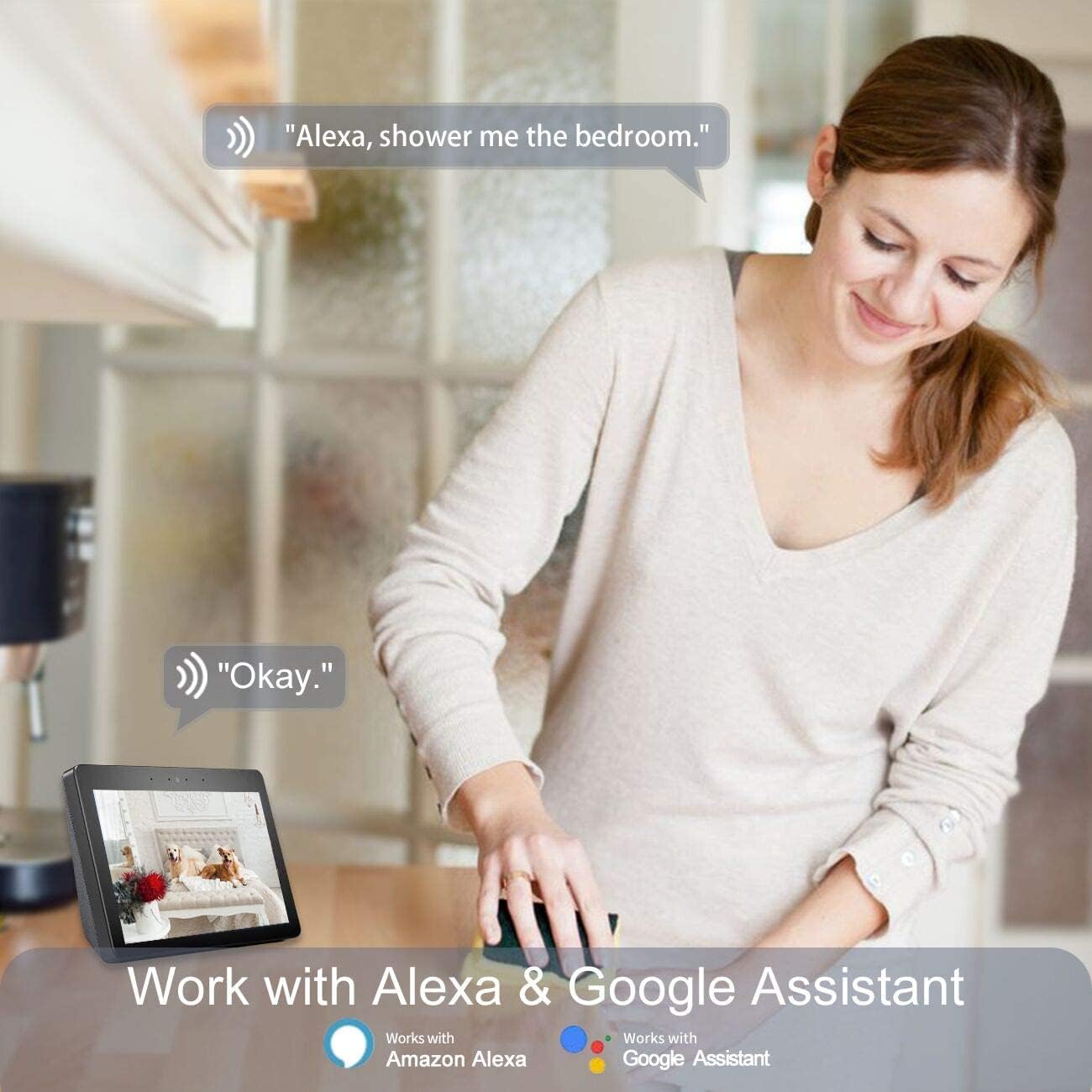
The TODAAIR PTZ Camera is compatible with Amazon Alexa and Google Home, allowing for voice control and integration into your smart home ecosystem. Follow the steps below to link your camera with Alexa:
- అలెక్సా యాప్ను డౌన్లోడ్ చేసుకోండి: Install the Amazon Alexa app from your device's app store.
- లాగిన్/రిజిస్టర్: Register or log in to your Amazon account within the Alexa app.
- యాక్సెస్ సెట్టింగ్లు: From the Alexa app homepage, click the menu button (usually three horizontal lines) in the upper left corner, then select "Settings".
- కొత్త పరికరాన్ని సెటప్ చేయండి: In Settings, select "SET UP A NEW DEVICE". Choose your Echo device type and language.
- Connect to Echo Hotspot: Follow the app's prompts to connect your phone to the Echo device's hotspot. Ensure the Echo's indicator light is orange and rotating during this process. If not, press and hold the button on the Echo to reset it.
- Connect Echo to Wi-Fi: Once connected to the Echo hotspot, the Alexa app will guide you to connect your Echo to your home Wi-Fi network. Select your network and enter the password.
- Enable Tuya Smart Skill: Go back to the Alexa app homepage, open the menu, and select "Skills". In the search box, type "Tuya Smart" and select the skill. Click "Enable Skill".
- లింక్ ఖాతాలు: A dialog box will appear asking for your Tuya Smart app account credentials. Enter your account and password to link the accounts.
- పరికరాలను కనుగొనండి: Once accounts are linked, say "Alexa, discover devices" to your Echo. Alexa will automatically find and add your TODAAIR camera.
- Rename Devices (Optional): For easier voice control, it is advised to change your device name in the Tuya Smart app to English before connecting to Echo. For example, you can name your camera "Baby Camera" or "Living Room Camera".
You can also integrate with Google Home by enabling the Tuya Smart skill within the Google Home app and linking your accounts.
4. ఆపరేటింగ్ సూచనలు
4.1 ప్రత్యక్ష ప్రసారం View మరియు PTZ నియంత్రణ
- Open the Tuya Smart app and select your camera from the device list.
- ప్రత్యక్ష వీడియో ఫీడ్ కనిపిస్తుంది.
- Use the on-screen controls to pan (rotate horizontally 355°) and tilt (rotate vertically 70°) the camera to adjust the viewing కోణం.
- Digital zoom may be available through pinch-to-zoom gestures on the live feed.

4.2 టూ-వే ఆడియో
- కాగా viewing the live feed, tap the microphone icon to speak through the camera's speaker.
- Tap the speaker icon to listen to audio from the camera's environment.

4.3 మోషన్ డిటెక్షన్ మరియు హెచ్చరికలు
- In the app, navigate to the camera settings to enable motion detection.
- Adjust sensitivity levels as needed to minimize false alarms.
- When motion is detected, the camera will record a short video clip and send a notification to your smartphone.

౪.౧.౧౦ నైట్ విజన్
- తక్కువ కాంతి ఉన్న పరిస్థితుల్లో కెమెరా స్వయంచాలకంగా నైట్ విజన్ మోడ్కి మారుతుంది.
- Night vision provides clear black and white video up to 5 meters without infrared light pollution.


4.5 వీడియో నిల్వ
- క్లౌడ్ నిల్వ: The camera supports cloud storage via USA servers for recorded video data and images. Refer to the app for subscription details.
- స్థానిక నిల్వ: Insert a Micro SD (TF) card (up to 128GB, not included) into the camera's slot for local video recording.
5. నిర్వహణ
- శుభ్రపరచడం: కెమెరా లెన్స్ మరియు బాడీని శుభ్రం చేయడానికి మృదువైన, పొడి వస్త్రాన్ని ఉపయోగించండి. కఠినమైన రసాయనాలు లేదా రాపిడి క్లీనర్లను ఉపయోగించడం మానుకోండి.
- ఫర్మ్వేర్ నవీకరణలు: Regularly check the Tuya Smart app for available firmware updates to ensure optimal performance and security.
- Secure Your Account: Use strong, unique passwords for your app and smart assistant accounts. Enable two-factor authentication if available.
- పవర్ సైకిల్: కెమెరాలో సమస్యలు ఎదురైతే, దానిని పవర్ సోర్స్ నుండి 10 సెకన్ల పాటు అన్ప్లగ్ చేసి, ఆపై తిరిగి ప్లగ్ ఇన్ చేయడానికి ప్రయత్నించండి.
6. ట్రబుల్షూటింగ్
| సమస్య | సాధ్యమైన కారణం | పరిష్కారం |
|---|---|---|
| కెమెరా Wi-Fi కి కనెక్ట్ అవ్వడంలో విఫలమైంది | Incorrect Wi-Fi password; 5GHz Wi-Fi network; camera too far from router; network congestion. | Ensure correct 2.4GHz Wi-Fi password. Move camera closer to router. Restart router. |
| పేలవమైన వీడియో నాణ్యత | Insufficient bandwidth; dirty lens; low light conditions. | Check internet speed. Clean the camera lens. Ensure adequate lighting or rely on night vision. |
| మోషన్ డిటెక్షన్ పనిచేయడం లేదు లేదా చాలా సున్నితంగా ఉంది | Settings not configured correctly; environmental factors. | Adjust motion detection sensitivity in the app. Ensure detection zones are set correctly. |
| రెండు-వైపుల ఆడియో సమస్యలు | Microphone/speaker muted; app permissions; network delay. | Check app audio settings and phone permissions. Ensure stable internet connection. |
| Alexa/Google Home integration failure | Incorrect account linking; device name not recognized. | Re-link Tuya Smart skill. Ensure device names are simple and in English. Say "Alexa, discover devices" again. |
7. స్పెసిఫికేషన్లు
| ఫీచర్ | వివరాలు |
|---|---|
| సిఫార్సు చేసిన ఉపయోగాలు | బేబీ మానిటరింగ్ |
| బ్రాండ్ | TODAAIR |
| కనెక్టివిటీ టెక్నాలజీ | వైర్లెస్ (Wi-Fi) |
| ప్రత్యేక లక్షణాలు | మోషన్ సెన్సార్, నైట్ విజన్, PTZ టెక్నాలజీ |
| ఇండోర్/అవుట్డోర్ వినియోగం | ఇండోర్ |
| అనుకూల పరికరాలు | స్మార్ట్ఫోన్ |
| కంట్రోలర్ రకం | అమెజాన్ అలెక్సా |
| మౌంట్ రకం | వాల్ మౌంట్ |
| రంగు | Pro Smart Camera (White) |
| ఫారమ్ ఫ్యాక్టర్ | గోపురం |
| ఎగువ ఉష్ణోగ్రత రేటింగ్ | 60 డిగ్రీల సెల్సియస్ |
| హెచ్చరిక రకం | చలనం మాత్రమే |
| గది రకం | నర్సరీ |
| కాంతి మూలం | LED |
| జలనిరోధిత రేటింగ్ | IP65 |
| నియంత్రణ పద్ధతి | వాయిస్ |
| వీడియో క్యాప్చర్ రిజల్యూషన్ | 1080p, 720p |
| ఫ్రేమ్ రేట్ | 15 fps |
| ఫోటో సెన్సార్ టెక్నాలజీ | CMOS |
| మోడల్ సంఖ్య | CA01 |
| తయారీదారు | TODAAIR |
| కనెక్టివిటీ ప్రోటోకాల్ | Wi-Fi |
| వైర్లెస్ టెక్నాలజీ | Wi-Fi |
| శక్తి మూలం | AC/DC |
| వాట్tage | 5 వాట్స్ |
| ఛానెల్ల సంఖ్య | 2 |
| అంశం కొలతలు | 5.91 x 3.94 x 7.87 అంగుళాలు |
| యూనిట్ కౌంట్ | 1.0 కౌంట్ |
8. వారంటీ మరియు మద్దతు
TODAAIR is committed to providing high-quality products and professional technical support. If you encounter any problems during the use of your camera, please contact our professional technical team for assistance. Specific warranty details may vary; please refer to the product packaging or the official TODAAIR webఅత్యంత తాజా వారంటీ సమాచారం కోసం సైట్.