
OWC OWCTB4HUB5P
OWC 5 Port Thunderbolt Hub Instruction Manual
Model: OWCTB4HUB5P | Brand: OWC
పరిచయం
This manual provides comprehensive instructions for the OWC 5 Port Thunderbolt Hub. It covers setup, operation, maintenance, and troubleshooting to ensure optimal performance and longevity of your device. The OWC Thunderbolt Hub expands the connectivity of your computer, offering multiple Thunderbolt 4 ports and a USB 3.2 Gen 2 Type-A port, along with power delivery capabilities.
భద్రతా సమాచారం
- పరికరాన్ని తేమ లేదా తీవ్రమైన ఉష్ణోగ్రతలకు బహిర్గతం చేయవద్దు.
- Use only the power adapter supplied with the hub.
- వేడెక్కడాన్ని నివారించడానికి వెంటిలేషన్ ఓపెనింగ్లను నిరోధించడాన్ని నివారించండి.
- పరికరాన్ని మీరే విడదీయడానికి లేదా మరమ్మతు చేయడానికి ప్రయత్నించవద్దు. అన్ని సర్వీసింగ్లను అర్హత కలిగిన సిబ్బందికి సూచించండి.
- బలమైన అయస్కాంత క్షేత్రాల నుండి పరికరాన్ని దూరంగా ఉంచండి.
ప్యాకేజీ విషయాలు
మీ ప్యాకేజీలో అన్ని అంశాలు ఉన్నాయని ధృవీకరించండి:
- OWC 5 Port Thunderbolt Hub
- పవర్ అడాప్టర్
- థండర్ బోల్ట్ 4 కేబుల్
- త్వరిత ప్రారంభ మార్గదర్శి (ఈ డిజిటల్ మాన్యువల్లో చేర్చబడలేదు)
ఉత్పత్తి ముగిసిందిview
The OWC 5 Port Thunderbolt Hub is designed to expand your computer's connectivity, providing additional Thunderbolt 4 and USB 3.2 Gen 2 Type-A ports. It features a compact design suitable for various setups.

మూర్తి 1: ముందు view of the OWC 5 Port Thunderbolt Hub, showing the OWC logo and the USB 3.2 10Gb/s port.
పోర్ట్ లేఅవుట్
The hub features a variety of ports to connect your devices:
- హోస్ట్ పోర్ట్: One Thunderbolt 4 port (up to 40 Gb/s) for connecting to your computer.
- పరికర పోర్ట్లు: Three Thunderbolt 4 ports for connecting external drives, displays, and other Thunderbolt devices.
- USB-A పోర్ట్: One USB 3.2 Gen 2 Type-A port (up to 10 Gb/s) for connecting USB peripherals. This port is backwards compatible with USB 2.0/3.0.
- పవర్ ఇన్పుట్: DC IN 20V 5.5A for connecting the power adapter.

చిత్రం 2: ఎగువ మరియు దిగువ views of the hub, illustrating the arrangement of the DC power input, host Thunderbolt port, three device Thunderbolt ports, and the USB 3.2 port.
సెటప్
- పవర్ కనెక్ట్ చేయండి: Plug the provided power adapter into the DC IN port on the OWC Thunderbolt Hub, then connect the adapter to a power outlet.
- హోస్ట్ కంప్యూటర్కు కనెక్ట్ అవ్వండి: Use the included Thunderbolt 4 cable to connect the host Thunderbolt 4 port on the hub to an available Thunderbolt 3 or Thunderbolt 4 port on your computer. For USB-C equipped devices, connect to a USB-C port.
- డ్రైవర్లను ఇన్స్టాల్ చేయండి (అవసరమైతే): For most modern operating systems (macOS 11.1 Big Sur or later, Windows 10/11 with Thunderbolt 4), drivers are automatically installed. If prompted, follow on-screen instructions.
- పెరిఫెరల్స్ కనెక్ట్ చేయండి: Connect your Thunderbolt devices, USB devices, and displays to the available ports on the hub.

Figure 3: The hub in use, demonstrating multiple devices connected for full performance.
ఆపరేటింగ్ సూచనలు
పవర్ డెలివరీ
- The Thunderbolt 4 host port provides up to 60W of power to charge your connected host computer.
- Each Thunderbolt 4 device port provides 15W of power for external drives and other devices.
- The USB 3.2 Gen 2 Type-A port provides up to 1.5A of power for bus-powered drives and device charging.

Figure 4: The hub actively charging a laptop and providing power to connected peripherals.
ప్రదర్శన మద్దతు
The OWC Thunderbolt Hub supports various display configurations:
- Up to one 8K display at 60Hz.
- Up to one 4K display at 120Hz.
- Up to two 4K displays at 60Hz.
- Up to two 5K displays at 60Hz.
- Display support via Thunderbolt 4: Up to 8K @ 60Hz or 4K @ 120Hz via a native Thunderbolt 4 display or other display that supports USB-C connections and DisplayPort 1.4.
- Note: Actual display support may vary based on your computer's specifications. Intel-based Apple Mac models and Thunderbolt 4 PCs typically support two displays.
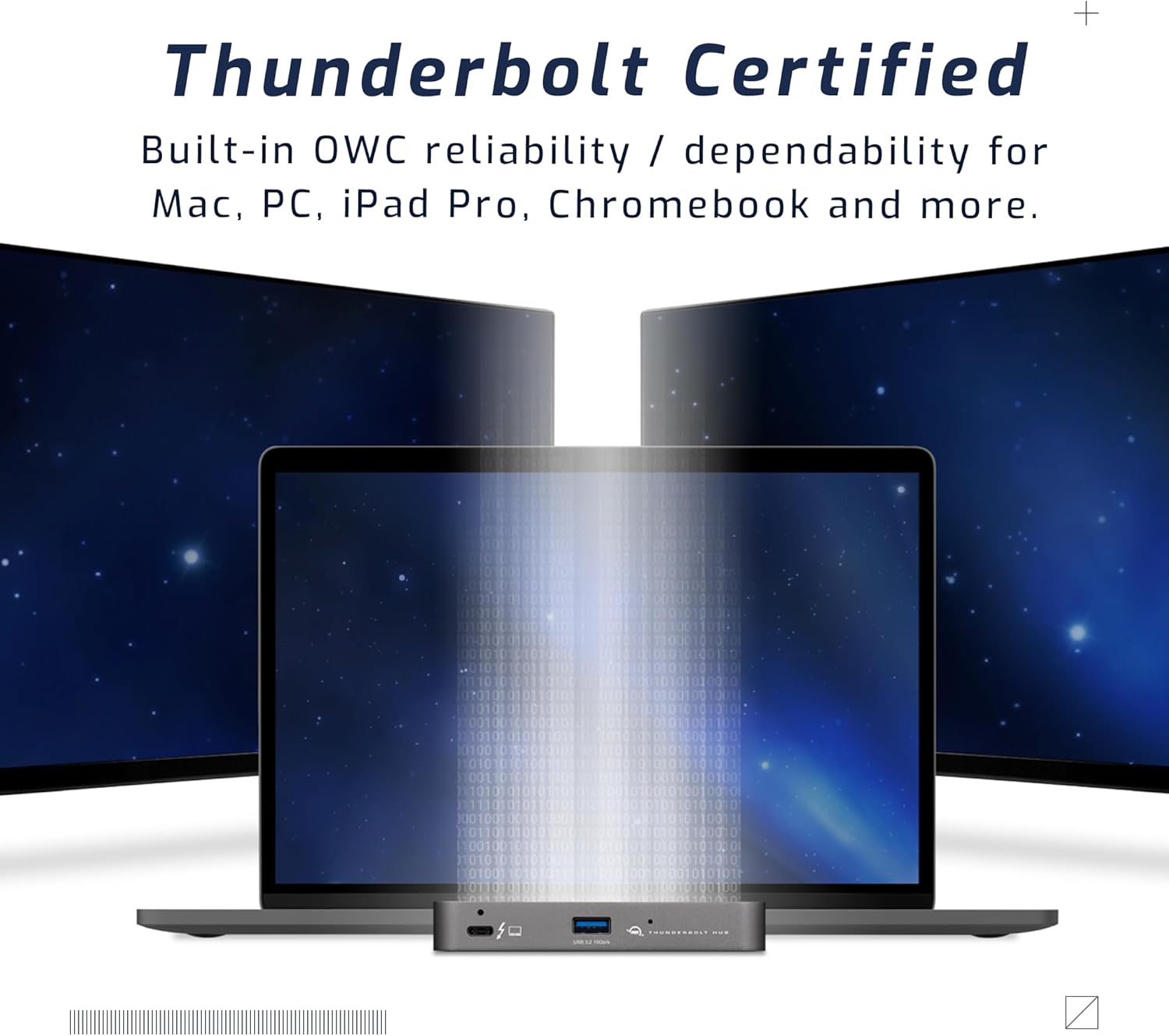
Figure 5: A setup demonstrating the hub's capability to connect a laptop to multiple external displays.
అనుకూలత
The hub is compatible with a wide range of devices:
- Macs with an available Thunderbolt 3 or later port running macOS 11.1 Big Sur or later.
- Windows PCs with an available Thunderbolt 4 port.
- Non-Thunderbolt USB-C machines like Chromebooks and iPads.
- USB-C equipped MacBooks, iPads, Chromebooks, and Android devices.
- Note: Thunderbolt/Thunderbolt 2 Mac models are supported via USB-A host connection, but Thunderbolt/Thunderbolt 2 host connection is not directly supported. USB connection may limit some functionality.
నిర్వహణ
- శుభ్రపరచడం: Use a soft, dry, lint-free cloth to clean the exterior of the hub. Do not use liquid cleaners or aerosols.
- నిల్వ: When not in use for extended periods, store the hub in a cool, dry place away from direct sunlight.
- కేబుల్ నిర్వహణ: పోర్ట్లు లేదా కేబుల్లకు నష్టం జరగకుండా ఉండటానికి కేబుల్లు ఎక్కువగా వంగి లేదా వడకట్టకుండా చూసుకోండి.
ట్రబుల్షూటింగ్
సాధారణ సమస్యలు మరియు పరిష్కారాలు
- విద్యుత్ లేదు/పరికరం గుర్తించబడలేదు:
- పవర్ అడాప్టర్ హబ్ మరియు పనిచేసే పవర్ అవుట్లెట్కి సురక్షితంగా కనెక్ట్ చేయబడిందని నిర్ధారించుకోండి.
- Verify the Thunderbolt cable is firmly connected to both the hub and your computer.
- Try a different Thunderbolt port on your computer, if available.
- మీ కంప్యూటర్ని పునఃప్రారంభించండి.
- Display Issues (No Signal, Flickering):
- Check all display cables (HDMI, DisplayPort, USB-C to display) are securely connected.
- మీ డిస్ప్లే సరైన ఇన్పుట్ సోర్స్కు సెట్ చేయబడిందని నిర్ధారించుకోండి.
- Verify your computer's display settings (resolution, refresh rate) are compatible with the connected display and hub capabilities.
- మీ కంప్యూటర్ గ్రాఫిక్స్ డ్రైవర్లను నవీకరించండి.
- నెమ్మది డేటా బదిలీ వేగం:
- Ensure you are using high-quality Thunderbolt or USB 3.2 cables.
- Confirm the connected device supports the speeds advertised by the hub (e.g., a USB 2.0 device will not achieve USB 3.2 speeds).
- వేగం మందగిస్తే, ఒకేసారి ఎక్కువ అధిక-బ్యాండ్విడ్త్ పరికరాలను కనెక్ట్ చేయడాన్ని నివారించండి.
స్పెసిఫికేషన్లు
| ఫీచర్ | వివరాలు |
|---|---|
| మోడల్ సంఖ్య | OWCTB4HUB5P పరిచయం |
| బ్రాండ్ | OWC |
| ఉత్పత్తి కొలతలు | 19.69 x 19.69 x 11.02 అంగుళాలు |
| వస్తువు బరువు | 7 ఔన్సులు |
| రంగు | Also Black/Gray |
| హార్డ్వేర్ ఇంటర్ఫేస్ | పిడుగు |
| ప్రత్యేక ఫీచర్ | ఆధారితం |
| హోస్ట్ పోర్ట్ | 1x Thunderbolt 4 (up to 40 Gb/s) |
| పరికర పోర్ట్లు | 3x Thunderbolt 4, 1x USB 3.2 Gen 2 Type-A (10 Gb/s) |
| Host Power Delivery | 60W వరకు |
| Device Power Delivery | 15W per Thunderbolt 4 port, 1.5A for USB-A port |
| ప్రదర్శన మద్దతు | Up to 8K @ 60Hz or 4K @ 120Hz (single display); Up to two 4K @ 60Hz or two 5K @ 60Hz (dual displays) |
| అనుకూల పరికరాలు | Macs with Thunderbolt 3+, Windows PCs with Thunderbolt 4, USB-C equipped MacBooks, iPads, Chromebooks, Android devices |
వారంటీ సమాచారం
The OWC 5 Port Thunderbolt Hub comes with a 2 సంవత్సరం OWC పరిమిత వారంటీ. For detailed terms and conditions, please refer to the official OWC webసైట్ లేదా కస్టమర్ సపోర్ట్ని సంప్రదించండి.
మద్దతు
For further assistance, technical support, or warranty claims, please visit the official OWC support webసైట్ లేదా వారి కస్టమర్ సేవా విభాగాన్ని సంప్రదించండి.
- OWC మద్దతు Webసైట్: www.owcdigital.com/support
- ఆన్లైన్ వనరులు: FAQs, drivers, and additional documentation may be available online.
Ask a question about this manual
Ask about setup, troubleshooting, compatibility, parts, safety, or missing instructions. Manuals+ will review the question and use this page’s manual context to help answer it.