
Peak Design M-CS-BK-1
Peak Design Wireless Charging Stand (Model M-CS-BK-1) Instruction Manual
పరిచయం
This manual provides comprehensive instructions for the setup, operation, and maintenance of your Peak Design Wireless Charging Stand, Model M-CS-BK-1. This device is designed to provide convenient and efficient wireless charging for MagSafe-compatible phones and Peak Design Mobile cases, offering a customizable viewing అనుభవం.

Image: The Peak Design Wireless Charging Stand, black, in its upright position, connected to a charging cable.
పెట్టెలో ఏముంది
ప్యాకేజింగ్లో అన్ని భాగాలు ఉన్నాయని నిర్ధారించుకోండి:
- 1x Peak Design Wireless Charging Stand
- 1x USB-C కేబుల్

Image: The package contents, showing the black wireless charging stand, a USB-C to USB-C cable, and three small cable routing clips.
ఫీచర్లు
- వైర్లెస్ ఛార్జింగ్: Supports Qi1 charging with capacities of 15W, 10W, 7.5W, and 5W, automatically adjusting to the device's profile.
- అయస్కాంత మౌంటు: Features built-in magnetic technology for a secure and instant connection with MagSafe-enabled phones and Peak Design Mobile cases.
- సర్దుబాటు Viewకోణం: A silky-smooth friction hinge allows for infinite viewing angle adjustments, supporting both portrait and landscape modes.
- మన్నికైన నిర్మాణం: Crafted from solid machined and anodized aluminum with a grippy silicone base for stability.
- పోర్టబుల్ డిజైన్: Folds flat for easy storage and transport.
సెటప్
- భాగాలను అన్ప్యాక్ చేయండి: Carefully remove the Wireless Charging Stand and USB-C cable from the packaging.
- స్టాండ్ స్థానం: Place the stand on a stable, flat surface. The grippy silicone base will help prevent movement.
- పవర్ కనెక్ట్ చేయండి: Insert one end of the provided USB-C cable into the USB-C port located on the back of the charging stand. Connect the other end of the USB-C cable to a compatible USB-C power adapter (not included) and plug it into a wall outlet.
- కోణాన్ని సర్దుబాటు చేయండి: Gently push or pull the top section of the stand to achieve your desired viewing angle. The friction hinge will hold it in place.
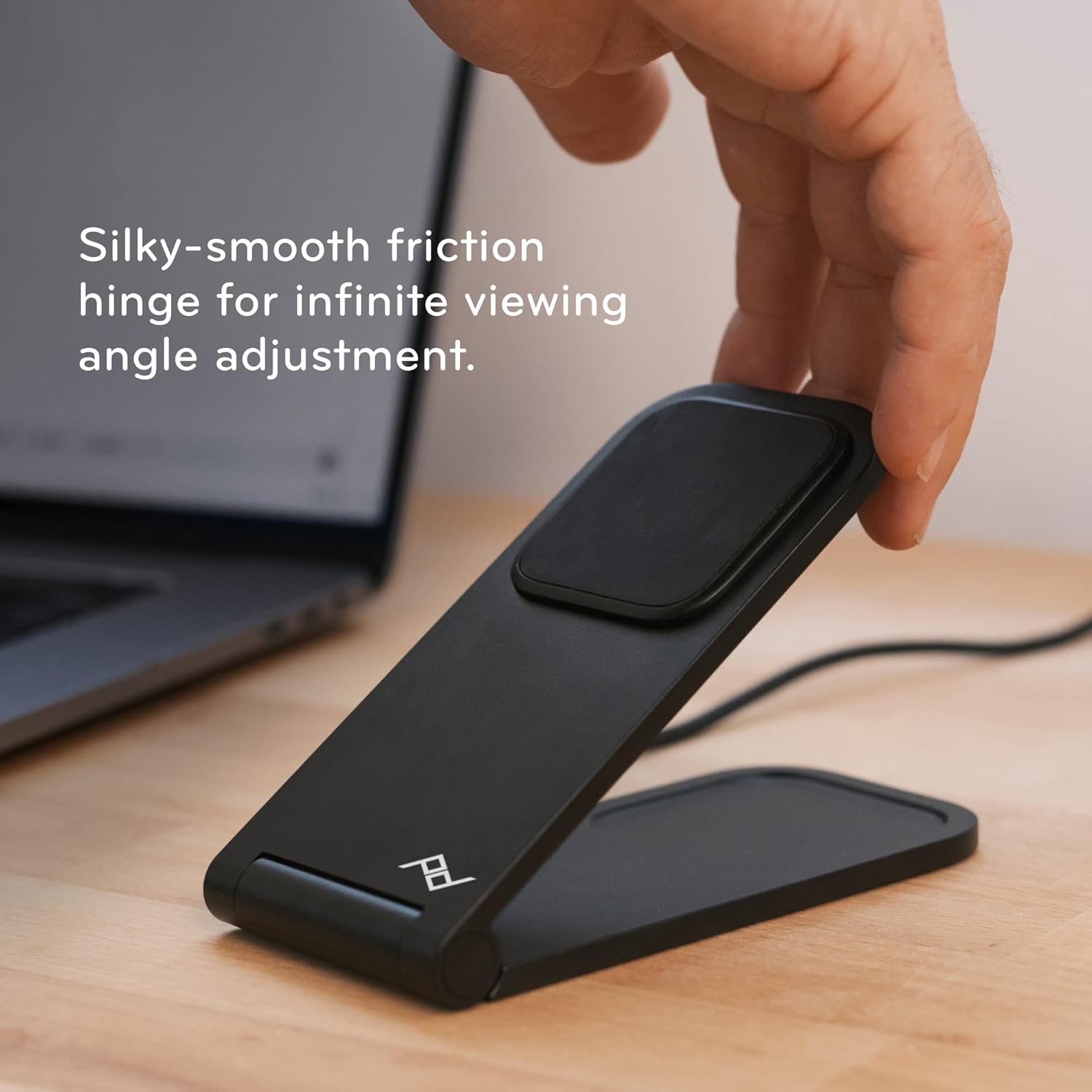
Image: A hand adjusting the angle of the charging stand, highlighting its flexible friction hinge.
ఆపరేటింగ్ సూచనలు
- మీ పరికరాన్ని ఉంచడం: Ensure your phone is MagSafe-compatible or housed in a Peak Design Mobile case. Align the back of your phone with the magnetic charging pad on the stand. The magnets will securely snap your phone into place.
- ఛార్జింగ్ నిర్ధారణ: Your phone should indicate that it is charging. The stand provides optimal charging alignment and heat dissipation for efficient power delivery.
- దిశను సర్దుబాటు చేయడం: The stand supports both portrait and landscape orientations. Simply rotate your phone while it is magnetically attached to switch between modes.
- Folding Flat: For charging earbuds or other Qi-compatible devices, or for compact storage, the stand can be folded completely flat.

Image: A smartphone securely attached to the charging stand, demonstrating its magnetic hold and upright display.
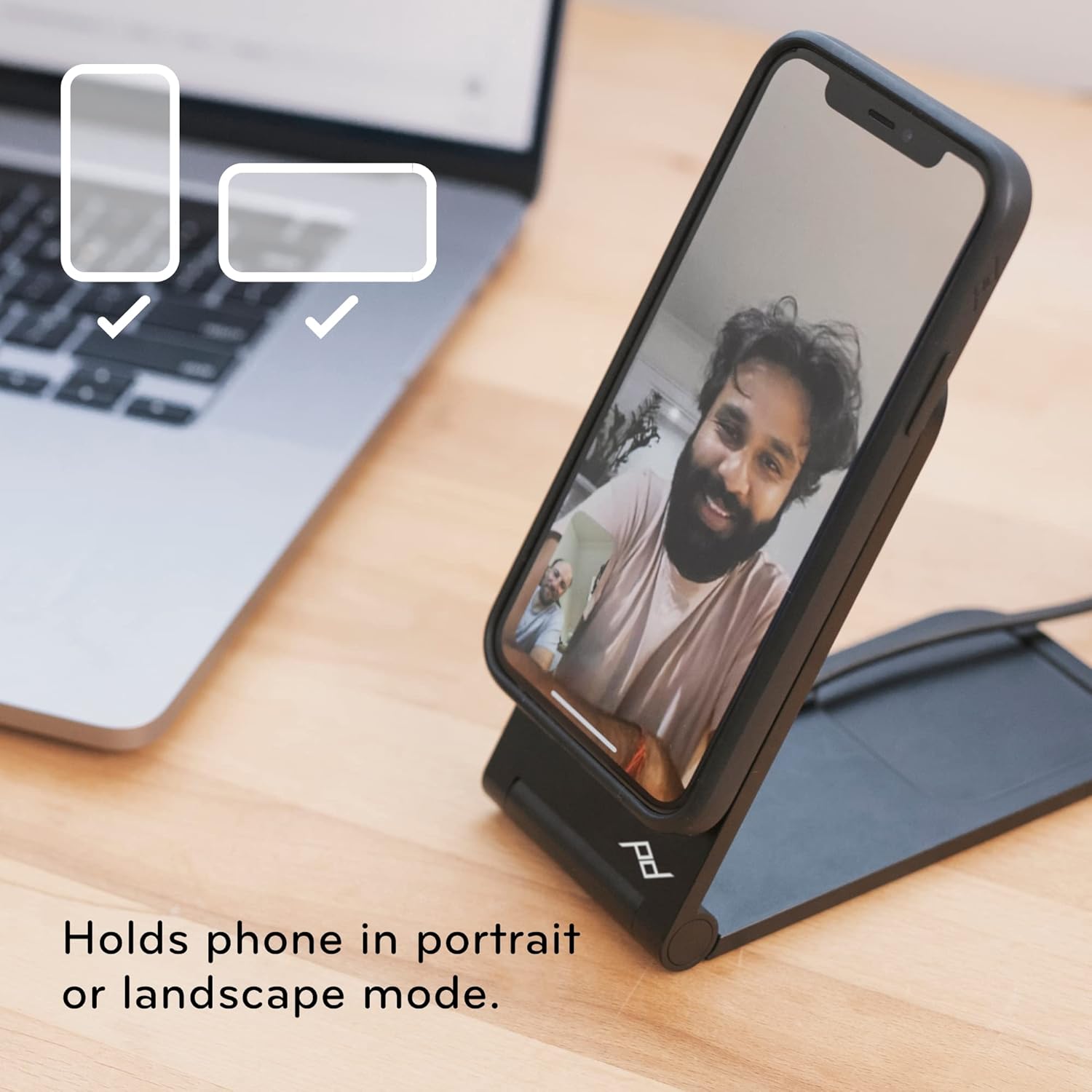
Image: The charging stand holding a smartphone, illustrating its versatility for both portrait and landscape viewing.
నిర్వహణ
- శుభ్రపరచడం: Use a soft, dry cloth to wipe down the stand. Avoid abrasive cleaners or solvents that may damage the finish.
- కేబుల్ కేర్: Ensure the USB-C cable is not kinked or bent sharply to prolong its lifespan.
- నిల్వ: When not in use, the stand can be folded flat for compact storage.

Image: The charging stand folded into a flat, compact form, ideal for travel or discreet placement.
ట్రబుల్షూటింగ్
- పరికరం ఛార్జ్ చేయబడదు:
- Ensure the USB-C cable is securely connected to both the stand and a functioning power adapter.
- Verify that your phone is MagSafe-compatible or using a Peak Design Mobile case.
- ఫోన్ మరియు ఛార్జింగ్ ప్యాడ్ మధ్య ఏవైనా అడ్డంకులు ఉన్నాయా అని తనిఖీ చేయండి.
- Unstable Phone:
- Confirm the phone is properly aligned with the magnetic charging pad.
- Ensure the stand is placed on a flat, stable surface.
- Angle Adjustment Issues:
- The friction hinge is designed to be firm. Apply gentle, consistent pressure to adjust the angle.
స్పెసిఫికేషన్లు
| ఉత్పత్తి కొలతలు | 2.72 x 3.7 x 2.52 అంగుళాలు |
| వస్తువు బరువు | 9.7 ఔన్సులు |
| మోడల్ సంఖ్య | M-CS-BK-1 |
| బ్రాండ్ | పీక్ డిజైన్ |
| కనెక్టర్ రకం | Wireless (USB-C for power input) |
| అనుకూల పరికరాలు | Smartphones (MagSafe compatible), iPhone, Peak Design Mobile Cases |
| ప్రత్యేక ఫీచర్ | సర్దుబాటు Viewing Angle, Fast Charging, Magnetic Attachment |
| రంగు | నలుపు |
| ఇన్పుట్ వాల్యూమ్tage | 12 వోల్ట్లు |
| Ampఎరేజ్ | 1 Amps |
| మొత్తం USB పోర్ట్లు | 1 (USB-C for power input) |
వారంటీ మరియు మద్దతు
Peak Design products are designed for durability and are backed by a lifetime guarantee. For detailed warranty information or technical support, please visit the official Peak Design webసైట్ లేదా వారి కస్టమర్ సేవను నేరుగా సంప్రదించండి.
తయారీదారు: పీక్ డిజైన్
Ask a question about this manual
Ask about setup, troubleshooting, compatibility, parts, safety, or missing instructions. Manuals+ will review the question and use this page’s manual context to help answer it.