
1. ఉత్పత్తి ముగిసిందిview
The AXAGON EE25-SLC is an external enclosure designed for 2.5-inch SATA SSDs and HDDs. It provides a convenient way to connect your internal drives to a computer via USB-C, utilizing USB 3.0 / SATA III technology for fast data transfer.
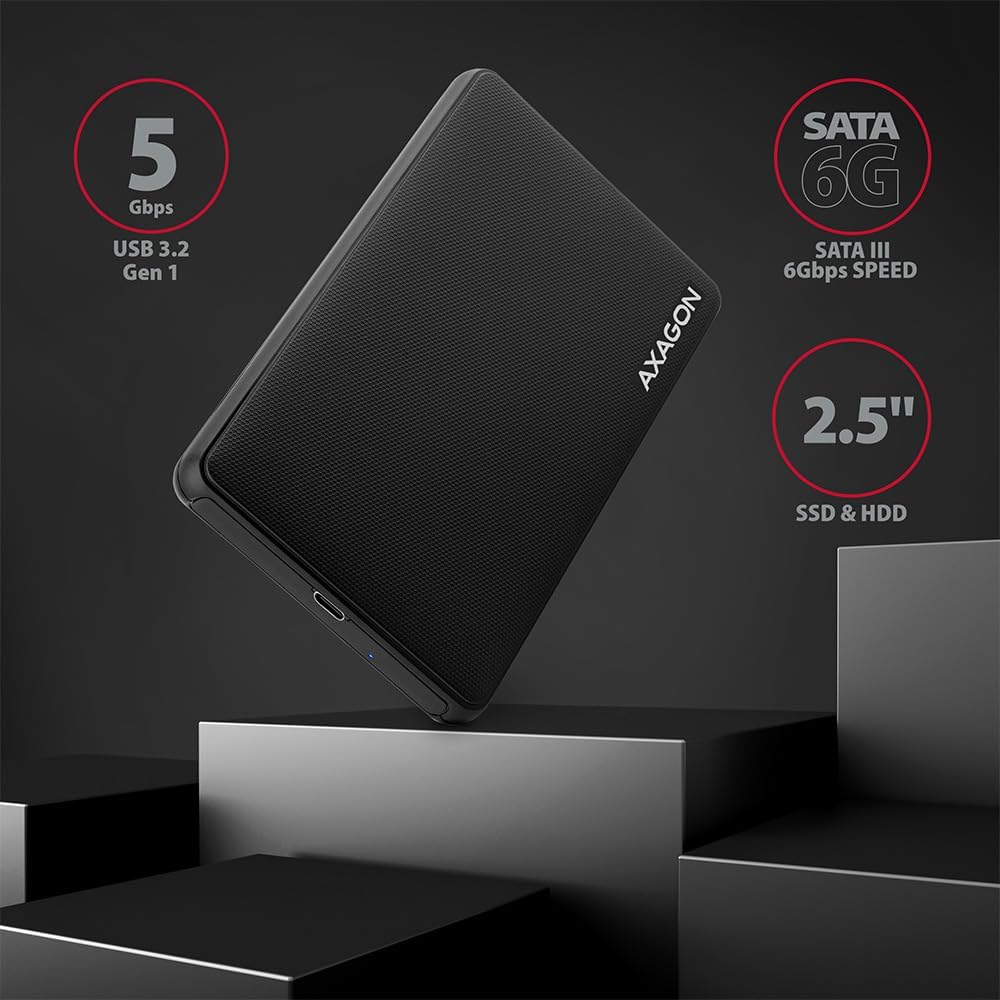
చిత్రం: పైగాview of the AXAGON EE25-SLC enclosure highlighting its key features and compatibility.
2. సెటప్ మరియు ఇన్స్టాలేషన్
2.1 ప్యాకేజీ విషయాలు
- AXAGON EE25-SLC External Enclosure
- USB-C నుండి USB-A కేబుల్
- వినియోగదారు మాన్యువల్
2.2 Drive Installation (Screwless)
- Gently slide open the enclosure cover. The design is screwless for easy access.
- Insert your 2.5-inch SATA SSD or HDD into the enclosure, ensuring the SATA connector on the drive aligns correctly with the enclosure's connector.
- Slide the enclosure cover back until it clicks securely into place.

Image: Step-by-step illustration of the screwless drive installation process.
2.3 మీ కంప్యూటర్కు కనెక్ట్ చేయడం
- Connect one end of the provided USB-C to USB-A cable to the USB-C port on the AXAGON EE25-SLC enclosure.
- Connect the other end of the cable (USB-A) to an available USB 3.0 (or higher) port on your computer.
- ఆ ఎన్క్లోజర్ ప్లగ్ & ప్లే, అంటే అదనపు డ్రైవర్ల అవసరం లేకుండా మీ ఆపరేటింగ్ సిస్టమ్ ద్వారా ఇది స్వయంచాలకంగా గుర్తించబడాలి.

Image: The enclosure connected to a laptop, demonstrating its ease of use.
3. ఆపరేషన్
3.1 డేటా బదిలీ
Once connected, your operating system will detect the drive. You can then access, copy, and transfer files to and from the drive as you would with any other external storage device. The enclosure supports USB 3.0 speeds up to 5 Gbps.
3.2 LED సూచిక
A blue LED indicator on the enclosure signifies power and data activity. It will light up when connected and blink during data transfer.
3.3 అధునాతన ఫీచర్లు
- UASP మద్దతు: The enclosure supports USB Attached SCSI Protocol (UASP), which enhances data transfer performance, especially with SSDs, by allowing multiple commands to be processed simultaneously.
- TRIM మద్దతు: For SSDs, TRIM command support helps maintain the performance and longevity of the drive by allowing the operating system to inform the SSD which data blocks are no longer in use and can be wiped internally.
- HDD Auto Spindown: To conserve power and extend the life of mechanical hard drives, the enclosure features an automatic spindown function for HDDs when idle for a period.

Image: Features such as UASP and TRIM support for optimized drive performance.
4. నిర్వహణ
4.1 శుభ్రపరచడం
To clean the enclosure, use a soft, dry cloth. Avoid using liquid cleaners or solvents, as these can damage the surface or internal components.
4.2 Safe Handling
- Avoid dropping the enclosure or subjecting it to strong impacts.
- Do not expose the enclosure to extreme temperatures or humidity.
- డేటా అవినీతిని నివారించడానికి USB కేబుల్ను డిస్కనెక్ట్ చేసే ముందు మీ ఆపరేటింగ్ సిస్టమ్ నుండి డ్రైవ్ను ఎల్లప్పుడూ సురక్షితంగా బయటకు తీయండి.
5. ట్రబుల్షూటింగ్
5.1 డ్రైవ్ గుర్తించబడలేదు
- Ensure the drive is correctly seated within the enclosure. Re-open and re-insert the drive if necessary.
- మీ కంప్యూటర్లోని వేరే USB పోర్ట్కు ఎన్క్లోజర్ను కనెక్ట్ చేయడానికి ప్రయత్నించండి.
- Test the enclosure with a different USB cable if available.
- Verify the drive itself is functional by testing it in another enclosure or directly connecting it to a computer if possible.
- Check your computer's Disk Management (Windows) or Disk Utility (macOS) to see if the drive is recognized but unformatted or unallocated.
5.2 నెమ్మదిగా డేటా బదిలీ వేగం
- Ensure the enclosure is connected to a USB 3.0 (or higher) port on your computer. USB 2.0 ports will result in significantly slower speeds.
- మీ ఆపరేటింగ్ సిస్టమ్ మరియు డ్రైవర్లు తాజాగా ఉన్నాయని ధృవీకరించండి.
- The performance of the drive itself (SSD vs. HDD, drive health) will affect transfer speeds.
- Large numbers of small files transfer slower than a single large file అదే మొత్తం పరిమాణం.
5.3 LED Indicator Not Lighting Up
- USB కేబుల్ ఎన్క్లోజర్ మరియు కంప్యూటర్ రెండింటికీ సురక్షితంగా కనెక్ట్ చేయబడిందని నిర్ధారించుకోండి.
- వేరే USB పోర్ట్ లేదా కేబుల్ని ప్రయత్నించండి.
- Confirm the drive is properly installed inside the enclosure.
6. స్పెసిఫికేషన్లు
| ఫీచర్ | స్పెసిఫికేషన్ |
|---|---|
| మోడల్ సంఖ్య | EE25-SLC |
| అనుకూల పరికరాలు | ల్యాప్టాప్ |
| హార్డ్ డిస్క్ ఫారమ్ ఫ్యాక్టర్ | 2.5 అంగుళాలు |
| మద్దతు ఉన్న పరికరాల గరిష్ట సంఖ్య | 1 |
| డేటా బదిలీ రేటు | సెకనుకు 5 గిగాబిట్స్ (USB 3.0) |
| హార్డ్వేర్ ఇంటర్ఫేస్ | USB 3.0, USB Type C (on enclosure) |
| రంగు | నలుపు |
| మెటీరియల్ | Copper (internal components), Plastic (enclosure) |
| హార్డ్వేర్ ప్లాట్ఫారమ్ | యూనివర్సల్ |

చిత్రం: వివరణాత్మకం view of the enclosure's USB-C port and design elements.
7. వారంటీ మరియు మద్దతు
For warranty information and technical support, please refer to the official AXAGON webమీ రిటైలర్ను సైట్లో సంప్రదించండి లేదా సంప్రదించండి. వారంటీ క్లెయిమ్ల కోసం మీ కొనుగోలు రసీదును ఉంచండి.