
1. పరిచయం
The Xiaomi Mi TV Stick MDZ-24-AA transforms your regular television into a smart TV, providing access to a vast world of entertainment. Powered by Android TV, it offers a user-friendly interface, Google Assistant voice control, and built-in Chromecast functionality, allowing you to stream your favorite content from various apps and devices directly to your TV.

2. ప్యాకేజీ విషయాలు
దయచేసి ఈ క్రింది అంశాల కోసం పెట్టెను ఎంచుకోండి:
- Xiaomi Mi TV స్టిక్
- బ్లూటూత్ రిమోట్ కంట్రోల్
- పవర్ అడాప్టర్
- USB కేబుల్
- వినియోగదారు మాన్యువల్ (ఈ పత్రం)


3. సెటప్ గైడ్
Setting up your Mi TV Stick is quick and easy. Follow these three simple steps to get started:
- Step 1: Attach Mi TV Stick to TV
Plug the Mi TV Stick directly into an available HDMI port on your television. For power, connect the included USB cable to the Mi TV Stick and the power adapter, then plug the adapter into a wall outlet. - దశ 2: ఇంటర్నెట్కు కనెక్ట్ చేయండి
Turn on your TV and select the correct HDMI input. Follow the on-screen instructions to connect the Mi TV Stick to your Wi-Fi network. - Step 3: Start Streaming Your Favorite Content
Once connected, complete the initial setup, including signing in with your Google account. You can then download apps from the Google Play Store and begin streaming movies, TV shows, and more.

4. ఆపరేటింగ్ సూచనలు
4.1. రిమోట్ కంట్రోల్ ఉపయోగించడం
The Mi TV Stick comes with a Bluetooth remote control designed for easy navigation and quick access to features.

- పవర్ బటన్: Mi TV స్టిక్ను ఆన్ లేదా ఆఫ్ చేస్తుంది.
- నావిగేషన్ రింగ్: మెనూల ద్వారా తరలించడానికి మరియు అంశాలను ఎంచుకోవడానికి ఉపయోగించండి.
- గూగుల్ అసిస్టెంట్ బటన్: Press to activate voice search and commands.
- వెనుక బటన్: మునుపటి స్క్రీన్కి తిరిగి వస్తుంది.
- హోమ్ బటన్: ఆండ్రాయిడ్ టీవీ హోమ్ స్క్రీన్కు తిరిగి వస్తుంది.
- Netflix & Prime Video Buttons: ఈ స్ట్రీమింగ్ సేవలను త్వరగా యాక్సెస్ చేయడానికి ప్రత్యేక బటన్లు.
- వాల్యూమ్ బటన్లు: Adjust the volume of your TV.
4.2. ఆండ్రాయిడ్ టీవీని నావిగేట్ చేయడం
The Android TV interface is designed for intuitive navigation. The home screen displays your installed apps, recommended content, and system settings.
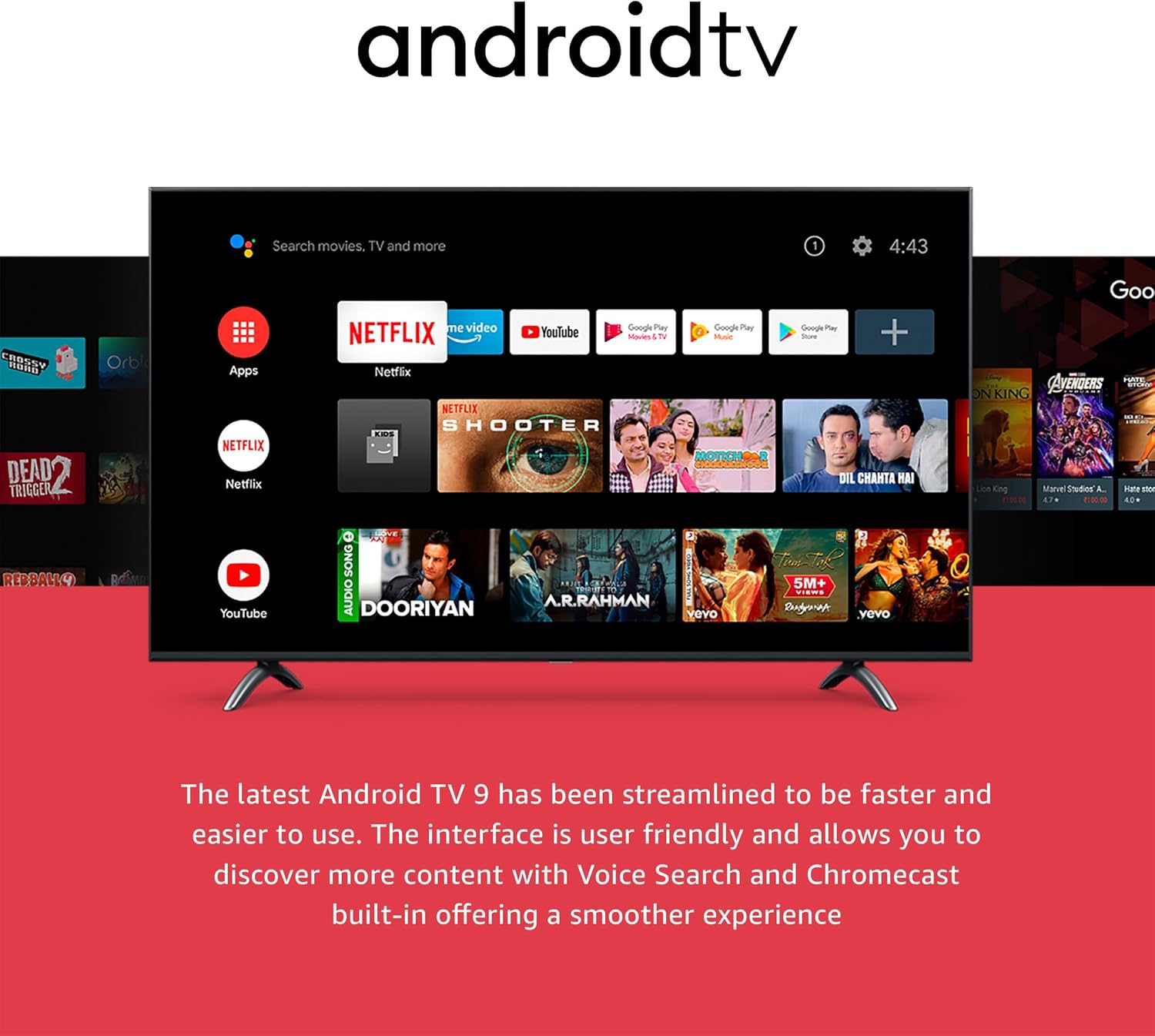
4.3. Google అసిస్టెంట్ని ఉపయోగించడం
With Google Assistant built-in, you can use your voice to search for content, control playback, get answers, and more. Simply press the Google Assistant button on your remote and speak your command.

5 కీ ఫీచర్లు
5.1. Full High Definition (1080P)
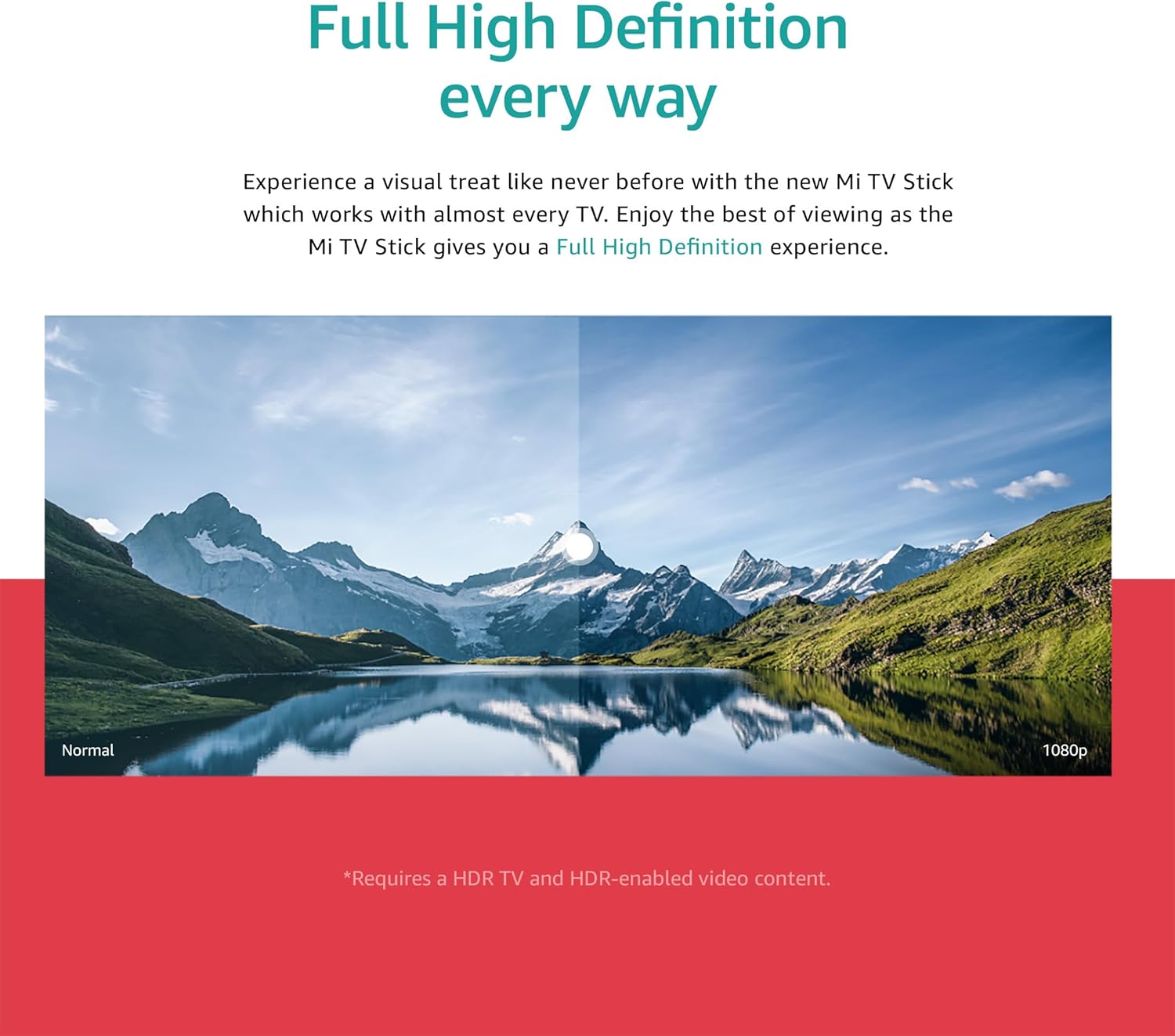
Experience crisp and clear visuals with support for up to 1080P Full High Definition resolution, providing an immersive viewing experience on compatible televisions.
5.2. అంతర్నిర్మిత Chromecast
The integrated Chromecast functionality allows you to cast photos, videos, and music from your smartphone, tablet, or computer directly to your TV screen with a single tap.

5.3. Extensive App Support
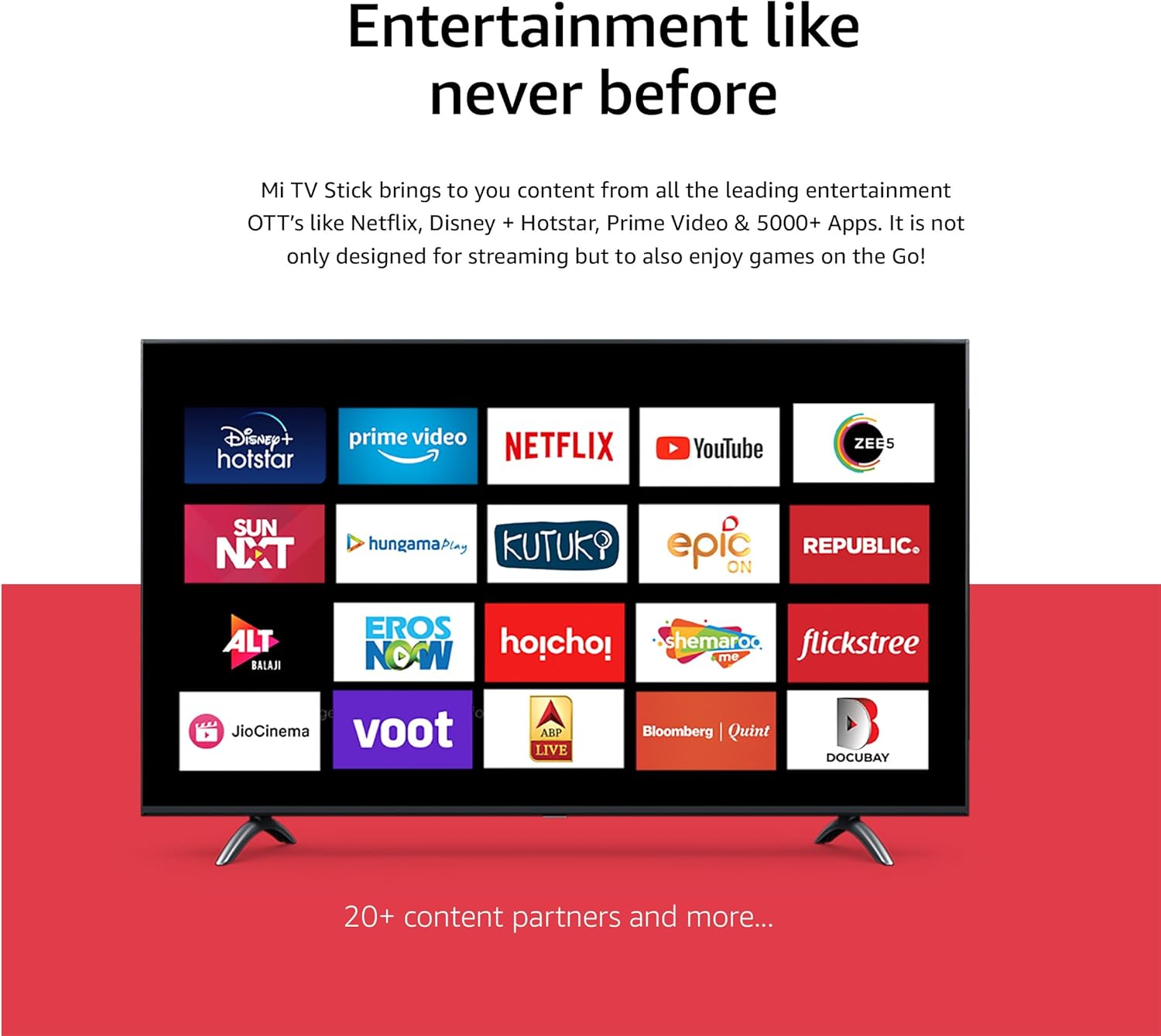
Access a wide range of streaming services and apps, including Netflix, Prime Video, YouTube, Disney+ Hotstar, and thousands more available through the Google Play Store.
5.4. High-definition Sound
Enjoy rich, immersive audio with support for both Dolby Audio and DTS Digital, delivering a cinematic sound experience for your movies and shows.

5.5. Data Saver
The Data Saver feature helps you watch more content while consuming less data. It allows you to adjust video quality to save data and extend watch time, and provides data alerts.

6. ట్రబుల్షూటింగ్
మీ Mi TV స్టిక్ తో మీకు సమస్యలు ఎదురైతే, ఈ క్రింది పరిష్కారాలను ప్రయత్నించండి:
- పవర్ లేదు/సిగ్నల్ లేదు: Ensure the Mi TV Stick is securely plugged into the HDMI port and the power adapter is connected to a working outlet. Verify your TV is set to the correct HDMI input.
- రిమోట్ కంట్రోల్ స్పందించడం లేదు: Check the batteries in the remote. If the remote uses Bluetooth, ensure it is paired correctly (refer to initial setup instructions if needed).
- Wi-Fi కనెక్షన్ సమస్యలు: Restart your Wi-Fi router. Go to the Mi TV Stick's network settings to re-enter your Wi-Fi password or try connecting to a different network.
- యాప్ క్రాషింగ్/ఫ్రీజింగ్: Try force-stopping the app from the Mi TV Stick's settings (Settings > Apps > [App Name] > Force Stop). If the issue persists, clear the app's cache or data.
- నెమ్మదిగా పనితీరు: Restart the Mi TV Stick by unplugging it from power for a few seconds and plugging it back in. Ensure you have a stable internet connection.
- ఆడియో లేదు: Check the volume levels on both your TV and the Mi TV Stick. Ensure your audio setup (soundbar, receiver) is correctly connected and configured.
If problems persist, consider performing a factory reset (Settings > Device Preferences > About > Factory Reset). Note that a factory reset will erase all data and settings on the device.
7. స్పెసిఫికేషన్లు
| మోడల్ పేరు | Xiaomi Mi Stick |
| అంశం మోడల్ సంఖ్య | MDZ-24-AA |
| రంగు | నలుపు |
| ఫారమ్ ఫ్యాక్టర్ | టీవీ స్టిక్ |
| కనెక్టివిటీ టెక్నాలజీ | HDMI, బ్లూటూత్, వై-ఫై |
| కనెక్టర్ రకం | HDMI, Micro USB |
| ప్రత్యేక లక్షణాలు | Chromecast built-in, Google Assistant |
| రిజల్యూషన్ | Up to 1080P (Full HD) |
| మద్దతు ఉన్న ఇంటర్నెట్ సేవలు | Netflix, YouTube, Prime Video, Disney+ Hotstar, and more |
| కంట్రోలర్ రకం | రిమోట్ కంట్రోల్ |
| ఉత్పత్తి కొలతలు | 10 x 10 x 10 cm; 26.8 g (approximate) |
| తయారీదారు | Xiaomi |
8. నిర్వహణ
మీ Mi TV స్టిక్ యొక్క దీర్ఘాయువు మరియు సరైన పనితీరును నిర్ధారించడానికి:
- శుభ్రపరచడం: పరికరాన్ని శుభ్రం చేయడానికి మృదువైన, పొడి వస్త్రాన్ని ఉపయోగించండి. ద్రవ క్లీనర్లు లేదా ఏరోసోల్లను ఉపయోగించవద్దు.
- నిల్వ: పరికరాన్ని ప్రత్యక్ష సూర్యకాంతి మరియు తీవ్రమైన ఉష్ణోగ్రతలు లేకుండా చల్లని, పొడి ప్రదేశంలో నిల్వ చేయండి.
- సాఫ్ట్వేర్ అప్డేట్లు: Periodically check for and install software updates through the device settings (Settings > Device Preferences > About > System update) to ensure you have the latest features and security patches.
- వెంటిలేషన్: పరికరం తగినంత వెంటిలేషన్ కలిగి ఉందని మరియు దానిని కవర్ చేయకుండా చూసుకోండి, ఎందుకంటే ఇది వేడెక్కడానికి దారితీస్తుంది.
9. భద్రతా సమాచారం
Please read and follow these safety precautions:
- పరికరాన్ని నీరు లేదా అధిక తేమకు గురిచేయవద్దు.
- పరికరాన్ని వేడి మూలాల దగ్గర లేదా ప్రత్యక్ష సూర్యకాంతిలో ఉంచడం మానుకోండి.
- Use only the provided power adapter and USB cable.
- పరికరాన్ని మీరే విడదీయడానికి లేదా మరమ్మతు చేయడానికి ప్రయత్నించవద్దు. అన్ని సర్వీసింగ్లను అర్హత కలిగిన సిబ్బందికి సూచించండి.
- పరికరాన్ని పిల్లలకు అందుబాటులో లేకుండా ఉంచండి.
- ఆపరేషన్ సమయంలో పరికరం చుట్టూ సరైన వెంటిలేషన్ ఉండేలా చూసుకోండి.
10. వారంటీ మరియు మద్దతు
వారంటీ సమాచారం మరియు సాంకేతిక మద్దతు కోసం, దయచేసి మీ ఉత్పత్తితో చేర్చబడిన వారంటీ కార్డును చూడండి లేదా అధికారిక Xiaomi వెబ్సైట్ను సందర్శించండి. website. You can also contact Xiaomi customer service for assistance with product-related inquiries or issues.
Xiaomi అధికారికం Webసైట్: www.mi.com