
1. ముఖ్యమైన భద్రతా సమాచారం
Please read all safety and operating instructions carefully before using this television. Keep this manual for future reference. Always follow basic safety precautions to reduce the risk of fire, electric shock, and injury.
- ఈ ఉపకరణాన్ని వర్షం లేదా తేమకు బహిర్గతం చేయవద్దు.
- వెంటిలేషన్ ఓపెనింగ్లను బ్లాక్ చేయవద్దు. తయారీదారు సూచనలకు అనుగుణంగా ఇన్స్టాల్ చేయండి.
- రేడియేటర్లు, హీట్ రిజిస్టర్లు, స్టవ్లు లేదా ఇతర ఉపకరణాలు (సహా ampలిఫైయర్లు) వేడిని ఉత్పత్తి చేస్తాయి.
- పవర్ త్రాడు నడవకుండా లేదా పించ్ చేయకుండా, ముఖ్యంగా ప్లగ్స్, సౌలభ్యం రిసెప్టాకిల్స్ మరియు వారు ఉపకరణం నుండి నిష్క్రమించే ప్రదేశం నుండి రక్షించండి.
- తయారీదారు పేర్కొన్న జోడింపులు/యాక్సెసరీలను మాత్రమే ఉపయోగించండి.
- అర్హత కలిగిన సేవా సిబ్బందికి అన్ని సర్వీసులను చూడండి. ఉపకరణం ఏ విధంగానైనా దెబ్బతిన్నప్పుడు సర్వీసింగ్ అవసరం.
2. పెట్టెలో ఏముంది
Carefully unpack your new Sansui TV and ensure all items listed below are present.
- 1 x Sansui 4K Ultra HD Android LED TV (JSW50ASUHD)
- 2 x టేబుల్ స్టాండ్ బేస్
- 1 x Wall Mounting Set
- 4 x Screws for stand/mount
- 1 x వినియోగదారు మాన్యువల్
- 1 x వారంటీ కార్డ్
- 1 x రిమోట్ కంట్రోల్
- 2 x AAA బ్యాటరీలు (రిమోట్ కోసం)
- 1 x పవర్ కార్డ్
- 1 x మినీ AV కేబుల్
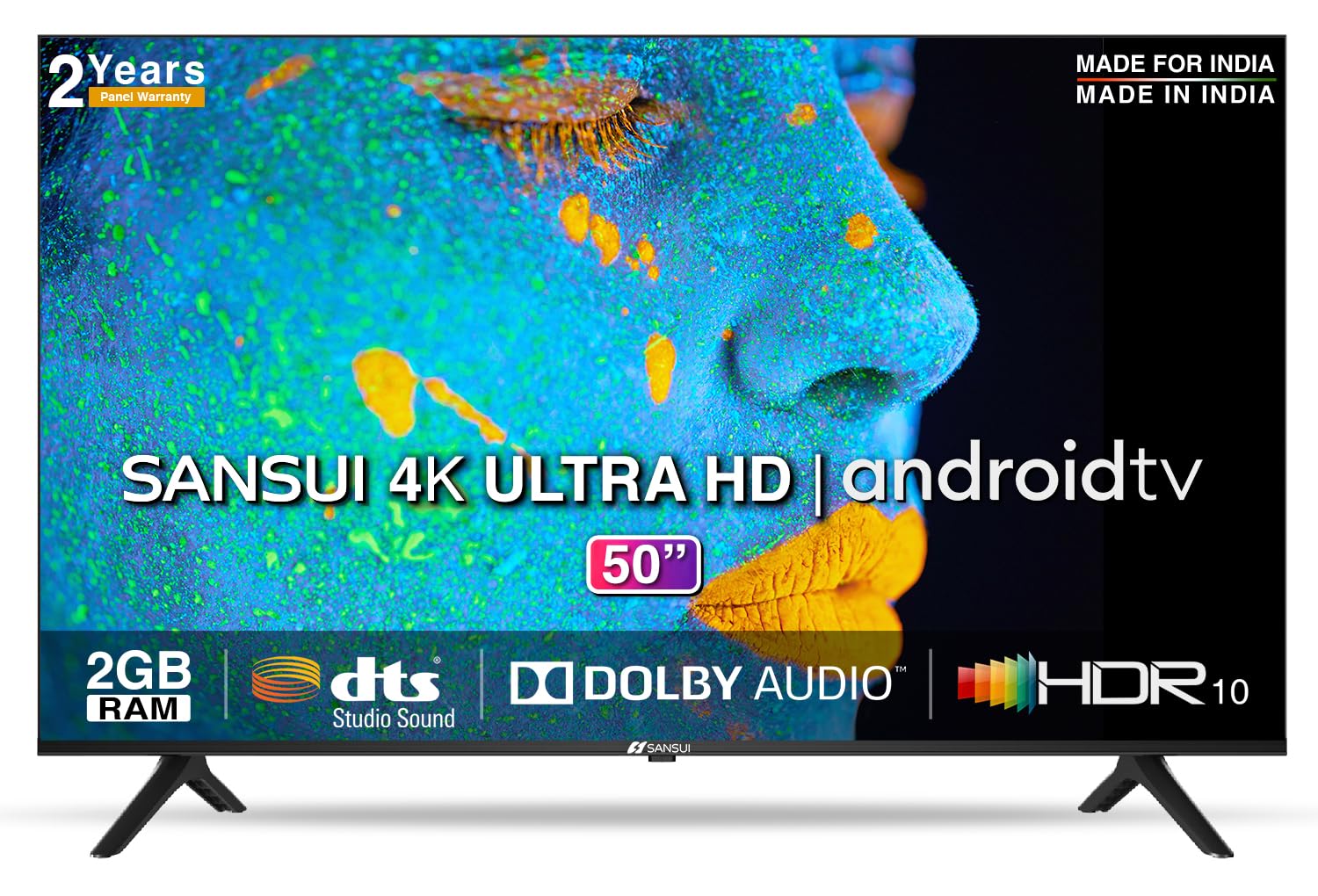
Image: Sansui 50-inch 4K Ultra HD Android LED TV with its table stand.
3. ఉత్పత్తి ముగిసిందిview
3.1 కీ ఫీచర్లు
- ప్రదర్శన: 4K Ultra HD (3840x2160) resolution, 60Hz refresh rate, Wide Viewing Angle, A+ Grade Panel, Wide Colour Gamut, HDR 10, Crystal Clear Display, High Brightness, Bezel-less Design.
- ఆడియో: Dolby Audio, DTS Studio Sound, 20 Watts Audio Output.
- స్మార్ట్ టీవీ ఫీచర్లు: Android 10.0 (Certified by Google), Google Assistant, Alexa Enabled Support, Built-in Chromecast, CA53 Quad Core Processor, 2GB RAM, 8GB ROM.
- మద్దతు ఉన్న యాప్లు: Prime Video, Netflix, Disney + Hotstar, YouTube, Google Play.
- కనెక్టివిటీ: 3 HDMI ports, 2 USB ports, 3.5mm audio jack, Bluetooth, Wi-Fi, RJ45 (Ethernet), Antenna.

Image: Visual representation of the TV's main features and capabilities.
3.2. కొలతలు
The TV features a 50-inch screen (127 cm diagonal) with a bezel-less design for an immersive viewing అనుభవం.

Image: Detailed dimensions of the Sansui 50-inch TV, including width, height, and depth with and without the stand.
4. సెటప్
4.1. Installing the Table Stand
- దెబ్బతినకుండా ఉండటానికి టీవీ స్క్రీన్-డౌన్ను మృదువైన, చదునైన ఉపరితలంపై ఉంచండి.
- Align the table stand bases with the corresponding slots at the bottom of the TV.
- Secure the bases using the provided screws. Ensure they are tightened firmly.
4.2. వాల్ మౌంటింగ్ (ఐచ్ఛికం)
If you choose to wall mount your TV, please use the provided wall mounting set and screws. The VESA mount standard is 800 x 400 mm. It is recommended to seek professional assistance for wall mounting to ensure proper and safe installation.
4.3. పరికరాలను కనెక్ట్ చేస్తోంది
The TV offers various connectivity options for your external devices.
- శక్తి: పవర్ కార్డ్ను టీవీ పవర్ ఇన్పుట్కి మరియు తరువాత వాల్ అవుట్లెట్కి కనెక్ట్ చేయండి.
- HDMI: Use HDMI cables to connect devices like set-top boxes, gaming consoles, or Blu-ray players to the 3 HDMI ports.
- USB: Connect USB drives or other USB devices to the 2 USB ports for media playback.
- ఆడియో అవుట్: Use the 3.5mm jack to connect headphones or external audio systems.
- ఈథర్నెట్ (RJ45): స్థిరమైన ఇంటర్నెట్ కనెక్షన్ కోసం, మీ రౌటర్ నుండి RJ45 పోర్ట్కి ఈథర్నెట్ కేబుల్ను కనెక్ట్ చేయండి.
- యాంటెన్నా: Connect your antenna cable to the RF input for terrestrial broadcasting.
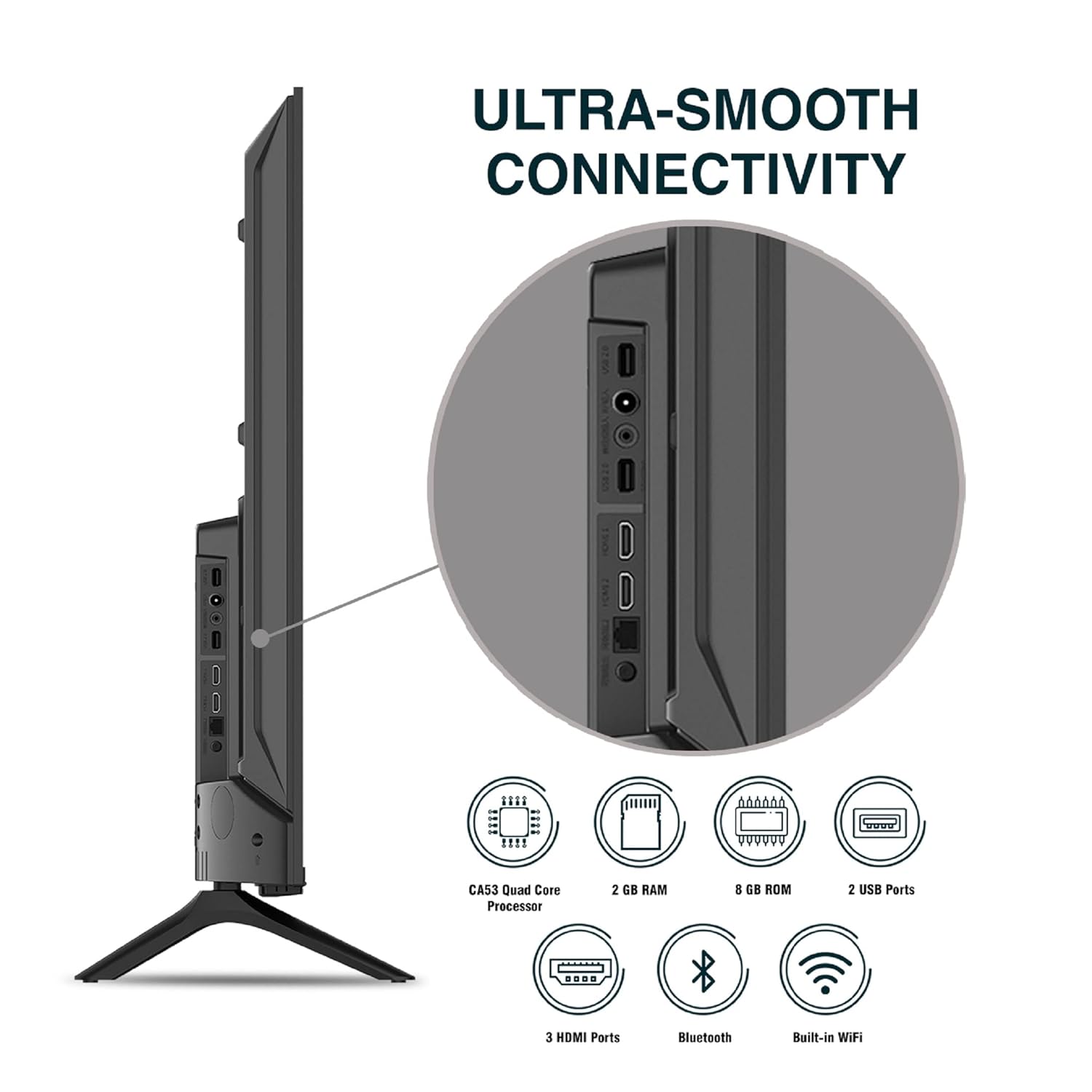
చిత్రం: వివరణాత్మకం view టీవీ కనెక్టివిటీ పోర్టులలో.
5. ఆపరేటింగ్ సూచనలు
5.1. ప్రాథమిక ఆపరేషన్
- పవర్ ఆన్/ఆఫ్: రిమోట్ కంట్రోల్ లేదా టీవీని ఆన్ లేదా ఆఫ్ చేయడానికి దానిలోని పవర్ బటన్ను నొక్కండి.
- మొదటి ఏర్పాటు: Upon first power-on, follow the on-screen instructions to set up language, network connection, and Google account.
- ఇన్పుట్ మూలం: Press the 'Input' button on the remote to select between HDMI, AV, TV, or other connected sources.
- వాల్యూమ్ నియంత్రణ: రిమోట్లోని వాల్యూమ్ అప్/డౌన్ బటన్లను ఉపయోగించండి.
5.2. Using the Smart Remote
The included remote control features voice control and dedicated hotkeys for quick access to popular streaming services.
- వాయిస్ నియంత్రణ: Press the Google Assistant button (microphone icon) and speak your commands to search for content, control smart home devices, or ask questions.
- హాట్కీలు: Directly launch Netflix, Prime Video, YouTube, and Google Play with a single press.
- నావిగేషన్: Use the directional pad and 'OK' button to navigate the Android TV interface.

Image: Sansui Smart Remote Control with voice control and app hotkeys.
5.3. Android TV Interface and Smart Features
Your Sansui TV runs on Android 10.0, providing access to a wide range of apps and smart functionalities.
- హోమ్ స్క్రీన్: The home screen displays your favorite apps, recommended content, and input sources.
- Google Play Store: Download and install additional apps, games, and content from the Google Play Store.
- అంతర్నిర్మిత Chromecast: Cast content (videos, photos, music) from your smartphone, tablet, or computer directly to the TV.
- Google Assistant/Alexa: Use voice commands via the remote or a compatible Alexa device to control your TV and other smart home devices.

Image: Android TV home screen showing available applications.
6. నిర్వహణ
Proper care and maintenance will extend the life of your TV.
- స్క్రీన్ క్లీనింగ్: స్క్రీన్ను మృదువైన, మెత్తటి బట్టతో సున్నితంగా తుడవండి. మొండి మరకల కోసం, టీవీల కోసం ప్రత్యేకంగా రూపొందించిన స్క్రీన్ క్లీనర్ను ఉపయోగించండి, నేరుగా స్క్రీన్కు కాకుండా వస్త్రానికి వర్తించండి.
- క్యాబినెట్ శుభ్రపరచడం: టీవీ క్యాబినెట్ను తుడవడానికి మృదువైన, పొడి వస్త్రాన్ని ఉపయోగించండి. రాపిడి క్లీనర్లను లేదా ద్రావకాలను ఉపయోగించవద్దు.
- వెంటిలేషన్: వేడెక్కకుండా ఉండటానికి వెంటిలేషన్ ఓపెనింగ్లు దుమ్ము మరియు శిధిలాల నుండి స్పష్టంగా ఉన్నాయని నిర్ధారించుకోండి.
- పవర్ కార్డ్: Regularly check the power cord for any damage. If damaged, replace it with an authorized part.
7. ట్రబుల్షూటింగ్
మీరు ఏవైనా సమస్యలను ఎదుర్కొంటే, ఈ క్రింది సాధారణ సమస్యలు మరియు పరిష్కారాలను చూడండి.
| సమస్య | సాధ్యమైన కారణం | పరిష్కారం |
|---|---|---|
| పవర్ లేదు | పవర్ వైర్ డిస్కనెక్ట్ చేయబడింది; పవర్ అవుట్లెట్ సమస్య | పవర్ కార్డ్ కనెక్షన్ను తనిఖీ చేయండి; మరొక పరికరంతో అవుట్లెట్ను పరీక్షించండి. |
| చిత్రం లేదు, ధ్వని మాత్రమే | తప్పు ఇన్పుట్ సోర్స్; బాహ్య పరికర సమస్య | Select correct input source; Check external device connection and power. |
| No Sound, Only Picture | Volume muted/low; External audio system issue | Unmute or increase volume; Check external audio system connections. |
| రిమోట్ కంట్రోల్ పనిచేయడం లేదు | బ్యాటరీలు అయిపోయాయి; రిమోట్ మరియు టీవీ మధ్య అడ్డంకి | బ్యాటరీలను మార్చండి; ఏవైనా అడ్డంకులు ఉంటే తొలగించండి. |
| Wi-Fi కనెక్షన్ సమస్యలు | తప్పు పాస్వర్డ్; రూటర్ సమస్యలు; సిగ్నల్ జోక్యం | Re-enter password; Restart router; Move TV closer to router or use Ethernet. |
ఈ పరిష్కారాలను ప్రయత్నించిన తర్వాత కూడా సమస్య కొనసాగితే, దయచేసి కస్టమర్ మద్దతును సంప్రదించండి.
8. స్పెసిఫికేషన్లు
Detailed technical specifications for the Sansui JSW50ASUHD TV.
| ఫీచర్ | వివరణ |
|---|---|
| మోడల్ పేరు | SANSUI LED - JSW50ASUHD |
| స్క్రీన్ పరిమాణం | 50 అంగుళాలు (127 సెం.మీ.) |
| ప్రదర్శన సాంకేతికత | LED |
| రిజల్యూషన్ | 4K అల్ట్రా HD (3840x2160) |
| రిఫ్రెష్ రేట్ | 60 Hz |
| ఆపరేటింగ్ సిస్టమ్ | Android 10.0 (Certified by Google) |
| ప్రాసెసర్ | CA53 క్వాడ్ కోర్ |
| RAM | 2 GB |
| ROM (నిల్వ) | 8 GB |
| ఆడియో అవుట్పుట్ | 20 వాట్స్ |
| సౌండ్ టెక్నాలజీ | డాల్బీ ఆడియో, డిటిఎస్ స్టూడియో సౌండ్ |
| HDMI పోర్ట్లు | 3 |
| USB పోర్ట్లు | 2 |
| వైర్లెస్ కనెక్టివిటీ | Wi-Fi, బ్లూటూత్ |
| ఇతర కనెక్టివిటీ | Ethernet (RJ45), 3.5mm Audio Jack, Antenna |
| HDR మద్దతు | HDR10 |
| మౌంటు రకం | వాల్ మౌంట్ & టేబుల్ మౌంట్ |
| VESA మౌంట్ స్టాండర్డ్ | 800 x 400 మి.మీ |
| విద్యుత్ వినియోగం | 120 వాట్స్ |
| వస్తువు బరువు | 9650 గ్రాములు |
| రంగు | Mystique Black |
9. వారంటీ మరియు మద్దతు
Your Sansui TV comes with a comprehensive warranty and dedicated customer support.
- వారంటీ: 1 year comprehensive warranty and 1 year additional on panel from the date of purchase.
- వారంటీ మద్దతు: For warranty-related queries, please contact Sansui Toll Free No.: 1800-419-3777.
- దిగుమతిదారు సంప్రదింపు: Jaina India Pvt Ltd., D170, Okhla Industrial Area, Phase-1, New Delhi-110020 INDIA | Email: sansuicare@jainaindia.com.
వారంటీ క్లెయిమ్ల కోసం దయచేసి మీ కొనుగోలు రసీదుని ఉంచుకోండి.