
HMS H6996
HMS H6996 Magnetic Elliptical Orbitrek User Manual
Model: H6996 | Brand: HMS
పరిచయం
This manual provides essential information for the safe and effective use of your HMS H6996 Magnetic Elliptical Orbitrek. Please read this manual thoroughly before assembly, operation, or maintenance. Keep this manual for future reference.
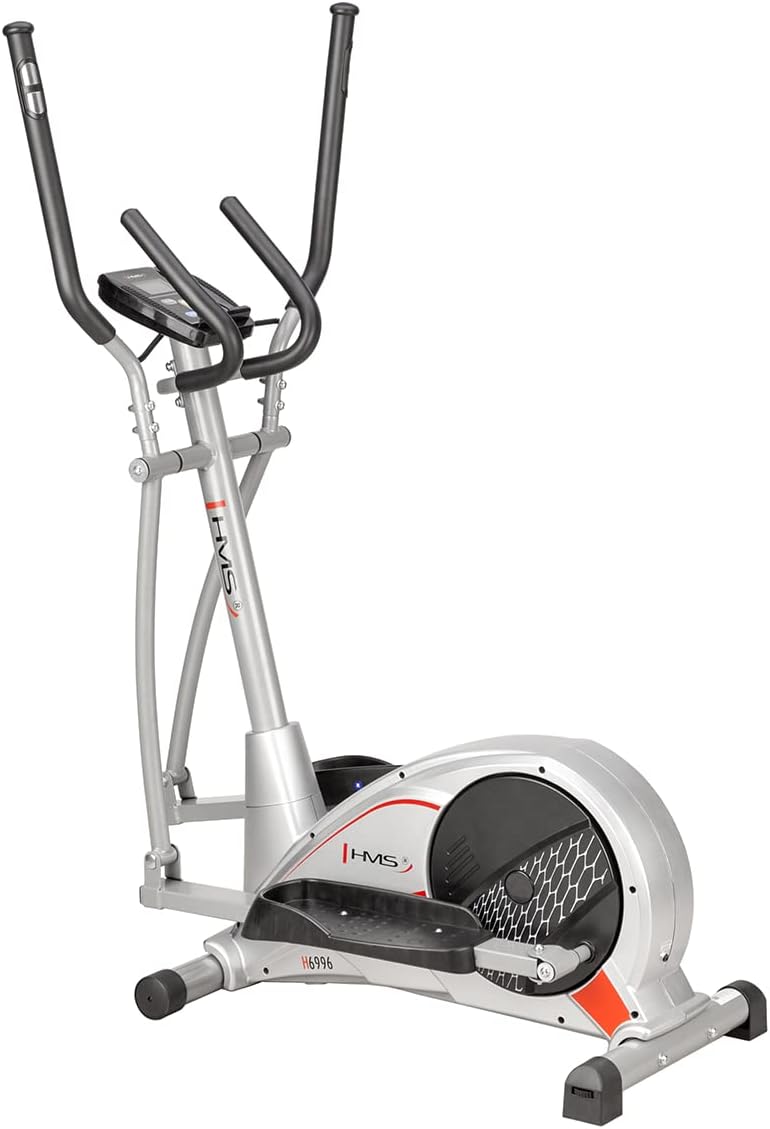
Figure 1: The HMS H6996 Magnetic Elliptical Orbitrek, showcasinదాని సొగసైన డిజైన్ మరియు దృఢమైన ఫ్రేమ్.
ముఖ్యమైన భద్రతా సూచనలు
- ఏదైనా వ్యాయామ కార్యక్రమాన్ని ప్రారంభించే ముందు వైద్యుడిని సంప్రదించండి.
- ప్రతి ఉపయోగం ముందు అన్ని భాగాలు సురక్షితంగా అమర్చబడి ఉన్నాయని నిర్ధారించుకోండి.
- ఆపరేషన్ సమయంలో పిల్లలు మరియు పెంపుడు జంతువులను పరికరాల నుండి దూరంగా ఉంచండి.
- ఎలిప్టికల్ను చదునైన, స్థిరమైన ఉపరితలంపై ఉంచండి.
- తగిన వ్యాయామ దుస్తులు మరియు పాదరక్షలు ధరించండి.
- Do not exceed the maximum user weight (refer to specifications).
- మీకు మూర్ఛ, తల తిరగడం లేదా నొప్పి అనిపిస్తే వెంటనే వ్యాయామం ఆపండి.
సెటప్ మరియు అసెంబ్లీ
The HMS H6996 elliptical requires some assembly. Follow the steps below carefully. It is recommended to have two people for assembly.
1. అన్ప్యాకింగ్
- ప్యాకేజింగ్ నుండి అన్ని భాగాలను జాగ్రత్తగా తొలగించండి.
- Verify all parts are present against the included parts list (not provided in this manual, refer to packaging).
- Place all parts on a clear, flat surface.
2. బేస్ అసెంబ్లీ
- అందించిన బోల్ట్లు మరియు వాషర్లను ఉపయోగించి ప్రధాన ఫ్రేమ్కు ముందు మరియు వెనుక స్టెబిలైజర్ బార్లను అటాచ్ చేయండి. అవి సురక్షితంగా బిగించబడ్డాయని నిర్ధారించుకోండి.
3. Pedal and Arm Assembly
- Connect the pedal arms to the main crank mechanism. Pay attention to left and right markings.
- Attach the foot pedals to the pedal arms.
- Install the moving handlebars to the upper frame, ensuring proper alignment with the pedal arms.
4. Console and Sensor Connection
- Mount the console mast to the main frame.
- Attach the console to the console mast.
- Connect all sensor wires (e.g., pulse, speed) from the main frame to the console.
5. తుది తనిఖీలు
- Review all connections and ensure all bolts are tightened.
- Test the elliptical for smooth operation before first use.
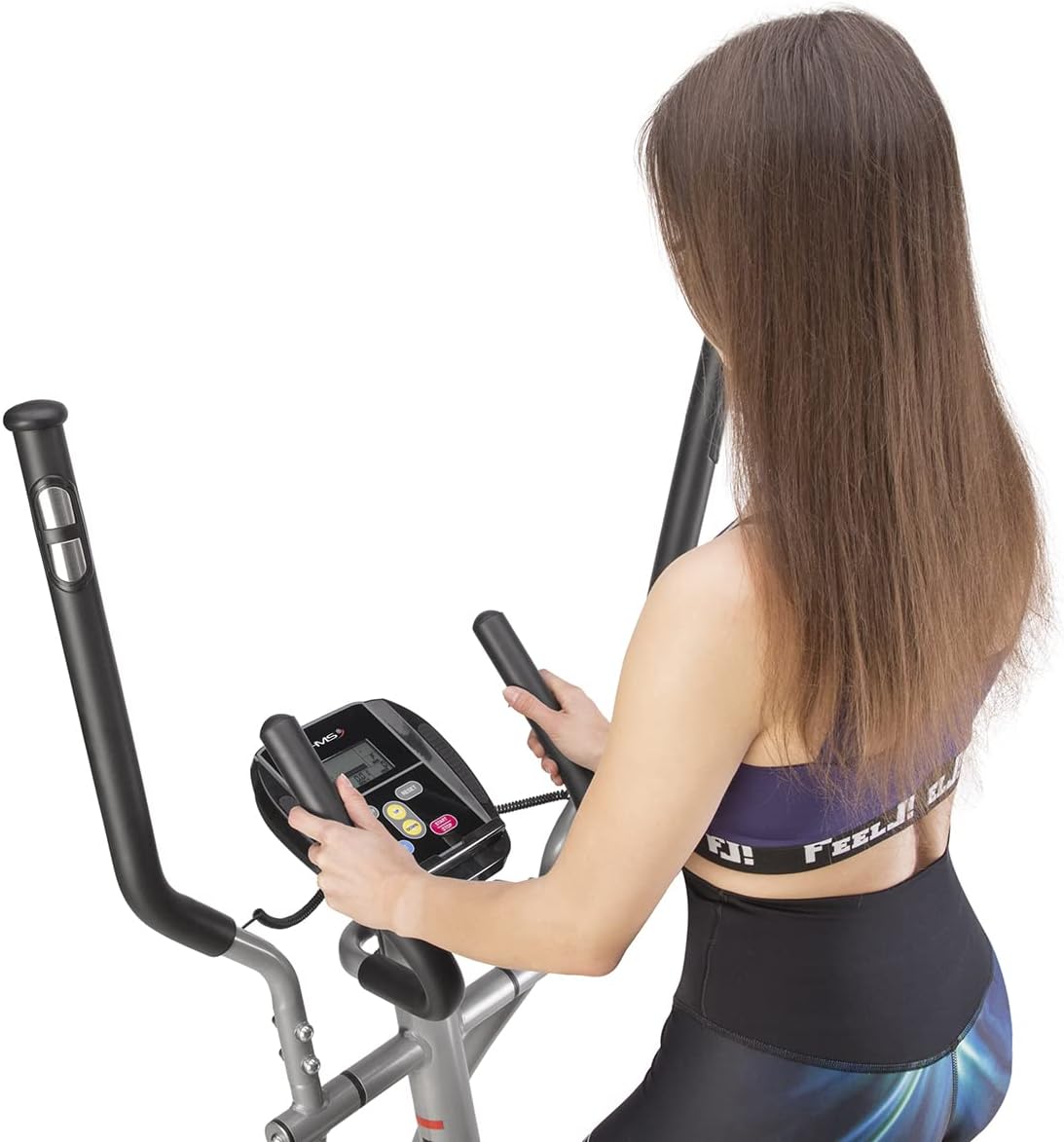
Figure 2: The HMS H6996 elliptical fully assembled, ready for use. Note the stable base and integrated handlebars.
ఆపరేటింగ్ సూచనలు
1. ప్రారంభించడం
- Step onto the pedals one foot at a time, holding onto the stationary or moving handlebars for balance.
- Begin pedaling in a smooth, elliptical motion.

Figure 3: A user demonstrating proper form while operating the HMS H6996 elliptical, engaging both arm and leg movements.
2. Console Functions
The console displays various workout metrics. Power on the console by pressing any button or by starting to pedal.

మూర్తి 4: క్లోజ్-అప్ view of the HMS H6996 elliptical's digital console, showing the display screen and control buttons.
- సమయం: మీ వ్యాయామం యొక్క వ్యవధిని ప్రదర్శిస్తుంది.
- వేగం: మీ ప్రస్తుత వేగాన్ని చూపుతుంది.
- దూరం: మీ సెషన్లో కవర్ చేయబడిన మొత్తం దూరాన్ని ట్రాక్ చేస్తుంది.
- కాలరీలు: ఖర్చయ్యే కేలరీలను అంచనా వేస్తుంది.
- పల్స్: Displays your heart rate when holding the pulse sensors.
- స్కాన్: అన్ని కొలమానాల ద్వారా స్వయంచాలకంగా తిరుగుతుంది.
- మోడ్/రీసెట్: Press to select display mode or hold to reset values.
3. నిరోధకత సర్దుబాటు
The HMS H6996 features a magnetic resistance system. Adjust the resistance level using the tension knob located on the main frame. Turn clockwise to increase resistance and counter-clockwise to decrease it.
4. హృదయ స్పందన పర్యవేక్షణ
To measure your heart rate, firmly grasp the pulse sensors on the stationary handlebars. Your heart rate will be displayed on the console after a few seconds.

Figure 5: Close-up of the integrated pulse sensors on the handlebars, designed for accurate heart rate monitoring during exercise.
నిర్వహణ
క్రమం తప్పకుండా నిర్వహణ మీ ఎలిప్టికల్ యొక్క దీర్ఘాయువు మరియు సరైన పనితీరును నిర్ధారిస్తుంది.
1. శుభ్రపరచడం
- Wipe down the elliptical with a damp ప్రతి ఉపయోగం తర్వాత చెమట మరియు దుమ్ము తొలగించడానికి వస్త్రం.
- రాపిడి క్లీనర్లు లేదా ద్రావకాలు ఉపయోగించవద్దు.
2. సరళత
- Check moving parts (e.g., joints, pivot points) periodically for smooth operation.
- Apply a silicone-based lubricant to any squeaking or stiff joints as needed.
3. Bolt and Nut Checks
- Periodically inspect all bolts, nuts, and screws to ensure they are tight. Tighten any loose fasteners to prevent instability and noise.
ట్రబుల్షూటింగ్
| సమస్య | సాధ్యమైన కారణం | పరిష్కారం |
|---|---|---|
| Console display is blank. | Batteries are dead or incorrectly installed. Loose connection. | Replace batteries (if applicable). Check all console cable connections. |
| ఆపరేషన్ సమయంలో స్క్వీకింగ్ శబ్దం. | Loose bolts or joints. Lack of lubrication. | Tighten all assembly bolts. Apply silicone lubricant to moving joints. |
| నిరోధకత మారదు. | రెసిస్టెన్స్ కేబుల్ డిస్కనెక్ట్ చేయబడింది లేదా దెబ్బతింది. | Inspect the resistance cable connection to the tension knob and flywheel. |
| Inaccurate heart rate reading. | Hands not firmly on sensors. Dry hands. | Ensure firm contact with both sensors. Slightly moisten hands if too dry. |
స్పెసిఫికేషన్లు
| ఫీచర్ | వివరాలు |
|---|---|
| మోడల్ | HMS H6996 |
| టైప్ చేయండి | Magnetic Elliptical Orbitrek |
| ప్రతిఘటన వ్యవస్థ | అయస్కాంత |
| కన్సోల్ డిస్ప్లే | Time, Speed, Distance, Calories, Pulse, Scan |
| హార్ట్ రేట్ మానిటరింగ్ | Integrated Pulse Sensors |
| బ్యాటరీలు ఉన్నాయి | నం |
| ASIN | B09M729L4N |
| మొదటి తేదీ అందుబాటులో ఉంది | 16 సెప్టెంబర్ 2023 |
| ఉత్పత్తి కొలతలు (Note: Dimensions provided in source data appear to be for a different product and are not representative of a full elliptical machine.) | 2.79 x 24.64 x 16.51 సెం.మీ; 3.78 కిలోలు |
వారంటీ మరియు మద్దతు
For detailed warranty information, please refer to the documentation included with your purchase or visit the official HMS website. For technical support or spare parts, contact HMS customer service through their official channels.
Note: Specific warranty terms and contact details are not provided in this manual.
Ask a question about this manual
Ask about setup, troubleshooting, compatibility, parts, safety, or missing instructions. Manuals+ will review the question and use this page’s manual context to help answer it.