
1. పరిచయం
ధన్యవాదాలు, ధన్యవాదాలు.asing the Audizio Monza DAB+ FM Radio with Bluetooth. This manual provides essential information for the safe and correct operation of your device. Please read it thoroughly before use and retain it for future reference.
The Audizio Monza is a versatile portable radio offering DAB+ digital radio, FM radio, and Bluetooth connectivity for wireless audio streaming. It features a 2.4-inch full-color display, alarm functions, and a universal headphone output.
2. భద్రతా సూచనలు
- Do not expose the unit to rain or moisture to avoid electric shock.
- Do not open the housing; there are no user-serviceable parts inside.
- అందించిన పవర్ అడాప్టర్ను మాత్రమే ఉపయోగించండి.
- ఉష్ణ వనరులు మరియు ప్రత్యక్ష సూర్యకాంతి నుండి యూనిట్ను దూరంగా ఉంచండి.
- యూనిట్ చుట్టూ తగినంత వెంటిలేషన్ ఉండేలా చూసుకోండి.
- పొడి గుడ్డతో మాత్రమే శుభ్రం చేయండి.
3. ప్యాకేజీ విషయాలు
- Audizio Monza DAB+ FM Radio
- పవర్ అడాప్టర్
- వినియోగదారు మాన్యువల్ (ఈ పత్రం)
4. ఉత్పత్తి ముగిసిందిview
4.1 ఫ్రంట్ ప్యానెల్ నియంత్రణలు
The front panel features a 2.4-inch full-color display, control buttons, and a central rotary knob for navigation and volume control.

స్పష్టమైన ముందు భాగం view of the Audizio Monza radio, showing the digital radio display tuned to 'NPO Radio 2' with current time and signal strength indicator. The control knobs and buttons are visible.
4.2 వెనుక ప్యానెల్ కనెక్షన్లు
The rear panel includes the power input and a headphone jack.

The back panel of the Audizio Monza radio, indicating the DC 9V power input and a 3.5mm headphone jack. This illustrates the universal headphone output feature, which mutes the speakers when headphones are connected.
5. సెటప్
5.1 పవర్ కనెక్షన్
- Connect the supplied power adapter to the DC 9V input on the rear of the radio.
- పవర్ అడాప్టర్ను తగిన వాల్ అవుట్లెట్లోకి ప్లగ్ చేయండి.
5.2 ప్రారంభ పవర్ ఆన్ మరియు భాష ఎంపిక
- పవర్ బటన్ నొక్కండి (U) రేడియో ఆన్ చేయడానికి.
- The display will prompt you to select a language. Use the rotary knob to navigate and press OK మీ ఎంపికను నిర్ధారించడానికి.
5.3 యాంటెన్నా సర్దుబాటు
Extend the telescopic antenna fully for optimal DAB+ and FM radio reception. Adjust its position for the best signal quality.
6. ఆపరేటింగ్ సూచనలు
6.1 మోడ్ ఎంపిక
నొక్కండి మోడ్ button to switch between DAB+ Radio, FM Radio, and Bluetooth modes.
6.2 DAB+ రేడియో ఆపరేషన్
- Select DAB+ Radio mode using the మోడ్ బటన్.
- The radio will automatically perform a full scan for available DAB+ stations upon first use or if no stations are found. To initiate a scan manually, press the స్కాన్ బటన్.
- Use the rotary knob to browse through the list of available stations. Press OK స్టేషన్ ఎంచుకోవడానికి.
- To save a station as a preset, press and hold the ప్రీసెట్ button. Use the rotary knob to select a preset number (1-10) and press OK నిర్ధారించడానికి.
- ప్రీసెట్ స్టేషన్ను రీకాల్ చేయడానికి, క్లుప్తంగా నొక్కండి ప్రీసెట్ button, then use the rotary knob to select the desired preset and press OK.
6.3 FM రేడియో ఆపరేషన్
- ఉపయోగించి FM రేడియో మోడ్ను ఎంచుకోండి మోడ్ బటన్.
- To automatically scan for the next available station, press the స్కాన్ బటన్.
- To manually tune, rotate the rotary knob.
- Saving and recalling FM presets follows the same procedure as DAB+ presets (see 6.2).
6.4 బ్లూటూత్ ఆపరేషన్
- ఉపయోగించి బ్లూటూత్ మోడ్ను ఎంచుకోండి మోడ్ button. The display will show "Bluetooth Connected" or "Bluetooth Pairing".
- On your Bluetooth-enabled device (e.g., smartphone, MP3 player, laptop), enable Bluetooth and search for available devices.
- Select "Audizio Monza" from the list of devices.
- జత చేసిన తర్వాత, మీరు మీ పరికరం నుండి రేడియోకి ఆడియోను ప్రసారం చేయవచ్చు.
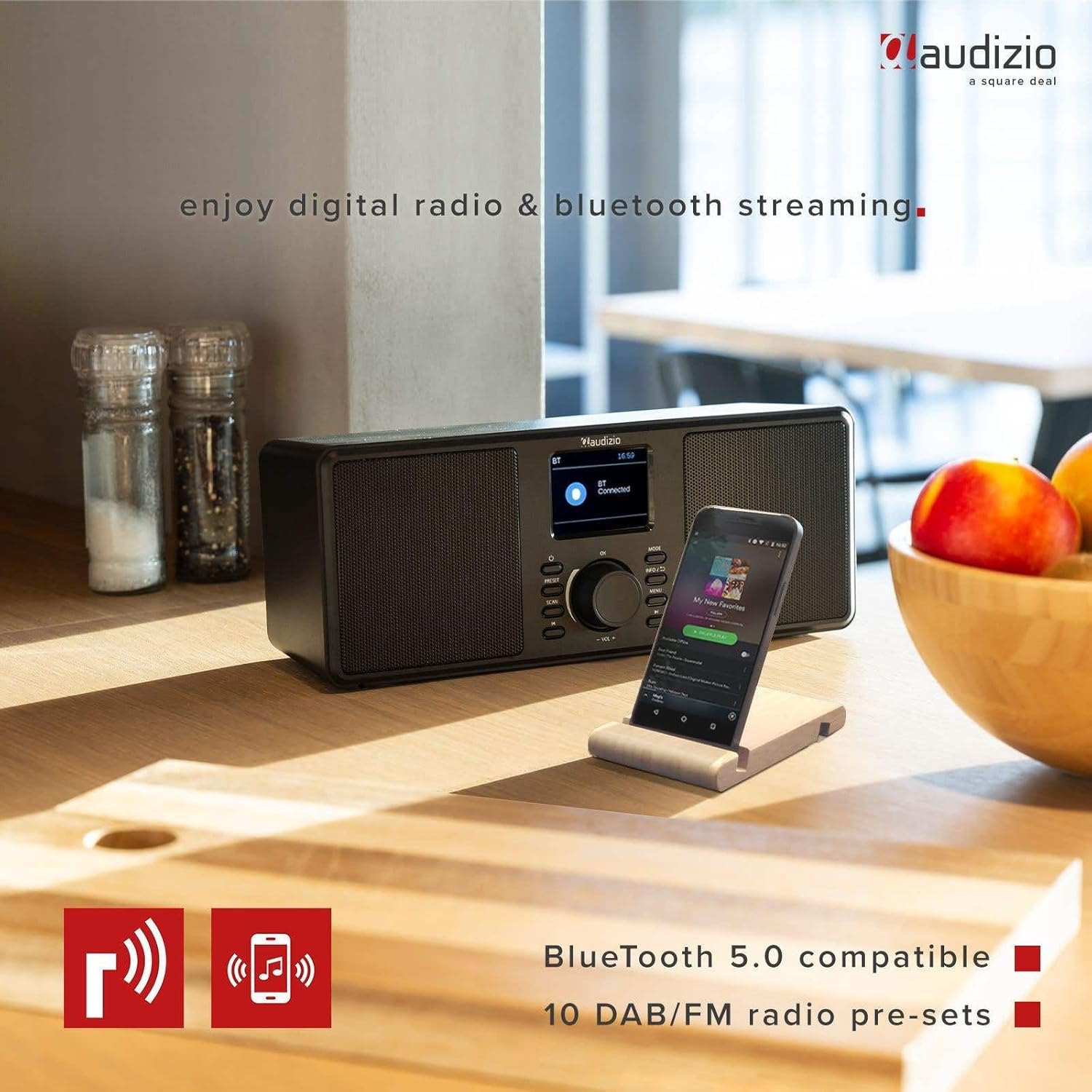
The Audizio Monza radio shown next to a smartphone, illustrating its Bluetooth streaming capability for playing music from mobile devices. The image highlights Bluetooth 5.0 compatibility and 10 DAB/FM radio pre-sets.
6.5 అలారం మరియు స్నూజ్ ఫంక్షన్
The radio includes an alarm function with DAB/FM/buzzer wake-up options.

A close-up of the radio's screen displaying detailed alarm settings, including Alarm 2 status (Off), frequency (Daily), wake-up time (06:00), source (Digital Radio), preset (Last Listened), and duration (60 minutes).
- నొక్కండి మెనూ button and navigate to the Alarm settings.
- Follow the on-screen prompts to set the alarm time, source (DAB, FM, or Buzzer), frequency (Daily, Weekdays, Weekends, Once), and duration.
- అలారం మోగినప్పుడు, నొక్కండి స్నూజ్ button (often integrated with the OK button or a dedicated button) to temporarily silence it.
- అలారం ఆఫ్ చేయడానికి, నొక్కండి శక్తి బటన్.
6.6 హెడ్ఫోన్ వాడకం
Connect 3.5mm headphones to the headphone jack on the rear panel. The radio's speakers will automatically mute when headphones are connected.
7. నిర్వహణ
7.1 శుభ్రపరచడం
Wipe the radio's surface with a soft, dry, lint-free cloth. Do not use abrasive cleaners, waxes, or solvents as they may damage the finish.
7.2 నిల్వ
If storing the radio for an extended period, disconnect it from the power outlet and store it in a cool, dry place away from direct sunlight and extreme temperatures.
8. ట్రబుల్షూటింగ్
| సమస్య | సాధ్యమైన కారణం | పరిష్కారం |
|---|---|---|
| శక్తి లేదు | పవర్ అడాప్టర్ కనెక్ట్ కాలేదు లేదా తప్పుగా ఉంది. | పవర్ అడాప్టర్ రేడియో మరియు పనిచేసే పవర్ అవుట్లెట్కి సురక్షితంగా కనెక్ట్ చేయబడిందని నిర్ధారించుకోండి. |
| No radio reception / Poor sound quality | Antenna not extended or poorly positioned. Weak signal. | Fully extend and adjust the telescopic antenna. Try moving the radio to a different location. Perform a new station scan. |
| బ్లూటూత్ కనెక్ట్ కావడం లేదు | Radio not in Bluetooth mode. Device not in pairing mode or out of range. | Ensure the radio is in Bluetooth mode. Make sure your device's Bluetooth is on and in pairing mode. Move your device closer to the radio. |
| స్పీకర్ల నుండి శబ్దం లేదు | Volume too low. Headphones connected. | వాల్యూమ్ పెంచండి. హెడ్ఫోన్లు ఉపయోగంలో లేకుంటే డిస్కనెక్ట్ చేయండి. |
| Radio presets not saving | తప్పు పొదుపు విధానం. | మీరు నొక్కి పట్టుకున్నారని నిర్ధారించుకోండి ప్రీసెట్ button to save, and then press OK to confirm the preset number. |
9. స్పెసిఫికేషన్లు
| ఫీచర్ | స్పెసిఫికేషన్ |
|---|---|
| బ్రాండ్ | ఆడిజియో |
| మోడల్ | Monza (102.420) |
| కొలతలు (L x W x H) | 36 x 14.5 x 15.5 సెం.మీ |
| బరువు | 1.4 కిలోలు |
| ప్రదర్శన పరిమాణం | 2.4 అంగుళాలు |
| ట్యూనర్ టెక్నాలజీ | DAB+, FM |
| మద్దతు ఉన్న రేడియో బ్యాండ్లు | VHF II (87.5-108 MHz), VHF III (174-240 MHz) |
| కనెక్టివిటీ టెక్నాలజీ | బ్లూటూత్ |
| హార్డ్వేర్ ఇంటర్ఫేస్ | 3.5mm ఆడియో |
| Speaker Output Power (Max) | 50 వాట్స్ |
| శక్తి మూలం | Battery (external power adapter required) |
| ఫ్రీక్వెన్సీ | 60 Hz |
| ప్రత్యేక ఫీచర్ | పోర్టబుల్ |
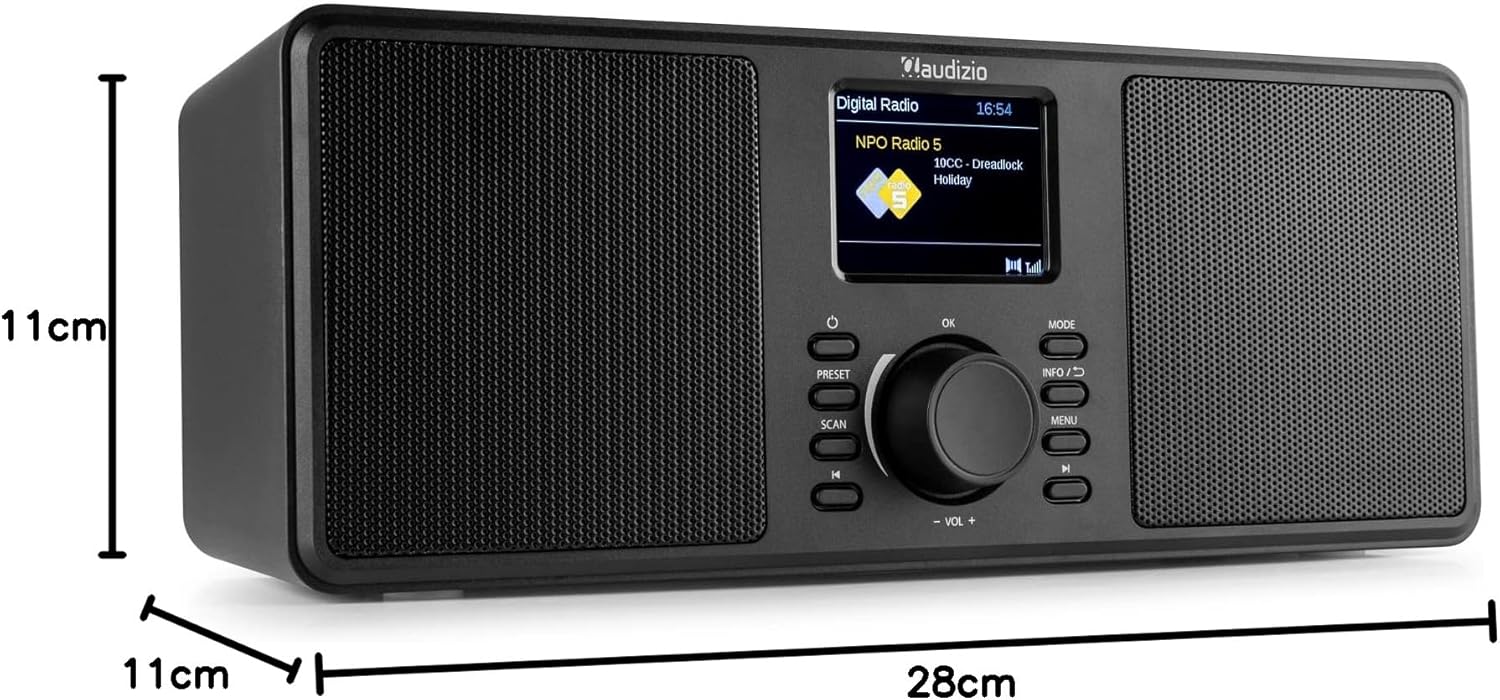
An image illustrating the physical dimensions of the Audizio Monza radio: 28cm width, 11cm height, and 11cm depth.
10. వారంటీ మరియు మద్దతు
10.1 వారంటీ సమాచారం
Warranty terms and conditions are typically provided with your purchase documentation or can be found on the official Audizio webసైట్. ఏవైనా వారంటీ క్లెయిమ్ల కోసం దయచేసి మీ కొనుగోలు రుజువును ఉంచుకోండి.
10.2 కస్టమర్ మద్దతు
For technical support or service inquiries, please refer to the contact information provided in your purchase documentation or visit the official Audizio website for their customer service details.