
TRUSTECH WTF-010L
TRUSTECH బాష్పీభవన ఎయిర్ కూలర్ యూజర్ మాన్యువల్
Model: WTF-010L
1. ఉత్పత్తి ముగిసిందిview
The TRUSTECH Evaporative Air Cooler is a versatile indoor cooling solution designed to provide comfort with its oscillating fan, multiple modes, and speeds. It features a bladeless design for safety and includes ice boxes for enhanced cooling. This manual provides essential information for the safe and efficient operation of your air cooler.
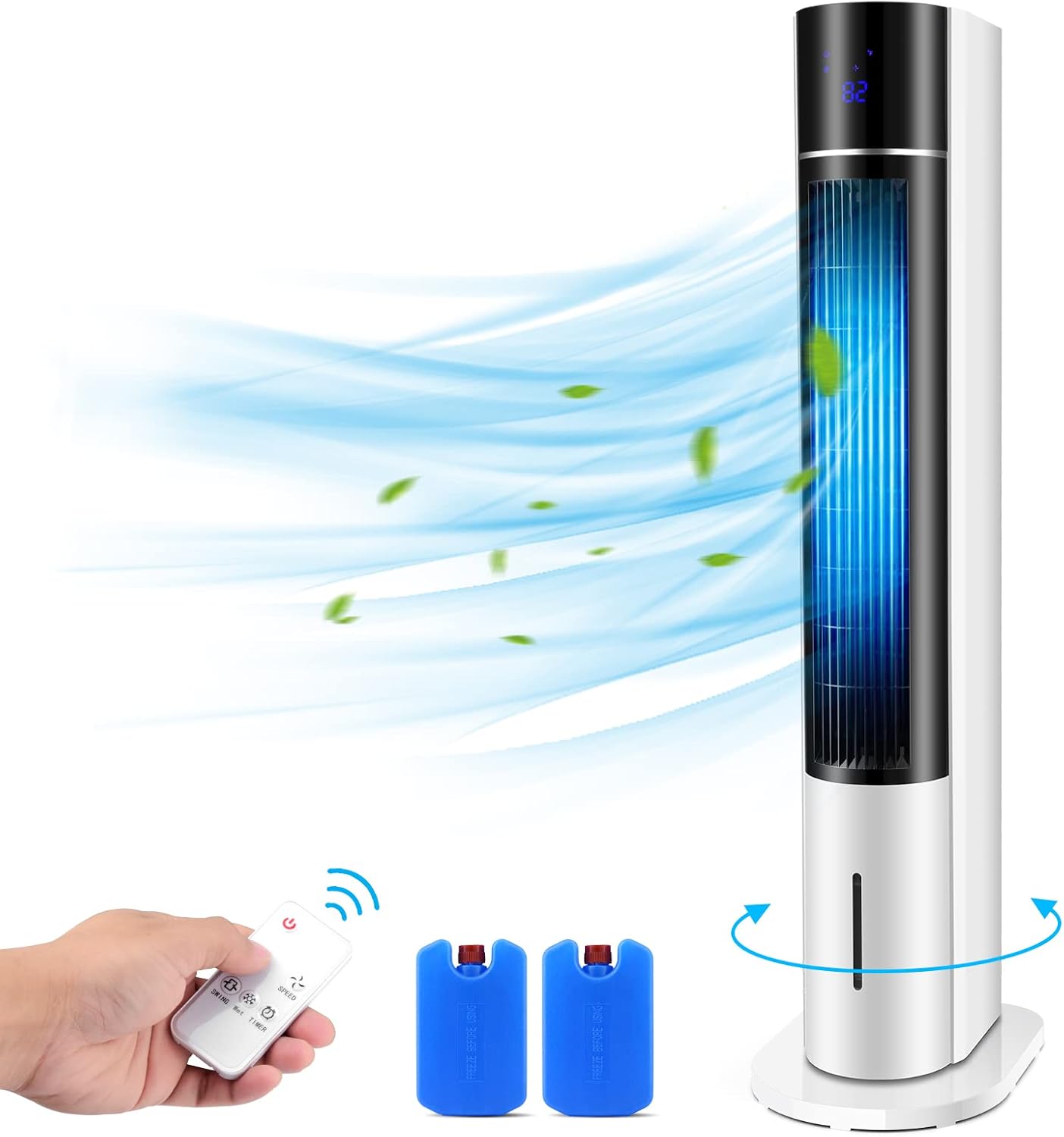
Figure 1: Evaporative Air Cooler with remote control and ice boxes.
2 కీ ఫీచర్లు
- Efficient Water Refilling & 2 Ice Boxes: Designed for easy water addition without bending. Includes two ice boxes for double cooling effect.
- 3 Wind Speeds & Modes: Offers Low, Medium, and High wind speeds, along with Normal, Natural, and Sleep modes to suit various preferences and situations.
- Larger Coverage with Oscillation: Features 20-inch long air outlets and an oscillation function to distribute cool air over a wider area.
- User-friendly with LED Display & Remote: Equipped with an intuitive control panel and a portable remote control for convenient adjustments. The LED display shows current settings.
- సురక్షితమైనది మరియు శుభ్రపరచడం సులభం: Bladeless design ensures safety for children and pets. The unit is designed for easy cleaning and provides clean airflow.
3. సెటప్ సూచనలు
- అన్ప్యాకింగ్: Carefully remove all components from the packaging. Ensure all parts are present: main unit, base, remote control, and 2 ice boxes.
- బేస్ అసెంబ్లీ: Place the main unit onto the provided stand/base. Ensure it is securely seated and stable.
- పవర్ కనెక్షన్: Extend the power cord and plug it into a standard 120V AC electrical outlet.
- Adding Water/Ice Boxes:
- Open the water tank cover located at the top of the unit.
- Pour clean water into the tank, ensuring it does not exceed the maximum fill line.
- For enhanced cooling, place the two included ice boxes (pre-frozen) into the designated compartments within the water tank.

Figure 2: Easy top-fill water tank for convenient refilling.

Figure 3: Inserting frozen ice boxes into the water tank for cooler air.
4. ఆపరేటింగ్ సూచనలు
Your TRUSTECH Evaporative Air Cooler can be operated using the control panel on top of the unit or the included remote control.
4.1 Control Panel & Remote

Figure 4: Control Panel and Remote Display with button functions.
- పవర్ బటన్: యూనిట్ని ఆన్/ఆఫ్ చేస్తుంది.
- శీతలీకరణ బటన్: Activates the evaporative cooling function. Use with ice boxes for maximum effect.
- మోడ్ బటన్: Cycles through Normal, Natural, and Sleep modes.
- స్పీడ్ బటన్: Adjusts fan speed between Low, Medium, and High.
- Oscillating Button: విస్తృత గాలి పంపిణీ కోసం డోలనం ఫంక్షన్ను సక్రియం చేస్తుంది లేదా నిష్క్రియం చేస్తుంది.
- టైమర్ బటన్: Sets the operating timer from 1 to 12 hours.
4.2 Modes and Speeds

Figure 5: The air cooler offers three wind speeds: Low, Medium, and High.

Figure 6: Sleep mode provides quiet operation for comfortable rest.
- సాధారణ మోడ్: ఎంచుకున్న వేగంతో స్థిరమైన గాలి ప్రవాహాన్ని అందిస్తుంది.
- సహజ మోడ్: ఫ్యాన్ వేగాన్ని అడపాదడపా మార్చడం ద్వారా సహజ గాలిని అనుకరిస్తుంది.
- స్లీప్ మోడ్: Operates at a lower, quieter speed, often gradually decreasing, ideal for nighttime use.
4.3 డోలనం
Press the oscillation button to activate the wide-angle oscillation feature, allowing the unit to distribute cool air across a larger area of the room.

Figure 7: The 20-inch long air outlets combined with oscillation provide expanded coverage.
5. నిర్వహణ
క్రమం తప్పకుండా నిర్వహణ మీ ఎయిర్ కూలర్ యొక్క ఉత్తమ పనితీరును మరియు దీర్ఘాయువును నిర్ధారిస్తుంది.
- వాటర్ ట్యాంక్ క్లీనింగ్: Regularly drain and clean the water tank to prevent mold and mildew buildup. Use a soft cloth and mild detergent if necessary, then rinse thoroughly.
- ఫిల్టర్ క్లీనింగ్: The unit features a filter at the back. Periodically remove and clean the filter to maintain air quality and airflow efficiency. Refer to the diagram below for filter location.
- బాహ్య క్లీనింగ్: యూనిట్ యొక్క బాహ్య భాగాన్ని మృదువైన, డితో తుడవండిamp గుడ్డ. రాపిడి క్లీనర్లు లేదా ద్రావకాలు ఉపయోగించవద్దు.

చిత్రం 8: వెనుక view showing the air filter for easy maintenance.
6. ట్రబుల్షూటింగ్
మీ ఎయిర్ కూలర్తో మీరు సమస్యలను ఎదుర్కొంటే, ఈ క్రింది సాధారణ సమస్యలు మరియు పరిష్కారాలను చూడండి:
| సమస్య | సాధ్యమైన కారణం | పరిష్కారం |
|---|---|---|
| యూనిట్ ఆన్ చేయబడలేదు | విద్యుత్ సరఫరా లేదు; పవర్ బటన్ నొక్కలేదు. | Check power cord connection and wall outlet; Press the Power button. |
| బలహీనమైన గాలి ప్రవాహం | Air filter is dirty; Water tank is empty (for cooling function). | Clean the air filter; Refill the water tank. |
| శీతలీకరణ ప్రభావం లేదు | Water tank is empty; Cooling function not activated; Ice boxes not used/frozen. | Refill water tank; Press the Cooling button; Ensure ice boxes are frozen and placed in tank. |
| అసాధారణ శబ్దం | Unit not on a flat surface; Obstruction in fan area. | Place unit on a stable, flat surface; Check for and remove any obstructions. |
7. స్పెసిఫికేషన్లు
| ఫీచర్ | వివరాలు |
|---|---|
| బ్రాండ్ | ట్రస్ట్ |
| మోడల్ పేరు | WTF-010L |
| మౌంటు రకం | అర్మానీ |
| ప్రత్యేక ఫీచర్ | Oscillating Fan, Timer |
| రంగు | తెలుపు |
| నియంత్రణ రకాన్ని | రిమోట్ |
| రిజర్వాయర్ కెపాసిటీ | 3 Liters (as per product title, JSON says 12 Liters, using title for consistency) |
| ఉత్పత్తి కొలతలు | 20"డి x 20"వా x 42.52"హ |
| వాల్యూమ్tage | 120 వోల్ట్లు (AC) |
| వస్తువు బరువు | 13 పౌండ్లు |
8. వారంటీ మరియు మద్దతు
For warranty information, technical support, or service inquiries, please contact TRUSTECH customer service. Keep your purchase receipt as proof of purchase for any warranty claims.
కస్టమర్ సేవ: Please refer to the product packaging or the official TRUSTECH webఅత్యంత తాజా సంప్రదింపు సమాచారం కోసం సైట్.
Ask a question about this manual
Ask about setup, troubleshooting, compatibility, parts, safety, or missing instructions. Manuals+ will review the question and use this page’s manual context to help answer it.