
పరిచయం
This manual provides essential information for the setup, operation, and maintenance of your DuraPro 43-Inch Outdoor 4K UHD LED TV. Designed for outdoor entertainment, this TV features a 4K display with HDR, 500-nit brightness, and an IP54-rated weatherproof exterior with tempered glass. It is ideal for partially shaded outdoor living areas such as covered patios and gazebos. Please read this manual thoroughly before using your TV.

Image: The DuraPro 43-inch Outdoor 4K UHD LED TV highlighting its weatherproof design, USB, AV IN, RF connectivity, IP54 rating, IP55 waterproof remote, and included wall mount.
కీ ఫీచర్లు
- Stunning 4K UHD Picture Quality: Enjoy breathtaking clarity and detail with 4K resolution, vibrant colors, and sharp images.
- Weatherproof and Durable: Designed for outdoor use with an IP54 rating, protecting against dust, moisture, and extreme temperatures.
- Enhanced HDR Technology: Experience enhanced contrast and realistic colors with High Dynamic Range (HDR) technology, improving brightness and color accuracy.
- వాల్ మౌంట్ చేర్చబడింది: Comes with a sturdy and adjustable wall mount for flexible positioning and secure display.
- బహుళ కనెక్టివిటీ ఎంపికలు: Includes HDMI, USB, and AV ports for connecting various devices.
- ప్రకాశవంతమైన ప్రదర్శన: 500-nit brightness, up to 60% brighter than typical indoor TVs, for clear viewing in outdoor conditions.
- Tempered Glass Screen: Provides extra protection against impacts and environmental elements.
- IP55 Waterproof Remote: Included remote control is designed to withstand water exposure.

Image: The DuraPro Outdoor TV displaying a bright image, illustrating its 500cd/m² display, which is up to 60% brighter than an indoor TV.
పెట్టెలో ఏముంది
Upon unboxing your DuraPro 43-Inch Outdoor TV, please ensure all the following components are present:
- DuraPro 43-Inch Outdoor 4K UHD LED TV
- పవర్ కేబుల్
- రిమోట్ కంట్రోల్
- వాల్ బ్రాకెట్
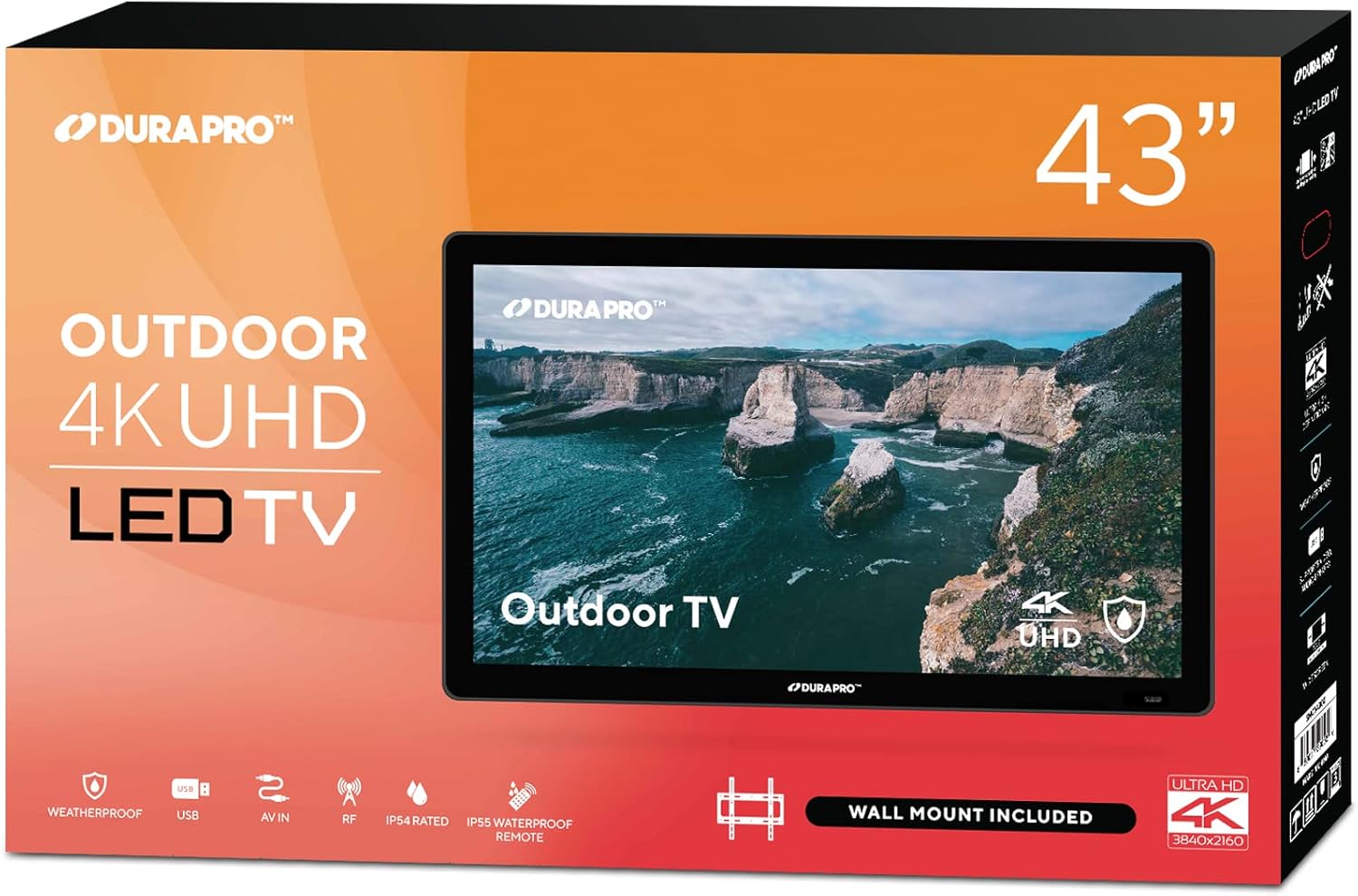
Image: The retail packaging box for the DuraPro 43-inch Outdoor 4K UHD LED TV, indicating its size and key features.
సెటప్
1. వాల్ మౌంట్ ఇన్స్టాలేషన్
The DuraPro Outdoor TV includes a compatible wall mount. Follow these steps for secure installation:
- స్థానాన్ని ఎంచుకోండి: Choose a partially shaded outdoor area, such as a covered patio or gazebo, that can support the TV's weight. Ensure the mounting surface is sturdy.
- మౌంటు బ్రాకెట్: Attach the wall bracket to the desired location on the wall using appropriate hardware (not always included, check wall mount instructions). Ensure it is level and securely fastened. The VESA mount standard for this TV is 200 x 200 mm.
- టీవీ బ్రాకెట్లను అటాచ్ చేయండి: Secure the TV-side brackets to the back of the DuraPro TV using the provided screws.
- మౌంట్ TV: Carefully lift the TV and hook the TV-side brackets onto the wall bracket. Ensure the TV is securely seated and locked into place. It is recommended to have at least two people for this step.

Image: A black metal wall mount bracket, indicating it fits 26"-55" TVs, is VESA compliant, and has a 110 LB weight limit.
2. విద్యుత్ సరఫరా మరియు పరికరాలను కనెక్ట్ చేయడం
- పవర్ కనెక్షన్: Connect the power cable to the TV and then to a grounded outdoor power outlet.
- రిమోట్ కంట్రోల్: Insert AA batteries into the IP55 waterproof remote control.
- బాహ్య పరికరాలు: Connect your external devices (e.g., gaming consoles, media players) to the available HDMI, USB, or AV ports on the TV. This TV has 3 HDMI ports and 3 USB ports.

Image: The IP55 waterproof remote control for the DuraPro TV, shown with water splashing around it, emphasizing its water-resistant design.
ఆపరేటింగ్ సూచనలు
1. ప్రారంభ పవర్ ఆన్ మరియు సెటప్
- టీవీని ఆన్ చేయడానికి రిమోట్ కంట్రోల్లోని పవర్ బటన్ను నొక్కండి.
- మీ భాష, దేశాన్ని ఎంచుకోవడానికి మరియు మీ Wi-Fi నెట్వర్క్కు కనెక్ట్ అవ్వడానికి స్క్రీన్పై ఉన్న సూచనలను అనుసరించండి.
- The TV is powered by webOS TV, offering a smart and intuitive interface for streaming apps and other functions.

Image: A close-up of the DuraPro TV screen displaying the webOS TV interface, showing various app icons and navigation options.
2. ప్రాథమిక టీవీ విధులు
- శక్తి: Use the Power button on the remote to turn the TV on or off.
- ఇన్పుట్ మూలం: Press the "Input" or "Source" button on the remote to switch between HDMI, USB, AV, and other connected devices.
- వాల్యూమ్: ధ్వని స్థాయిని సర్దుబాటు చేయడానికి వాల్యూమ్ అప్/డౌన్ బటన్లను ఉపయోగించండి.
- ఛానెల్: Use the Channel Up/Down buttons for broadcast TV channels (if an antenna is connected to the RF input).
- స్మార్ట్ టీవీ ఫీచర్లు: నావిగేట్ చేయండి webOS interface to access pre-installed apps like Netflix, Prime Video, YouTube, and more.
నిర్వహణ
1. టీవీని శుభ్రపరచడం
- శుభ్రం చేసే ముందు టీవీని ఎల్లప్పుడూ అన్ప్లగ్ చేయండి.
- కొద్దిగా మెత్తని, మెత్తని బట్టను ఉపయోగించండి dampనీటితో లేదా తేలికపాటి, రాపిడి లేని స్క్రీన్ క్లీనర్తో శుభ్రం చేయండి.
- క్లీనర్ను నేరుగా స్క్రీన్పై పిచికారీ చేయవద్దు. ముందుగా దానిని గుడ్డకు పూయండి.
- Wipe the screen and frame gently to remove dust and smudges.
2. Weatherproofing and Durability
Your DuraPro Outdoor TV is designed with an IP54 rating for protection against dust and splashing water. The tempered glass screen adds an extra layer of durability.
- While weatherproof, it is recommended to install the TV in a partially shaded area to prolong its lifespan and optimize viewing.
- Avoid direct, prolonged exposure to heavy rain or extreme weather conditions.
- Ensure all port covers (if applicable) are securely closed when not in use to maintain water resistance.

Image: The DuraPro Outdoor TV screen with water splashing over it, accompanied by text indicating its IP54 rating for protection from water and dust.

Image: The back of the DuraPro TV mounted on a brick wall, highlighting its tough built exterior and rugged casing, ideal for outdoor settings.
ట్రబుల్షూటింగ్
- శక్తి లేదు:
- పవర్ కేబుల్ టీవీకి మరియు పనిచేసే పవర్ అవుట్లెట్కు సురక్షితంగా కనెక్ట్ చేయబడిందని నిర్ధారించుకోండి.
- మరొక పరికరాన్ని ప్లగ్ చేయడం ద్వారా పవర్ అవుట్లెట్ పనిచేస్తుందో లేదో తనిఖీ చేయండి.
- Try pressing the power button on the TV itself, if available, to rule out a remote issue.
- చిత్రం లేదు/సిగ్నల్ లేదు:
- సరైన ఇన్పుట్ సోర్స్ ఎంచుకోబడిందని ధృవీకరించండి (ఉదా., HDMI 1, USB).
- టీవీ మరియు బాహ్య పరికరాల మధ్య ఉన్న అన్ని కేబుల్ కనెక్షన్లను తనిఖీ చేయండి.
- Ensure external devices are powered on and functioning correctly.
- రిమోట్ కంట్రోల్ పనిచేయదు:
- రిమోట్ కంట్రోల్లోని AA బ్యాటరీలను భర్తీ చేయండి.
- రిమోట్ మరియు టీవీ యొక్క IR సెన్సార్ మధ్య ఎటువంటి అడ్డంకులు లేవని నిర్ధారించుకోండి.
- పేలవమైన చిత్ర నాణ్యత:
- మీ కనెక్ట్ చేయబడిన పరికరం మరియు టీవీ యొక్క రిజల్యూషన్ సెట్టింగ్లను తనిఖీ చేయండి.
- Ensure cables are high-quality and securely connected.
- టీవీ మెనూలో చిత్ర సెట్టింగ్లను (ప్రకాశం, కాంట్రాస్ట్, రంగు) సర్దుబాటు చేయండి.
- Wi-Fi కనెక్టివిటీ సమస్యలు:
- మీ Wi-Fi రూటర్ను పునఃప్రారంభించండి.
- టీవీ నెట్వర్క్ సెట్టింగ్లకు వెళ్లి, మీ Wi-Fi నెట్వర్క్కి తిరిగి కనెక్ట్ చేయడానికి ప్రయత్నించండి.
- టీవీ మీ Wi-Fi రూటర్ పరిధిలో ఉందని నిర్ధారించుకోండి.
స్పెసిఫికేషన్లు
| ఫీచర్ | వివరాలు |
|---|---|
| స్క్రీన్ పరిమాణం | 43 అంగుళాలు |
| బ్రాండ్ | DuraPro |
| మోడల్ పేరు | DP-43 |
| ప్రదర్శన సాంకేతికత | LED |
| రిజల్యూషన్ | 4 కె యుహెచ్డి (3840 x 2160) |
| రిఫ్రెష్ రేట్ | 120 Hz |
| ప్రత్యేక ఫీచర్ | Flat Screen, HDR Support |
| చేర్చబడిన భాగాలు | Power Cable, Remote Control, Wall Bracket |
| కనెక్టివిటీ టెక్నాలజీ | HDMI, USB, Wi-Fi |
| కారక నిష్పత్తి | 16:9 |
| ఉత్పత్తి కొలతలు (D x W x H) | 7"డి x 45.5"వా x 28.5"హ |
| Maximum Display Brightness | 500 నిట్ |
| HDR ఫార్మాట్ మద్దతు ఉంది | HDR10 and/or Dolby Vision |
| Total Number of HDMI Ports | 3 |
| మొత్తం USB పోర్ట్లు | 3 |
| మౌంటు రకం | వాల్ మౌంట్ |
| VESA మౌంట్ స్టాండర్డ్ | 200 x 200 మి.మీ |
| Internet Applications | webOS TV (also listed as Roku TV in some specifications) |
| నియంత్రణ పద్ధతి | రిమోట్ కంట్రోల్ |
| రంగు | నలుపు |
| నీటి నిరోధక స్థాయి | నీటి నిరోధకం (IP54 రేటెడ్) |
| UPC | 843715173375 |
వారంటీ సమాచారం
The DuraPro 43-Inch Outdoor 4K UHD LED TV comes with a 1 సంవత్సరాల పూర్తి వారంటీ from the manufacturer. Please retain your proof of purchase for warranty claims. For detailed terms and conditions, refer to the warranty card included with your product or visit the official DuraPro webసైట్.
కస్టమర్ మద్దతు
For technical assistance, troubleshooting, or warranty inquiries, please contact DuraPro customer support:
- Webసైట్: www.durapro.com/support (ఉదాample link, replace with actual if known)
- ఇమెయిల్: support@durapro.com (ఉదాample email, replace with actual if known)
- ఫోన్: 1-800-XXX-XXXX (ఉదాample number, replace with actual if known)
Please have your model number (DP-43) and purchase date ready when contacting support.