
పరిచయం
This manual provides essential information for the safe and efficient operation of your Westinghouse 43-inch 4K Ultra HD Certified Android LED TV, model WH43UD10. Please read these instructions thoroughly before using your television and retain them for future reference.
ముఖ్యమైన భద్రతా సమాచారం
- అగ్ని లేదా విద్యుత్ షాక్ను నివారించడానికి టీవీని వర్షం లేదా తేమకు గురిచేయవద్దు.
- క్యాబినెట్ తెరవవద్దు. అర్హత కలిగిన సిబ్బందికి మాత్రమే సర్వీసింగ్ను సూచించండి.
- సరైన వెంటిలేషన్ ఉండేలా చూసుకోండి. వెంటిలేషన్ ఓపెనింగ్లను బ్లాక్ చేయవద్దు.
- పవర్ కార్డ్ను నడవకుండా లేదా పించ్ చేయకుండా రక్షించండి.
- మెరుపు తుఫానుల సమయంలో లేదా ఎక్కువసేపు ఉపయోగించనప్పుడు టీవీని అన్ప్లగ్ చేయండి.
- తయారీదారు పేర్కొన్న జోడింపులు/యాక్సెసరీలను మాత్రమే ఉపయోగించండి.
సెటప్
అన్బాక్సింగ్ మరియు ప్రారంభ తనిఖీ
Carefully remove the television and all accessories from the packaging. Inspect for any damage. Keep packaging materials for potential future transport.
మౌంటు ఐచ్ఛికాలు
Your television supports both table-top and wall-mount installations.
- టేబుల్ మౌంట్: Attach the included stands to the bottom of the TV using the provided screws. Ensure the TV is placed on a stable, level surface.
- వాల్ మౌంట్: For wall mounting, use a VESA compatible bracket (200 x 200 mm). Consult a professional for wall mounting to ensure safety and proper installation.

చిత్రం: ముందు మరియు పక్క view of the Westinghouse 43-inch TV with detailed dimensions in centimeters and inches.
పెరిఫెరల్స్ కనెక్ట్ చేస్తోంది
Connect your external devices to the appropriate ports on the television.
- HDMI: Connect up to 3 HDMI devices (e.g., set-top box, gaming console, Blu-ray player).
- USB: Connect USB storage devices for media playback (2 USB ports available).
- ఈథర్నెట్: వైర్డు ఇంటర్నెట్ కనెక్షన్ కోసం.
- సహాయక: ఆడియో ఇన్పుట్ కోసం.
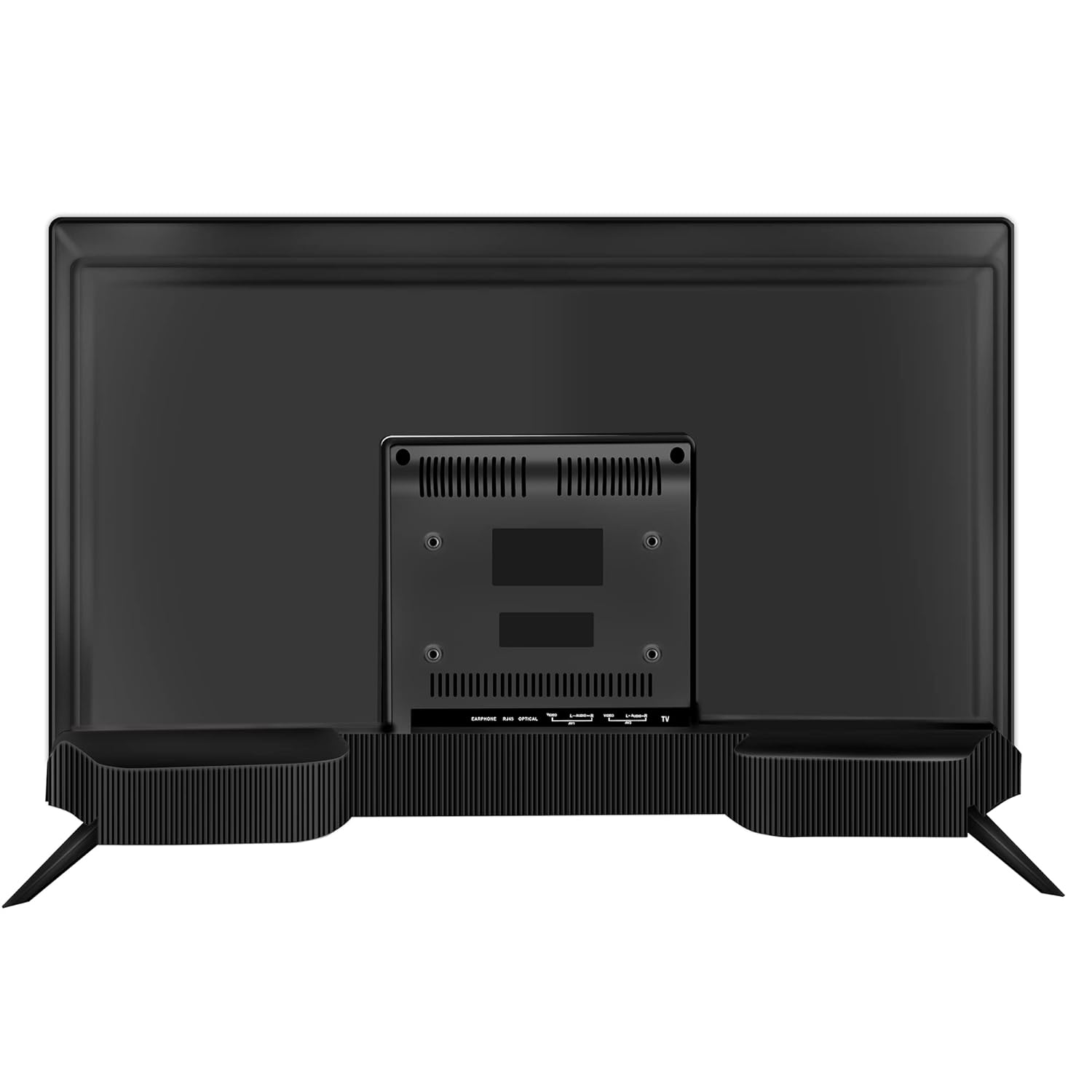
చిత్రం: వెనుక view of the Westinghouse 43-inch TV showing various input/output ports including HDMI, USB, and Ethernet.

చిత్రం: వైపు view of the Westinghouse 43-inch TV highlighting the accessible HDMI and USB ports.
రిమోట్ కంట్రోల్ సెటప్
Insert the two AAA batteries (included) into the remote control, observing polarity. The remote supports both IR and Bluetooth connectivity. For Bluetooth functions like Google Voice Assistance, pair the remote with the TV during initial setup or via the TV's settings menu.
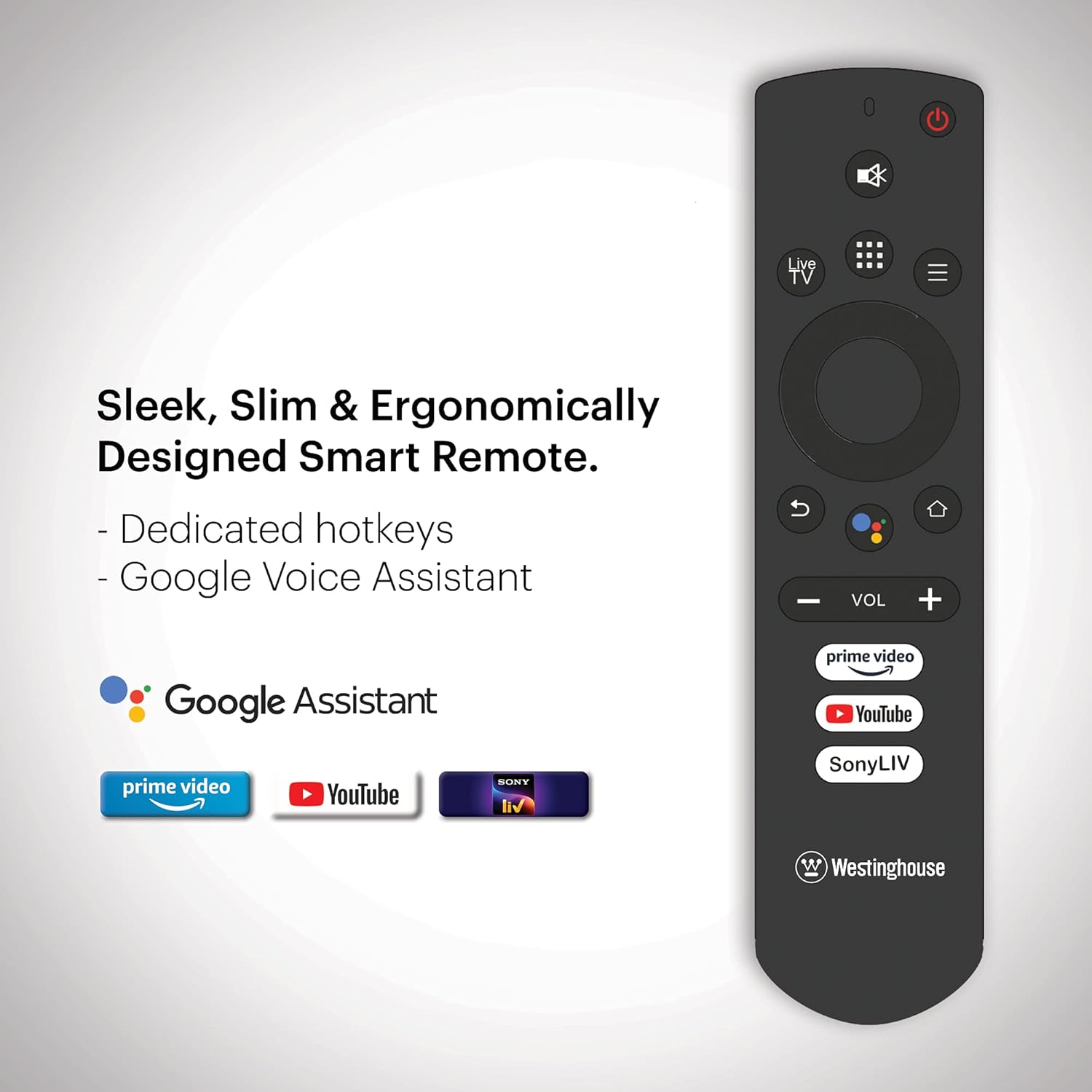
Image: Ergonomically designed smart remote control for the Westinghouse TV, featuring dedicated hotkeys for popular streaming services and Google Voice Assistant button.
Initial Power On and Android TV Setup
After connecting the power cord, press the power button on the remote or TV. Follow the on-screen instructions to complete the initial setup, which includes:
- భాష ఎంపిక.
- నెట్వర్క్ కనెక్షన్ (Wi-Fi లేదా ఈథర్నెట్).
- Google account sign-in for Android TV features.
- ఛానెల్ల కోసం స్కాన్ చేస్తోంది (యాంటెన్నా ఉపయోగిస్తుంటే).
- Pairing the Bluetooth remote control.
ఆపరేటింగ్ సూచనలు
పవర్ ఆన్/ఆఫ్
నొక్కండి శక్తి button on the remote control to turn the TV on or off. The TV enters standby mode when turned off.
Navigating Android TV
డైరెక్షనల్ ప్యాడ్ ఉపయోగించండి మరియు OK button on your remote to navigate the Android TV interface. The home screen provides access to installed apps, inputs, and settings.

Image: The Westinghouse Android TV home screen displaying various streaming applications and content recommendations.
Google అసిస్టెంట్ని ఉపయోగించడం
నొక్కండి Google అసిస్టెంట్ button on your remote and speak into the microphone to control your TV, search for content, get answers, and more.
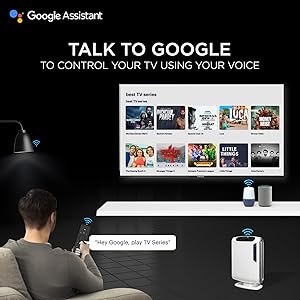
Image: A user interacting with the TV using Google Assistant voice commands via the remote control.
Applications and Streaming
Access a wide range of applications through the Google Play Store. Pre-installed applications include Amazon Prime Video, Sony Liv, Disney+Hotstar, Zee5, YouTube, and MX Player. You can download additional apps and games to enhance your entertainment experience.

Image: A collage of various popular streaming service logos and app icons available on the Android TV platform.
Chromecast అంతర్నిర్మిత
Use the built-in Chromecast feature to cast content from your compatible mobile devices or computer directly to your TV screen.
ఆడియో ఫీచర్లు
The TV is equipped with powerful 40W speakers for an immersive audio experience. Adjust volume using the VOL +/- buttons on the remote. You can also connect external audio devices via Bluetooth for a personalized sound setup.

Image: A couple enjoying music from the TV, illustrating the powerful 40-watt speakers and immersive sound experience.
నిర్వహణ
టీవీని శుభ్రం చేయడం
- స్క్రీన్: మెత్తటి, మెత్తటి బట్టతో స్క్రీన్ను సున్నితంగా తుడవండి. మొండి మరకల కోసం, కొద్దిగా dampనీటితో లేదా ప్రత్యేక స్క్రీన్ క్లీనర్తో వస్త్రాన్ని తుడవండి. స్క్రీన్పై నేరుగా ద్రవాన్ని పిచికారీ చేయవద్దు.
- కేబినెట్: టీవీ క్యాబినెట్ను మృదువైన, పొడి గుడ్డతో తుడవండి. రాపిడి క్లీనర్లు లేదా ద్రావకాలను ఉపయోగించవద్దు.
సాఫ్ట్వేర్ నవీకరణలు
Your Android TV may receive periodic software updates. Ensure your TV is connected to the internet to receive these updates, which can improve performance and add new features. You can check for updates manually in the TV's settings menu.
సాధారణ సంరక్షణ
- టీవీని ప్రత్యక్ష సూర్యకాంతిలో లేదా ఉష్ణ వనరుల దగ్గర ఉంచకుండా ఉండండి.
- టీవీ పైన బరువైన వస్తువులను ఉంచవద్దు.
- Keep the TV away from strong magnetic fields.
ట్రబుల్షూటింగ్
| సమస్య | సాధ్యమైన పరిష్కారం |
|---|---|
| శక్తి లేదు | పవర్ కార్డ్ టీవీకి మరియు వాల్ అవుట్లెట్కి సురక్షితంగా ప్లగ్ చేయబడిందో లేదో తనిఖీ చేయండి. వాల్ అవుట్లెట్ పనిచేస్తుందని నిర్ధారించుకోండి. |
| చిత్రం లేదు, కానీ ధ్వని ఉంది | ఇన్పుట్ సోర్స్ను తనిఖీ చేయండి. కనెక్ట్ చేయబడిన పరికరం పవర్ ఆన్ చేయబడి సరిగ్గా పనిచేస్తుందని నిర్ధారించుకోండి. వేరే HDMI కేబుల్ను ప్రయత్నించండి. |
| శబ్దం లేదు, కానీ చిత్రం ఉంది | Check the volume level. Ensure the TV is not muted. Check audio settings and external audio connections. |
| రిమోట్ కంట్రోల్ పనిచేయడం లేదు | Replace batteries. Ensure there are no obstructions between the remote and the TV. Re-pair the Bluetooth remote if necessary. |
| నెట్వర్క్ కనెక్షన్ సమస్యలు | Check your Wi-Fi router or Ethernet cable. Restart your router. Re-enter Wi-Fi password in TV settings. |
| యాప్లు నెమ్మదిగా లేదా క్రాష్ అవుతున్నాయి | Clear app cache or data in TV settings. Ensure sufficient storage space. Restart the TV. |
ఫ్యాక్టరీ రీసెట్
If issues persist, a factory reset may resolve them. This will erase all personal data and settings. Navigate to Settings > Device Preferences > Reset మరియు ఆన్-స్క్రీన్ ప్రాంప్ట్లను అనుసరించండి.
స్పెసిఫికేషన్లు
| ఫీచర్ | వివరాలు |
|---|---|
| బ్రాండ్ | వెస్టింగ్హౌస్ |
| మోడల్ సంఖ్య | WH43UD10 |
| స్క్రీన్ పరిమాణం | 43 అంగుళాలు (108 సెం.మీ.) |
| ప్రదర్శన సాంకేతికత | LED |
| రిజల్యూషన్ | 4K అల్ట్రా HD |
| రిఫ్రెష్ రేట్ | 60 Hz |
| ఆపరేటింగ్ సిస్టమ్ | ఆండ్రాయిడ్ 9.0 పై |
| మెమరీ స్టోరేజ్ కెపాసిటీ | 8 GB |
| కనెక్టివిటీ టెక్నాలజీ | ఈథర్నెట్, HDMI, USB, Wi-Fi, బ్లూటూత్ |
| మొత్తం HDMI పోర్ట్లు | 3 |
| మొత్తం USB పోర్ట్లు | 2 |
| ఆడియో అవుట్పుట్ | 40 Watts (Speakers) |
| ప్రతిస్పందన సమయం | 8 మిల్లీసెకన్లు |
| Viewing యాంగిల్ | 178 డిగ్రీలు |
| ఉత్పత్తి కొలతలు (D x W x H) | 23D x 97W x 62H సెంటీమీటర్లు |
| వస్తువు బరువు | 6.4 కిలోలు |
| VESA మౌంట్ స్టాండర్డ్ | 200 x 200 మి.మీ |
| HDR ఫార్మాట్ మద్దతు ఉంది | IPS |
| Maximum Display Brightness | 500 Candela Per Square Meter |
| కాంట్రాస్ట్ రేషియో | 5000:1 |
వారంటీ మరియు మద్దతు
వారంటీ సమాచారం
This product comes with a 1-year warranty provided by the manufacturer from the date of purchase. Please retain your invoice as proof of purchase.
కస్టమర్ మద్దతు
For assistance, please contact the brand's toll-free number: 1800-103-3036. When contacting support, provide the product's model name (WH43UD10) and the seller's details as mentioned on your invoice. The service center will schedule a convenient service slot.
తయారీదారు సంప్రదింపు సమాచారం: SPPL B-29,30&31 Sector 81 Noida UP-201305