
ELAMOR M22 Bluetooth Smart Lock
ELAMOR M22 Bluetooth Smart Lock User Manual
Comprehensive guide for installation, operation, maintenance, and troubleshooting of your ELAMOR M22 Smart Lock.
1. ఉత్పత్తి ముగిసిందిview
The ELAMOR M22 Bluetooth Smart Lock offers convenient keyless entry with multiple unlocking options, including app control, touchscreen keypad, and mechanical keys. Designed for durability and security, it integrates seamlessly into modern homes and offices.

Image: ELAMOR M22 Bluetooth Smart Lock with its accompanying smartphone application interface.
ముఖ్య లక్షణాలు:
- బహుళ అన్లాకింగ్ పద్ధతులు: App Unlock, Touchscreen Keypad, Mechanical Keys.
- మన్నికైన నిర్మాణం: Sturdy zinc alloy and stainless steel frame with IP54 waterproof rating.
- స్మార్ట్ లైఫ్ యాప్ నియంత్రణ: Manage user codes, view visitor logs, and unlock remotely via Bluetooth.
- ఆటో-లాక్ ఫీచర్: Customizable 3-30 second auto-lock for enhanced security.
- సులభమైన సంస్థాపన: Designed for simple installation with minimal tools.
2. సెటప్ గైడ్
2.1 ఏమి చేర్చబడింది
ఇన్స్టాలేషన్ ప్రారంభించే ముందు, అన్ని భాగాలు ప్యాకేజీలో ఉన్నాయని నిర్ధారించుకోండి:
- Touch Keypad Assembly (Exterior)
- అంతర్గత అసెంబ్లీ
- డెడ్బోల్ట్ గొళ్ళెం
- డెడ్బోల్ట్ స్ట్రైక్ ప్లేట్
- బకిల్ బాక్స్
- మౌంటు ప్లేట్
- మెకానికల్ కీలు (2)
- Various Screws (1-5/32" (33mm) x 2, 3/4" (19mm) x 2, 3/4" (19mm) x 4)

Image: All components included in the ELAMOR M22 Smart Lock package, laid out for verification.
2.2 డోర్ తయారీ
సరైన సంస్థాపన కోసం మీ తలుపు కింది స్పెసిఫికేషన్లకు అనుగుణంగా ఉందని నిర్ధారించుకోండి:
- బ్యాక్సెట్: 2-3/8" or 2-3/4" (60mm-70mm)
- Hole in Door Edge: 1" (25మి.మీ)
- తలుపు మందం: Between 1-3/8" and 2" (35mm and 50mm)

Image: A diagram illustrating the required door dimensions (backset, edge hole, thickness) for installing the smart lock.
2.3 సంస్థాపనా దశలు
Follow these steps carefully to install your ELAMOR M22 Smart Lock. A Philips screwdriver is the only tool required.
Video: M22 Bluetooth Smart Lock Installation Guide. This video provides a step-by-step visual walkthrough of the entire installation process.
- Insert Latch Bolt: Insert the latch bolt into the door. Ensure the T-shaped hole is in the bottom position. Twist the latch to adjust the bolt length if necessary, making sure the latch bolt is retracted.
- స్ట్రైక్ని ఇన్స్టాల్ చేయండి: Install the strike plate on the door frame using the provided 3/4" (19mm) screws (2ea) to fix the latch.
- బాహ్య అసెంబ్లీని ఇన్స్టాల్ చేయండి: Route the cable through the door. Ensure the tail of the exterior assembly passes through the T-shaped hole and the stud passes through the latch. The key must be pulled out when installing. Push the keypad onto the door.
- మౌంటు ప్లేట్ను ఇన్స్టాల్ చేయండి: Install the mounting plate using the 1-5/32" (33mm) screws (2ea). If the keypad and mounting plate are not placed correctly, loosen the mounting plate screws and make adjustments.
- అంతర్గత అసెంబ్లీని ఇన్స్టాల్ చేయండి: Ensure a tight cable connection. Insert the tail of the exterior assembly into the T-shaped hole of the interior assembly. Secure with the 3/4" (19mm) screws (2ea).
- బ్యాటరీలను వ్యవస్థాపించండి: Install 4 AA batteries into the interior assembly.
- పరీక్ష ఆపరేషన్: Test the door lock/unlock process normally. Press the lock key; the latch bolt should extend by itself. Unlock by entering the default user code (123456).
- యాప్కి కనెక్ట్ చేయండి: Connect the lock to the Smart Life App via Bluetooth. Follow the in-app instructions to add the device.

Image: A person using a Philips screwdriver to install the ELAMOR M22 Smart Lock, demonstrating the ease of installation.
3. ఆపరేటింగ్ సూచనలు
3.1 అన్లాకింగ్ పద్ధతులు
- టచ్స్క్రీన్ కీప్యాడ్: Enter your programmed user code on the illuminated keypad to unlock the door.
- స్మార్ట్ లైఫ్ యాప్: Open the Smart Life App on your smartphone. Within Bluetooth range (less than 32.8 ft/10 m), tap the unlock icon to open the door.
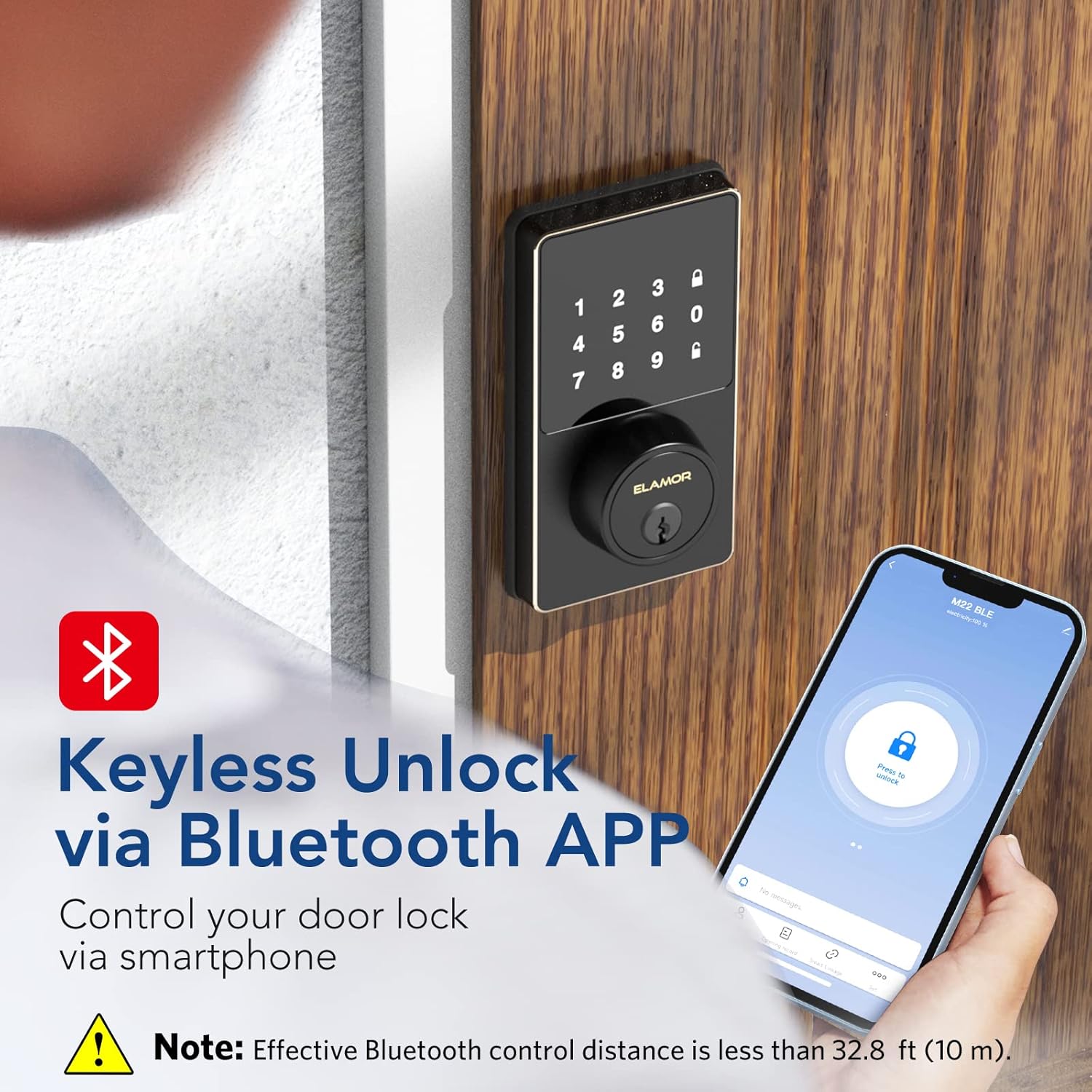
Image: A smartphone screen showing the Smart Life App interface with a prominent "Press to unlock" button for the ELAMOR M22 Smart Lock.
- మెకానికల్ కీ: Use the provided mechanical keys as a backup for manual unlocking.
3.2 Setting User Codes
The ELAMOR M22 Smart Lock supports up to 50 individual user codes. User codes can be managed and set visually through the Smart Life App. Refer to the app's specific instructions for adding, modifying, or deleting user codes.

Image: A visual representation of the smart lock's capability to store up to 50 individual user codes, suitable for multiple users.
You can also share permanent, temporary, or scheduled password access with friends and family directly from the app.

Image: A user interacting with the Smart Life App to share door access, illustrating the convenience of remote code management.
3.3 ఆటో-లాక్ ఫీచర్
The auto-lock feature can be customized to automatically lock the door after a set period (3-30 seconds). This provides peace of mind, ensuring your door is secured even if you forget to lock it manually.
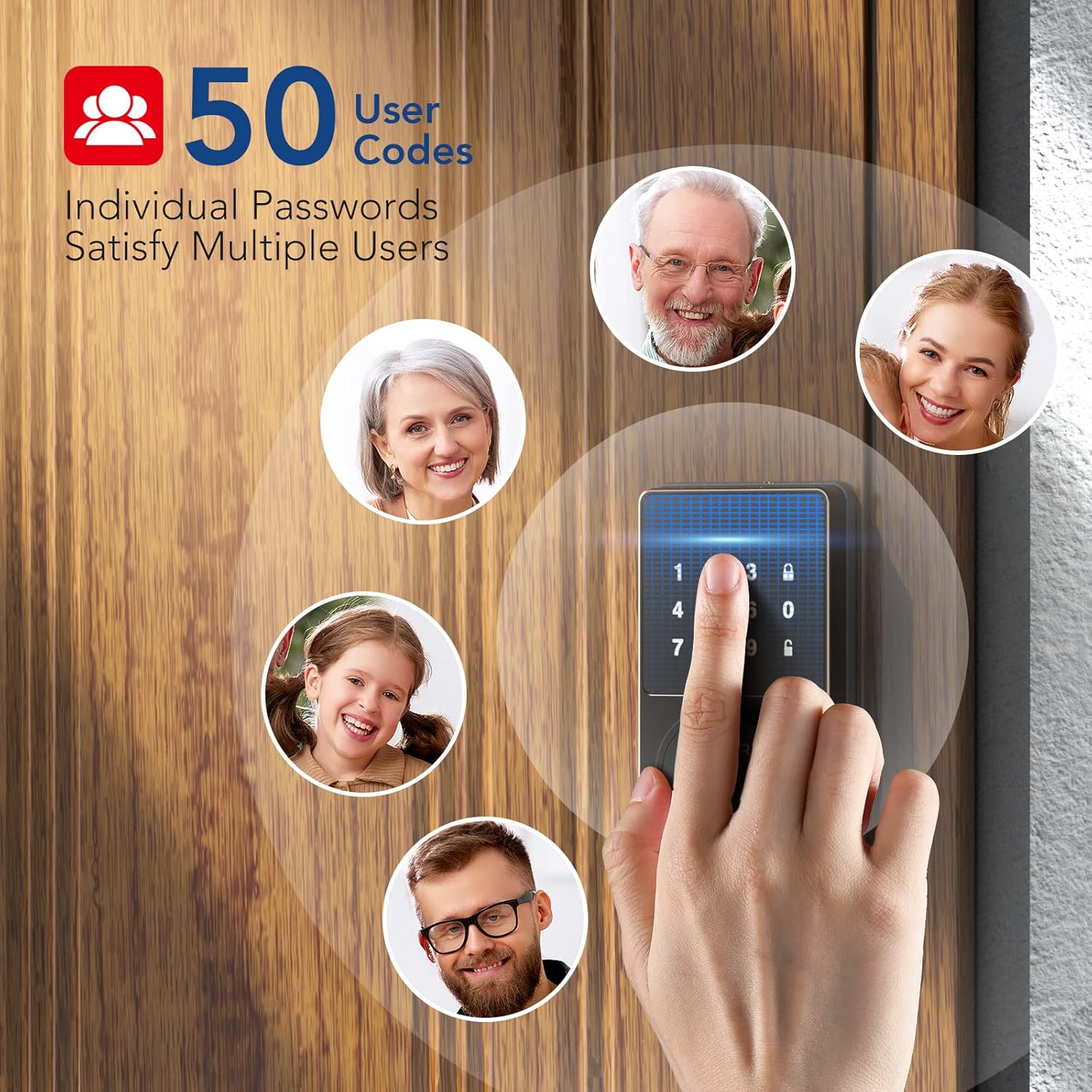
Image: A woman carrying packages, demonstrating the convenience of the auto-lock feature when hands are full.
4. నిర్వహణ
4.1 శుభ్రపరచడం
To maintain the appearance and functionality of your smart lock, wipe the touchscreen and exterior surfaces with a soft, damp రాపిడి క్లీనర్లు లేదా ద్రావకాలను ఉపయోగించడం మానుకోండి, ఎందుకంటే ఇవి ముగింపు మరియు ఎలక్ట్రానిక్ భాగాలను దెబ్బతీస్తాయి.
4.2 బ్యాటరీ భర్తీ
The lock is powered by 4 AA batteries. When the battery level is low, the lock will provide a reminder. Replace all four batteries simultaneously with new, high-quality AA alkaline batteries to ensure optimal performance.

Image: The smart lock's keypad showing a visual indicator for low battery, prompting replacement.
5. ట్రబుల్షూటింగ్
- Keypad Not Responding or Code Not Working:
- బ్యాటరీలు సరిగ్గా ఇన్స్టాల్ చేయబడ్డాయని మరియు తగినంత ఛార్జ్ కలిగి ఉన్నాయని నిర్ధారించుకోండి. అవసరమైతే మార్చండి.
- Verify the code entered is correct.
- If the issue persists, try resetting the lock (refer to app instructions for reset procedure).
- యాప్ కనెక్టివిటీ సమస్యలు:
- Ensure Bluetooth is enabled on your smartphone and you are within the effective range (less than 32.8 ft/10 m).
- స్మార్ట్ లైఫ్ యాప్ను రీస్టార్ట్ చేయండి.
- యాప్ అప్డేట్ల కోసం తనిఖీ చేయండి.
- If the lock was previously connected to Wi-Fi (for M19 models), ensure your Wi-Fi network is stable.
- అధిక బ్యాటరీ డ్రెయిన్:
- Ensure the door and frame are properly aligned and the deadbolt operates smoothly without resistance. Friction can cause increased motor usage and battery drain.
- అధిక-నాణ్యత ఆల్కలీన్ బ్యాటరీలను ఉపయోగించండి.
- Frequent use of the auto-lock feature or repeated locking/unlocking can consume more power.
- Lock Not Responding After Working for a Period:
- బ్యాటరీలను తనిఖీ చేయండి మరియు భర్తీ చేయండి.
- Perform a factory reset if other troubleshooting steps fail. Note that this will erase all user codes and settings.
6. స్పెసిఫికేషన్లు
| ఫీచర్ | వివరాలు |
|---|---|
| బ్రాండ్ | ఎలమోర్ |
| మోడల్ పేరు | M22 Bluetooth Smart Lock |
| లాక్ రకం | Bluetooth Programmable Keypad Door Lock Deadbolt with Key |
| మెటీరియల్ | జింక్ |
| రంగు | నలుపు |
| అంశం కొలతలు (L x W x H) | 7.51 x 5.62 x 4.44 అంగుళాలు |
| వస్తువు బరువు | 2.38 పౌండ్లు |
| శక్తి మూలం | బ్యాటరీ పవర్డ్ (4 AA బ్యాటరీలు, చేర్చబడలేదు) |
| కనెక్టివిటీ ప్రోటోకాల్ | బ్లూటూత్ |
| నియంత్రణ పద్ధతి | App, Keypad |
| ప్రత్యేక లక్షణాలు | Smart Lock, Waterproof (IP54 rating) |
| సిఫార్సు చేసిన ఉపయోగాలు | Front Door, Home Use, Apartment, Office, Hotel, Garage, Wine Cellar, Flats |
| గ్లోబల్ ట్రేడ్ ఐడెంటిఫికేషన్ నంబర్ (GTIN) | 06975082590098 |
7. వారంటీ మరియు మద్దతు
ELAMOR provides a 12 నెలల వారంటీ for the M22 Bluetooth Smart Lock. In case of any issues or inquiries, a 24-hour service team is available to assist you.
For technical support or warranty claims, please refer to the contact information provided with your product packaging or visit the official ELAMOR webసైట్.
Ask a question about this manual
Ask about setup, troubleshooting, compatibility, parts, safety, or missing instructions. Manuals+ will review the question and use this page’s manual context to help answer it.