
klarus XT11R
Klarus XT11R Tactical Flashlight User Manual
Model: XT11R
పరిచయం
The Klarus XT11R is an advanced tactical flashlight designed for reliability and performance in various environments. It features a powerful 1300-lumen output, a long beam distance, and extended battery life, making it suitable for law enforcement, outdoor activities, and everyday carry. Its intuitive dual-switch design allows for rapid mode changes and quick access to tactical functions like strobe.
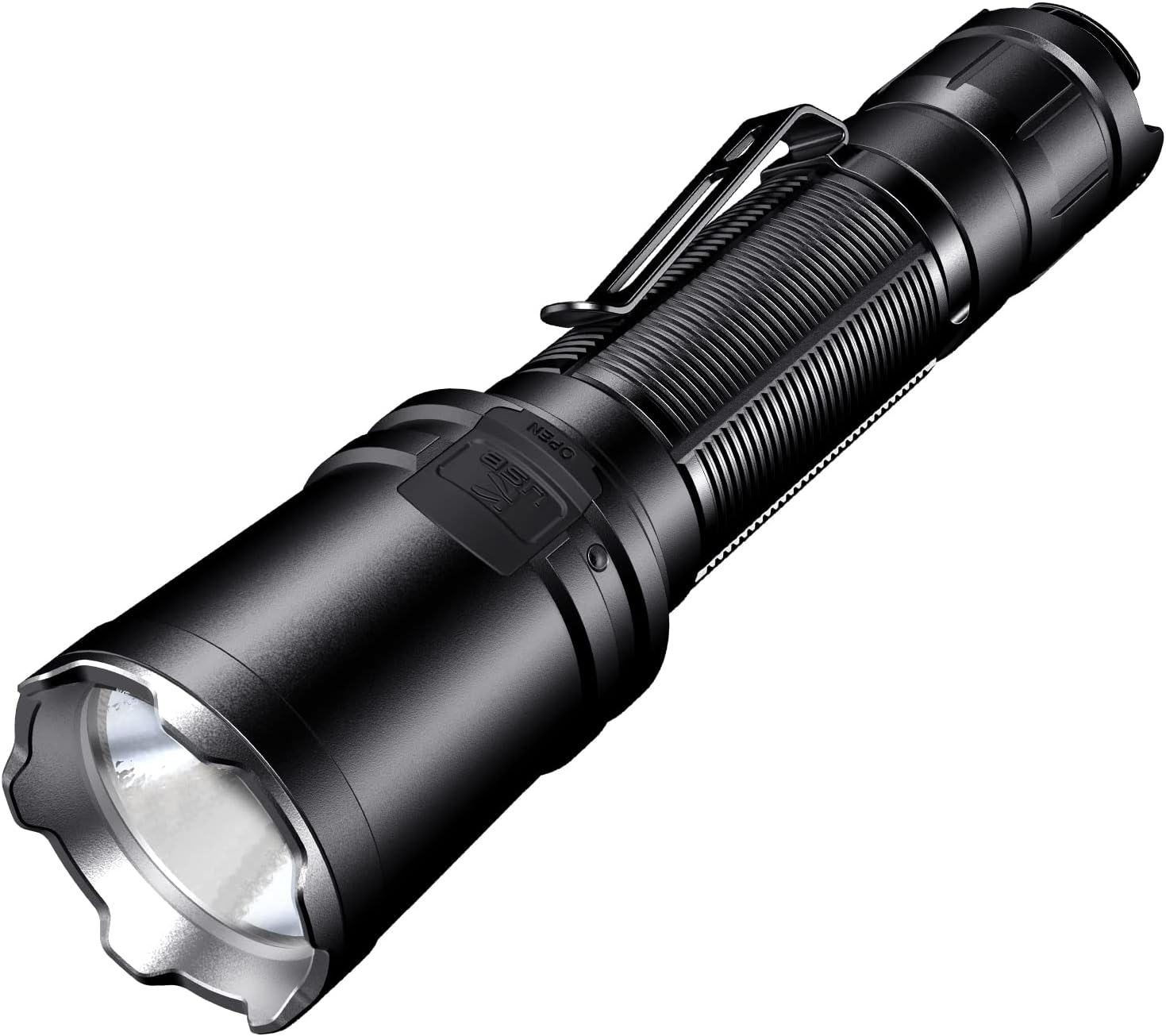
ఉత్పత్తి ముగిసిందిview
The XT11R flashlight is engineered for durability and ease of use. Below are its key components and features.


సెటప్
ప్యాకేజీ విషయాలు
Upon unboxing your Klarus XT11R, please verify that all components are present:
- Klarus XT11R Tactical Flashlight
- USB-C ఛార్జింగ్ కేబుల్
- వినియోగదారు మాన్యువల్
- Lanyard (if included)
- Spare O-ring (if included)
- Battery (if included, note: some models are sold without battery)

బ్యాటరీ సంస్థాపన
- ఫ్లాష్లైట్ను అపసవ్య దిశలో తిప్పడం ద్వారా దాని టెయిల్ క్యాప్ను విప్పు.
- Insert the 18650 Li-ion battery (if included, or a compatible battery) with the positive (+) end facing towards the head of the flashlight. The XT11R is designed for 18650 batteries.
- Screw the tail cap back on clockwise until it is securely tightened. Ensure it is fully tightened to maintain water resistance and proper electrical contact.
ప్రారంభ ఛార్జింగ్
Before first use, it is recommended to fully charge the flashlight battery.
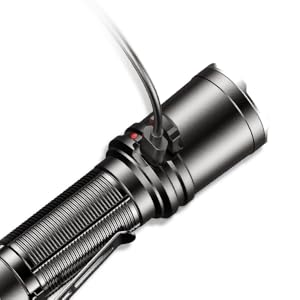
- Locate the USB-C charging port on the side of the flashlight. It is usually covered by a rubber flap for protection.
- Open the rubber flap and insert the provided USB-C cable into the port.
- USB-C కేబుల్ యొక్క మరొక చివరను అనుకూలమైన USB పవర్ సోర్స్కి కనెక్ట్ చేయండి (ఉదా. వాల్ అడాప్టర్, కంప్యూటర్ USB పోర్ట్, పవర్ బ్యాంక్).
- The indicator light near the charging port will show the charging status. It typically turns red during charging and green when fully charged.
- Once charging is complete, disconnect the cable and securely close the rubber flap to protect the port from dust and water.
ఆపరేటింగ్ సూచనలు
The XT11R features a dual-switch tail cap for intuitive control and quick access to various lighting modes.
తోక స్విచ్లు
- Primary Switch (Larger Button):
- Press fully to turn the flashlight ON/OFF.
- Half-press and hold for momentary ON (releases to OFF).
- Mode Switch (Smaller Button):
- When the light is ON, press to cycle through lighting modes: High → Medium → Low.
- When the light is OFF, press and hold for One-Touch Strobe.
- When the light is ON, press and hold for One-Touch Strobe. Release to return to the previous mode.
లైటింగ్ మోడ్లు
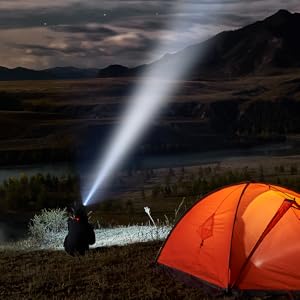
- అధిక: Maximum brightness (1300 lumens) for powerful illumination.
- మధ్యస్థం: Balanced brightness for general use and extended runtime.
- తక్కువ: Minimal brightness for close-range tasks and maximum battery life.
- స్ట్రోబ్: Disorienting flashing light for tactical situations or signaling.

నిర్వహణ
Proper maintenance ensures the longevity and optimal performance of your Klarus XT11R flashlight.
- శుభ్రపరచడం: ఫ్లాష్లైట్ బాడీని మృదువైన, డి-లైట్తో క్రమం తప్పకుండా శుభ్రం చేయండి.amp cloth. For the lens, use a lens cleaning cloth and solution to avoid scratches.
- సరళత: Apply a thin layer of silicone grease to the O-rings and threads periodically to maintain water resistance and smooth operation.
- బ్యాటరీ సంరక్షణ:
- Remove the battery if the flashlight will not be used for an extended period to prevent leakage.
- చల్లని, పొడి ప్రదేశంలో బ్యాటరీలను నిల్వ చేయండి.
- Do not over-discharge or over-charge batteries.
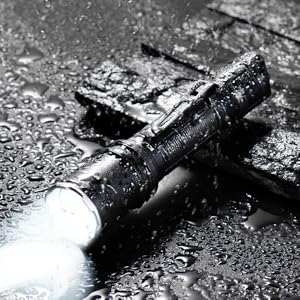
- నీటి నిరోధకత: The XT11R is IPX8 rated (submersible up to 2 meters). Ensure the tail cap is fully tightened and the USB-C port cover is sealed before exposing to water.
ట్రబుల్షూటింగ్
If you encounter issues with your XT11R flashlight, refer to the following common problems and solutions:
| సమస్య | సాధ్యమైన కారణం | పరిష్కారం |
|---|---|---|
| ఫ్లాష్లైట్ ఆన్ అవ్వడం లేదు. | Battery low or depleted; Incorrect battery insertion; Loose tail cap; Dirty contacts. | Charge or replace battery; Ensure positive end faces head; Tighten tail cap; Clean battery and flashlight contacts with an alcohol swab. |
| లైట్ ఊహించని విధంగా మిణుకుమిణుకుమంటుంది లేదా ఆరిపోతుంది. | Loose tail cap; Low battery; Overheating. | Tighten tail cap; Charge battery; Reduce brightness mode to allow cooling. |
| మోడ్ల ద్వారా సైకిల్ చేయలేరు. | Mode switch malfunction; Battery issue. | Ensure battery is fully charged; Contact customer support if issue persists. |
| ఛార్జింగ్ సూచిక పనిచేయడం లేదు. | Faulty cable or power source; Charging port issue. | Try a different USB-C cable and power source; Ensure port is clean and free of debris. |
స్పెసిఫికేషన్లు
Detailed technical specifications for the Klarus XT11R Tactical Flashlight.
| ఫీచర్ | వివరాలు |
|---|---|
| మోడల్ | XT11R |
| ప్రకాశం | 1300 ల్యూమెన్స్ (గరిష్టంగా) |
| బీమ్ దూరం | 300 Meters (Max) |
| రన్టైమ్ | 144 hours (Max) |
| కాంతి మూలం రకం | LED |
| శక్తి మూలం | Battery Powered (1 A battery required, included) |
| బ్యాటరీ సెల్ కంపోజిషన్ | NiMH |
| మెటీరియల్ | Aluminum 6061-T6 with Mil-Spec HAIII anti-abrasive and anodized finish |
| నీటి నిరోధక స్థాయి | IPX8 (2 మీటర్ల సబ్మెర్సిబుల్) |
| ఇంపాక్ట్ రెసిస్టెన్స్ | 1 మీటర్ |
| కొలతలు | 5.7 inches (length), 1 inch (diameter) |
| వస్తువు బరువు | 4.3 ఔన్సులు (122 గ్రాములు) |
| ప్రత్యేక లక్షణాలు | LED Flashlight, Dual Tail Switches, USB-C Rechargeable, Crenelated Bezel |
వారంటీ మరియు మద్దతు
Klarus provides a warranty for its products. For specific warranty terms and conditions, please refer to the official Klarus website or the warranty card included with your product. For technical support, troubleshooting assistance beyond this manual, or warranty claims, please contact Klarus customer service through their official channels.
You can find more information and contact details on the official Klarus webసైట్: www.klaruslight.com
Ask a question about this manual
Ask about setup, troubleshooting, compatibility, parts, safety, or missing instructions. Manuals+ will review the question and use this page’s manual context to help answer it.