
1. పరిచయం
This manual provides essential information for the proper installation, operation, and maintenance of your Rampage RM-420 BLACK EAGLE 27-inch 165Hz 1ms IPS Full HD Gaming Monitor. Please read this manual thoroughly before using the product and retain it for future reference.
2. భద్రతా సమాచారం
- అగ్ని లేదా షాక్ ప్రమాదాలను నివారించడానికి మానిటర్ను వర్షం లేదా తేమకు గురిచేయవద్దు.
- మానిటర్ తెరవవద్దు casing. లోపల వినియోగదారు-సేవ చేయగల భాగాలు లేవు. అన్ని సర్వీసింగ్లను అర్హత కలిగిన సిబ్బందికి సూచించండి.
- పడిపోకుండా నిరోధించడానికి మానిటర్ను స్థిరమైన, చదునైన ఉపరితలంపై ఉంచండి.
- మానిటర్ చుట్టూ సరైన వెంటిలేషన్ ఉండేలా చూసుకోండి. వెంటిలేషన్ ఓపెనింగ్లను బ్లాక్ చేయవద్దు.
- మానిటర్తో పాటు సరఫరా చేయబడిన పవర్ అడాప్టర్ను మాత్రమే ఉపయోగించండి.
- మెరుపు తుఫానుల సమయంలో లేదా ఎక్కువసేపు ఉపయోగించనప్పుడు పవర్ అవుట్లెట్ నుండి మానిటర్ను అన్ప్లగ్ చేయండి.
3. ప్యాకేజీ విషయాలు
మీ ఉత్పత్తి ప్యాకేజీలో అన్ని అంశాలు ఉన్నాయని ధృవీకరించండి:
- Rampage RM-420 BLACK EAGLE Monitor
- మానిటర్ స్టాండ్ (బేస్ మరియు మెడ)
- పవర్ కేబుల్
- HDMI కేబుల్
- వినియోగదారు మాన్యువల్ (ఈ పత్రం)
4. సెటప్
4.1 స్టాండ్ను అసెంబుల్ చేయడం
- స్క్రీన్ను సురక్షితంగా ఉంచుతూ, మానిటర్ను దాని ప్యాకేజింగ్ నుండి జాగ్రత్తగా తీసివేయండి.
- Attach the stand neck to the back of the monitor by aligning the mounting points and securing with screws if provided.
- Attach the stand base to the stand neck, ensuring it clicks into place or is secured with the provided screw.
- అమర్చబడిన మానిటర్ను స్థిరమైన, చదునైన ఉపరితలంపై ఉంచండి.
4.2 కనెక్ట్ కేబుల్స్
అవసరమైన కేబుల్లను మానిటర్ మరియు మీ కంప్యూటర్ లేదా ఇతర పరికరాలకు కనెక్ట్ చేయండి.
- పవర్ కనెక్షన్: పవర్ కేబుల్ను మానిటర్ పవర్ ఇన్పుట్కి మరియు తరువాత వాల్ అవుట్లెట్కి కనెక్ట్ చేయండి.
- వీడియో కనెక్షన్: Connect one end of the HDMI or DisplayPort (DP) cable to the corresponding port on your monitor and the other end to your computer's graphics card. A VGA port is also available for older systems.
- ఆడియో కనెక్షన్: If desired, connect external speakers or headphones to the audio output jack on the monitor.
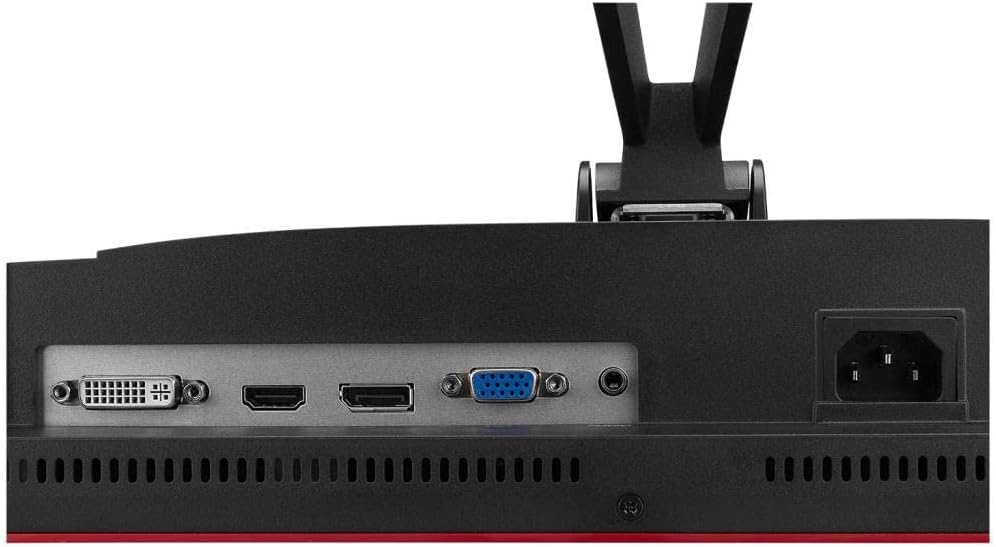
చిత్రం: వెనుక view of the monitor showing the DVI, HDMI, VGA, and DisplayPort inputs, along with the audio out and power input.
4.3 ప్రారంభ పవర్-ఆన్
After connecting all cables, press the power button on the monitor to turn it on. The monitor should automatically detect the input signal. If not, you may need to manually select the input source using the OSD menu.
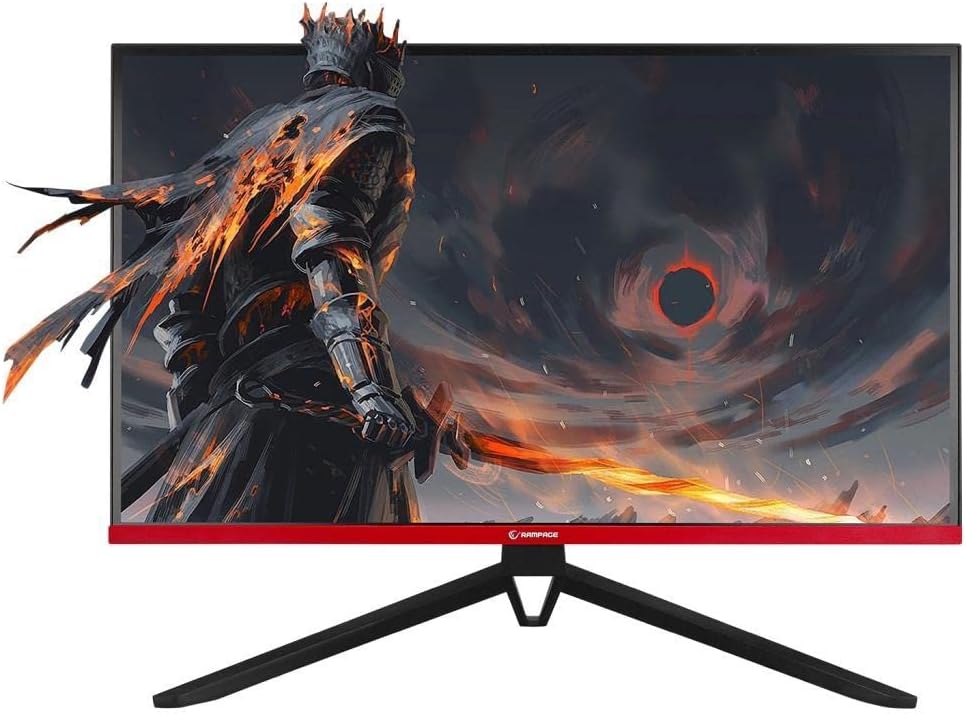
చిత్రం: ముందు భాగం view of the Rampage RM-420 monitor, showcasing its display with a vibrant game scene.
5. మానిటర్ను నిర్వహించడం
5.1 ఆన్-స్క్రీన్ డిస్ప్లే (OSD) మెనూ
The OSD menu allows you to adjust various monitor settings. Use the buttons located on the monitor (usually on the back or bottom right) to navigate and select options.
- నొక్కండి మెనూ OSDని తెరవడానికి బటన్.
- ఉపయోగించండి పైకి/క్రిందికి or ఎడమ/కుడి మెను ఎంపికల ద్వారా నావిగేట్ చేయడానికి బటన్లు.
- నొక్కండి నమోదు చేయండి or OK ఒక ఎంపికను ఎంచుకోవడానికి లేదా సెట్టింగ్ను నిర్ధారించడానికి బటన్.
- నొక్కండి నిష్క్రమించు or వెనుకకు button to return to the previous menu or exit the OSD.
5.2 ప్రదర్శన సెట్టింగ్లు
మీరు సర్దుబాటు చేయగల కీలక సెట్టింగ్లలో ఇవి ఉన్నాయి:
- ప్రకాశం/కాంట్రాస్ట్: కాంతి మరియు చీకటి ప్రాంతాల మధ్య మొత్తం ప్రకాశం మరియు వ్యత్యాసాన్ని సర్దుబాటు చేయండి.
- రంగు సెట్టింగ్లు: రంగు ఉష్ణోగ్రత, రంగు మరియు సంతృప్తతను సవరించండి.
- ఇన్పుట్ మూలం: HDMI, DisplayPort లేదా VGA ఇన్పుట్ల మధ్య మాన్యువల్గా ఎంచుకోండి.
- రిఫ్రెష్ రేట్: Ensure your refresh rate is set to 165Hz for optimal gaming performance (requires compatible graphics card and cable).
- FreeSync: Enable or disable AMD FreeSync technology for tear-free gaming (requires compatible AMD graphics card).
- చిత్ర మోడ్: Select from preset modes (e.g., Standard, Game, Movie, Text) for different viewing దృశ్యాలు.
5.3 RGB లైటింగ్
The monitor features RGB lighting on its rear panel. These lights can often be controlled via the OSD menu to change colors or lighting effects, enhancing the aesthetic of your gaming setup.

చిత్రం: వెనుక view of the Rampage RM-420 monitor, highlighting the integrated RGB lighting elements.
6. నిర్వహణ
6.1 మానిటర్ను శుభ్రపరచడం
- శుభ్రపరిచే ముందు మానిటర్ను ఎల్లప్పుడూ అన్ప్లగ్ చేయండి.
- కొద్దిగా మెత్తని, మెత్తని బట్టను ఉపయోగించండి dampened with water or a specialized screen cleaner to wipe the screen. Avoid using alcohol, ammonia, or abrasive cleaners.
- సి కోసంasing, మృదువైన, పొడి వస్త్రాన్ని ఉపయోగించండి.
6.2 నిల్వ
మానిటర్ను ఎక్కువ కాలం నిల్వ ఉంచినట్లయితే, అన్ని కేబుల్లను డిస్కనెక్ట్ చేయండి, వీలైతే దాని అసలు ప్యాకేజింగ్లో ప్యాక్ చేయండి మరియు ప్రత్యక్ష సూర్యకాంతి మరియు తీవ్రమైన ఉష్ణోగ్రతలు లేని చల్లని, పొడి ప్రదేశంలో నిల్వ చేయండి.
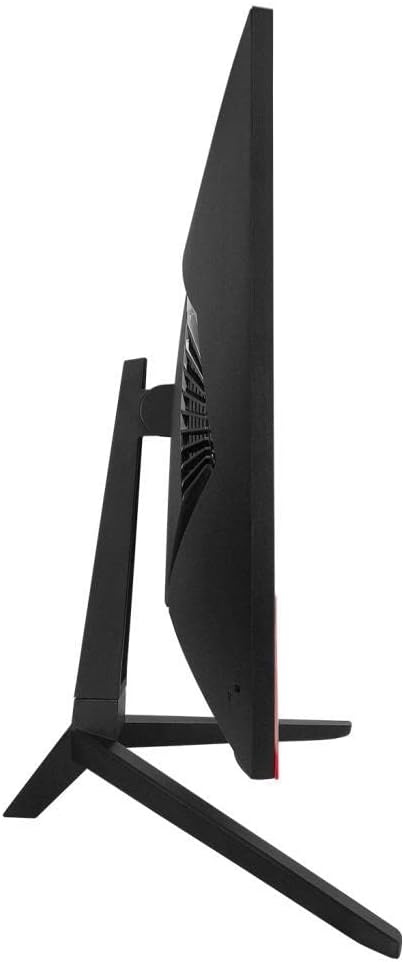
చిత్రం: సైడ్ ప్రోfile of the Rampage RM-420 monitor, showing its slim design.
7. ట్రబుల్షూటింగ్
మీ మానిటర్తో మీకు సమస్యలు ఎదురైతే, ఈ క్రింది సాధారణ సమస్యలు మరియు పరిష్కారాలను చూడండి:
- శక్తి లేదు:
- పవర్ కేబుల్ మానిటర్ మరియు పవర్ అవుట్లెట్ రెండింటికీ సురక్షితంగా కనెక్ట్ చేయబడిందని నిర్ధారించుకోండి.
- పవర్ అవుట్లెట్ సరిగ్గా పనిచేస్తుందో లేదో తనిఖీ చేయండి.
- మానిటర్ పవర్ బటన్ నొక్కండి.
- సంకేతం లేదు:
- Verify that the video cable (HDMI, DP, VGA) is securely connected to both the monitor and your computer.
- Ensure your computer is turned on and not in sleep mode.
- Manually select the correct input source using the OSD menu.
- వేరే వీడియో కేబుల్ లేదా పోర్ట్ని ప్రయత్నించండి.
- వక్రీకరించబడిన లేదా మినుకుమినుకుమనే చిత్రం:
- వీడియో కేబుల్ దెబ్బతింటుందో లేదా వదులుగా ఉందో లేదో తనిఖీ చేయండి.
- Adjust the display resolution and refresh rate settings on your computer.
- Disable FreeSync in the OSD menu to see if the issue persists.
- మీ గ్రాఫిక్స్ కార్డ్ డ్రైవర్లను అప్డేట్ చేయండి.
- బటన్లు స్పందించడం లేదు:
- Unplug the monitor from the power outlet for 30 seconds, then plug it back in and try again.
8. స్పెసిఫికేషన్లు
| ఫీచర్ | స్పెసిఫికేషన్ |
|---|---|
| బ్రాండ్ | Rampవయస్సు |
| మోడల్ సంఖ్య | RM-420 BLACK EAGLE |
| స్క్రీన్ పరిమాణం | 27 అంగుళాలు |
| డిస్ప్లే రిజల్యూషన్ | 1920 x 1080 పిక్సెల్లు (పూర్తి HD) |
| రిఫ్రెష్ రేట్ | 165Hz |
| ప్రతిస్పందన సమయం | 1మి.లు |
| ప్యానెల్ రకం | IPS |
| స్క్రీన్ ఉపరితలం | మాట్టే |
| కనెక్టివిటీ | VGA, 2x HDMI, DisplayPort (DP) |
| ఫీచర్లు | Freesync, RGB Lighting |
| ఉత్పత్తి బరువు | 560 గ్రా |
| మొదట అందుబాటులో ఉన్న తేదీ | 17 మార్చి 2022 |
9. వారంటీ మరియు మద్దతు
Your Rampage RM-420 BLACK EAGLE monitor comes with a standard manufacturer's warranty. For detailed warranty terms and conditions, please refer to the warranty card included in your package or visit the official Rampవయస్సు website. For technical support, troubleshooting assistance beyond this manual, or service inquiries, please contact Rampage customer support through their official channels.