
1. పరిచయం
This manual provides detailed instructions for the setup, operation, maintenance, and troubleshooting of your Rampage KB-R29 GRAND Series RGB LED Mechanical Gaming Keyboard. Please read this manual thoroughly before using the product to ensure proper functionality and longevity.
2. ప్యాకేజీ విషయాలు
ప్యాకేజీలో అన్ని అంశాలు ఉన్నాయని నిర్ధారించుకోండి:
- Rampage KB-R29 GRAND Series RGB LED Mechanical Gaming Keyboard
- వినియోగదారు మాన్యువల్
3. ఉత్పత్తి ముగిసిందిview
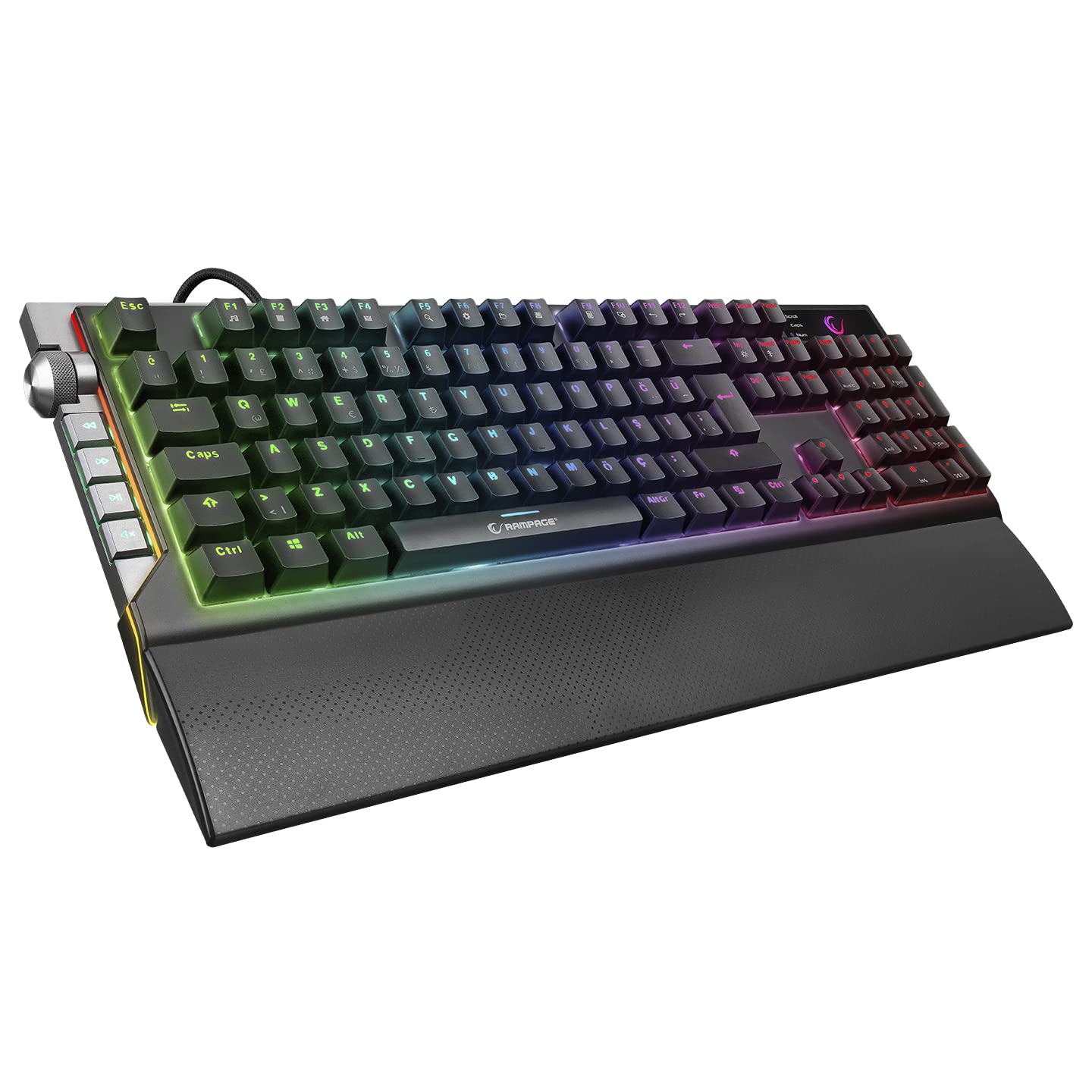
ఆర్ampage KB-R29 GRAND is a high-performance mechanical gaming keyboard featuring RGB LED backlighting and durable Blue Optical Switches. It is designed for gaming and general computer use, offering a responsive and tactile typing experience.
చిత్రం: క్లోజప్ view of the Rampage KB-R29 GRAND keyboard, highlighting the Blue Optical Switches beneath removed keycaps. This illustrates the mechanical switch design.
ముఖ్య లక్షణాలు:
- స్విచ్ రకం: Blue Optical Switches for tactile feedback and durability.
- లేఅవుట్: Turkish-Q (87 keys).
- బ్యాక్లైటింగ్: RGB LED customizable lighting.
- కనెక్టివిటీ: Wired USB.
- కొలతలు: Approximately 445mm x 212.8mm x 33mm.
4. సెటప్ సూచనలు
- కీబోర్డ్ను అన్ప్యాక్ చేయండి: కీబోర్డ్ను దాని ప్యాకేజింగ్ నుండి జాగ్రత్తగా తీసివేయండి.
- కంప్యూటర్కు కనెక్ట్ చేయండి: మీ కంప్యూటర్లో అందుబాటులో ఉన్న USB పోర్ట్కి కీబోర్డ్ యొక్క USB కనెక్టర్ను ప్లగ్ చేయండి.
- డ్రైవర్ ఇన్స్టాలేషన్: కీబోర్డ్ సాధారణంగా ప్లగ్-అండ్-ప్లే. మీ ఆపరేటింగ్ సిస్టమ్ అవసరమైన డ్రైవర్లను స్వయంచాలకంగా గుర్తించి ఇన్స్టాల్ చేయాలి. ప్రాథమిక కార్యాచరణ కోసం సాధారణంగా అదనపు సాఫ్ట్వేర్ ఇన్స్టాలేషన్ అవసరం లేదు.
- ప్లేస్మెంట్: Place the keyboard on a stable, flat surface. Ensure comfortable wrist positioning.
5. ఆపరేటింగ్ సూచనలు
Basic Keyboard Functions:
- టైపింగ్: Use the keys for standard text input.
- ఫంక్షన్ కీలు (Fn): The keyboard features an Fn key. Combine the Fn key with other keys (e.g., F1-F12) to access multimedia controls or other special functions. Refer to the keycap legends for specific combinations.
RGB LED Backlighting Control:
ఆర్ampage KB-R29 GRAND keyboard offers various RGB lighting effects and customization options. Specific key combinations are used to cycle through modes, adjust brightness, and change colors.
- లైటింగ్ మోడ్లను మార్చడం: Typically, a combination of the Fn key and specific function keys (e.g., Fn + F9, Fn + F10) or dedicated lighting keys will cycle through different RGB effects.
- ప్రకాశం సర్దుబాటు: Use Fn + Up/Down arrow keys or similar combinations to increase or decrease LED brightness.
- వేగం/దిశను సర్దుబాటు చేయడం: Some lighting effects allow adjustment of speed or direction using Fn key combinations.
గమనిక: Refer to the keycap legends on your specific keyboard for the exact key combinations for lighting control, as these can vary slightly.
6. నిర్వహణ మరియు సంరక్షణ
- శుభ్రపరచడం:
- శుభ్రం చేయడానికి ముందు మీ కంప్యూటర్ నుండి కీబోర్డ్ను డిస్కనెక్ట్ చేయండి.
- ఒక మృదువైన ఉపయోగించండి, డిamp cloth to wipe the surface of the keyboard. Avoid harsh chemicals or abrasive materials.
- కీల మధ్య దుమ్ము మరియు శిధిలాల కోసం, సంపీడన గాలిని ఉపయోగించండి.
- Keycaps can be carefully removed for deeper cleaning, but exercise caution to avoid damaging the switches.
- నిల్వ: కీబోర్డ్ను ప్రత్యక్ష సూర్యకాంతి మరియు తీవ్రమైన ఉష్ణోగ్రతలకు దూరంగా పొడి, చల్లని వాతావరణంలో నిల్వ చేయండి.
- ద్రవాలను నివారించండి: Do not expose the keyboard to liquids. Liquid damage can void the warranty.
- జాగ్రత్తగా నిర్వహించండి: కీబోర్డ్ను వదలడం లేదా బలమైన ప్రభావాలకు గురిచేయడం మానుకోండి.
7. ట్రబుల్షూటింగ్
| సమస్య | సాధ్యమైన కారణం | పరిష్కారం |
|---|---|---|
| కీబోర్డ్ ప్రతిస్పందించడం లేదు | USB కనెక్షన్ వదులుగా ఉంది, USB పోర్ట్ తప్పుగా ఉంది, డ్రైవర్ సమస్య. |
|
| కీలు నమోదు కావడం లేదు | కీక్యాప్ కింద దుమ్ము/శిధిలాలు, స్విచ్ పనిచేయకపోవడం. |
|
| RGB లైటింగ్ పని చేయడం లేదు | లైటింగ్ మోడ్ ఆఫ్ చేయబడింది, ప్రకాశం కనిష్టంగా సెట్ చేయబడింది, సాఫ్ట్వేర్ వైరుధ్యం. |
|
8. స్పెసిఫికేషన్లు
| బ్రాండ్ | Rampవయస్సు |
| మోడల్ సంఖ్య | KB-R29 GRAND |
| స్విచ్ రకం | Blue Optical Switch |
| కీల సంఖ్య | 87 |
| లేఅవుట్ | టర్కిష్-Q |
| కనెక్టివిటీ | వైర్డు USB |
| అనుకూల పరికరాలు | ల్యాప్టాప్, డెస్క్టాప్ పిసి |
| కొలతలు (LxWxH) | 445mm x 212.8mm x 33mm |
| రంగు | నలుపు |
9. వారంటీ సమాచారం
This product comes with a manufacturer's warranty. Please refer to the warranty card included with your product or contact Rampage customer support for detailed warranty terms and conditions. Keep your purchase receipt as proof of purchase for warranty claims.
10. మద్దతు
For technical assistance, troubleshooting, or product inquiries, please contact Rampage customer support. Contact information can typically be found on the manufacturer's official webసైట్ లేదా ఉత్పత్తి ప్యాకేజింగ్లో.
ఆన్లైన్ వనరులు: Visit the official Rampవయస్సు website for updated drivers, FAQs, and additional support resources.