
పరిచయం
Thank you for choosing the VGR V-212 Professional Hair Clipper. This manual provides essential information for the safe and effective use, maintenance, and care of your new hair clipper. Please read it thoroughly before first use and keep it for future reference.
భద్రతా సమాచారం
- Always disconnect the trimmer from the power source before cleaning or performing any maintenance.
- Do not use this appliance on wet hair. Ensure hair is dry before use.
- Keep the appliance out of reach of children and pets to prevent accidents.
- Avoid direct contact of the blades with eyes and sensitive skin areas.
- ఈ మాన్యువల్లో వివరించిన విధంగా ఉపకరణాన్ని దాని ఉద్దేశించిన ప్రయోజనం కోసం మాత్రమే ఉపయోగించండి.
- పరికరాన్ని నీటిలో లేదా ఇతర ద్రవాలలో ముంచవద్దు.
- If the charging cable or appliance is damaged, do not use it. Contact customer support for assistance.
ప్యాకేజీ విషయాలు
Your VGR V-212 Professional Hair Clipper package should include:
- VGR V-212 Hair Clipper
- Zero T-blade (pre-installed)
- Multiple comb guides (e.g., 1mm, 2mm, 3mm)
- USB ఛార్జింగ్ కేబుల్
- క్లీనింగ్ బ్రష్
- బ్లేడ్ ఆయిల్
- వినియోగదారు మాన్యువల్
సెటప్
- ప్రారంభ ఛార్జ్: Before first use, fully charge the hair clipper. Refer to the 'Charging' section for detailed instructions.
- బ్లేడ్ తనిఖీ: Ensure the zero T-blade is securely attached and free from any damage.
- Attach Comb Guide: Select the desired comb guide (e.g., 1mm, 2mm, or 3mm) and securely attach it to the clipper head. Ensure it clicks into place.
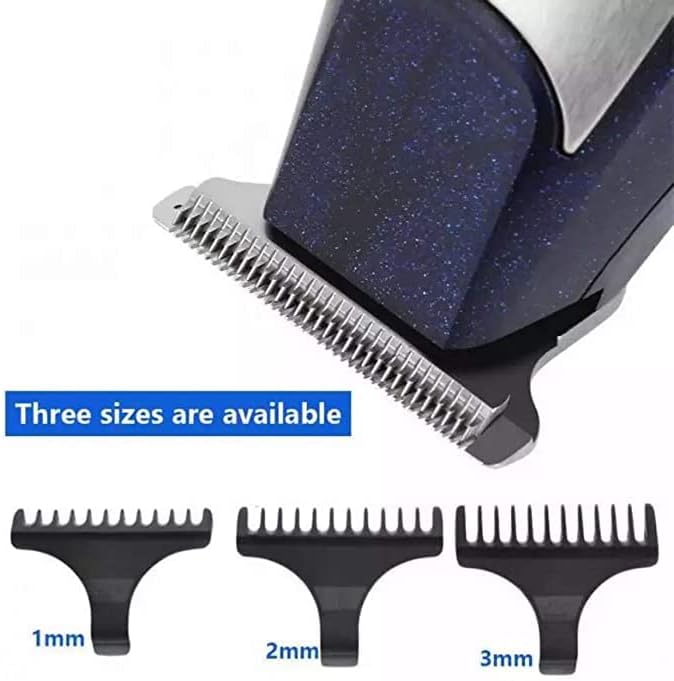
This image displays the VGR V-212 hair clipper blade and three detachable comb guides, indicating available cutting lengths of 1mm, 2mm, and 3mm for precise trimming.
ఛార్జింగ్
The VGR V-212 hair clipper is equipped with two 600 mAh rechargeable batteries and supports USB charging.
- కనెక్ట్ చేయండి: Insert the USB charging cable into the charging port on the clipper.
- శక్తి మూలం: Connect the other end of the USB cable to a USB power adapter (not always included) or a compatible USB port (e.g., computer, power bank).
- ఛార్జింగ్ సూచిక: The charging indicator light will illuminate, typically red, to show that the device is charging.
- పూర్తి ఛార్జ్: A full charge usually takes approximately 8 hours. The indicator light may change color (e.g., green or off) when fully charged.
- డిస్కనెక్ట్: Once fully charged, disconnect the charging cable from the clipper and the power source.
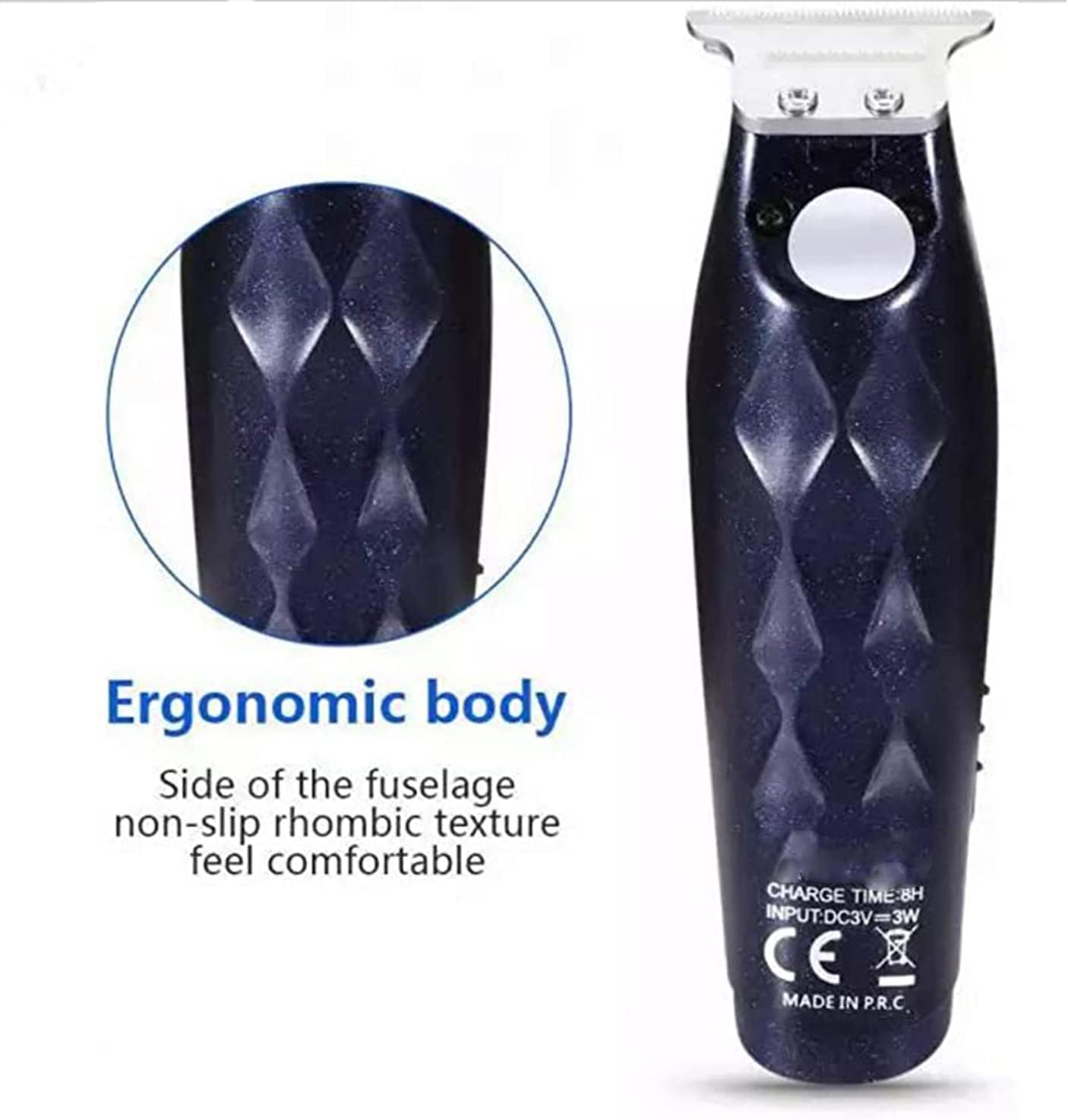
This image highlights the ergonomic design of the VGR V-212 hair clipper, featuring a non-slip rhombic texture on the side of the fuselage for a comfortable and secure grip during use. The charging specifications (DC3V=3W, Charge Time: 8H) are visible on the back.
ఆపరేటింగ్ సూచనలు
The VGR V-212 is designed for precise trimming of edges and facial hair.
- జుట్టు సిద్ధం: కత్తిరించే ముందు జుట్టు శుభ్రంగా మరియు పొడిగా ఉండేలా చూసుకోండి.
- Select Comb Guide: Choose the appropriate comb guide for your desired hair length. For a closer trim, use a smaller guide or no guide for a zero-gap cut.
- ఆన్ చేయండి: క్లిప్పర్ను ఆన్ చేయడానికి పవర్ బటన్ను నొక్కండి.
- కత్తిరించడం: Hold the clipper with the blade flat against the skin or at a slight angle, moving against the direction of hair growth. Use smooth, even strokes.
- Edges and Details: For precise edging and detailing, remove the comb guide and carefully use the zero T-blade.
- ఆఫ్ చేయండి: After use, press the power button to turn off the clipper.
నిర్వహణ మరియు శుభ్రపరచడం
Regular cleaning and maintenance ensure optimal performance and longevity of your clipper.
- పవర్ డిస్కనెక్ట్ చేయండి: Always ensure the clipper is turned off and disconnected from the charging cable before cleaning.
- వెంట్రుకలను తొలగించండి: Use the provided cleaning brush to remove loose hair from the blades and the clipper body.
- క్లీన్ బ్లేడ్లు: For a more thorough clean, you may carefully detach the blade assembly (refer to specific instructions if available in the physical manual). Rinse the blades under running water if they are designed to be washable, otherwise, wipe with a damp cloth. Ensure blades are completely dry before reattaching or storing.
- ఆయిల్ బ్లేడ్లు: Apply a few drops of the provided blade oil to the teeth of the blades after each cleaning or regularly. Turn on the clipper for a few seconds to distribute the oil evenly. This helps maintain blade sharpness and reduces friction.
- శరీరాన్ని తుడవండి: క్లిప్పర్ బాడీని శుభ్రమైన, పొడి గుడ్డతో తుడవండి.
- నిల్వ: Store the clipper in a cool, dry place, away from direct sunlight and moisture.
ట్రబుల్షూటింగ్
| సమస్య | సాధ్యమైన కారణం | పరిష్కారం |
|---|---|---|
| క్లిప్పర్ ఆన్ అవ్వడం లేదు. | బ్యాటరీ క్షీణించింది. | క్లిప్పర్ను పూర్తిగా ఛార్జ్ చేయండి. |
| పేలవమైన కట్టింగ్ పనితీరు. | బ్లేడ్లు నిస్తేజంగా, మురికిగా లేదా నూనె వేయబడనివిగా ఉంటాయి. | Clean and oil the blades. If blades are dull, consider replacement (contact support). |
| క్లిప్పర్ జుట్టు లాగుతుంది. | Blades are dirty, not oiled, or hair is wet. | Clean and oil blades. Ensure hair is dry. Trim at a slower pace. |
| Clipper gets hot. | పొడిగించిన ఉపయోగం లేదా సరళత లేకపోవడం. | Allow the clipper to cool down. Ensure blades are clean and oiled. |
స్పెసిఫికేషన్లు
| మోడల్ సంఖ్య | V-212 |
| బ్రాండ్ | వీజీఆర్ |
| బ్లేడ్ మెటీరియల్ | High Carbon Stainless Steel |
| శక్తి మూలం | Rechargeable Battery (2 x 600 mAh) |
| ఛార్జింగ్ పద్ధతి | USB ఛార్జింగ్ |
| ఛార్జింగ్ సమయం | సుమారు 8 గంటలు |
| సిఫార్సు చేసిన ఉపయోగాలు | Edges, Facial Hair |
| రంగు | నీలం మరియు వెండి |
| వస్తువు బరువు | 350 గ్రాములు |
| మూలం దేశం | చైనా |
వారంటీ మరియు మద్దతు
For warranty information or technical support, please refer to the warranty card included with your product or contact VGR customer service through their official webఉత్పత్తిని కొనుగోలు చేసిన సైట్ లేదా రిటైలర్. వారంటీ క్లెయిమ్ల కోసం మీ కొనుగోలు రుజువును ఉంచండి.