
1. పరిచయం
ధన్యవాదాలు, ధన్యవాదాలు.asing the UNITED LED24TP60 24-inch HD Ready LED TV. This television is designed to provide high-quality visual and audio entertainment. This manual will guide you through the setup, operation, and maintenance of your new TV, ensuring you get the best possible experience. Please read these instructions carefully before operating the device and retain them for future reference.
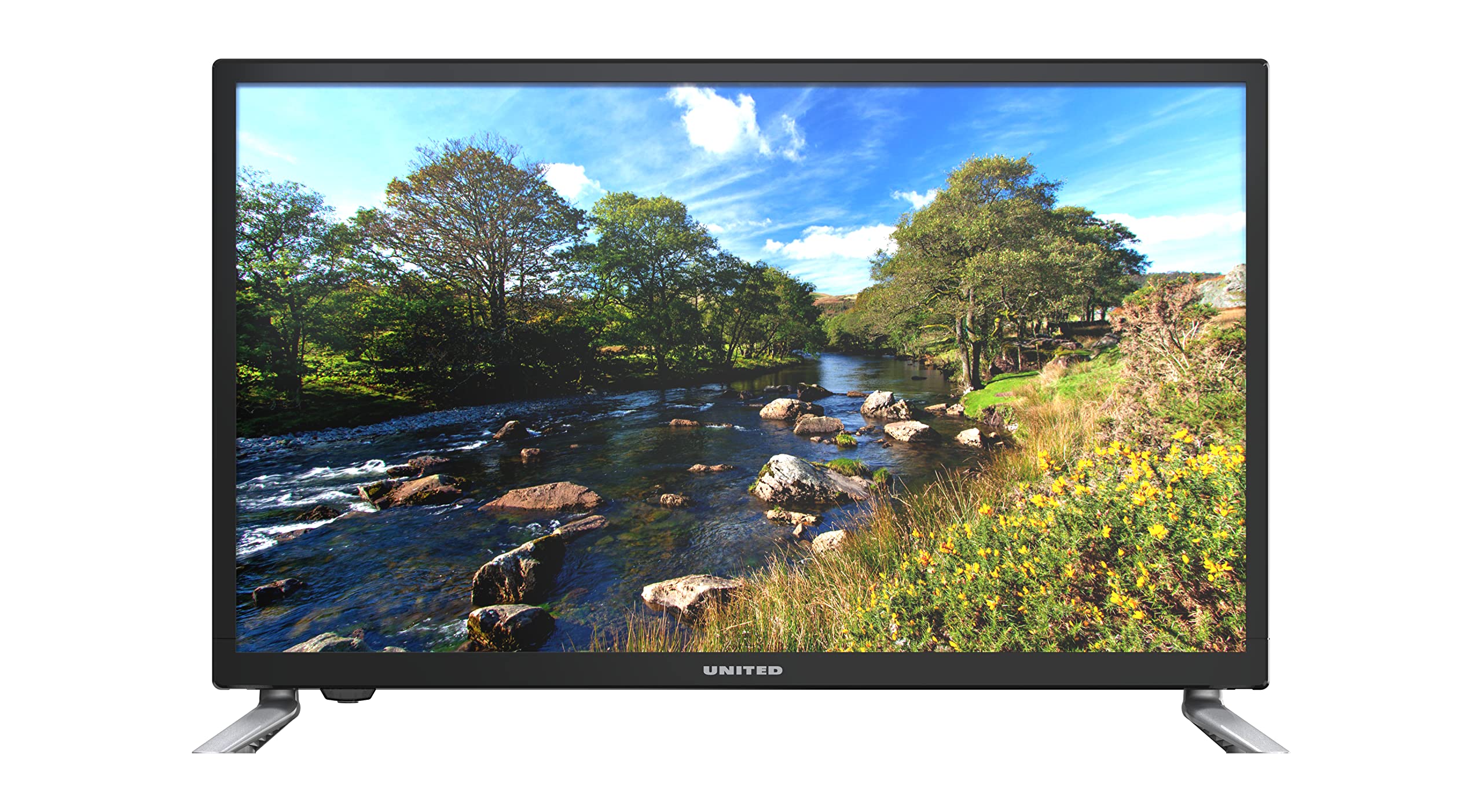
మూర్తి 1.1: ముందు view of the UNITED LED24TP60 24-inch HD Ready LED TV. This image shows the television with its stand attached, displaying a vibrant nature scene.
2. ముఖ్యమైన భద్రతా సమాచారం
సురక్షితమైన ఆపరేషన్ను నిర్ధారించడానికి మరియు నష్టాన్ని నివారించడానికి, దయచేసి ఈ క్రింది భద్రతా జాగ్రత్తలను గమనించండి:
- శక్తి మూలం: పేర్కొన్న వాల్యూమ్ యొక్క AC పవర్ అవుట్లెట్కు మాత్రమే టీవీని కనెక్ట్ చేయండి.tage.
- వెంటిలేషన్: టీవీ చుట్టూ తగినంత వెంటిలేషన్ ఉండేలా చూసుకోండి. వెంటిలేషన్ ఓపెనింగ్లను బ్లాక్ చేయవద్దు.
- నీరు మరియు తేమ: టీవీని వర్షం లేదా తేమకు గురిచేయవద్దు. టీవీపై కుండీల వంటి ద్రవాలతో నిండిన వస్తువులను ఉంచవద్దు.
- వేడి: Keep the TV away from heat sources such as radiators, heat registers, stoves, or other apparatus (including ampలిఫైయర్లు) వేడిని ఉత్పత్తి చేస్తాయి.
- శుభ్రపరచడం: శుభ్రపరిచే ముందు టీవీని గోడ అవుట్లెట్ నుండి అన్ప్లగ్ చేయండి. మృదువైన, పొడి వస్త్రాన్ని ఉపయోగించండి. లిక్విడ్ క్లీనర్లను లేదా ఏరోసోల్ క్లీనర్లను ఉపయోగించవద్దు.
- సర్వీసింగ్: ఈ ఉత్పత్తిని మీరే సేవ చేయడానికి ప్రయత్నించవద్దు. అర్హత కలిగిన సేవా సిబ్బందికి అన్ని సర్వీసులను చూడండి.
- బ్యాటరీలు: ఉపయోగించిన బ్యాటరీలను బాధ్యతాయుతంగా పారవేయండి. పాత మరియు కొత్త బ్యాటరీలను లేదా వివిధ రకాల బ్యాటరీలను కలపవద్దు.
3. ప్యాకేజీ విషయాలు
దయచేసి ప్యాకేజింగ్లో అన్ని అంశాలు ఉన్నాయో లేదో తనిఖీ చేయండి:
- UNITED LED24TP60 24-inch HD Ready LED TV
- రిమోట్ కంట్రోల్
- 2 x AAA 1.5V Batteries (for remote control)
- పవర్ కేబుల్
- టీవీ స్టాండ్ భాగాలు (వర్తిస్తే)
- వినియోగదారు మాన్యువల్ (ఈ పత్రం)
4. సెటప్
4.1 అన్ప్యాకింగ్ మరియు ప్లేస్మెంట్
- టీవీని దాని ప్యాకేజింగ్ నుండి జాగ్రత్తగా తీసివేయండి.
- Place the TV on a stable, flat surface or mount it on a wall using a compatible VESA mount (not included). Ensure the TV is placed in a well-ventilated area.
4.2 స్టాండ్ అటాచ్ చేయడం
If you are not wall-mounting the TV, attach the included stand components:
- స్క్రీన్ దెబ్బతినకుండా ఉండటానికి టీవీ ముఖాన్ని మృదువైన గుడ్డ లేదా కుషన్ మీద ఉంచండి.
- టీవీ అడుగున ఉన్న మౌంటు రంధ్రాలతో స్టాండ్ భాగాలను సమలేఖనం చేయండి.
- అందించిన స్క్రూలను ఉపయోగించి స్టాండ్ను భద్రపరచండి. ఎక్కువగా బిగించవద్దు.
4.3 బాహ్య పరికరాలను కనెక్ట్ చేయడం
The UNITED LED24TP60 TV offers various connectivity options:
- HDMI: Connect high-definition devices such as Blu-ray players, game consoles, or set-top boxes using an HDMI cable.
- RF (యాంటెన్నా/కేబుల్): ప్రసార ఛానెల్ల కోసం యాంటెన్నా లేదా కేబుల్ టీవీ సిగ్నల్ను కనెక్ట్ చేయండి.
- USB: మీడియాను ప్లే చేయడానికి USB డ్రైవ్ను చొప్పించండి fileలు (ఫోటోలు, సంగీతం, వీడియోలు).
4.4 పవర్ ఆన్ మరియు ప్రారంభ సెటప్
- పవర్ కేబుల్ను టీవీకి, ఆపై వాల్ అవుట్లెట్కు కనెక్ట్ చేయండి.
- Insert the AAA batteries into the remote control, observing polarity.
- రిమోట్ కంట్రోల్ లేదా టీవీలో పవర్ బటన్ను నొక్కండి.
- Follow the on-screen instructions to select your language, country, and perform an automatic channel scan for available broadcast channels.

మూర్తి 4.1: Dimensions of the UNITED LED24TP60 TV. The image illustrates the TV's depth (12 cm), width (62.5 cm), and height (41.4 cm) with the stand.
5. టీవీని ఆపరేట్ చేయడం
5.1 రిమోట్ కంట్రోల్ విధులు
The remote control allows you to access all TV functions. Common buttons include:
- శక్తి: టీవీని ఆన్ లేదా ఆఫ్ చేస్తుంది.
- ఇన్పుట్/మూలం: Selects the input source (HDMI, RF, USB).
- వాల్యూమ్ +/-: వాల్యూమ్ స్థాయిని సర్దుబాటు చేస్తుంది.
- ఛానెల్ +/-: టీవీ ఛానళ్లు మారుస్తాడు.
- మెను: సెట్టింగ్ల సర్దుబాట్ల కోసం ప్రధాన మెనూను తెరుస్తుంది.
- నావిగేషన్ బటన్లు (పైకి/క్రిందికి/ఎడమ/కుడి): మెనూల ద్వారా నావిగేట్ చేయండి.
- సరే/నమోదు చేయండి: ఎంపికలను నిర్ధారిస్తుంది.
- నిష్క్రమించు/వెనుకకు: మునుపటి స్క్రీన్కు తిరిగి వస్తుంది లేదా మెనూ నుండి నిష్క్రమిస్తుంది.
5.2 ఇన్పుట్ ఎంపిక
To switch between connected devices (e.g., a game console on HDMI and broadcast TV):
- నొక్కండి ఇన్పుట్ or మూలం రిమోట్ కంట్రోల్లో బటన్.
- Use the navigation buttons to highlight the desired input (e.g., HDMI1, DTV, ATV, USB).
- నొక్కండి OK మీ ఎంపికను నిర్ధారించడానికి.
5.3 మెనూ నావిగేషన్ మరియు సెట్టింగ్లు
నొక్కండి మెనూ button to access various settings:
- చిత్ర సెట్టింగ్లు: Adjust brightness, contrast, color, sharpness, and picture mode (e.g., Standard, Dynamic, Movie).
- సౌండ్ సెట్టింగ్లు: Adjust bass, treble, balance, and sound mode (e.g., Standard, Music, Movie).
- ఛానెల్ సెట్టింగ్లు: Perform channel scans, edit channels, or set parental controls.
- సమయ సెట్టింగ్లు: Set the current time, sleep timer, or auto-off function.
- సిస్టమ్ సెట్టింగ్లు: Access language settings, software updates, and factory reset options.
5.4 USB ద్వారా మీడియా ప్లేబ్యాక్
Insert a USB storage device into the USB port. The TV supports playback of various media formats, including those encoded with HEVC Main 10. Navigate to the USB input source to browse and play your files.
5.5 Supported Internet Services
This television supports Mediaset Infinity. Access to this service may require an internet connection and a subscription, depending on regional availability and service provider terms.
6. నిర్వహణ
6.1 టీవీని శుభ్రపరచడం
- శుభ్రపరిచే ముందు టీవీని ఎల్లప్పుడూ పవర్ అవుట్లెట్ నుండి అన్ప్లగ్ చేయండి.
- స్క్రీన్ మరియు క్యాబినెట్ను సున్నితంగా తుడవడానికి మృదువైన, పొడి, మెత్తటి బట్టను ఉపయోగించండి.
- తెరపై మొండి గుర్తుల కోసం, తేలికగా dampen the cloth with water or a specialized screen cleaner (ensure it is safe for LED screens) and wipe gently. Do not spray liquid directly onto the screen.
- అబ్రాసివ్ క్లీనర్లు, వ్యాక్స్ లేదా ద్రావకాలను వాడటం మానుకోండి ఎందుకంటే అవి టీవీ ముగింపును దెబ్బతీస్తాయి.
6.2 నిల్వ
మీరు టీవీని ఎక్కువ కాలం నిల్వ చేయవలసి వస్తే, దానిని అన్ప్లగ్ చేసి, శుభ్రం చేసి, చల్లని, పొడి ప్రదేశంలో నిల్వ చేయండి, ప్రాధాన్యంగా దాని అసలు ప్యాకేజింగ్లో దుమ్ము మరియు భౌతిక నష్టం నుండి రక్షించండి.
7. ట్రబుల్షూటింగ్
కస్టమర్ సపోర్ట్ను సంప్రదించే ముందు, దయచేసి ఈ క్రింది సాధారణ సమస్యలు మరియు పరిష్కారాలను చూడండి:
| సమస్య | సాధ్యమైన పరిష్కారం |
|---|---|
| శక్తి లేదు | Check if the power cable is securely connected to the TV and the wall outlet. Ensure the wall outlet is functioning. Try pressing the power button on the TV itself. |
| చిత్రం లేదు, కానీ ధ్వని ఉంది | Ensure the correct input source is selected. Check cable connections (HDMI, RF). Adjust brightness and contrast settings. |
| శబ్దం లేదు, కానీ చిత్రం ఉంది | Check the volume level and ensure the TV is not muted. Verify audio cable connections. Check sound settings in the menu. |
| రిమోట్ కంట్రోల్ పనిచేయడం లేదు | రిమోట్ కంట్రోల్లోని బ్యాటరీలను మార్చండి. రిమోట్ మరియు టీవీ యొక్క IR సెన్సార్ మధ్య ఎటువంటి అడ్డంకులు లేవని నిర్ధారించుకోండి. |
| పేలవమైన చిత్ర నాణ్యత | Check antenna or cable connections. Adjust picture settings (sharpness, noise reduction). If using an external device, check its output resolution. |
8. స్పెసిఫికేషన్లు
Key technical specifications for the UNITED LED24TP60 TV:
| ఫీచర్ | స్పెసిఫికేషన్ |
|---|---|
| మోడల్ సంఖ్య | LED24TP60 |
| బ్రాండ్ | యునైటెడ్ |
| స్క్రీన్ పరిమాణం | 24 అంగుళాలు (60 సెం.మీ.) |
| రిజల్యూషన్ | HD సిద్ధంగా (1366 x 768 పిక్సెల్లు) |
| ప్రదర్శన రకం | LED |
| రిఫ్రెష్ రేట్ | 60 Hz |
| కారక నిష్పత్తి | 16:9 |
| కనెక్టివిటీ | HDMI, RF, USB (1 port) |
| ప్రత్యేక లక్షణాలు | HEVC Main 10 support, Flat screen |
| మద్దతు ఉన్న ఇంటర్నెట్ సేవలు | Mediaset Infinity |
| కొలతలు (స్టాండ్తో) | 12P x 62.5L x 41.4H సెంటీమీటర్లు |
| విద్యుత్ వినియోగం (SDR) | 21.0 W |

మూర్తి 8.1: Energy label for the UNITED LED24TP60 TV, indicating an energy efficiency class F and a power consumption of 21 kWh/1000h.
మరింత వివరణాత్మక ఉత్పత్తి సమాచారం కోసం, EPREL డేటాబేస్ చూడండి: https://eprel.ec.europa.eu/qr/346372

మూర్తి 8.2: Product information sheet for the UNITED LED24TP60 TV, detailing various technical specifications and compliance information.
9. వారంటీ మరియు మద్దతు
The product information indicates a minimum technical assistance guarantee for the product until September 20, 2025. Specific details regarding warranty coverage, duration, and terms are typically provided with your purchase documentation or can be obtained directly from the manufacturer or your retailer.
For technical support, service, or warranty claims, please contact your retailer or the UNITED customer service department. Keep your proof of purchase for any warranty-related inquiries.
Information regarding the availability of spare parts and software updates is not provided in the product data.